Six cameras worth buying, ranked by what they actually cost to live with — not by which brand spends the most on ads. Prices are live; the subscription math is done for you.
We earn a commission when you buy through our Amazon links, at no extra cost to you. It never changes our rankings — where the subscription-free or cheaper option is the better buy, we say so. How this works.
We picked these six by working the problem backwards from the bill, not the box. A security camera is cheap to buy and can be expensive to own, because the recorded clips — the whole point — are often paywalled behind a monthly plan. So we ranked on three things a listing buries: where the footage is stored, what it costs over three years, and whether it fits the ecosystem you already use.
The result leans toward subscription-free cameras, and that is deliberate. When a no-monthly-fee camera does the job as well as a subscription one, it is simply the better buy — even though the subscription products tend to pay us more. If you want the reasoning behind the whole no-fee argument, the no-subscription roundup goes deeper, and what each brand's plan really costs breaks down the fees line by line.
One honest caveat up front: we don't run a camera lab. We compiled published specs, confirmed each camera's storage and ecosystem support from the manufacturer's own listing and support docs, computed the multi-year cost, and read aggregated owner sentiment. Where a measured figure came from someone else's testing, we say so. That is the honest version of "how we chose," and it's the same method on every page here.
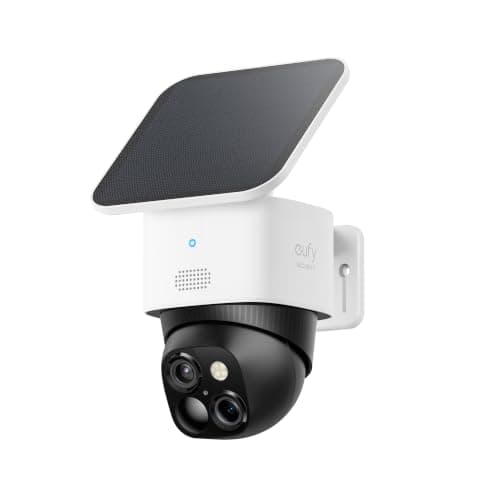
A wireless, solar-charged 3K camera that keeps its footage on an 8GB card with no monthly fee — the closest thing to buy-it-and-forget-it in this list.
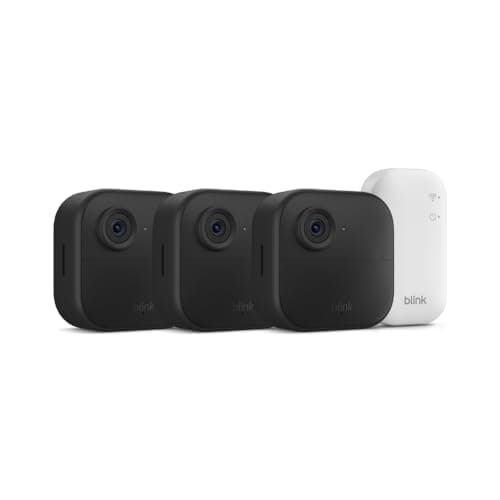
A three-camera wire-free kit with a two-year battery claim — the easiest way to blanket a house cheaply, if you accept the Blink plan or a USB drive for clips.
#ad · Live prices from the Amazon Product API, as of Jul 18, 2026. Where we have no verified live price we show none — we would rather leave a gap than print a number that has rotted.
3-year cost: hardware + any monthly fee (single camera)
Product
Hardware
Monthly
3-yr fees
3-yr total
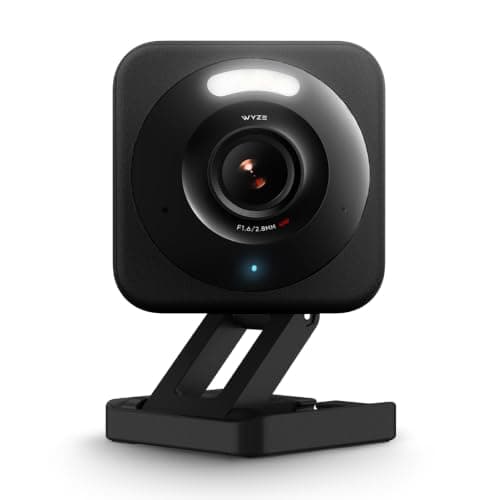
Wyze Cam v4microSD local; Cam Plus optional (~$2/mo)
$30
$0
$0
$30
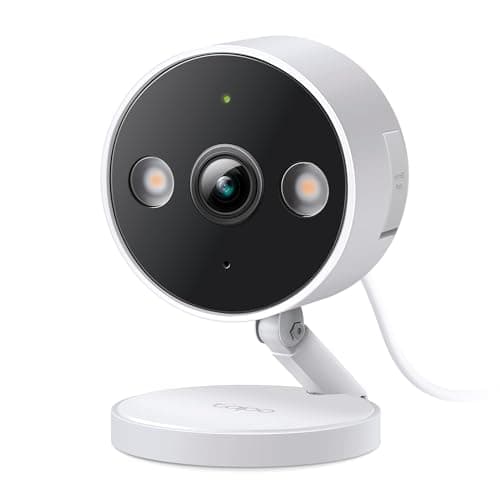
TP-Link Tapo C120microSD local; Tapo Care optional
$30
$0
$0
$30
eufy SoloCam S340Local 8GB + solar — no plan needed for event clips
$140
$0
$0
$140
Reolink Argus 4 PromicroSD / Home Hub — no plan
$150
$0
$0
$150
Blink Outdoor 4 (1 cam)Blink Basic for cloud clips, or local via Sync Module 2
$100
$4/mo
$144
$244
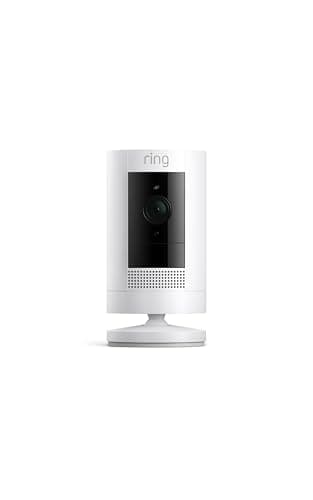
Ring Stick Up CamRing Home Basic — required to save any recorded clip
$80
$5/mo
$180
$260
Hardware figures are approximate MSRP context for the comparison; the live, date-stamped price is on each product's buy button. Fees are the published plan rates at the time of writing — always confirm current pricing with the brand.
A wireless, solar-charged 3K camera that keeps its footage on an 8GB card with no monthly fee — the closest thing to buy-it-and-forget-it in this list.
3K dual camera
Solar + battery
360° pan & tilt
8GB built-in
Alexa + Google
Matter: No Matter (app + Alexa/Google)Fee: Free — 8GB local + solarResearched, not hands-on tested
Good
+Solar panel means you effectively never recharge it in a sunny spot
+Pan-and-tilt covers a whole yard from one mount
+Records locally to 8GB with no subscription for basic event clips
Less good
−8GB fills quickly on a busy camera — you manage clips, or add cloud
−No Matter/HomeKit; you live in the eufy app plus Alexa or Google
Skip it if: you want HomeKit Secure Video — eufy's cameras don't do it, and you'd be fighting the app.
A three-camera wire-free kit with a two-year battery claim — the easiest way to blanket a house cheaply, if you accept the Blink plan or a USB drive for clips.
1080p HD
2-year battery
Two-way talk
Sync Module Core
3-camera kit
Matter: No MatterFee: $3.99/mo Blink plan (or local USB via Sync Module 2)Researched, not hands-on tested
Good
+Three cameras in the box makes whole-home coverage genuinely affordable
+Two-year battery life on each camera means rare recharging
+Local clip storage is possible with a Sync Module 2 and a USB drive
Less good
−The included Sync Module Core doesn't do local storage — you'd upgrade for that
−1080p and Alexa-only; no Google or Matter
Skip it if: you want the sharpest possible image — this trades resolution for battery life and price.
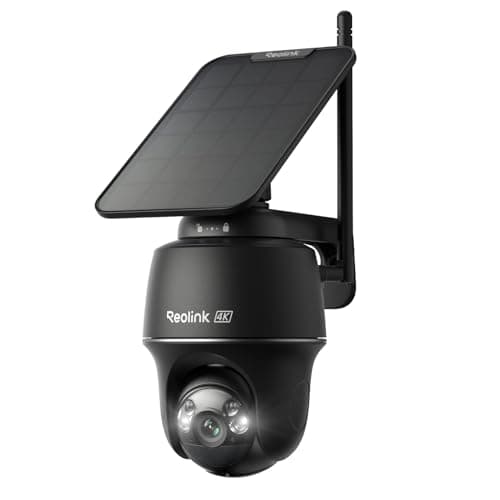
A 4K, 180-degree solar camera with no subscription — the pick when you want the widest, sharpest wire-free view money can reasonably buy.
4K dual-lens
180° view
Solar + battery
No subscription
Home Hub compatible
Matter: No MatterFee: Free — microSD / Reolink Home HubResearched, not hands-on tested
Good
+4K across a 180-degree field is unusual at any wire-free price
+Solar charging plus no mandatory subscription
+Pairs with Reolink's Home Hub for centralized local storage
Less good
−The dual-lens stitching can show a seam on close subjects
−Bigger and more visible than the compact cameras here
Skip it if: you want something discreet — this is a substantial camera that announces itself.
How to actually choose
Start with storage, because it sets your running cost for years. If you never want a bill, buy a camera that records locally — eufy, Wyze, Tapo and Reolink all do. If you are happy to pay for cloud convenience or you are already inside Ring/Alexa, a subscription camera is fine; just put the plan in your budget from day one.
Then match power to traffic
A battery or solar camera is wonderful on a quiet side gate and a chore on a busy front drive, where constant motion drains it. High-traffic spots want wired power or a solar panel with good sun. Low-traffic spots are where battery cameras shine.
Finally, respect your ecosystem
None of these cameras support Matter or Apple HomeKit Secure Video today, so you will live in the brand's own app plus Alexa or Google. That is fine — just don't buy expecting a camera to appear in Apple Home, because it won't. If cross-brand tidiness matters to you, read the ecosystem comparison before you commit.
How we chose
We don't run a test lab
We don't wire every one of these into a test rig, and we won't write "in our testing" as if we do. What we did instead: pulled each product's published specifications, confirmed its Matter/Thread/HomeKit support from the manufacturer's own documentation, added up the real 3-year cost with any monthly fee included, and read the aggregated verified-buyer sentiment. Every pick is chosen against that published method. Where a number came from someone else, we name and link them in Sources.
Questions
Frequently asked
Which security camera has no monthly fee?+
The eufy SoloCam S340, Wyze Cam v4, TP-Link Tapo C120 and Reolink Argus 4 Pro all record locally and need no subscription for basic event recording. Ring and Blink give you a live view for free but require a plan (or, for Blink, a local USB setup) to save recorded clips.
Do I need a subscription to use a security camera?+
Not always. Local-storage cameras save clips to a microSD card or built-in memory with no fee. Subscriptions mostly buy you cloud backup, longer history and smarter AI alerts. Our subscription-cost guide shows exactly what each plan adds.
Are these cameras hard to install?+
The battery and solar models (eufy, Blink, Reolink) mount with a bracket and screws and pair in the app in minutes. The wired ones (Wyze, Tapo) need power nearby. None require an electrician or a professional installer.
Will these work with Apple HomeKit?+
No. None of these cameras support HomeKit Secure Video as of this writing. They work with the brand's own app plus Amazon Alexa and Google Home. If HomeKit is a must, you are currently looking at a much shorter list of (pricier) cameras.
We do not run a test lab, and we do not pretend to. Compatibility and subscription-cost claims come from the manufacturer's own documentation and the live retailer listing, read on the dates shown. Read our full method.