Skip to content
Latch & Hub

Cameras · Security Cameras

The Best No-Subscription Security Cameras for 2026

Four cameras that save recorded clips to local storage — a microSD card or built-in memory — so you never pay a monthly bill to review what happened. The subscription math is done for you.

By Stephen V.Updated How we choose
#ad

We earn a commission when you buy through our Amazon links, at no extra cost to you. It never changes our rankings — where the subscription-free or cheaper option is the better buy, we say so. How this works.

A security camera is cheap to buy and can be expensive to own. The recorded clips — the entire point of a camera — are often locked behind a monthly plan, so the sticker price is only the deposit. This page is the opposite of that: four cameras that write their footage to local storage, a microSD card or built-in memory, so the day you unbox it is the last time it costs you anything.

"No subscription" means something specific here. It means you can review a recorded event — not just a live view — without paying a cent. Ring and Blink will happily show you a live feed for free, but the moment you want to see what happened while you were out, you need a plan. Every camera below skips that step. The trade is that you manage the storage yourself: a card fills, and you either let it overwrite the oldest footage or you swap it. For most homes that is a fair deal, and over three years it is a large amount of money.

One honest caveat up front: we don't run a camera lab. We compiled published specs, confirmed each camera's local-storage and ecosystem support from the manufacturer's own Amazon listing and support docs, and computed the multi-year cost. Where a measured figure came from someone else's testing, we say so. That is the honest version of "how we chose," and it is the same method on every page here. For the wider field including the subscription cameras, see the main camera roundup.

Why local storage wins the long game

The math is not subtle. A subscription-free camera costs you its hardware price and nothing else. A subscription camera costs you its hardware price plus a fee every month for as long as you own it. At even $4.99 a month — the current Ring Home Basic rate for a single device — that is roughly $180 over three years, on top of the camera. Add a second and third camera and the gap widens fast, because most plans charge per device until you buy the whole-home tier. The table below runs the arithmetic so you can see where the lines cross.

Local storage also means your footage lives in your house. If the internet drops, a locally-recording camera keeps writing to its card; a cloud-only camera goes blind. That is the core of the local vs cloud storage argument, and it is why we lead with local cameras wherever they do the job as well as a subscription one — even though the subscription products tend to pay us more.

What you give up without a plan

Being fair to the other side: subscriptions buy real things. Off-site cloud backup survives a thief who walks off with the camera or its card. Longer event history — 30, 60, 180 days — lets you scroll back further than a small card allows. And the smartest AI (rich package, person and facial alerts) is often gated behind the paid tier. If those matter more to you than the fee, a plan is a legitimate choice; the subscription-cost breakdown lays out exactly what each brand charges. But none of that is required to have a working, recording camera, and this page is for the buyer who wants the recording without the bill.

How the four line up

The eufy SoloCam S340 is the pick for most people because it removes the one chore the others keep: it charges itself from the sun and stores footage in 8GB of built-in memory, so there is no card to buy and, in a sunny spot, nothing to recharge. The Wyze Cam v4 is the budget answer — 2.5K and color night vision for the price of a takeaway, recording free to a microSD card. The Tapo C120 is the wired pick for a doorway or driveway where you want true continuous recording rather than motion clips, and where a power outlet is nearby. The Reolink Argus 4 Pro is the splurge: 4K across a 180-degree field, solar-charged, still with no plan, for the buyer who wants the widest and sharpest wire-free view on the list.

None of the four support Matter or Apple HomeKit Secure Video today, so you will live in the brand's own app plus Alexa or Google. That is worth knowing before you buy — cameras are the one category Matter still doesn't cover, as the Matter guide explains — but it changes nothing about the no-fee promise.

The short answer

Quick picks

Tap any row for the full write-up.

#ProductBest forMatterPrice
01
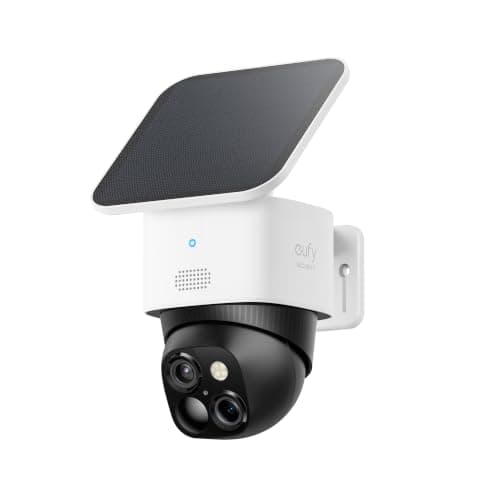
eufy SoloCam S340Top pick

A wireless, solar-charged 3K camera that stores its own footage on 8GB of built-in memory with no plan — the closest thing to buy-it-and-forget-it on this list.

Most people who never want a billNo Matter (app + Alexa/Google)
$139.99View on Amazon

$199.9930% off

#ad · we may earn a commission from this link to eufy SoloCam S340

02
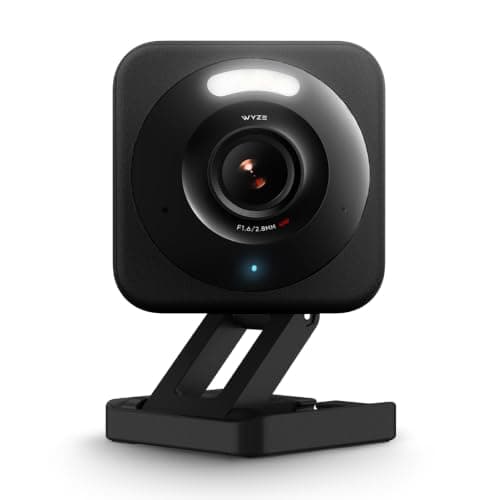
Wyze Cam v4

The value benchmark. 2.5K with color night vision and free local recording to a microSD card — the cheapest way onto this list without feeling cheap.

Tightest budgetNo Matter
$29.98View on Amazon

$35.9817% off

#ad · we may earn a commission from this link to Wyze Cam v4

03
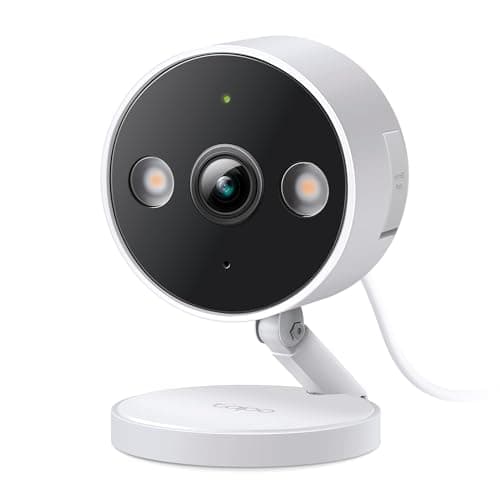
TP-Link Tapo C120

A tiny wired 2K camera that records to a microSD card for free — the cheapest honest way to watch a doorway or driveway continuously with no monthly bill.

Cheapest wired continuous recordingNo Matter
$29.99View on Amazon

$39.9925% off

#ad · we may earn a commission from this link to TP-Link Tapo C120

04
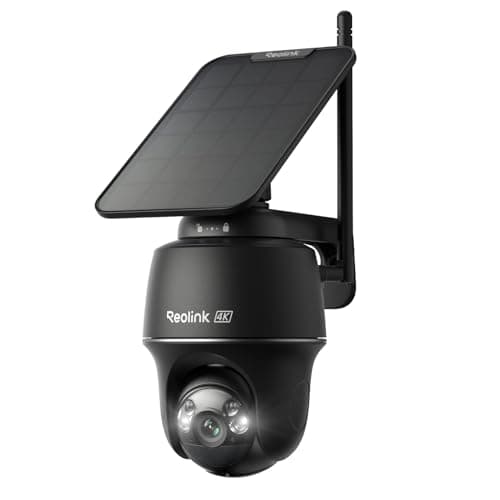
Reolink Argus 4 Pro

A 4K, 180-degree solar camera with no subscription — the pick when you want the widest, sharpest wire-free view that still keeps footage local.

Widest, sharpest wire-free viewNo Matter
$152.99View on Amazon

$199.9924% off

#ad · we may earn a commission from this link to Reolink Argus 4 Pro

#ad · Live prices from the Amazon Product API, as of Jul 18, 2026. Where we have no verified live price we show none — we would rather leave a gap than print a number that has rotted.

3-year cost: no-fee picks vs a subscription camera (single camera)
ProductHardwareMonthly3-yr fees3-yr total
Wyze Cam v4microSD local; Cam Plus optional (~$2/mo)$30$0$0$30
TP-Link Tapo C120microSD local; Tapo Care optional$30$0$0$30
eufy SoloCam S3408GB built-in + solar — no plan needed for event clips$140$0$0$140
Reolink Argus 4 PromicroSD / Reolink Home Hub — no plan$150$0$0$150
Ring Stick Up Cam (for contrast)Ring Home Basic — required to save any recorded clip; confirm current pricing$80$5/mo$180$260

Hardware figures are approximate MSRP context for the comparison; the live, date-stamped price is on each product's buy button. Fees are the published plan rates at the time of writing — always confirm current pricing with the brand.

In detail

The picks, in full

01

eufy SoloCam S340

Top pick
eufy SoloCam S340
$139.99View on Amazon

$199.9930% off

Price as of Jul 18, 2026. Amazon's price at checkout is the one that counts.

#ad · we may earn a commission from this link to eufy SoloCam S340

A wireless, solar-charged 3K camera that stores its own footage on 8GB of built-in memory with no plan — the closest thing to buy-it-and-forget-it on this list.

  • 3K dual camera
  • Solar + battery
  • 360° pan & tilt
  • 8GB built-in
  • Alexa + Google
Matter: No Matter (app + Alexa/Google)Fee: Free — 8GB local + solarResearched, not hands-on tested

Good

  • Records clips to 8GB of built-in memory with no subscription for event capture
  • The solar panel means you effectively never recharge it in a sunny spot
  • Pan-and-tilt covers a whole yard from a single mount

Less good

  • 8GB fills quickly on a busy camera — you manage or overwrite clips, or add optional cloud
  • No Matter or HomeKit; you live in the eufy app plus Alexa or Google

Skip it if: you want HomeKit Secure Video — eufy's cameras don't support it, and you'd be fighting the app.

02

Wyze Cam v4

Wyze Cam v4
$29.98View on Amazon

$35.9817% off

Price as of Jul 18, 2026. Amazon's price at checkout is the one that counts.

#ad · we may earn a commission from this link to Wyze Cam v4

The value benchmark. 2.5K with color night vision and free local recording to a microSD card — the cheapest way onto this list without feeling cheap.

  • 2.5K
  • Color night vision
  • microSD local
  • Alexa + Google
  • Indoor/outdoor
Matter: No MatterFee: Free with microSD (Cam Plus optional)Researched, not hands-on tested

Good

  • Records continuously or on-event to a microSD card with no subscription required
  • Genuinely inexpensive without a visible drop in image quality
  • Basic motion events work without the paid Cam Plus tier

Less good

  • The smartest AI events and full cloud event history want the optional Cam Plus plan
  • Wyze's past security-incident history means you should use a unique password and 2FA

Skip it if: you want a camera you never touch — the microSD workflow rewards someone willing to swap and manage a card.

03

TP-Link Tapo C120

TP-Link Tapo C120
$29.99View on Amazon

$39.9925% off

Price as of Jul 18, 2026. Amazon's price at checkout is the one that counts.

#ad · we may earn a commission from this link to TP-Link Tapo C120

A tiny wired 2K camera that records to a microSD card for free — the cheapest honest way to watch a doorway or driveway continuously with no monthly bill.

  • 2K+ QHD
  • Person/pet/vehicle AI
  • microSD local
  • Color night vision
  • Indoor/outdoor wired
Matter: No MatterFee: Free — microSD local (optional Tapo Care)Researched, not hands-on tested

Good

  • Subscription-free local storage on a microSD card, with a sharp 2K+ sensor
  • Wired power keeps 24/7 continuous recording on the table, not just motion clips
  • On-device person, pet and vehicle detection without a cloud plan

Less good

  • Wired-only — you need power near the mount
  • The Tapo app is functional rather than polished

Skip it if: you need a battery camera for a spot with no power nearby — this one has to be plugged in.

How to actually choose among the four

Start with power, because it decides the shortlist. If there is an outlet near the mount and you want genuine 24/7 recording, the wired Tapo C120 is the cheapest way there. If the spot has no power, you want battery or solar: the eufy S340 and Reolink Argus 4 Pro both charge from the sun, and the Wyze v4 can run wired or on a spot with easy access to recharge.

Then match storage to how much you review

The eufy's 8GB built-in memory is the least hands-on option — nothing to buy — but it is also the smallest, so a busy camera overwrites older clips sooner. A microSD camera (Wyze, Tapo, Reolink) lets you size the card to your habits: a 256GB card holds far more history than the eufy's 8GB, at the cost of buying and inserting it. If you rarely scroll back more than a day or two, the built-in memory is fine; if you want weeks of history, buy a big card.

Finally, size the image to the job

Resolution matters most where you need to read detail — a face at the door, a plate on the drive. There the 4K Reolink and 3K eufy pull ahead. For a general "is something moving in the yard" camera, the 2.5K Wyze and 2K+ Tapo are more than enough and save you money that buys a second camera. Coverage is the other half: the eufy pans and tilts to follow motion, and the Reolink's 180-degree lens sees a whole frontage from one mount, so either can replace two fixed cameras.

How we chose

We don't run a test lab

We don't wire every one of these into a test rig, and we won't write "in our testing" as if we do. What we did instead: pulled each product's published specifications, confirmed its Matter/Thread/HomeKit support from the manufacturer's own documentation, added up the real 3-year cost with any monthly fee included, and read the aggregated verified-buyer sentiment. Every pick is chosen against that published method. Where a number came from someone else, we name and link them in Sources.

Questions

Frequently asked

Which security cameras have no monthly fee at all?
The eufy SoloCam S340, Wyze Cam v4, TP-Link Tapo C120 and Reolink Argus 4 Pro all record locally — to a microSD card or built-in memory — and need no subscription to capture and review event clips. Each brand offers an optional cloud plan, but none is required to use the camera.
Is local storage as safe as cloud recording?
It depends on your threat. Local storage keeps recording when the internet drops and never bills you, but if someone steals the camera or its card, the footage goes with it. Cloud backup survives that, at the cost of a monthly fee. Many owners split the difference by mounting cameras out of easy reach. The local vs cloud guide walks through the trade-offs.
Do I need to buy a microSD card separately?
For the Wyze, Tapo and Reolink, yes — they take a microSD card that is usually not included, so budget for one (a 128GB or 256GB card is plenty for most homes). The eufy SoloCam S340 is the exception: it has 8GB of storage built in, so it records out of the box with nothing else to buy.
Will any of these work with Apple HomeKit?
No. None of these four support HomeKit Secure Video as of this writing, and none support Matter — cameras are still outside Matter's scope. They work with the brand's own app plus Amazon Alexa and Google Home. If HomeKit is a requirement, you are looking at a much shorter and pricier list.

Keep reading

Receipts

Sources

We do not run a test lab, and we do not pretend to. Compatibility and subscription-cost claims come from the manufacturer's own documentation and the live retailer listing, read on the dates shown. Read our full method.