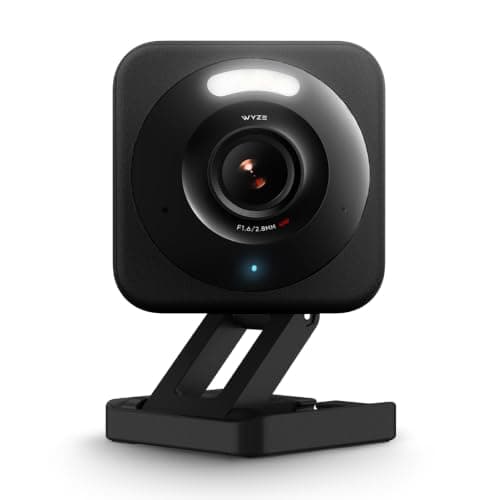
The Wyze Cam v4 is the camera that makes every other budget model justify its price. For roughly the cost of a takeaway, it hands you a 2.5K sensor, genuine color night vision and free local recording to a microSD card. There is no meaningful competitor at the price. The reasons to pause are not about the hardware — they are about the app and the company. This review covers both.
What you get for almost nothing
The headline is the sensor: 2.5K is a real step up from the 1080p that dominates the budget shelf, and it shows in how much detail you can actually read back from a clip. Color night vision is the other standout, keeping a scene in color under modest ambient light rather than dropping to gray infrared. It mounts indoors or outdoors, pairs with Alexa and Google Home, and doubles happily as a baby or pet monitor. For a camera this cheap, the spec sheet reads like a mistake in your favor.
Crucially for this site, it records for free. Drop a microSD card in and the v4 writes footage locally — continuous or event-based — with no subscription. That is the difference between a camera you own and a camera you rent: no plan, no monthly bill to review what happened. It is the reason the v4 anchors our no-subscription roundup and why we reach for it whenever someone wants coverage on the smallest possible budget.
Where Cam Plus comes in
Wyze does sell a subscription, Cam Plus, and it is optional rather than mandatory — a real distinction from Ring. Without it, the v4 still records to your card and still sends motion alerts. What Cam Plus adds is the smarter layer: richer AI detection (person, pet, vehicle, package), cloud event backup and longer history. At roughly $2 to $3.50 per month per camera at the time of writing — confirm the current rate with Wyze — it is inexpensive if you want it, and entirely skippable if you don't. We cover exactly what it buys in the subscription-cost guide. The honest framing: the v4 is a complete camera without Cam Plus, and a slightly smarter one with it.
The two caveats
First, the app. Wyze's software is functional but busy, and it leans on you to upgrade to Cam Plus more than we'd like. You can run the camera on local recording and ignore the prompts, but you will see them. Second, and more important: Wyze has a history of security incidents, including past events where some users could briefly see thumbnails from other users' cameras. The company has addressed these publicly, but the track record means you should treat account security as non-negotiable — use a unique password and turn on two-factor authentication before you point this at anything private. That is prudent advice for any camera; with Wyze it is not optional.
Who it's for
Buy the Wyze Cam v4 if your budget is tight, you want a genuinely sharp image, and you are comfortable managing a microSD card and locking down your account. It is superb value and, for a spend-conscious buyer, hard to argue against. Skip it if you want a set-and-forget camera you never think about, or if the company's past incidents sit badly with you — in which case the TP-Link Tapo C120 offers similar subscription-free local recording from a different vendor. The two are close enough that the choice usually comes down to one question — whether you mind paying for smart alerts — which is the whole of Wyze Cam v4 vs Tapo C120.
The verdict
The Wyze Cam v4 is the value benchmark for a reason: it delivers a 2.5K, color-night-vision, locally-recording camera for a price that undercuts everything credible. It is not the camera for someone who wants zero maintenance or who has lost trust in Wyze, and the app is a nag. But judged on what your money buys, nothing else at this price comes close. Pair it with a decent card, enable 2FA, and enjoy one of the best deals in home security.
The two comparisons people make with this camera
Against Ring, the question is free local recording versus ecosystem polish — Ring Stick Up Cam vs Wyze Cam v4 settles it. Against Blink, it is resolution and night vision against a battery life measured in years, which is the trade in Wyze Cam v4 vs Blink Outdoor 4.