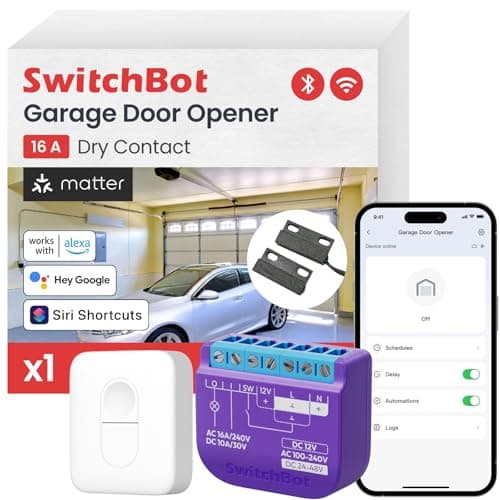
The garage door is the biggest moving object in most homes and the entrance the family actually uses. It is also the one people leave open — not through carelessness so much as because nothing tells them. That is the real reason to make it smart, and it is worth being clear about it up front: the notification that says the door has been open for twenty minutes is worth more than the ability to open it from your phone. Both come in the same box.
Four of the five picks here are controllers: small devices that make the opener you already own smart for a modest price. The fifth is a replacement opener, included because sometimes the machine on the ceiling is genuinely the problem. And we ranked them in an unusual order for this site, because this category is unusual — compatibility comes first, ecosystem second, and everything else after. In most categories a bad pick is a disappointment. Here, a bad pick simply does not work with your opener, and goes back in the box.
The standing caveat that is on every page here: we do not run a test lab. Every specification below was read off the manufacturer's own documentation on the date in this page's sources, and where a maker does not publish something we say so rather than filling the gap. Our methodologyexplains the process. You will see it bite in the picks — Chamberlain's own integration list is the source for what myQ does and does not work with, not our memory of what it used to support.
Question one: will it actually work with your opener?
Go into the garage, get the ladder out, and look at the back of the opener motor for the learn button — the small colored square you press to program a remote. Its color tells you the generation of radio your opener uses, and that decides which of these products can talk to it. Then look at the two small photoelectric sensors near the floor on either side of the door. Those two observations will save you a return.
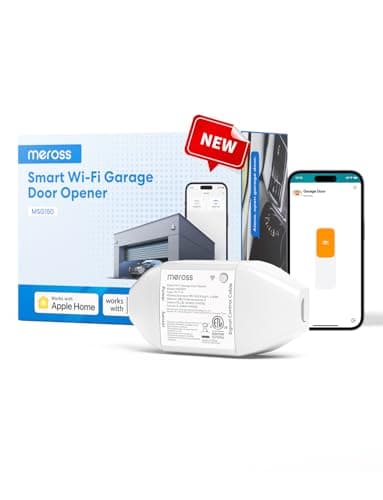
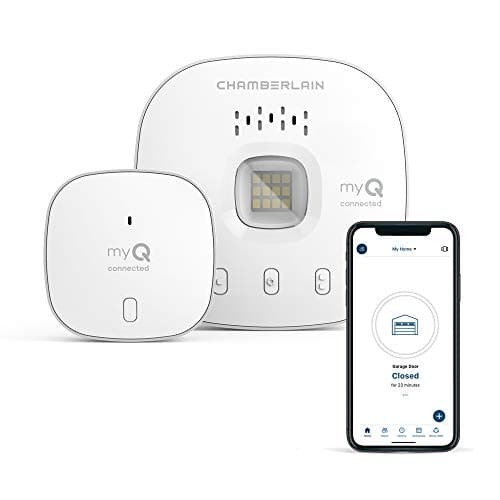
Here is why. The meross MSG150HK is built specifically for Chamberlain, LiftMaster and Craftsman openers with a yellow, purple, red or orange learn button running Security+ 1.0 or 2.0 — and meross states plainly that it does not support Security+ 3.0. Inside even that narrow window there is a carve-out: for a red or orange learn button with three terminals, meross points you to its universal MSG100 or MSG200 instead. Chamberlain's own Smart Garage Control has a different set of rules again: openers made after 1993 whose photoelectric sensors do not power down, explicitly excluding any Chamberlain Group opener with a yellow learn button made between 2010 and 2021, and any Linear opener. Read that twice — Chamberlain excludes eleven years of Chamberlain openers.
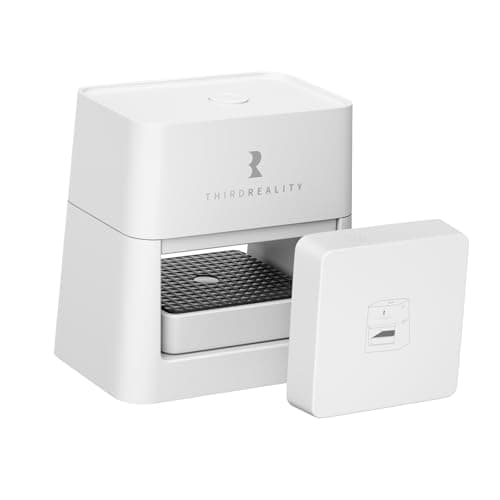
The two picks that dodge this entirely do so by design. The SwitchBot closes a contact across the opener's terminals, which is exactly what your wall button does, so the radio generation is irrelevant and SwitchBot claims 200-plus brands going back to the 1990s. The THIRDREALITY goes further and does not touch the opener at all: it holds your existing remote and presses it. Its limitation is a different one — ThirdReality states it does not work with rolling or sliding doors, only sectional ones that fold as they lift.
Question two: how does it know whether the door is open?
This is the half of the product people forget to evaluate, and it is the half that gets used daily. Opening the door from your phone is a party trick. Knowing, at 11pm, that the door is still up is the thing that changes behavior, and there are three different mechanisms here with three different failure modes.
The best case is reading the door's real state from the opener itself. On a compatible Chamberlain, LiftMaster or Craftsman, the meross does this through the opener's own protocol, which is why meross states no separate magnetic sensor and no accessory remote are needed. Nothing to align, nothing to drift. The middle case is a separate sensor: SwitchBot pairs its controller with a wired magnetic contact sensor, Chamberlain ships a door sensor with the hub, and THIRDREALITY includes a tilt sensor already paired out of the box. These work well and share one weakness — a sensor that shifts out of alignment makes the app lie to you confidently, which is worse than no sensor at all.
Whichever mechanism you end up with, this is the feature to set up properly on day one: an alert if the door has been open longer than some sensible number of minutes, and an auto-close rule if you trust it. That single automation is most of the value of the purchase. Security automations covers how to wire it into the rest of the house, and smart home automation ideas has worked examples that go beyond an open-door alert.
Question three: will the maker let your ecosystem in?
This is the question this category answers worse than any other in the smart home, and the reason is worth stating carefully. A garage controller can be excellent hardware and still not appear in the app you use, because the integration is a business decision the manufacturer makes and can revisit. That is not a hypothetical: Chamberlain's own "Works With myQ" page lists Vivint, Alarm.com, Resideo, IFTTT, Control4, Crestron, Ezlo, RTI, Jervis Systems and Sensi, plus a long list of car makers and the Amazon Key and Walmart InHome delivery services — and it does not list Amazon Alexa, Google Home or Apple Home. If you assumed the biggest name in garage openers would put your garage in Alexa, check that assumption before you buy.
The hedge against that risk is the same one that works for locks and plugs: buy Matter. Both the SwitchBot and the THIRDREALITY are Matter-certified over Wi-Fi, which means Apple Home, Google Home, Alexa and SmartThings are all reachable from one purchase and none of them depends on a single company's continued goodwill. The meross takes the older route and is HomeKit-certified, with Alexa, Google, SmartThings and CarPlay listed alongside. If the word Matter still means nothing to you, start with what Matter actually is, and is Matter worth it is the honest version of whether it lives up to the promise.
One thing Matter will not solve: the garage is often the worst-covered corner of the house for Wi-Fi. Every controller here is 2.4 GHz, which is the right call for penetrating a masonry wall, and the SwitchBot is the only one that publishes a Bluetooth fallback that works when the Wi-Fi is down. Walk to the opener with your phone and check the signal before you order — and if the whole network is already strained, smart home Wi-Fi congestion is the thing to fix first.
The safety point nobody puts on the box
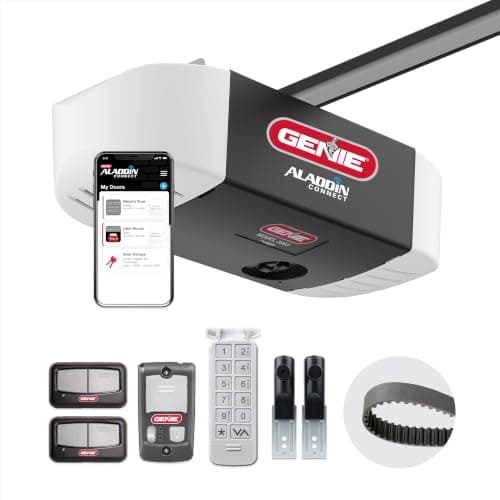
A smart controller lets you close a very heavy door from somewhere you cannot see it. That is only reasonable if the door can stop itself, which is what the photoelectric sensors near the floor are for. It is not a coincidence that Chamberlain's compatibility rule is written around them — the Smart Garage Control requires openers whose photoelectric sensors do not power down — or that the Genie replacement opener ships with its Safe-T-Beam sensors included.
So before you add remote closing to an old opener, confirm that its photo-eyes are present, aligned and working. If your opener predates them or they have been bypassed, the honest recommendation is not a smarter controller. It is a new opener, which is the entire reason the Genie is on this page despite costing several times what the controllers cost.
Controller or new opener?
For most people, a controller. If your opener is reasonably modern, reasonably quiet and has working photo-eyes, a controller gets you app control, voice control, status alerts and auto-close for a small fraction of the cost of replacing the machine, and it takes an evening at most.
Replace the opener when the opener is the complaint: a chain drive that shakes the bedroom above it, a unit old enough to have no safety sensors, a motor that is failing, or a door heavy enough that the existing opener struggles. In those cases you were going to spend the money anyway, and a Wi-Fi opener with the remotes, keypad and safety hardware in the box is better value than an old opener plus a controller. Note the trade-off carefully though: the Genie has no battery backup and Genie states one cannot be added, while a controller bolted to an opener that does have battery backup keeps working through an outage. What happens to a smart home in a power cut goes through the wider version of that problem.
Either way, the garage is one door of several, and it is worth thinking about access to the house as a whole rather than one opening at a time. Our best smart locks roundup covers the front door, and smart locks for short-term rentals is the version of that decision where handing out and revoking access matters most.
Photograph the learn button before you order
One trip up the ladder with your phone answers most of this page. Photograph the label on the opener motor, the color of the learn button, and how many terminal screws there are next to it. Then check that photo against the maker's published compatibility statement rather than against a listing headline. The brand-specific picks here are precise about what they support, and the precision is a feature — a controller that tells you honestly that it will not work with your opener has saved you a return.
Decide how much wiring you are willing to do
There are three levels of commitment on this page and they are genuinely different jobs. Pressing an existing remote, as the THIRDREALITY does, involves no electrical work at all and is the only realistic option in a rental. Two wires onto the opener's terminals, as the SwitchBot and the myQ hub need, is a screwdriver and a ladder. Replacing the opener is rails, headroom and mains wiring, and for most people that is a professional install. Pick the level you will actually finish this weekend. If the two-wire job is the level you land on and the bench is not kitted out for it, Steve's Outpost keeps an owner's own garage tool list — torque wrenches, rail and cart organization, and work lighting — written to the same standard as this page: specs and arithmetic in the open, with no claim of hands-on testing. It is a useful second read before you buy a ladder-and-screwdriver weekend.
Set up the alert before the automation
Once it is installed, resist the urge to start with voice control and set up the boring thing first: notify me if the door has been open more than ten or fifteen minutes. That is the feature that pays for the device, and it works whether or not you ever say a word to a speaker. Add auto-close only once you trust the door-status sensor, and only on an opener whose photo-eyes you have confirmed are working — auto-closing a door that cannot see an obstruction is not a convenience.
Check the ecosystem list on the maker's own site, not the listing
This category is the strongest argument on this whole site for reading the manufacturer's integration page before buying. Retail listings describe intentions; the maker's own "works with" page describes what ships. Chamberlain's does not list Alexa, Google Home or Apple Home, and that is a fact you can check in thirty seconds and cannot recover from afterwards. Preferring a Matter-certified controller is the cheapest insurance against being on the wrong side of a decision like that later — the same logic laid out in our ecosystem comparison.
Remember the door is not the only opening
A smart garage tells you the biggest door is shut, which is a real gain, but it is one sensor. If the point of this purchase is knowing the house is secure when you leave, the garage controller belongs alongside contact sensors on the doors and windows and a lock you can check remotely. Best door and window sensors covers the cheap end of that, and our vacation checklist is the practical version of walking out the door for a week.