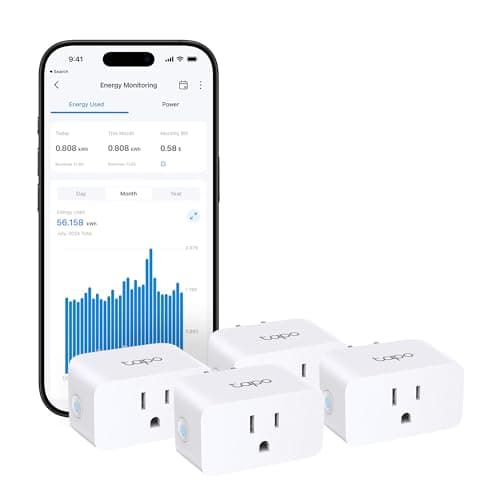
A smart plug is the cheapest real automation you can buy and the one that most often converts a skeptic. It sits between the wall and a lamp, a fan, a heater, a coffee maker or a set of string lights, and from that moment the thing on the other side of it can be switched from your phone, put on a schedule, told to run for twenty minutes and stop, or triggered by your voice. No wiring, no drilling, no subscription. If the whole idea is new, what is a smart home starts from zero.
Here is the uncomfortable truth about the category, though: almost every smart plug switches power perfectly well. The switching is a relay, the relay is a solved problem, and a $10 plug and a $30 plug will both turn your lamp on at sunset for years. So a ranking based on how well they switch would be a ranking of nothing. What actually separates them is which app you will be opening for the next five years, whether the plug can survive being outdoors, whether it tells you what the appliance costs to run, and what it does to your Wi-Fi. That is what we ranked on.
The usual caveat, and it is on every page here: we do not run a test lab. Every specification below was read off the manufacturer's own documentation or the live retail listing on the date in this page's sources, and where a maker does not publish something we say so instead of inventing it. Our methodology explains the whole process, and you will see it show up in the picks — the Aqara has no published repeater claim, so we do not make one.
Question one: which app will you actually open?
This decides more than any spec on the page. A smart plug is only as good as the app and assistant it answers to, and the cheapest way to end up with a drawer of dead plugs is to buy four different brands and discover none of them talk to each other. Pick the ecosystem first — Alexa, Google Home, Apple Home or SmartThings — and then buy plugs that list it. Our smart home ecosystem comparison is the honest version of that decision, and it does not declare a single winner because there is not one.
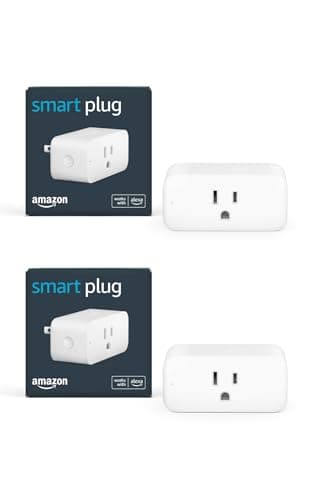
The shortcut, if you would rather not commit: buy Matter. A Matter-certified plug is designed to be added to any of the four big ecosystems, which is why the Tapo P110M and the Kasa outdoor plug sit at the top and the bottom of this page respectively — they are the two picks that do not force the decision. The Amazon Smart Plug is the exact opposite: Amazon lists Alexa and nothing else, which is fine if you are certain, and expensive to unwind if you are not. If the word Matter still means nothing to you, start with what Matter actually is.
Question two: where does the plug have to live?
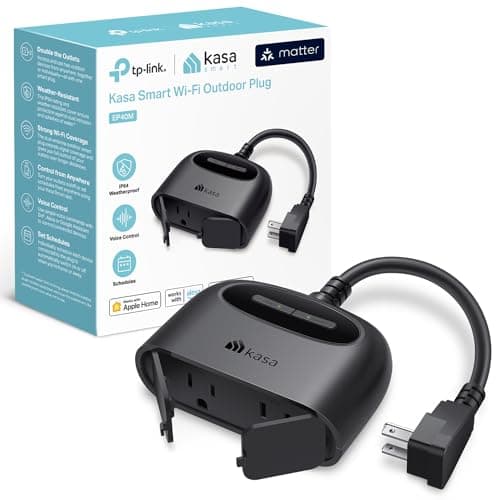
Indoors, almost any plug will do. Outdoors is a different product. An outdoor plug needs a published ingress rating and a published temperature range, because the failure mode is not "the app is annoying" — it is a mains device full of water in February. Only the Kasa EP40M here carries those specs: IP64 against dust and splashing water from any direction, and a rated operating range from -4 F to 122 F. That, plus two individually controlled outlets, is the whole reason it earns a place next to plugs that cost a quarter as much per socket.
Two more placement realities worth knowing before you order. First, size: a plug that is not designed to be compact will smother the second socket of a duplex outlet, so you get one smart socket where you thought you were getting two. TP-Link publishes dimensions for both of its plugs here, which is exactly why we quote them. Second, the outlet itself: an IP64 plug still belongs in a proper covered outdoor receptacle, not dangling from an extension lead across a wet patio.
Question three: Wi-Fi plug or Zigbee plug?
Four of the five picks here are Wi-Fi devices on the 2.4 GHz band. That is convenient — no hub, works out of the box — and it has a cost that nobody mentions on the box: every plug is another client on the same crowded band as your cameras, your doorbell and your thermostat. Add four plugs to a house that already runs a dozen smart devices and you may meet the problem described in smart home Wi-Fi congestion.
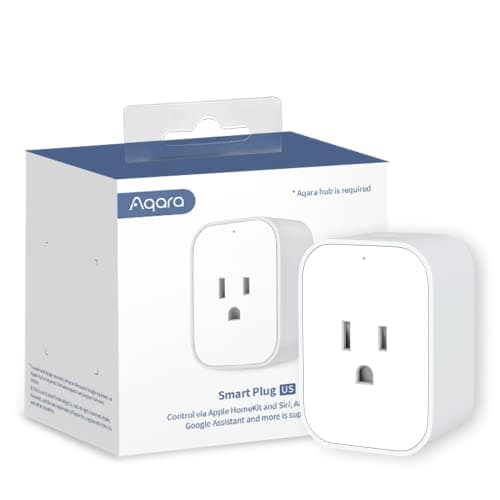
The Aqara plug is the alternative. It speaks Zigbee to an Aqara hub, so it adds precisely nothing to your router's client list, and it lands in the same app as Aqara's sensors and locks. The price of that is the hub: no Aqara hub, no plug. Whether that trade is worth it depends entirely on whether you already own one, which is the same question that decides most purchases in this niche — do I need a smart home hub is the longer answer, and Zigbee vs Z-Wave covers why the older mesh radios still exist at all.
Energy monitoring: worth having, easy to over-value
Three of these five plugs measure the power drawn by whatever is plugged into them, and it is the one extra feature we would actively pay for. Not because it will slash your bill on its own, but because it answers a question people otherwise guess at: what does the old chest freezer, the aquarium heater, the gaming PC or the space heater actually cost to run? Once you know, you can decide — and the plug that told you can also switch the thing off on a schedule.
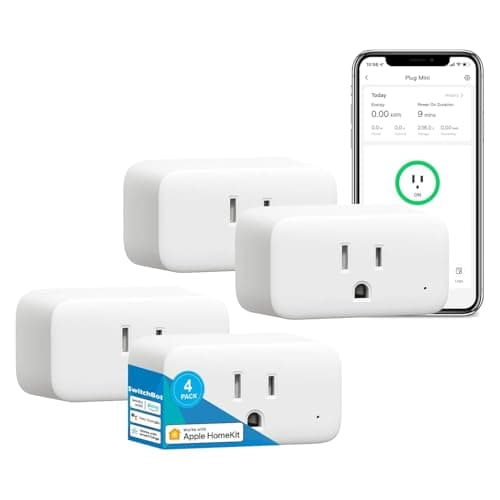
Two honest limits. The bill figure these apps show is arithmetic against a tariff you type in, not a billing-grade meter, so treat it as a good estimate rather than a number to argue with your utility about. And on the SwitchBot, the monitoring is a function of SwitchBot's own app rather than something the shared standard carries, so the numbers do not follow the plug into Apple Home. If you want the wider picture of what your devices actually cost, how much electricity smart home devices use goes through it properly.
What a smart plug cannot do
This is where most disappointment comes from, so it is worth being blunt. A plug cuts and restores mains power. That is all it does. It cannot dim a lamp — for that you want a smart bulb or an in-wall dimmer. It cannot press a button, so an appliance with a physical power switch or a control panel that boots to "off" will not come back on when the plug does. It will not make a dumb television smart. And it is not a safety device beyond the overload protection its maker publishes: a plug rated at 15 A does not make a questionable heater safe.
What it is brilliant at: lamps, fans, heaters that resume on power, coffee makers, string lights, aquarium and terrarium gear, phone chargers you want cut at midnight, and the "lived-in" lighting pattern that makes an empty house look occupied. That last one is genuinely useful when you are away, and it pairs with the checklist in our vacation checklist. For more ideas that are not just "turn the lamp on," smart home automation ideas has worked examples.
Count outlets, not plugs
Walk the house and count the things you would actually schedule or switch from your phone. Most people find four to six: two lamps, a fan, the coffee maker, a Christmas tree in December, maybe a dehumidifier. That number decides the purchase more than any feature does. At one or two, almost anything works and convenience wins. At four or more, per-plug cost dominates and a multipack is the only sensible answer — which is precisely why a Matter-certified four-pack sits at the top of this page and a premium single plug does not.
Check the load before the features
Most of these are rated around 15 A, but the useful number is the one next to "motor." TP-Link rates the indoor Tapo at 1800 W resistive and a 1/6 HP motor, and the outdoor Kasa at 1875 W resistive and a 1/2 HP motor; Aqara publishes 1875 W at 100-125 V. Lamps, heaters and kettles are resistive and easy. Pumps, compressors, fridges and power tools are motor loads and draw a surge at start-up, so match them to the plug that publishes the higher motor rating. Read the appliance's nameplate, and never run a high-draw appliance through a smart plug on the end of a thin extension lead.
Look at the physical size
A duplex outlet has two sockets and a fat smart plug turns it into one. TP-Link publishes 66 x 38 x 40 mm for the Tapo mini specifically because stacking two in one outlet is a normal thing to want to do. The outdoor Kasa is the opposite case at 4.33 x 1.54 x 3.19 in — deliberately large, because it is carrying two independently switched sockets and a weatherproof shell. Neither is wrong; they are answers to different rooms.
Decide whether you want the energy numbers
If you have ever wondered what the second fridge in the garage costs you, buy a plug that measures. If you have not, do not pay extra for it — the feature is genuinely useful and genuinely optional, and the honest split on this page is that the Tapo and the Aqara give you the numbers, the Kasa outdoor plug does not list them, and the Amazon plug does not have them at all. There is a fuller version of this argument in what a smart home really costs to run, which covers the monthly fees that dwarf anything a plug will save you.
Buy the ecosystem you will still be in next year
Plugs are cheap and easy to replace, which is exactly why people end up with five brands and five apps. The way out is boring and effective: choose one ecosystem, prefer Matter where it exists so the plug can move with you, and only buy an ecosystem-locked plug when the simplicity is worth the lock-in to you specifically. If you are assembling a first setup rather than buying one plug, our starter kit under $100 puts a plug in context with the rest of the first purchase, and best budget smart home devices covers the cheapest way into each category.