You do not need a big budget to start a smart home — you need to stop buying the expensive version of each thing. This list is the opposite of a wish list. It is the cheapest genuinely good device in five everyday categories: voice control, automation, two cameras and a doorbell. Buy one, live with it, and you will have spent very little to find out whether a smart home is for you at all.
This page is deliberately not the same as our buy-this-first starter list, which ranks picks across price points and ends in a lock and a full alarm. Here the single rule is price: the least you can spend in each category and still get a device worth owning. Nothing below is a compromise you will resent in a month — it is just the affordable end of a shelf we would happily shop on ourselves.
Why a budget smart home actually works now
A few years ago, "cheap smart home" meant a drawer of gadgets that needed a hub, a bridge and a subscription before any of them did anything. That is no longer true. Every device on this list joins your Wi-Fi directly, records or thinks on hardware you own, and asks for nothing per month. The plug is Matter-compatible, the cameras run their smart alerts on the camera itself, and the doorbell keeps its clips on a card in your hand. The result is that the total cost of a starter setup is now genuinely low — and it stays low, because there is no recurring bill quietly attached to it. If this is all brand new, our smart home for beginners guide walks the same ground with no products in it at all.
How we kept this honest
The same caveat sits on every page here: we do not run a test lab, and we do not hand out numeric scores. Every specification in the cards above is the manufacturer's own published claim, read on the retrieval date in our methodology. Where a maker does not claim something, we write it plainly rather than guess. We have not had hands-on time with these units — the honesty label says "researched, not hands-on tested" for exactly that reason. And because prices move constantly, you will not find a single dollar figure in this prose: the live price renders on each buy button, which is the only number honest enough to quote.
The thread that ties these five together: no monthly fee
Look down the "monthly fee" line on every card and you will see the same word: none, or free. That is not a coincidence — it is the whole point of a budget build. A cheap camera with a monthly plan is not cheap; over three years the plan can cost more than the camera did. So every pick here earns its keep for free: the Echo Dot's voice control costs nothing to use, the Tapo plug just runs schedules, and all three cameras and the doorbell save their footage to a microSD card you own rather than a cloud you rent. If zero monthly cost is the entire reason you are here, our roundups of the best no-subscription cameras and the best no-subscription doorbells take that constraint even further.
Pick your ecosystem before you spend anything
There is one free decision to make before the first purchase: which app your home reports to. For this list that means Amazon Alexa or Google Home — every pick here works with one or both, and none of them is an Apple Home device, which is worth knowing up front if the house is all iPhones. The shortcut is the phones in the drawer: an Android household leans Google, and Alexa is the easy generalist on either. Getting this right costs nothing and saves you from buying against your own hardware. Our ecosystem comparison is ten minutes well spent before you spend a cent.
What you actually get at $100, $300 and $500
The five picks above are the cheapest good device in each category. The question most people actually arrive with is the other one: how far does a set budget get me? We keep a separate build for each of the three budgets people really shop at, priced live on the day you read them rather than quoted here where the number would go stale.
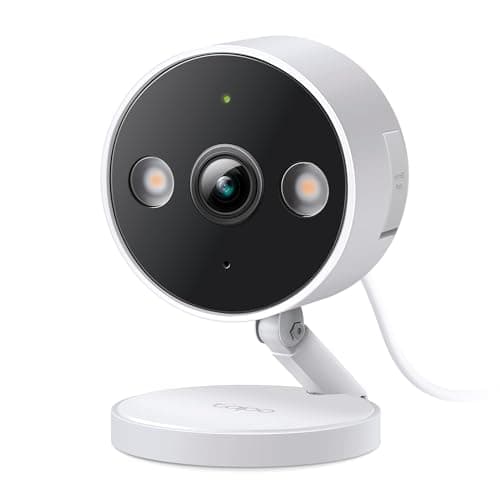
Around $100buys three pieces that each do a distinct job: an Echo Dot for voice control, a Tapo C120 for a camera that records to a microSD card with no plan, and a Tapo P110M plug so something in the house runs on a schedule instead of on memory. That is a genuine smart home, and you can buy it one piece at a time — the full build is in our smart home starter kit under $100.
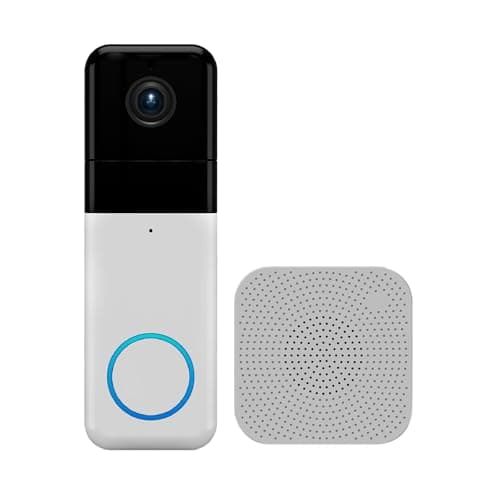
Around $300 covers the whole home rather than one room. It keeps the speaker, camera and plug, then adds the front door with a Wyze Video Doorbell Pro and a SwitchBot Hub 2 for room sensing and infrared control of the appliances that have a remote but no app. See the whole-home starter kit for around $300.
Around $500is the budget that finishes the front door: a Kwikset Halo smart lock alongside the doorbell and camera, plus an Aqara Hub M3 so cheap Zigbee sensors become an option later. It is the first tier where the house is genuinely secured rather than just watched — the build order is in our smart home starter kit under $500.
Two things worth saying plainly before you pick a tier. None of the three builds needs a hub to work — the hub in the $500 kit is there to open the door to cheap sensors later, not to make the kit function, and our do I need a smart home hub guide is the honest answer on when that changes. And if you rent, every device in the $100 and $300 builds is removable with no holes and no wiring; the lock in the $500 build is the one piece that needs a landlord conversation, which is why we keep a separate renter-friendly smart home guide.
Build it cheap, in this order
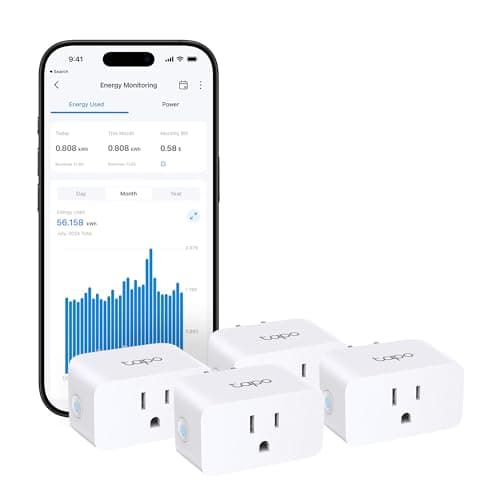
The trick to a cheap smart home is to buy one thing at a time and stop the moment you are happy. Start with whichever of the first two picks matches the itch you actually have. If you want to control things by voice, the Echo Dot is the least you can spend to do it. If you want the house to dosomething on its own — a lamp that comes on at dusk, a heater that never gets left running — the Tapo plug four-pack is the cheapest real automation on the list, and one purchase covers four devices. Either one is a complete, useful thing on day one; neither needs the other to work.
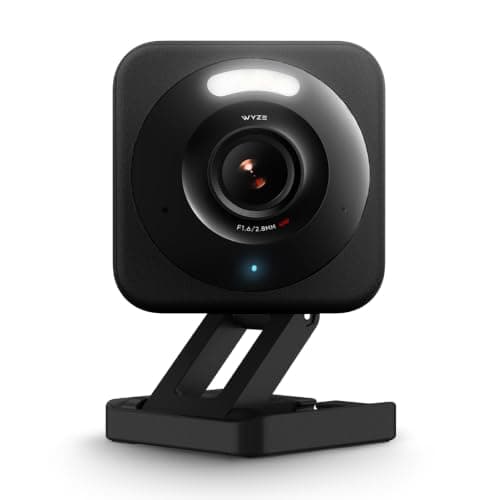
Only then move to the cameras and the doorbell, and only for the spots that genuinely worry you. A single Wyze Cam v4 or Tapo C120 for the room or driveway that keeps you up at night is a better buy than four cameras you half-watch. Add the doorbell when parcels or callers are the actual problem you want solved. Because none of these carry a monthly fee, adding a second or third device later costs you only the hardware — there is no plan that quietly scales up with the number of cameras you own.
You do not need a hub for any of this
Notice the last column of the matrix reads "No" the whole way down. Every device here talks to your router over Wi-Fi and needs no hub, bridge or base station — which is a large part of why the starter cost stays low. A hub only earns its place later, the day you want the cheap, battery-sipping Thread or Zigbee sensors and buttons that a plain Wi-Fi setup cannot reach. Until then it is a box that costs money and adds nothing you can see. Our do-I-need-a-hub guide explains exactly when that day arrives, and why none of these budget picks bring it forward.
Put a microSD card in the cart now
The one easy-to-miss line item is storage. All three cameras and the doorbell here are free of monthly fees precisely because they record to a microSD card — but a card is usually not in the box. Buy one with the camera so you are not left with live view and nothing saved on the day something happens. It is a small, one-time cost, and it is the piece that makes the "no subscription" promise real rather than theoretical.