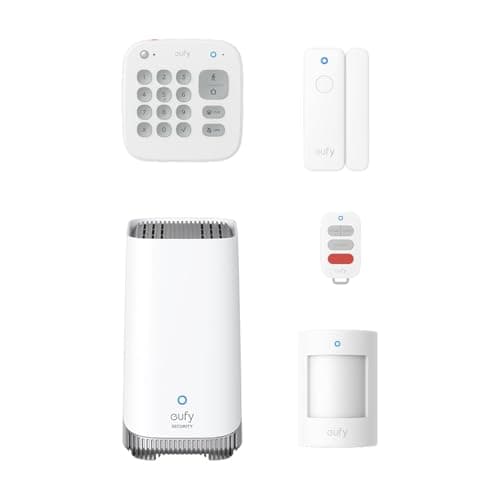
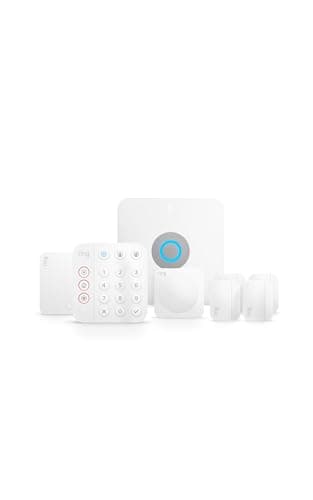
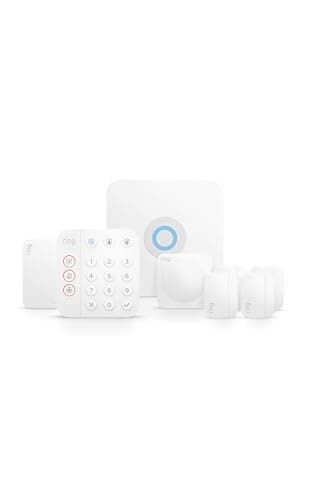
Alarms are sold on hardware — sensor counts, decibels, kit sizes — and judged on behaviour. A system is good or bad depending on what happens in the ninety seconds after a sensor trips, and that is mostly a matter of configuration and service rather than of parts. Here is the full chain, with the decisions you get to make at each link.
Step 1: a sensor reports, and the zone type decides what follows
Every sensor in a DIY system is assigned to a zone type, and the type matters more than the sensor. A delayed zone — usually the front and back doors — starts a countdown so you can walk in and disarm. An instant zone — a window, an interior motion sensor, a basement door — triggers the siren immediately, because nobody should be entering there in the normal course of events. Misassigning these is the most common setup error in a self-installed system: an instant zone on the door you use every day produces false alarms, and a delayed zone on a window gives an intruder the delay for free.
Our guide to how home security sensors work covers what each sensor type actually detects, which is the other half of getting zones right.
Step 2: the entry delay, and the keypad
On a delayed zone, the panel beeps and waits. The delay is adjustable on all the systems here, and the trade is simple: long enough for a person carrying shopping to reach the keypad, short enough that it is not a free head start. This is also why a physical keypad matters — unlocking a phone and opening an app during a countdown is how a household learns to leave the system disarmed.
Step 3: the siren
If the delay expires without a valid code, the siren sounds. Two honest points about sirens. First, the decibel figures makers publish are measured very close to the device — eufy publishes 100 dB on the HomeBase 3 — so a siren that looks deafening on paper is attention-getting rather than painful across a garden. Second, sirens time out: systems sound for a configured period and then stop and reset, both to comply with local nuisance rules and to avoid a siren running for hours while you are away. Check the setting on your own system rather than assuming; it is a number you can usually change.
What the siren is really for is interruption. It tells anyone inside they have been detected, it tells neighbours something is happening, and it ends the quiet that a burglary depends on. It is not a summons — nobody is dispatched by sound alone.
Step 4: notifications, and who is actually watching
Simultaneously, the system pushes alerts to every phone on the account and logs the event. On a self-monitored system this is the end of the automatic chain. That is a perfectly reasonable model — plenty of households want to look at a camera, see the cat, and dismiss it — but it depends entirely on a person being awake, holding their phone and prepared to act.
Add a second person to the account, agree who calls whom, and test it. An alert three people see and nobody acts on is the most common failure mode of DIY security, and it is a human failure rather than a hardware one.
Step 5: professional monitoring, and what dispatch really involves
On a monitored plan, the signal also reaches a monitoring centre. Typically they attempt contact — a call to the primary phone, then the secondary — ask for a verbal passcode, and if they cannot verify that everything is fine, they can request police dispatch on your behalf. This verification step exists because the overwhelming majority of alarm activations are not break-ins.
Two things worth knowing before you rely on it. Response times and dispatch policies are set by your local police force, not by the alarm company, and some jurisdictions require verified alarms or charge for repeat false activations — check your own municipality rather than assuming. And monitoring needs a working connection: an alarm that cannot reach the internet cannot reach the monitoring centre either, which is why cellular backup exists on the Ring Alarm Pro. Our do you need a monitoring plan page weighs the subscription honestly, and DIY vs monitored security covers the broader choice.
If it was a false alarm — which it usually is
Disarm at the keypad, then check the event log to see which sensor reported. The log is the part people ignore and it is where the fix lives: a sensor that trips at the same time each evening is telling you about a draught, a heating pipe, a curtain or the sun hitting it.
Common and genuine causes: a pet on a motion sensor set too low, a door that does not quite seat so its contact separates in the wind, helium balloons drifting through a beam, a window left on the latch rattling, and low sensor batteries reporting oddly before they die. The pattern in the log distinguishes them. If your system is triggering repeatedly, fix the zone or the sensor rather than lowering the whole system's sensitivity — our guide to reducing false alerts applies the same logic to cameras.
What happens in a power cut or an internet outage
Base stations generally hold a backup battery, so the siren and keypad keep working for a period. What stops is the part that reaches the outside world: notifications and monitoring need a connection. A system with cellular backup — on Ring Alarm Pro, with a plan — keeps signalling when the broadband is down; a system without it can be armed, sound its siren and tell nobody. Our do home security systems work without Wi-Fi page is the detail, and smart home during a power outage covers the rest of the house.
Set these five things up before you need them
Zone types, door by door. Delayed on the doors you use, instant on windows and interior sensors. Walk the house and check each one in the app — this single step prevents most false alarms and most free head starts.
An entry delay the slowest person in the house can meet. Then shorten it once everyone is used to the keypad.
Everyone who should be notified, on the account. Including the family member who does not live there. And agree out loud who calls whom.
A verbal passcode, if you are monitored. The monitoring centre will ask for it, and the moment of the alarm is not when you want to be inventing one. Make sure every adult in the house knows it.
A test, deliberately. Most systems have a test or practice mode. Trigger it on purpose, time how long the siren runs, see which notifications arrive and on whose phone. Doing this once converts a theoretical system into one you trust.