Blink is unusual among the big budget camera brands: it genuinely supports local storage, and it is not a workaround or a hidden setting. It is also the brand most likely to leave someone thinking they bought local storage when they did not, because the module that comes in most Blink kits is not the module that records. This page is about getting that right before you order, not after.
Sync Module Core versus Sync Module 2
Blink cameras talk to a small hub called a Sync Module. There are two, and they are not interchangeable for this purpose.
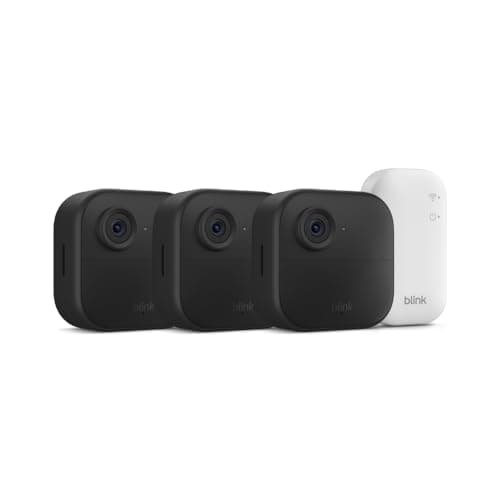
The Sync Module Core is what comes in the box with the Blink Outdoor 4 kits, including the three-camera system we cover. It connects your cameras to Wi-Fi and to the Blink service. It has no USB port and it does not store anything. A Blink kit with a Core and no plan gives you live view and motion notifications, and saves no clips.
The Sync Module 2 has a USB port. Plug a USB flash drive into it and Blink saves motion clips to that drive, locally, with no subscription. That is the real local storage path, and it works well. It is a separate purchase, and so is the drive.
This is on the listing - Blink does not hide it - but it is the single most common mistake in this category, and it is an expensive one to discover after the cameras are already mounted. If you are buying Blink for local storage, buy the Sync Module 2 at the same time.
What Blink local storage actually gives you
With a Sync Module 2 and a drive, motion clips are written locally and no monthly fee is required to keep them. For a three-camera kit at this price that is a genuinely strong outcome: three wire-free cameras with a published two-year battery life, saving clips in your house, for a one-off cost.
It is worth being precise about the limits. Local storage does not change what the cameras are- they are 1080p with infrared night vision, which means useful motion confirmation and grey-scale night footage rather than detail you can identify someone from. It also does not unlock Blink's richer cloud features. And you still view the clips through the Blink app and a Blink account, so "local" here describes where the file lives, not independence from the service.
The alternative: cameras that just record
The whole Sync Module question exists because of Blink's architecture. Most other no-subscription cameras simply have a card slot or built-in storage, and recording is the default rather than an upgrade path.
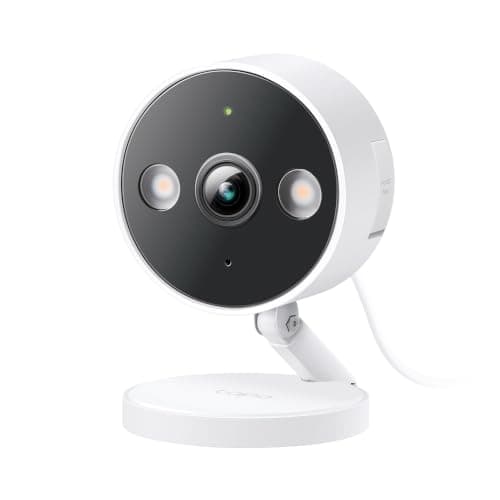
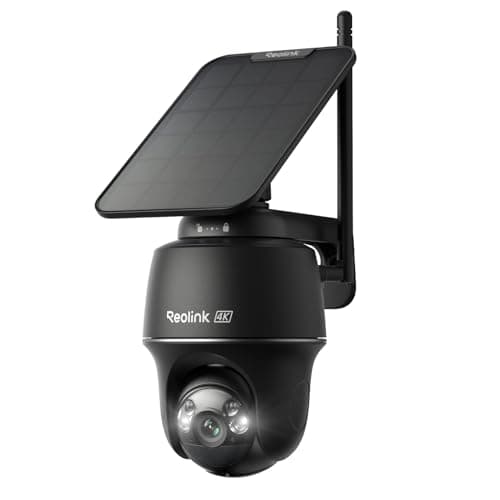
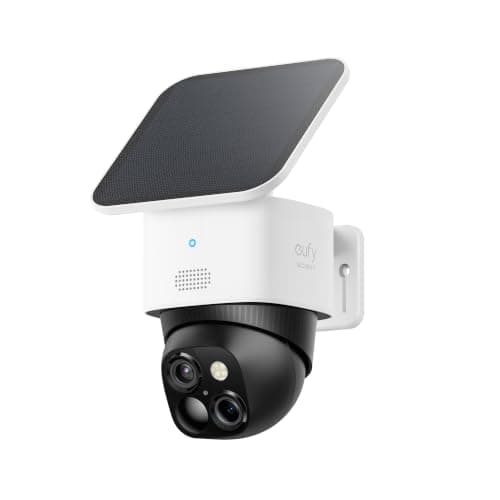
The Tapo C120 is the cheapest of those and its listing says "subscription-free local storage" outright. The Reolink Argus PT Ultra is the one to buy if you want the wire-free convenience of a Blink with four times the resolution. The eufy SoloCam S340 needs nothing at all - 8GB is built in. All three record the day they arrive, with no module to get wrong. Our local storage roundup covers that full field, including the base-station and NVR architectures.
When Blink is still the right answer
Price and battery. Three wire-free cameras with a published two-year battery life, for less than one of the premium picks here, is a real offer and nothing on this page matches it on cost per covered position. If you want eyes on three places, you do not have outlets, and 1080p is enough to tell you a person is there, Blink plus a Sync Module 2 is a sensible purchase and the running cost really is zero.
What you should not do is buy the kit, skip the module, and assume the footage is being kept somewhere. See our Blink without a subscription page for what the cameras do with no plan and no Sync Module 2, which is a shorter list than most people expect.
How we picked
Every camera above is in our product registry, every specification is quoted from the seller's own live Amazon listing read on 2026-11-21, and every price is pulled live rather than typed in. The Sync Module behaviour described here is Blink's own published behaviour - the Blink Outdoor 4 listing names the Sync Module Core that is included. We do not run a test lab; the methodology page says what we do instead.
Four things to get right with Blink local storage
Buy the Sync Module 2, not the Core. The Core is what comes in the kit and it does not record. If the whole reason you chose Blink was to avoid a subscription, the module is not optional - it is the product.
Use a plain USB flash drive and keep it modest. This is clip storage on a small hub, not an archive. A sensible drive plugged in and left alone is the setup; a large external disk is not what the module is for.
Put the Sync Module somewhere out of sight. The whole point of a base-station architecture is that the recording is not inside the camera. That advantage disappears if the module is sitting on the hall table next to the front door.
Check a clip from last week, once a month. Local storage fails quietly. The only way to know your drive is still being written to is to go and look, and two minutes every few weeks is the whole maintenance burden of a no-subscription setup.