Blink sits in an unusual position. It is owned by Amazon and sold alongside Ring, but unlike Ring it has a real, supported path to recording without paying monthly. The catch is that the path requires a specific piece of hardware that is not in most boxes, so "Blink without a subscription" has two completely different answers depending on what you bought.
What works with no plan, in every configuration
Live view works. Open the app and see what the camera sees right now. Motion alerts work - your phone gets a notification when the camera detects movement. Two-way talk works. Arming and disarming work. For a camera you check from a desk at work, that is a functioning product at zero cost.
What does not work in the default configuration is saving the clip. The notification arrives, you open the app, and you can watch live - but there is no recording of what triggered it. If you were in a meeting, the event is gone.
The one setup that records for free
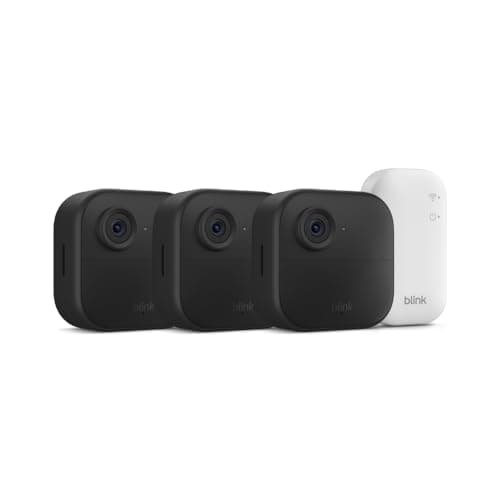
Blink cameras connect through a hub called a Sync Module, and there are two versions. The Sync Module Core is what comes in the Blink Outdoor 4 kits, including the three-camera system we cover. It has no USB port and it stores nothing.
The Sync Module 2 has a USB port. Plug a flash drive into it and Blink saves motion clips to that drive with no subscription. That is the free configuration, and it works properly - it is not a hack or a loophole. It is a separate purchase, and so is the drive.
So the honest answer to "can I use Blink without a subscription?" is: yes for live view and alerts, and yes for saved clips if you buy a Sync Module 2 and a USB drive. No, if you expect the kit as sold to keep footage. Our Blink local storage page goes through exactly what the module saves and what it still cannot do.
What the plan buys, so the comparison is fair
The Blink plan stores clips in the cloud, which means they survive the camera and the module being taken, stolen or destroyed - the one advantage cloud storage genuinely has. It also adds Blink's richer detection and features, and it requires no extra hardware purchase. At its price it is one of the cheaper camera plans in the market.
The three-year arithmetic is the thing to actually look at. A module and a drive is a one-off cost; a plan is a monthly one. Over three years the free route is usually ahead, and the table below lays both out. But if you have one camera and you hate the idea of maintaining anything, paying is a defensible choice and we are not going to tell you otherwise. See our subscription costs page for the same math across every brand.
Blink versus Ring, on this specific question
Worth knowing if you are choosing between the two Amazon brands: Ring has no local storage option on its battery cameras and doorbells at all. No card slot, no USB fallback. A Ring camera without a plan can never save a clip, in any configuration.
Blink can. That makes Blink the better choice of the two for anyone whose priority is avoiding a monthly bill, even though Ring is the better integrated and better specified product overall. See Ring without a subscription for that side, and Ring vs Blink cameras for the full comparison.
When to leave Blink entirely
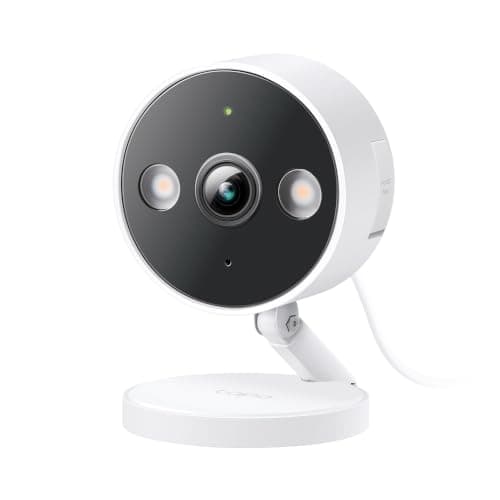
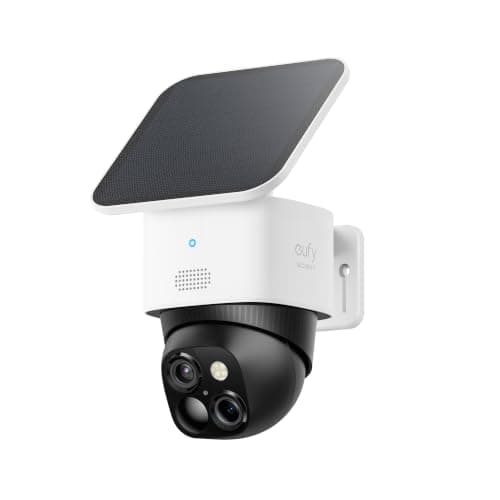
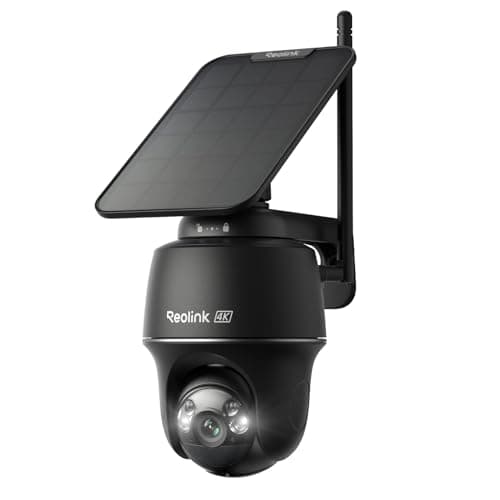
If the module question is annoying you, that is a reasonable signal. Plenty of cameras simply record: a card goes in, or storage is already built in, and there is no architecture to get right. The Tapo C120 does it for less than a Blink camera costs. The eufy SoloCam S340 does it with nothing added at all. The Reolink Argus PT Ultra does it at 4K on solar power.
Where Blink still wins is cost per covered position. Three cameras, two-year batteries, no outlets needed. If that is your situation, buy the kit, buy the Sync Module 2 at the same time, and you will never pay a monthly bill for it.
How we picked
Every camera above is in our product registry, every specification is quoted from the seller's own live Amazon listing read on 2026-11-21, and every price is pulled live rather than typed in. Plan behaviour is as published by Blink at the time of writing - confirm current pricing before you decide. We do not run a test lab; see the methodology page.
Running Blink for free, in four steps
Buy the Sync Module 2 with the cameras. Not after. The Core in the kit does not record, and discovering that once three cameras are mounted is the common version of this story.
Plug in a plain USB flash drive and format it as Blink asks. This is clip storage on a small hub, not an archive - a sensible mid-size drive is the right tool.
Decline the trial deliberately. Every Blink kit ships with a free plan period, and the point of a trial is to make the plan feel load-bearing before it starts charging. Set up the local path on day one so you never find out how the expiry feels.
Check a clip from last week, once a month. Local storage fails quietly. Two minutes every few weeks is the entire maintenance cost of never paying a camera subscription again.