An indoor camera is a different purchase from an outdoor one, and not because of the weather. It watches the most private space you own - a living room, a nursery, the spot where the dog waits by the door - so the questions that matter change. It is less about IP ratings and coverage, and more about four things: does the footage stay in your house or go to a company's server, can you talk through the camera to a pet or a child, does it actually see in a dark room, and does it disappear on a shelf instead of staring at your guests? We ranked three cameras on exactly those indoor questions, using each one's published specs, with the no-monthly-fee math kept honest.
The short version: the two no-fee picks lead for indoor use, and they lead for the same reason. The Wyze Cam v4 and Tapo C120 both record to a local microSD card with no subscription, which means the footage of your living room stays in your living room - not uploaded to a cloud you pay a monthly fee to access. For a camera pointed at your own family, that is not a small detail; it is the whole point. The Ring Stick Up Cam is here because it is a genuinely good camera with unbeatable convenience inside an Alexa home - but it is cloud-only, and you cannot save a single recorded clip without a plan, so it is the pick only for a specific buyer. For the full field including outdoor-first cameras, see the main camera roundup.
One honest caveat up front: we don't run a camera lab. We compiled published specifications, confirmed each camera's local-storage, two-way-talk and night-vision support from the manufacturer's own listing and documentation, and computed the multi-year cost. Everything here is researched, not hands-on tested. That is the honest version of "how we chose," and it is the same method on every page on the site.
Privacy first: whose server is your living room on?
Outdoors, the big cost question is convenience. Indoors, it is trust. A camera aimed at your own family is recording your most private footage, and the single biggest privacy decision is where that footage goes. A local-storage camera writes to a microSD card that never leaves your house; a cloud camera uploads to the maker's servers, where you pay a monthly fee to reach it. Both can be secured, but only one keeps your footage physically in your hands. That is why the Wyze and Tapo lead this list: their recordings stay home by default, with no bill and no third-party server holding video of your nursery. If you want the full argument, the local vs cloud storage guide lays out exactly what each approach means for your footage, your privacy and your wallet - and indoors, the privacy line carries more weight than it does on a driveway.
Two-way talk: the feature that earns its keep inside
Two-way talk is a nice-to-have on an outdoor camera and a genuinely useful tool indoors. It lets you speak through the camera and hear back - tell the dog to get off the sofa, soothe a child from the next room, or check in on an elderly relative without walking over. The Wyze Cam v4 and the Ring Stick Up Cam both list two-way talk, and for pet and family monitoring it is one of the first features people actually use day to day. If a talk-back voice is central to how you plan to use the camera - a pet cam you speak through, a nursery you can reassure from the kitchen - make sure it is on your shortlist rather than an afterthought.
Night vision: a nursery is dark, and that's when it matters
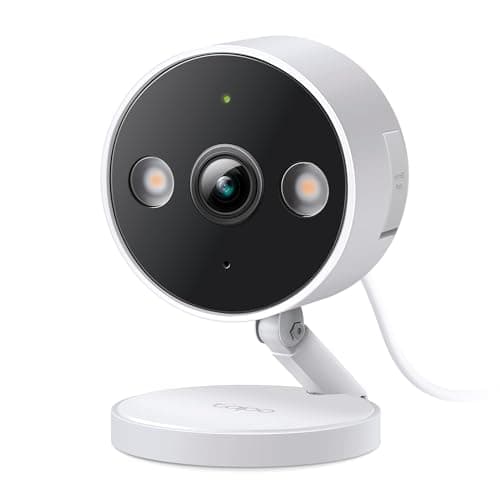
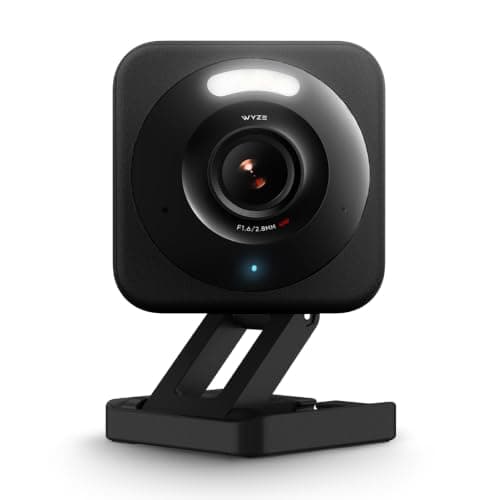
The rooms you most want to watch are often dark when you want to watch them - a nursery at night, a living room after lights-out. So night vision is not an outdoor-only concern. All three cameras here see in the dark; the difference is how. The Wyze Cam v4 and Tapo C120 shoot color night vision (the Wyze adds a spotlight), which keeps details like the color of clothing or a blanket visible rather than washing everything to gray. The Ring shoots color night vision too. For a nursery, a clear, softly-lit image of a sleeping child beats a harsh gray infrared frame, so the color-night-vision cameras have the edge for the exact indoor jobs this page is about.
Discreet placement: a camera that doesn't stare
The last indoor-specific question is one no spec sheet lists: does the camera disappear into the room, or does it dominate a shelf and unsettle your guests? Indoors, a small, unobtrusive body is a feature. All three cameras here are compact enough to sit on a shelf or shelf-edge without shouting, which is one reason none of the large outdoor solar cameras made this list - a big weatherproof unit that suits a driveway looks out of place in a living room. The Ring's ability to run on a battery adds a placement bonus indoors: you can sit it anywhere in a room without routing a cable to the nearest socket, where the wired Wyze and Tapo need an outlet close by.
How the three line up
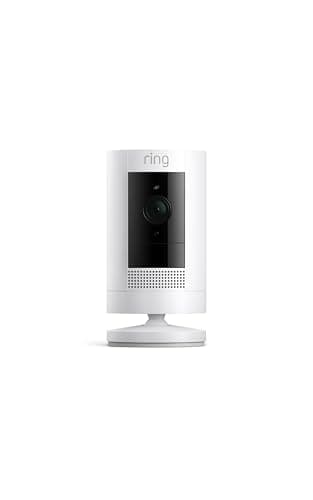
The Wyze Cam v4 is the pick for most indoor homes because it does the important things well and asks for nothing monthly: a sharp 2.5K image, two-way talk, color night vision with a spotlight, and free local recording to a microSD card. It is our top pick, covered in full in the Wyze Cam v4 review. The Tapo C120 runs it extremely close and wins on one thing: its person, pet and vehicle detection is free and runs on the camera itself, so your alerts are smart without a cloud plan - ideal if you want to be told about a person and not the cat. Both keep footage local with no bill, which is why they also headline the no-subscription roundup. The Ring Stick Up Camis the pick for one buyer only: someone already living in Alexa and Echo Show who wants the live feed a voice command away and accepts a Ring Home plan to save clips. It is a good camera - it just puts your indoor footage in Ring's cloud and behind a monthly fee, which is the opposite of what most indoor buyers want.
A word on camera-privacy hygiene
Because an indoor camera watches your most private space, the security of the camera itself matters as much as the footage it stores - and this is where owners, not the hardware, are usually the weak point. Two habits do most of the work. First, set a unique, strong password for the camera account, one you use nowhere else, so a leaked password from some unrelated website can't be reused to log into your camera. Second, turn on two-factor sign-in (2FA) wherever the app offers it, so a password alone isn't enough to get in. This is worth stressing for Wyze in particular, which has had past security incidents - the camera is a good buy, but treat a unique password and 2FA as mandatory, not optional. The near-totality of "my camera got hacked" stories trace back to reused passwords and no 2FA, not to someone breaking the encryption, so these two steps genuinely close the door that gets used.
How to actually choose an indoor camera
Start with the storage question, because indoors it is really a privacy question. If you want the footage of your home to stay in your home and cost you nothing after the camera, you want a local-storage model - the Wyze Cam v4 or Tapo C120, both recording free to a microSD card. If you already live in Alexa and value pulling the feed onto an Echo Show more than you mind a monthly fee and a cloud, the Ring Stick Up Cam earns its place. For most indoor buyers, local storage is the right default, which is why the two no-fee cameras lead.
Then decide how smart the alerts need to be
If you just want to check in and scroll back through clips, any of the three works. If you want the camera to tell you about a person and stay quiet for the cat, the Tapo C120 is the standout, because its person, pet and vehicle detection is free and on-device - no plan required. The Wyze can do smart AI too, but its cleverest events lean on the optional Cam Plus plan, and the Ring gates recorded clips behind a plan entirely. For free smart filtering, the Tapo is the one to beat.
Match power and placement to the room
The Wyze and Tapo are wired, so they need an outlet within reach of the mount - easy in most rooms, but worth checking against where you actually want the camera to sit. The Ring can run on a battery, which means you can place it anywhere on a shelf without routing a cable. Think about the exact spot: a bookshelf across the room from a socket favors the battery-capable Ring; a console table next to an outlet suits the wired pair perfectly.
Finally, lock the camera down before you point it at anyone
Whichever you choose, set a unique password and turn on two-factor sign-in before the camera goes live. It takes two minutes and it closes the door that nearly every "hacked camera" story actually walked through. Indoors this is not optional housekeeping - it is the difference between a private camera and a public one.