Skip to content
Latch & Hub

Cameras · Security Cameras

The Best Security Cameras That Work With Alexa in 2026

Nearly every camera claims Alexa support, and the claims mean very different things. Some put a live feed on an Echo Show in two seconds. Some only let Alexa arm them. The difference is not in the marketing copy, so this page sorts them by what the integration actually does.

By Stephen V.Updated How we choose
#ad

We earn a commission when you buy through our Amazon links, at no extra cost to you. It never changes our rankings — where the subscription-free or cheaper option is the better buy, we say so. How this works.

Verdict

The bottom line

If Alexa is the center of your house, buy the Ring Stick Up Cam Battery. Ring is owned by Amazon, so the integration is first-party rather than a skill bolted on: live view on an Echo Show, doorbell-style announcements and camera events usable inside Alexa Routines all work without a workaround. The catch is that reviewing a recorded clip needs a Ring subscription. If you want several cameras cheaply in the same ecosystem, the Blink Outdoor 4 three-camera kit is the other Amazon-owned brand and the cheapest way to cover a whole house inside one Alexa account. If a bright light matters more than another angle, the Ring Floodlight Cam Wired Plus is the pick that both answers Alexa and arms with a Ring Alarm. The Wyze Cam v4 is the cheapest camera here that still records locally for free and still shows up on an Echo Show, and the Reolink Argus PT Ultra is the one to buy if you want 4K and a camera that turns, and are content with Alexa for live view rather than deep automation.

The short answer

Quick picks

Tap any row for the full write-up.

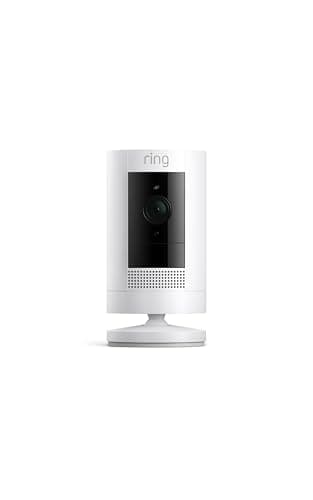
  • Ring Stick Up Cam Battery
    01 Ring Stick Up Cam BatteryTop pick

    The deepest Alexa integration of any camera here, because Ring and Alexa are the same company. Ask an Echo Show to show you the backyard and it does; a motion event can announce itself through every Echo in the house and can trigger an Alexa Routine. What you pay for all of that is a monthly plan to keep the clips.

    Best for: Alexa households that want one app and one voice assistant for everything · No Matter

    • 1080p HD
    • Color night vision
    • Two-way talk
    • Wired or battery
    • Works with Alexa
    $79.99View on Amazon

    #ad · we may earn a commission from this link to Ring Stick Up Cam Battery

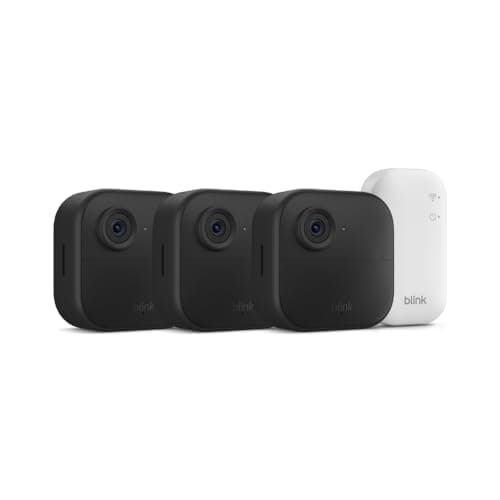
  • Blink Outdoor 4
    02 Blink Outdoor 4

    The other Amazon-owned brand, and the cheapest way to put several Alexa-controllable cameras around a house at once. Three wire-free cameras in the box, a two-year battery claim on each, and the same first-party relationship with Alexa that Ring has — at roughly a third of the price per camera.

    Best for: Several Alexa cameras at once, on a budget · No Matter

    • 1080p HD
    • 2-year battery
    • Two-way talk
    • Sync Module Core
    • 3-camera kit
    $189.99View on Amazon

    #ad · we may earn a commission from this link to Blink Outdoor 4

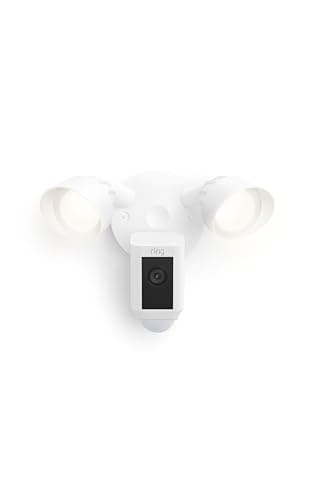
  • Ring Floodlight Cam Wired Plus
    03 Ring Floodlight Cam Wired Plus

    The Alexa pick when the camera also needs to light something up. It answers Alexa the same way the Stick Up Cam does, and it is the only camera here that arms and disarms alongside a Ring Alarm — so one Alexa routine can arm the house, and the floodlight becomes part of the alarm rather than a separate app.

    Best for: Alexa homes that want light, a siren and alarm integration · No Matter — Ring app and Alexa

    • 1080p HD, color night vision
    • 140 degrees horizontal, 80 degrees vertical
    • Two 3000 K floodlights, 2,000 lumens
    • 105 dB remote-activated siren
    • Dual-band Wi-Fi (2.4 or 5 GHz)
    • Hardwired 100-240 V; rated -5 F to 118 F
    $179.99View on Amazon

    #ad · we may earn a commission from this link to Ring Floodlight Cam Wired Plus

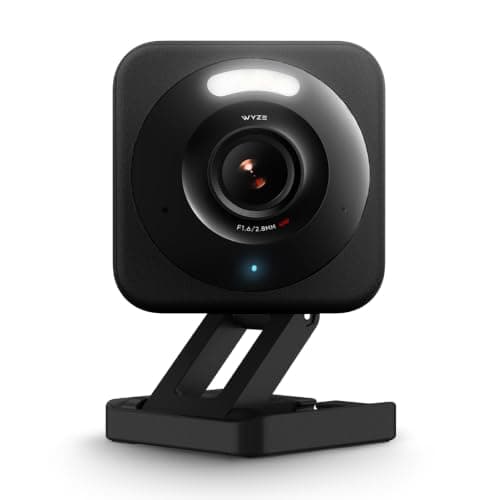
  • Wyze Cam v4
    04 Wyze Cam v4

    The cheapest camera here that both answers Alexa and keeps your footage without a bill. Wyze lists Alexa and Google support, so the Echo Show live-view trick works, and the microSD card means the recording history is free — the two things you normally have to choose between.

    Best for: Alexa on a budget, with free local recording · No Matter

    • 2.5K QHD (2560x1440)
    • Spotlight + IR night vision
    • microSD to 256GB
    • IP65 wired indoor/outdoor
    • Alexa + Google
    $44.98View on Amazon

    #ad · we may earn a commission from this link to Wyze Cam v4

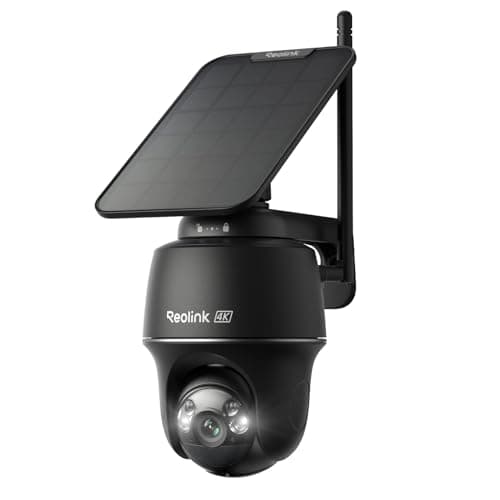
  • Reolink Argus PT Ultra
    05 Reolink Argus PT Ultra

    The pick for an Alexa house that wants the sharpest wire-free picture rather than the deepest integration. 4K on a pan-tilt head, solar panel in the box, microSD up to 512GB and no subscription — with Alexa and Google listed for live view, which is as far as it goes.

    Best for: 4K detail, solar power and the most local history · No Matter (Reolink app; Alexa & Google)

    • 4K / 8MP (3840x2160) at 15fps
    • 355 degree pan, 140 degree tilt + auto-tracking
    • 3W solar panel included
    • microSD to 512GB / Home Hub / FTP
    • IP65 · spotlight + infrared
    $159.99View on Amazon

    #ad · we may earn a commission from this link to Reolink Argus PT Ultra

#ad · Live prices from the Amazon Product API, as of October 10, 2026. Where we have no verified live price we show none — we would rather leave a gap than print a number that has rotted.

"Works with Alexa" is one of the least informative badges in this category. It is printed on cameras whose entire integration is a voice command to show a live feed, and on cameras that can announce a person at the side gate through every speaker in the house and then run a routine that turns the porch light on. Both are honest uses of the badge. Only one of them is what people mean when they ask for an Alexa camera. Here is what actually varies.

One: live view on an Echo Show is the easy part

Every camera on this page can do it. You say "Alexa, show me the front door", the Echo Show or Fire TV pulls the stream, and a few seconds later you are looking at it. What differs is latency and reliability rather than capability: Amazon's own brands, Ring and Blink, hand the stream straight over, while third-party cameras route it through a skill, so you wait a beat or two longer and you depend on that skill continuing to be maintained. If live view is the only thing you want from Alexa, any of these five will do it and you should buy on picture quality and running cost instead — which is what how to choose a security camera is for.

Two: announcements and routines are where first-party wins

The genuinely useful Alexa feature is not live view, it is events. A camera that can tell Alexa "someone is at the side gate" can trigger an announcement on every Echo, switch on a smart plug, or start a routine that turns lights on at 60 percent at night and 100 percent during the day. This is where Ring and Blink pull clearly ahead, because Amazon owns both and their events are available to Alexa as triggers rather than as notifications in their own app. Third-party cameras generally expose far less. If your plan for a camera involves it doing something rather than just being watched, buy the Amazon-owned option; our smart home security automations guide covers the rules worth building once you have one.

Three: Alexa compatibility and subscription-free recording usually trade against each other

This is the real tension on this page and it is worth naming plainly. The two cameras with the deepest Alexa integration — the Ring Stick Up Cam and the Ring Floodlight Cam — both require a Ring subscription before you can review a recorded clip. The two cameras that record for free to local storage — the Wyze Cam v4 and the Reolink Argus PT Ultra — both have shallower, third-party Alexa integrations. Blink sits in the middle: Amazon-owned, with a local-storage path that needs a Sync Module 2 bought separately. There is no camera on this page that gives you Amazon-native event integration and free local recording, so decide which of the two you actually want before you shop. If the answer is free recording, best no-subscription security cameras is the page that solves for that first, and camera subscription costs shows what the Ring route adds up to over several years.

Four: Alexa is not a recording system, and it is not a hub for cameras

Two common misunderstandings cause most of the disappointment here. The first: Alexa does not store video. Your clips live with the camera maker — on a microSD card, on a base station, or in their cloud — and Alexa is a viewer and a trigger engine on top. Cancelling a camera plan does not break Alexa; it breaks your clip history. The second: an Echo is not a camera hub in the way it is becoming a hub for sensors and lights. Matter has barely started on cameras, and none of the five picks here supports it, so each camera brings its own app and its own cloud regardless of how good the Alexa layer feels. That is also why mixing brands is more painful for cameras than for almost any other smart-home category — the detail is in security camera ecosystem compatibility.

Five: an Echo Show is the cheapest upgrade to any of these

If you already own cameras and want the Alexa experience people describe, the missing piece is usually a screen rather than a better camera. A single Echo Show in a kitchen or hallway turns every camera on this page into something you glance at instead of something you unlock a phone for, and it is what makes the voice command worth using at all. Beyond that, an Echo device also unlocks the sensor and lighting half of the automations above — see best smart home hubs for which Amazon devices actually act as a hub, because the answer is not all of them.

Alexa integration compared — who owns the brand, what Alexa can do with it, where footage lives and what it costs monthly
DeviceAlexa relationshipLive view on Echo ShowOther assistantsStorageMonthly fee
Ring Stick Up Cam BatteryAmazon-owned (first-party)YesNone listedRing cloud only$4.99/mo for saved clips
Blink Outdoor 4 (3-camera kit)Amazon-owned (first-party)YesNone listedBlink cloud, or USB via Sync Module 2$3.99/mo plan, or local-only
Ring Floodlight Cam Wired PlusAmazon-owned (first-party)YesNone listedRing cloud onlySubscription required to review video
Wyze Cam v4Third-party integrationYesGooglemicroSD to 256GBNone (Cam Plus optional)
Reolink Argus PT UltraThird-party integrationYesGoogle AssistantmicroSD to 512GB / Home Hub / FTPNone

In detail

The picks, in full

01

Ring Stick Up Cam Battery

Top pick
Ring Stick Up Cam Battery
$79.99View on Amazon

Price as of October 10, 2026. Amazon's price at checkout is the one that counts.

#ad · we may earn a commission from this link to Ring Stick Up Cam Battery

The deepest Alexa integration of any camera here, because Ring and Alexa are the same company. Ask an Echo Show to show you the backyard and it does; a motion event can announce itself through every Echo in the house and can trigger an Alexa Routine. What you pay for all of that is a monthly plan to keep the clips.

  • 1080p HD
  • Color night vision
  • Two-way talk
  • Wired or battery
  • Works with Alexa
Matter: No MatterFee: $4.99/mo Ring Home for saved clipsResearched, not hands-on tested

Good

  • Ring is Amazon's own brand, so none of the Alexa features are a third-party skill waiting to break: live view on an Echo Show, spoken announcements across your Echo devices, and camera motion as a trigger inside Alexa Routines
  • Battery or wired from the same camera, so one purchase covers the spot with a socket and the spot without one — and the Alexa behavior is identical either way
  • Live view, motion alerts and two-way talk all work with no subscription, so the voice-assistant half of the product costs nothing per month

Less good

  • Recorded clips require a Ring Home plan. Alexa will show you what is happening now for free; reviewing what happened at 3am is the paid part
  • 1080p trails the 2K and 3K sensors elsewhere on this page at a higher purchase price
  • No Google Home, no Apple Home and no Matter. This is the right camera for an Alexa house and the wrong one for a house that might change its mind

Skip it if: you want to avoid a subscription — without one you cannot review a single recorded event, and the Wyze below records for free and still answers Alexa.

03

Ring Floodlight Cam Wired Plus

Ring Floodlight Cam Wired Plus
$179.99View on Amazon

Price as of October 10, 2026. Amazon's price at checkout is the one that counts.

#ad · we may earn a commission from this link to Ring Floodlight Cam Wired Plus

The Alexa pick when the camera also needs to light something up. It answers Alexa the same way the Stick Up Cam does, and it is the only camera here that arms and disarms alongside a Ring Alarm — so one Alexa routine can arm the house, and the floodlight becomes part of the alarm rather than a separate app.

  • 1080p HD, color night vision
  • 140 degrees horizontal, 80 degrees vertical
  • Two 3000 K floodlights, 2,000 lumens
  • 105 dB remote-activated siren
  • Dual-band Wi-Fi (2.4 or 5 GHz)
  • Hardwired 100-240 V; rated -5 F to 118 F
Matter: No Matter — Ring app and AlexaFee: A Ring subscription is required to save and review recorded videoResearched, not hands-on tested

Good

  • It is the only pick here that plugs into a full alarm system. If you own a Ring Alarm, this floodlight is armed with the house and triggers with the rest of the sensors rather than living in its own silo
  • Ring publishes the environmental spec most makers skip — a rated operating range from -5 F to 118 F — which is the number that matters on a north wall in a real winter
  • The 105 dB siren is remote-activated, so it is a deterrent you can trigger deliberately from the app or a routine rather than only on a motion rule

Less good

  • Without a Ring subscription you get live view and notifications but cannot save or review what happened, which on a floodlight watching a driveway is the main reason to own it
  • 1080p is the lowest resolution here, and a floodlight camera is usually the one furthest from the subject — the place detail is hardest to spare
  • It is hardwired at 100-240 V into a junction box, so this is the one pick on the page that is an electrical job rather than a purchase

Skip it if: you do not already own Ring gear and do not want a monthly bill — the same money buys a higher-resolution camera that records to a card for free.

04

Wyze Cam v4

Wyze Cam v4
$44.98View on Amazon

Price as of October 10, 2026. Amazon's price at checkout is the one that counts.

#ad · we may earn a commission from this link to Wyze Cam v4

The cheapest camera here that both answers Alexa and keeps your footage without a bill. Wyze lists Alexa and Google support, so the Echo Show live-view trick works, and the microSD card means the recording history is free — the two things you normally have to choose between.

  • 2.5K QHD (2560x1440)
  • Spotlight + IR night vision
  • microSD to 256GB
  • IP65 wired indoor/outdoor
  • Alexa + Google
Matter: No MatterFee: Free with microSD (Cam Plus optional)Researched, not hands-on tested

Good

  • It is the lowest price on the page and still records continuously or on-event to a microSD card with no subscription, which neither Ring pick will do at any price
  • 2.5K is a real step up in detail over the 1080p Ring and Blink cameras, on the camera that costs the least
  • Wyze lists both Alexa and Google, so it is the only budget pick here that does not lock you to one assistant — useful if a household is half Echo and half Nest

Less good

  • The Alexa integration is a third-party one rather than Amazon's own, so it covers live view and basic events rather than the deeper announcement and routine behavior the Ring cameras get
  • The smartest AI events and full cloud event history want the optional Cam Plus plan, so the free tier alerts you more often about less useful things
  • Wyze's past security-incident history means a unique password and two-factor authentication are not optional on this account

Skip it if: you want camera events to drive Alexa Routines and announcements across the house — that is where Amazon's own brands are genuinely ahead.

How to pick in one question

Ask yourself whether you want Alexa to show you the camera or to acton it. If showing is enough — and for most households it is — buy on image quality and running cost, which means the Wyze Cam v4 on a budget or the Reolink Argus PT Ultra if you want 4K and months of free local history. If you want camera events driving announcements, lights and routines, buy Amazon's own: the Ring Stick Up Cam for a single angle, the Blink Outdoor 4 kit for several, the Ring Floodlight Cam Wired Plus where light and an alarm tie-in matter — and accept the subscription as part of the price.

One practical note on naming. Alexa routines and voice commands both depend on what you call the camera, and the default names are terrible. Rename each camera in its own app to the thing you would actually say out loud — "front door", "backyard", "driveway" — before you build a single routine, because renaming later breaks everything that referenced the old name.
How we chose

We don't run a test lab

We don't wire every one of these into a test rig, and we won't write "in our testing" as if we do. What we did instead: pulled each product's published specifications, confirmed its Matter/Thread/HomeKit support from the manufacturer's own documentation, added up the real 3-year cost with any monthly fee included, and read the aggregated verified-buyer sentiment. Every pick is chosen against that published method. Where a number came from someone else, we name and link them in Sources.

Questions

Frequently asked

Can Alexa show a security camera on an Echo Show?
Yes, for all five cameras here. You say "Alexa, show me the front door" and the Echo Show or Fire TV pulls the live feed. The difference between brands is how quickly and how reliably, not whether: Ring and Blink are Amazon-owned so the stream is handed over directly, while Wyze and Reolink route it through a skill, which adds a second or two and a dependency on that skill staying maintained. Rename each camera in its own app to a short phrase you would say out loud before you start using voice commands.
Does Alexa store my camera recordings?
No. Alexa is a viewer and an automation layer, never a recorder. Your clips live wherever the camera maker puts them — a microSD card in the Wyze or Reolink, Blink's cloud or a USB drive on a Sync Module 2, Ring's cloud on a plan. That matters when you are pricing a setup: cancelling a camera subscription does not affect Alexa at all, it affects whether you can review what happened last night. See local vs cloud camera storage for which arrangement suits you.
Do I need a subscription for a security camera to work with Alexa?
No. On every camera here the Alexa features — live view, voice commands, and on the Amazon brands announcements and routines — work without paying anything. What a subscription buys is the recorded clip history, and that is a camera-maker feature rather than an Alexa one. The Ring picks need a plan before you can review a recorded event at all; the Wyze and Reolink record locally for free and still answer Alexa.
Can a security camera trigger an Alexa Routine?
On Amazon's own brands, yes — a Ring or Blink motion event is available to Alexa as a trigger, so it can announce through your Echo speakers, switch a smart plug or set a light scene. Third-party cameras generally expose much less to Alexa, which is the single biggest practical difference between a first-party and a skill-based integration. If automation is your reason for wanting an Alexa camera, that narrows the field to Ring and Blink.
Do any of these cameras support Matter?
None of them, and that is not a gap in this page's picks — Matter's camera support has barely started across the whole category. In practice each camera brings its own app and its own cloud regardless of how well it talks to Alexa, which is why mixing camera brands stays more painful than mixing lights or sensors. Our camera ecosystem compatibility guide lays out what works where.
Is a Ring camera better with Alexa than a Wyze or Reolink?
For integration depth, yes, and it is not close: Amazon owns Ring, so events, announcements and routine triggers are native rather than passed through a skill. For picture quality and running cost, no — the Wyze Cam v4 is sharper and records for free, and the Reolink Argus PT Ultra is 4K with months of local history and no plan at all. Which of those two things you care about more is the whole decision on this page.

Keep reading

Receipts

Sources

We do not run a test lab, and we do not pretend to. Compatibility and subscription-cost claims come from the manufacturer's own documentation and the live retailer listing, read on the dates shown. Read our full method.