Skip to content
Latch & Hub

Cameras · Security Cameras

The Best Security Cameras Under $50 in 2026

Fifty dollars now buys a 2K camera that records for free, a motorized head, or a 2,600-lumen floodlight camera. It also buys the easiest way to sign up for a bill you did not plan on. These six were all under $50 on the live listing when we checked, and the number on each button is the live price, not ours.

By Stephen V.Updated How we choose
#ad

We earn a commission when you buy through our Amazon links, at no extra cost to you. It never changes our rankings — where the subscription-free or cheaper option is the better buy, we say so. How this works.

Verdict

The bottom line

Under $50, buy the TP-Link Tapo C120. Its listing says "subscription-free local storage" in plain language, it is rated for indoor or outdoor use, and it runs person, pet and vehicle detection on the camera itself rather than behind a plan - which is the feature most cheap cameras quietly take away. It is the right pick for almost anyone with an outlet near the spot they want watched. The budget pick is the TP-Link Tapo C210 at under twenty-five dollars, a genuine 2K motorized pan-tilt camera that is indoor only. If the motorized camera needs to go outside, the Wyze Cam Pan v3 publishes an IP65 rating and 360-degree pan/tilt/zoom for under thirty dollars. The Wyze Cam v4 is the sharpest sensor in the bracket at 2.5K. The Ring Outdoor Cam is here only for households already running Ring and Alexa, because with no Ring plan it saves no clips at all. And the Blink Wired Floodlight Camera is the surprise of the bracket - a real 2,600-lumen floodlight camera that cleared $50 on a deep discount when we checked, which we say plainly below. Every price here is pulled live.

The short answer

Quick picks

Tap any row for the full write-up.

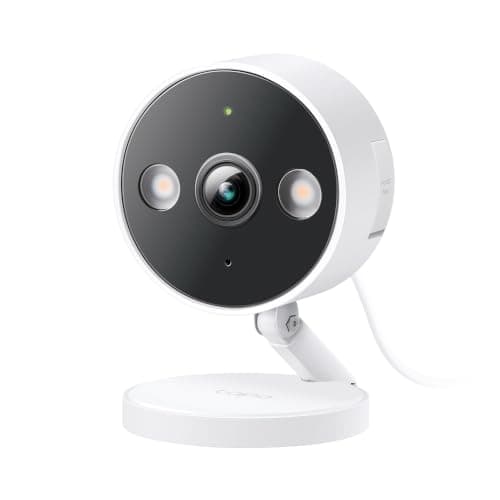
  • TP-Link Tapo C120
    01 TP-Link Tapo C120Top pick

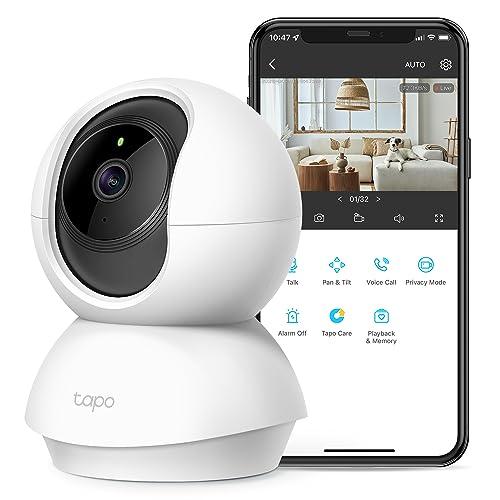
    The most camera under $50 and the one that gives up the least to get there: 2K+ QHD, rated for indoor or outdoor use, free local recording the listing names outright, and person, pet and vehicle detection running on the camera rather than behind a subscription.

    Best for: The best all-round camera under $50, indoors or out · No Matter

    • 2K+ QHD
    • Person/pet/vehicle detection
    • Subscription-free local storage or optional cloud
    • Color night vision
    • Indoor/outdoor wired
    $29.99View on Amazon

    $56.9947% off

    #ad · we may earn a commission from this link to TP-Link Tapo C120

  • TP-Link Tapo C210 Pan/Tilt Camera
    02 TP-Link Tapo C210 Pan/Tilt Camera

    The cheapest camera on this page by a clear margin, and it is a motorized 2K pan-tilt unit rather than a stripped fixed cam. Indoor only - at under twenty-five dollars that is the entire compromise, and for a pet, a nursery or a home office it is not much of one.

    Best for: The cheapest camera here - indoors, with a motorized head · No Matter - Tapo app, Alexa and Google Home

    • 2K
    • Pan and tilt
    • Motion detection
    • 2-way audio with siren
    • Night vision
    • Cloud and SD card storage
    • Works with Alexa and Google Home
    $22.99View on Amazon

    $29.9923% off

    #ad · we may earn a commission from this link to TP-Link Tapo C210 Pan/Tilt Camera

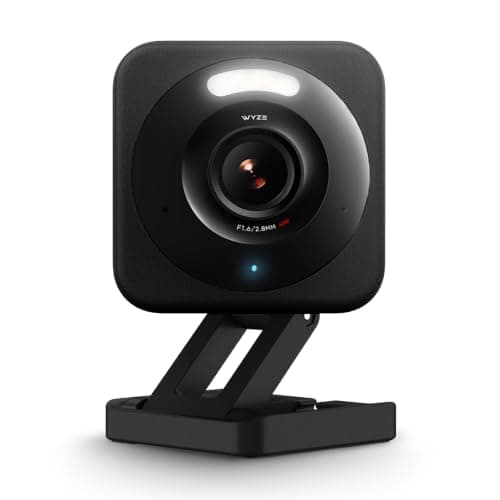
  • Wyze Cam Pan v3
    03 Wyze Cam Pan v3

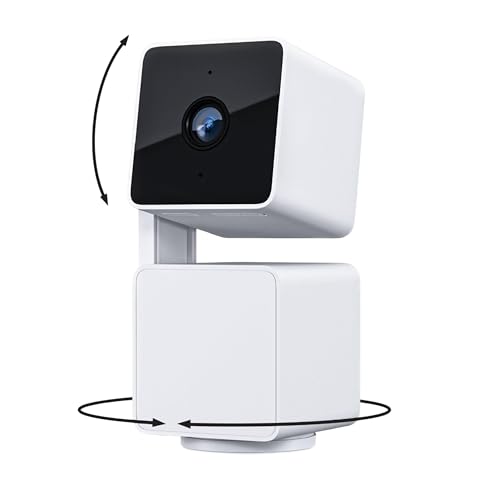
    The cheapest pan-and-tilt camera here that is actually rated to go outside. Wyze publishes IP65, 360-degree pan/tilt/zoom, color night vision and an automatic pan-scan sweep - for under thirty dollars at the price we saw.

    Best for: The cheapest motorized camera rated for outdoors · No Matter - Wyze app plus Alexa and Google Assistant

    • 360 degree pan/tilt/zoom
    • Indoor/outdoor, IP65-rated
    • Vibrant color night vision
    • 360 degree pan scan
    • 2-way audio
    $27.49View on Amazon

    $44.9739% off

    #ad · we may earn a commission from this link to Wyze Cam Pan v3

  • Wyze Cam v4
    04 Wyze Cam v4

    The sharpest sensor under $50 and the value benchmark the rest of the budget field gets measured against: 2.5K, color night vision, indoor or outdoor, and free microSD recording - provided you are happy to own the card workflow and lock the account down.

    Best for: The highest resolution in the bracket · No Matter

    • 2.5K
    • Color night vision
    • microSD local recording
    • Indoor/outdoor
    • Alexa + Google
    $34.98View on Amazon

    $44.9822% off

    #ad · we may earn a commission from this link to Wyze Cam v4

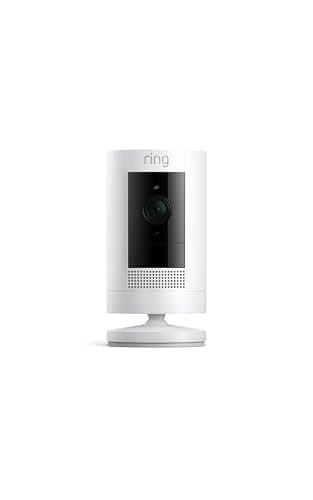
  • Ring Stick Up Cam Battery
    05 Ring Stick Up Cam Battery

    The right pick only if your home already runs on Ring and Alexa, where one app across the doorbell, the alarm and the cameras is worth real money. It runs indoors or out and gives you live view and alerts free - but with no Ring plan you can watch live and never open a recorded clip.

    Best for: A household already inside the Ring and Alexa ecosystem · No Matter - Ring app and Alexa

    • HD video
    • Live View
    • Color night vision
    • Two-way talk
    • Motion alerts
    • Works with Alexa
    • Weather resistant
    $39.99View on Amazon

    $79.9950% off

    #ad · we may earn a commission from this link to Ring Stick Up Cam Battery

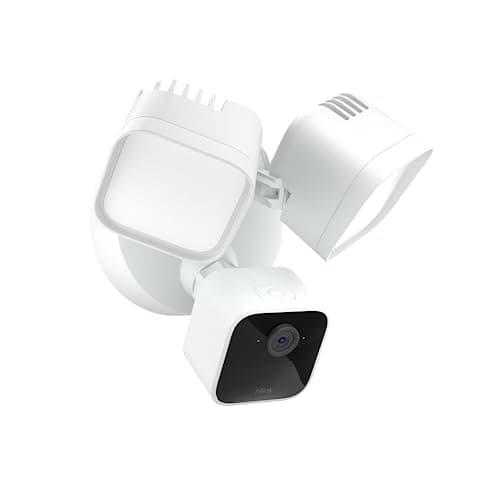
  • Blink Wired Floodlight Camera
    06 Blink Wired Floodlight Camera

    The surprise of the bracket: a genuine floodlight camera, not a camera with a lamp bolted on. Blink publishes 2,600 lumens, HD live view, enhanced motion detection and a built-in siren - and it cleared $50 only on a deep discount when we checked, which changes the maths if the sale ends.

    Best for: A dark path or driveway that needs light as much as video · No Matter

    • 2600 lumens
    • HD live view
    • Enhanced motion detection
    • Built-in siren
    • Works with Alexa
    • Wired, 1 camera
    Check price on Amazon →

    #ad · we may earn a commission from this link to Blink Wired Floodlight Camera

#ad · Live prices from the Amazon Product API, as of November 25, 2026. Where we have no verified live price we show none — we would rather leave a gap than print a number that has rotted.

Fifty dollars is the real entry point for home security, and it is also the price band where the spec sheet stops being the thing that matters. Every camera on this page records video, sees in the dark and sends an alert to your phone. What separates them is narrower and much more consequential: whether you can watch what they recorded without paying every month, whether they can legally go where you want to put them, and whether anything moves.

The criteria, in the order that actually decides it

First: can you open a saved clip without a plan? This is the whole ballgame at this price. A $30 camera on a $5-a-month plan costs $210 over three years; the same $30 camera recording to a card you already own costs $30. Four of the six picks here record locally with no subscription of any kind. One - the Ring Outdoor Cam - cannot save a clip without a plan under any configuration, because there is no card slot. One - the Blink floodlight - can go either way depending on whether you buy a Sync Module 2.

Second: indoor or outdoor, and is that a rating or a hope? The cheapest cameras in this bracket are indoor-only, and the listings are honest about it if you read them. The Tapo C210 is an indoor camera. The Wyze Cam Pan v3 publishes IP65. The Tapo C120 and Wyze Cam v4 are both rated for indoor or outdoor use. Decide the position before the camera and this criterion halves your shortlist in one step.

Third: does anything move? Two of these six have a motorized head, which is unusual under $50 and genuinely changes what one camera can cover. A pan-tilt camera watches a whole room or a whole yard corner; a fixed camera watches one frame very well. Neither is better in the abstract - but if you are buying one camera for a space with more than one thing worth seeing, the motor is the best twenty-five dollars on this page.

Fourth, and only fourth: resolution. The box shouts about it and it is the last thing that should decide a purchase at this price. 2K is enough to recognize a person you already know and read a delivery label held to the lens. What it is not enough for is reading a plate at the end of a driveway, and no camera in this bracket is. If that is your requirement, the honest answer is to go up a bracket - best security cameras under $100 is where 4K and solar power start appearing.

What $50 genuinely buys in 2026

More than it used to, and the gap has widened fast. Two years ago this bracket was 1080p fixed indoor cameras with a free-trial cloud plan attached. Today it includes a 2K+ camera rated for outdoor use with on-device AI detection, a 2.5K sensor, two motorized pan-tilt cameras and - on a discount - a 2,600-lumen floodlight fixture. The thing that has not improved is battery: nothing here is wire-free, and that is the one constraint this price cannot buy its way out of. Every pick on this page needs an outlet or a junction box.

The other thing worth knowing is that on-device AI has arrived at this price and it matters more than any resolution bump. A camera that can tell a person from a cat without sending video to a server is a camera whose notifications you will still have switched on in six months. The Tapo C120 publishes that; most of this bracket does not.

List price or promotion?

Every price on this page comes from the live Amazon listing, which is the only honest way to apply a hard ceiling - but it does mean some picks clear $50 on a sale rather than on their normal price, and that is worth saying out loud rather than burying.

When we checked on 2026-11-24, the Blink Wired Floodlight Camera was the clearest case: it was discounted heavily against a list price well above this ceiling, so at its normal price it is not an under-$50 camera at all. The Tapo C120 and the Wyze Cam Pan v3 were also sitting meaningfully below their list prices. The Wyze Cam v4 and the Tapo C210 were closest to their normal pricing. If you are reading this outside a sale period, check the live number on each button first - it updates without us touching the page.

The one pick here that needs a subscription, and why it is still listed

The Ring Outdoor Cam does not record anything without a Ring Home plan, and there is no microSD slot or USB fallback to get around that. On a site about security without a monthly fee, that is a serious mark against it, and we have said so in its cons.

It is on the page anyway because for one specific household it is the right buy: if you already run a Ring doorbell and a Ring alarm, already pay the plan, and already have Echo Shows around the house, adding a camera that lives in the same app and answers the same voice commands is worth more day to day than a spec sheet upgrade. That is a real reason, and pretending otherwise would not help anyone. If it describes you, buy it. If it does not, Ring without a subscription goes through exactly what Ring hardware does when you stop paying.

How to make a cheap camera behave like an expensive one

Three things, none of which cost money. Mount it higher than you think and angle it down - most disappointing footage at this price is a framing problem rather than a sensor problem. Put the card in on day one and decline the free cloud trial, so you never find out how a plan expiry feels. And set detection zones properly, because an untuned budget camera reporting every passing car teaches you to ignore it, which is the only way a working camera fails completely.

One more that does cost a little: buy a high-endurance or surveillance-rated microSD card rather than the cheapest one with the biggest number. A camera writes to its card constantly, which is a workload consumer cards are not built for, and a failed card fails silently. Best security cameras with an SD card goes deeper on choosing and maintaining it.

How we picked

Every camera above is in our product registry, every specification quoted comes from the seller's own live Amazon listing read on 2026-11-24, and the $50 ceiling was applied against the live price file rather than from memory. We do not run a test lab and we do not pretend to - the methodology page says what we do instead. There are no scores on this page, because a score would be a number with nothing behind it.

The four things that decide a camera under $50 - from the live listings read on 2026-11-24
DeviceResolutionIndoor or outdoorSaves clips with no plan?Motorized?Detection without a plan
TP-Link Tapo C1202K+ QHDIndoor/outdoor wiredYes - local storageNoPerson, pet, vehicle - on device
TP-Link Tapo C2102KIndoor onlyYes - SD cardYes - pan and tiltMotion detection
Wyze Cam Pan v3Not stated on listingIndoor/outdoor, IP65Yes - microSDYes - pan/tilt/zoomBasic motion; Cam Plus for AI
Wyze Cam v42.5KIndoor/outdoorYes - microSDNoBasic motion; Cam Plus for AI
Ring Outdoor CamHDWeather resistantNo - no card slotNoMotion alerts only
Blink Wired FloodlightHDOutdoor, hardwiredOnly with a Sync Module 2 + USBNoEnhanced motion detection
Three-year cost of the cheapest camera on this page against the one that needs a plan - hardware context from the live listings on 2026-11-24, plan pricing as published by the makers at the time of writing
ProductHardwareMonthly3-yr fees3-yr total
Tapo C210 + an SD cardNo plan - SD card recording$30$0$0$30
Wyze Cam Pan v3 + a high-endurance microSD cardNo plan - Cam Plus optional for cloud AI events$40$0$0$40
Tapo C120 + a high-endurance microSD cardNo plan - subscription-free local storage per the listing$45$0$0$45
Blink Wired Floodlight (promotional price) + Sync Module 2 + USB driveNo plan - local clip storage, but neither module nor drive is in the box$95$0$0$95
Ring Outdoor Cam on a Ring Home plan (entry tier)The only way this camera saves a clip - there is no local storage option$30$5/mo$180$210

Hardware figures are approximate MSRP context for the comparison; the live, date-stamped price is on each product's buy button. Fees are the published plan rates at the time of writing — always confirm current pricing with the brand.

In detail

The picks, in full

01

TP-Link Tapo C120

Top pick
TP-Link Tapo C120
$29.99View on Amazon

$56.9947% off

Price as of November 25, 2026. Amazon's price at checkout is the one that counts.

#ad · we may earn a commission from this link to TP-Link Tapo C120

The most camera under $50 and the one that gives up the least to get there: 2K+ QHD, rated for indoor or outdoor use, free local recording the listing names outright, and person, pet and vehicle detection running on the camera rather than behind a subscription.

  • 2K+ QHD
  • Person/pet/vehicle detection
  • Subscription-free local storage or optional cloud
  • Color night vision
  • Indoor/outdoor wired
Matter: No MatterFee: None - local storage (Tapo Care optional)Researched, not hands-on tested

Good

  • On-device person, pet and vehicle detection is the spec that normally disappears below $50, and it is the one that decides whether your phone buzzes for a human or for a moth
  • TP-Link puts 'subscription-free local storage' on the listing itself, which is as unambiguous as this category gets about what you do and do not have to pay for
  • 2K+ QHD is the highest resolution here apart from the Wyze Cam v4, and resolution is the one spec you cannot add after you buy
  • Rated for indoor or outdoor use, so one purchase covers positions that would otherwise need two different cameras

Less good

  • Wired only. It has to reach an outlet, which rules out a shed, a gate or the far corner of a yard - and an extension lead run outdoors is a hazard, not a fix
  • No motor, so it frames one scene; if you need a camera to cover an L-shaped room the Tapo C210 below is the cheaper answer
  • The Tapo app is functional rather than polished and the optional cloud upsell is always visible
  • No Matter and no HomeKit, so it joins a wider smart home through the Tapo app and voice assistants rather than natively

Skip it if: the spot you want to watch has no power nearby - nothing in this bracket is wire-free, and that constraint is worth more than any spec here.

02

TP-Link Tapo C210 Pan/Tilt Camera

TP-Link Tapo C210 Pan/Tilt Camera
$22.99View on Amazon

$29.9923% off

Price as of November 25, 2026. Amazon's price at checkout is the one that counts.

#ad · we may earn a commission from this link to TP-Link Tapo C210 Pan/Tilt Camera

The cheapest camera on this page by a clear margin, and it is a motorized 2K pan-tilt unit rather than a stripped fixed cam. Indoor only - at under twenty-five dollars that is the entire compromise, and for a pet, a nursery or a home office it is not much of one.

  • 2K
  • Pan and tilt
  • Motion detection
  • 2-way audio with siren
  • Night vision
  • Cloud and SD card storage
  • Works with Alexa and Google Home
Matter: No Matter - Tapo app, Alexa and Google HomeFee: None with an SD card (Tapo Care optional)Researched, not hands-on tested

Good

  • A motorized head at this price is the best value on the page: one camera covers a whole room, which is two cameras' worth of coverage for less than one camera's money
  • Records to an SD card with no plan, so the cheapest camera here is also one of the cheapest to own over three years
  • A built-in siren and two-way audio mean you can intervene rather than only watch, which matters on a camera most people buy for a pet or a child
  • Works with both Alexa and Google Home per the listing, so live view on a smart display works in either household

Less good

  • Indoor only. There is no weather rating, and an indoor camera under an eave is still an indoor camera - the first wet winter settles it
  • 2K is enough for a room but it is a motorized camera, and a panning head spreads those pixels across a much wider arc than a fixed lens does
  • A light plastic body on a shelf is easy to knock out of alignment, and a camera pointed at the ceiling records nothing useful
  • Detection is basic motion rather than the on-device person/pet/vehicle AI the C120 above runs for free

Skip it if: the camera is going outdoors - the Wyze Cam Pan v3 below is the cheapest motorized camera here with a published weather rating.

03

Wyze Cam Pan v3

Wyze Cam Pan v3
$27.49View on Amazon

$44.9739% off

Price as of November 25, 2026. Amazon's price at checkout is the one that counts.

#ad · we may earn a commission from this link to Wyze Cam Pan v3

The cheapest pan-and-tilt camera here that is actually rated to go outside. Wyze publishes IP65, 360-degree pan/tilt/zoom, color night vision and an automatic pan-scan sweep - for under thirty dollars at the price we saw.

  • 360 degree pan/tilt/zoom
  • Indoor/outdoor, IP65-rated
  • Vibrant color night vision
  • 360 degree pan scan
  • 2-way audio
Matter: No Matter - Wyze app plus Alexa and Google AssistantFee: None with a microSD card (Cam Plus optional)Researched, not hands-on tested

Good

  • IP65 is a published weather rating rather than a vague claim of outdoor suitability, and it is what separates this from every other sub-$30 motorized camera
  • Pan scan sweeps between preset points on its own, which is what makes a single camera genuinely cover a garage or a carport rather than merely being able to
  • Color night vision rather than infrared only, so after dark you keep clothing and vehicle color instead of a gray silhouette
  • Cheap enough to put somewhere you would not risk a $150 camera - a shed, a side return, a workshop

Less good

  • Wyze does not publish a resolution figure in the listing title, and on a camera that zooms and sweeps across distance that is the spec you would most want stated
  • Wyze has had past security incidents, so a unique password and two-factor authentication are part of the install rather than optional hygiene
  • The smartest AI event tagging sits behind Cam Plus, and the app pushes that upsell hard
  • IP65 or not, this is a low-cost plastic body - a sheltered mount should be part of the plan rather than an afterthought

Skip it if: you need to identify a stranger at distance - that is a resolution problem and nothing in this bracket solves it well.

04

Wyze Cam v4

Wyze Cam v4
$34.98View on Amazon

$44.9822% off

Price as of November 25, 2026. Amazon's price at checkout is the one that counts.

#ad · we may earn a commission from this link to Wyze Cam v4

The sharpest sensor under $50 and the value benchmark the rest of the budget field gets measured against: 2.5K, color night vision, indoor or outdoor, and free microSD recording - provided you are happy to own the card workflow and lock the account down.

  • 2.5K
  • Color night vision
  • microSD local recording
  • Indoor/outdoor
  • Alexa + Google
Matter: No MatterFee: Free with microSD (Cam Plus optional)Researched, not hands-on tested

Good

  • 2.5K is the most pixels you can buy under this ceiling, and resolution is the one thing you cannot upgrade later on a camera you already own
  • The listing states 'No Subscription Required' outright, and a microSD card is all it takes to make that true
  • Rated for indoor or outdoor use and works with both Alexa and Google Home, which makes it the most flexible single purchase here after the Tapo C120
  • Color night vision keeps night footage useful for identification rather than only for confirming that something moved

Less good

  • The smartest AI event tagging and cloud history sit behind the optional Cam Plus plan
  • Wyze's past security incidents make a unique password and two-factor authentication part of the install, not optional
  • With no card in the slot it is a live-view-only camera, and the box does not include one
  • No Matter, no HomeKit

Skip it if: you want a camera you never touch again - the card workflow and the account hardening both reward a little maintenance.

05

Ring Stick Up Cam Battery

Ring Stick Up Cam Battery
$39.99View on Amazon

$79.9950% off

Price as of November 25, 2026. Amazon's price at checkout is the one that counts.

#ad · we may earn a commission from this link to Ring Stick Up Cam Battery

The right pick only if your home already runs on Ring and Alexa, where one app across the doorbell, the alarm and the cameras is worth real money. It runs indoors or out and gives you live view and alerts free - but with no Ring plan you can watch live and never open a recorded clip.

  • HD video
  • Live View
  • Color night vision
  • Two-way talk
  • Motion alerts
  • Works with Alexa
  • Weather resistant
Matter: No Matter - Ring app and AlexaFee: Ring Home plan required for saved clips - there is no local storage optionResearched, not hands-on tested

Good

  • One app and one notification style across the doorbell, the alarm and every camera, which is the actual reason people stay with Ring and is worth more day to day than a spec upgrade
  • Live view, motion alerts, color night vision and two-way talk all work with no subscription at all
  • The Ring and Alexa integration is the best in this group - live view on an Echo Show by voice genuinely works
  • Weather resistant and mountable indoors or outdoors, so one purchase covers more situations

Less good

  • Recorded clips require a Ring Home plan. With no plan there is no saved footage of any kind, and there is no microSD slot or USB fallback to work around it - this is the one failure mode that makes a security camera pointless after the event
  • HD rather than the 2K and 2.5K subscription-free cameras above, at a similar price
  • On a page about spending under $50 once, a camera with a mandatory recurring cost for its core function is the outlier and we are not going to soften that
  • No Matter, no HomeKit

Skip it if: you are not already in Ring and do not want a monthly bill - outside that ecosystem the fee buys you something the cheaper cameras here include for free.

Five checks before you spend $50 on a camera

Find the outlet before you pick the camera. Nothing in this bracket is wire-free. Stand where the camera will go and look for power; if there is none within a cable run you would be happy with, you are shopping in the wrong bracket and the next one up is where battery and solar cameras start.

Check whether the listing says indoor, outdoor or both. It is written down on every pick here. The Tapo C210 is indoor only; the Wyze Cam Pan v3 publishes IP65. An indoor camera in a carport is a camera with a service life measured in months.

Settle the subscription question on day one. Every cheap camera ships with a free trial designed to make the plan feel load-bearing. Buy the card with the camera if you are going subscription-free, so the trial expiry is a notification rather than a surprise.

Check your Wi-Fi at the mounting point, not at the router. Most cameras in this bracket are 2.4 GHz only. Walk to the spot with your phone and look at the signal. A camera with two bars drops clips, and no setting inside the app fixes a weak signal.

Harden the account the day you install it. A unique password and two-factor authentication, on every camera account, every time. This is not brand-specific advice and it is not optional - a camera account is a live video feed of your home. Can smart home devices be hacked covers what actually happens when one is compromised.
How we chose

We don't run a test lab

We don't wire every one of these into a test rig, and we won't write "in our testing" as if we do. What we did instead: pulled each product's published specifications, confirmed its Matter/Thread/HomeKit support from the manufacturer's own documentation, added up the real 3-year cost with any monthly fee included, and read the aggregated verified-buyer sentiment. Every pick is chosen against that published method. Where a number came from someone else, we name and link them in Sources.

Questions

Frequently asked

What is the best security camera under $50?
The TP-Link Tapo C120: 2K+ QHD, rated for indoor or outdoor use, subscription-free local storage stated on the listing, and person, pet and vehicle detection running on the camera rather than behind a plan. If you want the cheapest camera that still records for free, the TP-Link Tapo C210 is under twenty-five dollars and adds a motorized pan-tilt head - it is indoor only.
Can you get a security camera with no monthly fee under $50?
Yes, and it is the most important thing to get right at this price. The Tapo C120, the Tapo C210, the Wyze Cam Pan v3 and the Wyze Cam v4 all record to a card with no subscription. The Blink floodlight can store clips locally too, but only with a separately bought Sync Module 2 and a USB drive. The Ring Outdoor Cam is the exception: it has no local storage at all, so a Ring Home plan is the only way to open a saved clip.
Is a $50 security camera good enough?
For one or two well-chosen positions, yes - and a 2K camera watching the path to your front door is worth far more than four cheaper cameras pointed at a fence line. What you do not get at this price is 4K, any form of battery or solar power, or the ability to read a plate at distance. The honest limit is identification range: under $50 you are buying footage that confirms what happened and shows who was there.
Do any cameras under $50 work outdoors?
Four of the six. The Tapo C120 and Wyze Cam v4 are rated for indoor or outdoor use, the Wyze Cam Pan v3 publishes IP65, the Ring Outdoor Cam is weather resistant and the Blink floodlight is an outdoor fixture. The Tapo C210 is indoor only. All of them still need mains power - there is no wire-free option in this bracket.
What is the cheapest pan and tilt security camera?
The TP-Link Tapo C210 at under twenty-five dollars, though it is indoor only. For a motorized camera rated to go outside, the Wyze Cam Pan v3 with its published IP65 rating is the cheapest we cover. Best pan and tilt security cameras ranks the whole motorized field, including the 4K options above this bracket.
Why is a floodlight camera in an under-$50 list?
Because the Blink Wired Floodlight Camera was genuinely under $50 on the live listing when we checked - on a steep seasonal discount against a much higher list price, which we state in its cons, in the list-price section above and here. At its normal price it is not an under-$50 camera. The live price on its button is the one that counts.
How many cameras under $50 should I buy?
Start with one, in the single highest-value position, and add only when you can name what the next camera sees that the first does not. The common mistake at this price is buying three cheap cameras and spreading them thin, which produces three views of nothing in particular and three times the false alerts. How many security cameras do I need works through it by property type.

Keep reading

Receipts

Sources

We do not run a test lab, and we do not pretend to. Compatibility and subscription-cost claims come from the manufacturer's own documentation and the live retailer listing, read on the dates shown. Read our full method.