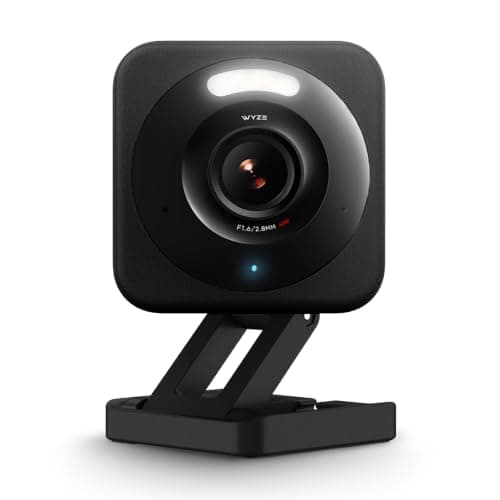
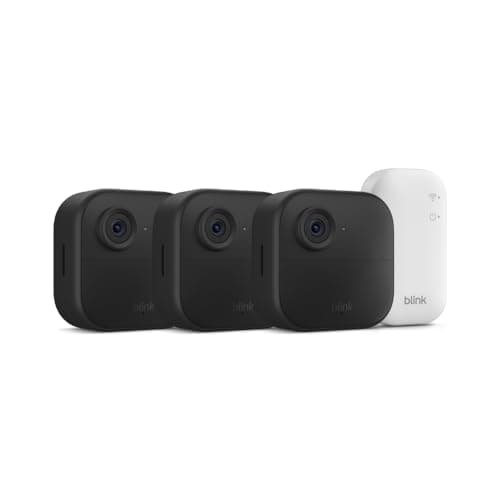
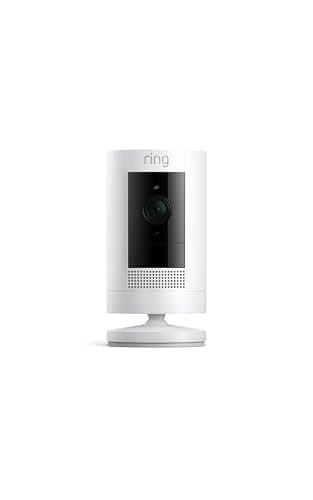
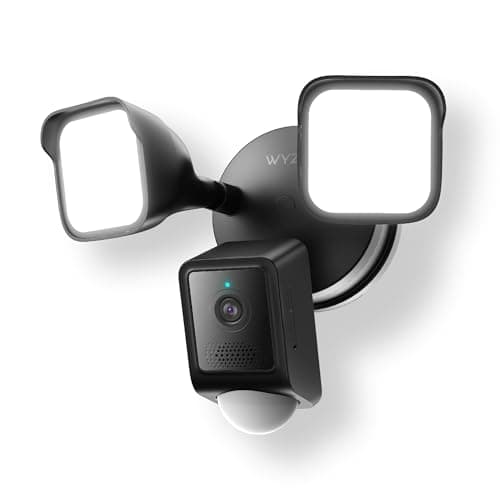
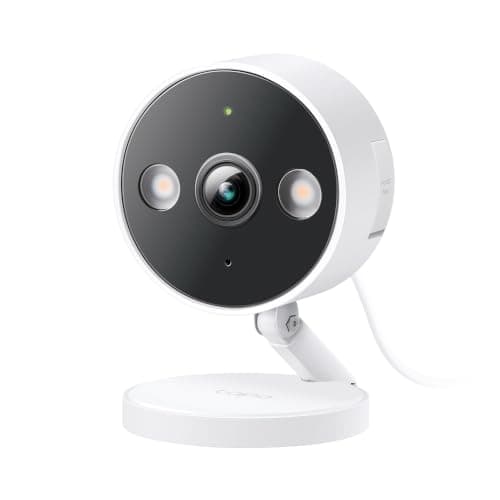
Under $100 is where most people actually shop for a security camera, and it is also where the spec sheet stops being the thing that matters. Every camera on this page records video, sees in the dark and sends an alert to your phone. What separates them is narrower and more consequential: whether you can watch what they recorded without paying every month, whether they need an outlet, and whether the night footage is good enough to identify anyone. Those three questions decide the purchase. Resolution, which is what the box shouts about, comes fourth.
The rule we used: under $100 on the live listing, today
This page has a hard entry requirement, and it is worth stating plainly because "under $100" is a claim a lot of roundups make with a straight face about a camera that has not been $100 since launch week. Every pick here was under $100 on its live Amazon listing on 2026-11-10, in stock and buyable. We do not type prices into the page - the number on each buy button is pulled from Amazon and timestamped, so if a camera here creeps over the line, the page shows you that before we notice it. If a price is missing entirely, the button says to check it rather than quoting a number we cannot stand behind.
That rule cut two cameras we would otherwise have considered. The Reolink Argus PT Ultra is the pan-and-tilt camera we would want at this end of the market, and it sits above the ceiling today. The Blink Wired Floodlight had no buyable offer at all when we checked, so it is not on the page - a camera you cannot purchase is not a pick. If you want to shop the next bracket up with the same discipline, best budget security cameras is our value ranking without a price ceiling imposed on it.
List price or promotion? It matters, and here is which is which
A price ceiling page has one failure mode worth naming out loud: a camera that is only under the ceiling because it happens to be on a deep discount this week. Three of the five picks here were under $100 on their normal listing price when we checked - the Tapo C120, the Wyze Cam v4 and the Ring Stick Up Cam - and the Wyze Floodlight v2 sits just under it either way.
The Blink Outdoor 4 is the exception, and it is the one to watch. The listing showed a deep seasonal reduction on the day we checked, and at its list price that kit is well above $100 rather than comfortably below it. We have kept it on the page because it is the only wire-free option under the ceiling and because the live price on its button will always tell you the truth - but if the number you see there is above $100, the promotion has ended, and the honest answer at that point is one of the wired picks instead. The same logic applies in reverse all season: what actually discounts in this category is worth reading before you decide whether to buy now or wait.
The monthly fee is what makes a cheap camera expensive
This is the whole game under $100 and almost nobody frames it this way. A camera with no subscription is a one-time purchase. A camera that needs a plan to save a clip is a subscription with a camera attached, and over the life of the device the plan costs several times the hardware.
Work it through with the two extremes on this page. The Tapo C120 is the cheapest camera here and records to a microSD card for nothing, so three years in you have spent the purchase price plus a card. The Ring Stick Up Cam costs more up front and, without a Ring Protect plan, will not let you open a single recorded event - so three years in you have spent the purchase price plus roughly 36 monthly payments. Same price bracket on the shelf; a completely different number at the end.
None of which makes Ring the wrong answer. If your doorbell, your alarm and your other cameras are already Ring, the plan you are weighing is probably one you already pay, and adding a sixth device to an existing Ring Multi plan is close to free. The mistake is buying your first camera into a subscription without doing this arithmetic. Security camera subscription costs has the plan tiers in full, and best no-subscription security cameras ranks the whole field on this axis rather than on price.
Power first, pixels second
The second question is the one that silently eliminates most of this page for most spots: where is the power coming from? It is worth answering before you compare a single specification, because it is the only constraint on this list you cannot work around.
Three of the five picks here are wired - the Tapo and the Wyze Cam v4 need a USB outlet within reach, and the Wyze Floodlight v2 needs mains wiring in a junction box. One is wire-free: the Blink Outdoor 4, running on AA lithium cells that Blink publishes as lasting up to two years. One is either: the Ring Stick Up Cam ships able to run on its battery pack or wired.
If the spot you care about is a shed, a gate, a detached garage or the far end of a yard, your choice under $100 is the Blink, full stop, and the 1080p sensor is the toll you pay for that. If there is an outlet, the wired cameras give you dramatically more camera for less money, and there is no good reason to pay the wire-free penalty. How to power an outdoor security camera covers the options when the answer is "almost, but not quite within reach," and wired vs wireless security cameras goes through the reliability trade in depth.
What 1080p actually costs you at night
Resolution matters less than the marketing implies and more than the skeptics claim, and the honest version is specific: resolution decides whether footage is evidence or merely notification. At 1080p across a wide outdoor scene you will reliably see that a person was there, roughly how big they were and which way they went. You will often not be able to describe their face to anyone who was not already going to recognize them, and you will almost never read a license plate at the end of a driveway.
At 2K and 2.5K across the same scene you get meaningfully closer, because the pixels per foot of coverage roughly double. That is why the Tapo C120 and Wyze Cam v4 are ranked above the Ring and Blink here despite costing less: they are the cameras on this page most likely to produce footage that is actually useful after an incident rather than during one.
Night vision type compounds it. Infrared-only cameras - the Blink here - render the scene in clean black and white, which kills the two details people most often need to pass on: clothing color and vehicle color. The other four publish color night vision. If you want the full picture on that trade, night vision cameras explains why a brighter sensor beats more infrared LEDs, and 2K vs 4K security cameras covers where the extra pixels stop paying for themselves.
Weather ratings: read what the maker actually publishes
Under $100 the phrase "weather resistant" does a lot of unearned work. What you want is a published IP rating and, ideally, a published temperature range - because an IP65 body that stops working at 10 F is not an outdoor camera in a northern winter, and plenty of listings are quiet about exactly that.
Of the five here, Blink publishes IP65 for the Outdoor 4, and Wyze publishes both IP65 and an operating range of -4 F to 140 F for the Floodlight v2, which is better documentation than most cameras at any price. The Tapo C120 and Wyze Cam v4 are both rated by their makers for indoor or outdoor use. We are not going to invent a number for anything a maker leaves unstated, and if cold is your real concern, do security cameras work in cold weather covers what actually fails first - which is usually the battery, not the camera.
Where to put a cheap camera so it earns its money
One $30 camera in the right place beats three in the wrong places, and under $100 you will probably be buying one or two rather than covering a house. The highest-value position is almost always the route an intruder has to take rather than the boundary they cross: the path to the front door, the side of the house that leads to the backyard, the point where a driveway meets a gate.
Mount at roughly eight to ten feet, angled down, with the camera looking along a path rather than across it - a face walking toward the lens is identifiable in a way a face crossing the frame is not. Keep moving vegetation and a road out of the detection zone unless you enjoy notifications. Where to place security cameras has the position-by-position version, and how to reduce false alerts is the page to read the day after you install one.
How we ranked these
In this order. First, the price ceiling: under $100 on the live listing, in stock, on 2026-11-10 - that is the entry requirement and nothing else gets on the page. Second, whether you can save and review footage with no monthly fee, because that is the difference between a one-time purchase and a subscription. Third, the power story, because it is the constraint that cannot be designed around. Fourth, resolution and night vision type, which decide whether the footage identifies anyone. Fifth, what the maker publishes about weather and temperature, as opposed to what the listing implies.
We do not score these cameras and we have not timed anyone's night footage, because we do not run a camera lab. Every specification on this page is the manufacturer's or seller's own published claim, read on the date in the sources below, and every price is pulled live from the listing rather than typed in by us. If you would rather start from the decision than from a price bracket, how to choose a security camera is the page that does that.
Five checks before you buy anything under $100
Find the outlet before you pick the camera. Stand where the camera will go and look for power. If there is none within a cable run you would actually be happy with, the wire-free Blink is your pick and the resolution question is settled for you. This one check eliminates more wrong purchases than any spec comparison.
Decide the subscription question now, not after the trial. Every cheap camera ships with a free trial of its cloud plan, and the trial is designed to make the plan feel load-bearing. Buy the card on day one if you are going subscription-free, so you never find out how a plan expiry feels.
Buy the right card, and buy it with the camera. A camera recording continuously will wear out a cheap card. Look for a high-endurance or surveillance-rated microSD, check the maximum capacity the camera publishes - the Wyze Floodlight v2 publishes 256 GB, exFAT - and format it in the camera rather than in a laptop.
Check your Wi-Fi at the mounting point, not at the router. Most cameras in this bracket are 2.4 GHz only, including the Wyze Floodlight v2. Walk to the spot with your phone on 2.4 GHz and see what you get. A camera with two bars drops clips, and no setting inside the app fixes a weak signal.
Harden the account on the day you install it. A unique password and two-factor authentication, on every camera account, every time. This is not brand-specific advice and it is not optional - a camera account is a live video feed of your home, and can smart home devices be hacked goes through what actually happens when one is compromised.