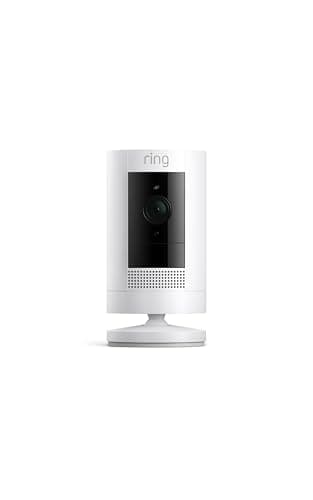
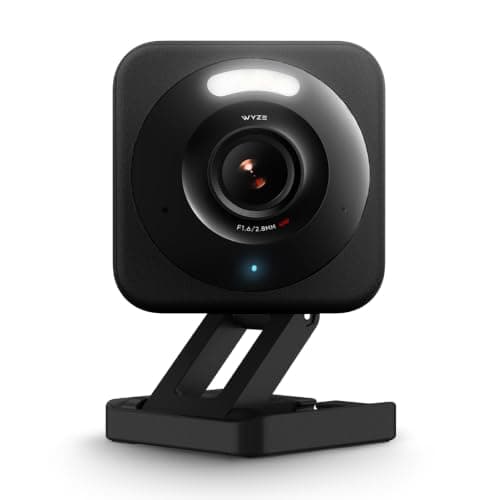
The Ring Stick Up Cam and the Wyze Cam v4 are both cheap, and both are excellent at what they are for - which is exactly why people cross-shop them and then get stuck. They look like rivals at the same price point, but they are built on opposite bets. Ring bets that you will pay a little every month for a beautifully unified app and battery-anywhere convenience. Wyze bets that you would rather pay nothing after the box and keep your footage on a card in the camera. Both bets are reasonable. The right one for you comes down to two questions you can answer at your kitchen table: is there an outlet where you want the camera, and are you willing to pay a subscription to keep your recordings?
The subscription is the whole story
Lead with the difference that costs real money, because it dwarfs the sticker prices. The Wyze Cam v4 records to a microSD card you buy once, and its listing states no subscription is required. Motion clips - and continuous recording if you want it - land on that card and cost you nothing per month. The Ring Stick Up Cam gives you live view, two-way talk and motion alerts for free, but saving and reviewing recorded clips requires a Ring Home plan. Without it, you can watch live and get pinged that something moved, but you cannot scroll back to see what it was. For a security camera, that recorded history is usually the entire point, so in practice a Ring camera is a camera-plus-a-plan.
Put a few years on it and the gap is stark. The Wyze is a one-time cost; the Ring is the camera plus a monthly fee for as long as you own it. That is not a knock on Ring - the plan buys cloud storage you do not manage and features that tie into the wider Ring system - but it is the number most buyers forget until the second bill. If minimizing running cost is your priority, this comparison is effectively over already, and the Wyze wins; it is why it anchors our best no-subscription cameras list. If you would happily trade a small monthly fee for a slicker experience, read on, because the Ring earns it in other ways. Our guide to camera subscription costs lays out exactly what the Ring plan does and does not include.
Battery vs wired: where you can actually put it
The second real difference is power, and it is the Ring's home turf. The Stick Up Cam is battery-powered (with wired and solar options if you want them), so you can mount it on a fence post, a shed, a spot with no outlet in sight, and move it whenever you like. That freedom is genuinely useful, and it is the thing the Wyze simply cannot match. The Wyze Cam v4 is a wired camera - it needs a power cable - so its location is decided by where you have an outlet or are willing to run one. Indoors that is rarely a problem; outdoors it can be the deciding factor.
So the placement question is concrete: if the spot you care about has no power nearby and you do not want to run a cable, the Ring's battery is worth a lot, possibly enough to accept the subscription. If your camera spots are near outlets - most indoor uses, a porch with a socket, a garage - the Wyze's cable is a non-issue and you keep the no-fee recording. Neither is wrong; they are built for different mounting realities. If you specifically need wire-free cameras across the yard, our best wireless cameras roundup is the better starting point than either of these two alone.
Picture, night vision and the ecosystem feel
On raw image, the Wyze edges it: 2.5Kis meaningfully sharper than the Ring's 1080p, and that extra detail is exactly what you want when you crop into a face at the door or a plate at the curb. Both do color night vision and two-way talk, so the everyday experience of watching a feed and speaking through it is similar. On paper, the cheaper camera has the better sensor here, which is not the usual way round.
Where the Ring pulls ahead is the ecosystem, and it is not a small thing. If you already run Ring doorbells or a Ring alarm, or you live in Alexa, the Stick Up Cam drops into one app and one set of routines, and it all just feels coherent - one place to see the door, the yard and the alarm. The Wyze lives in the Wyze app, works with Alexa and Google for live view, but is more of a standalone camera than the center of a system. For someone building around Ring, that unity can outweigh the Wyze's spec and price advantages. For someone who just wants a good cheap camera on its own terms, it does not.
Who should buy which
Buy the Wyze Cam v4 if you want the lowest total cost, you value the sharper 2.5K image, and your camera spot has power nearby. It records free to a card, costs the least up front, and asks nothing of you every month - the sensible default for a budget camera, and our top pick here. The only real reason not to is a location with no outlet, or a strong pull toward the Ring ecosystem.
Buy the Ring Stick Up Cam if you need battery-anywhere placement or you are already living in Ring and Alexa and want one unified system, and you are comfortable paying a Ring Home plan to keep your clips. It is the more flexible camera to mount and the more polished to live with, and for a Ring household the subscription is often already being paid. Just go in clear-eyed: the plan is not optional if you want recorded history. The one-line rule - Wyze if you are counting dollars and have an outlet, Ring if you are counting on battery freedom and already pay for a plan.
The honest caveat, the same on every page here: we did not run these two cameras side by side in a lab. We read each camera's own Amazon listing and manufacturer documentation for its specs, power model and subscription terms, and compared them straight, crediting no feature a listing does not claim. Where a judgment would need hands-on testing, we say so; the full method is on the methodology page.