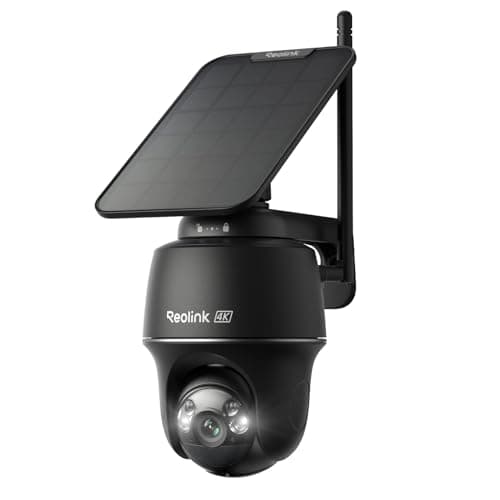
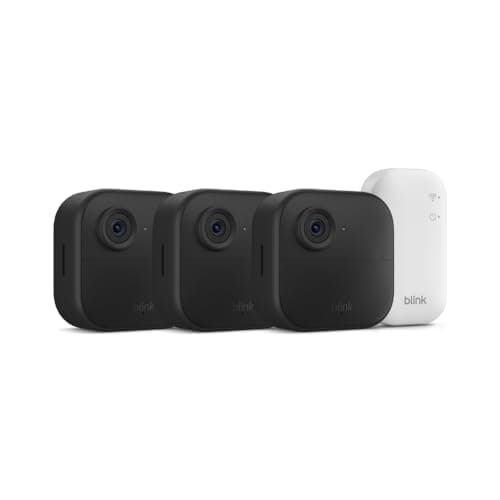
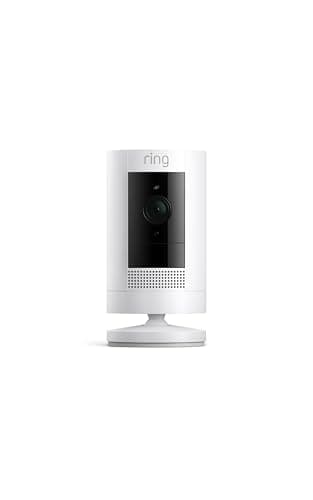
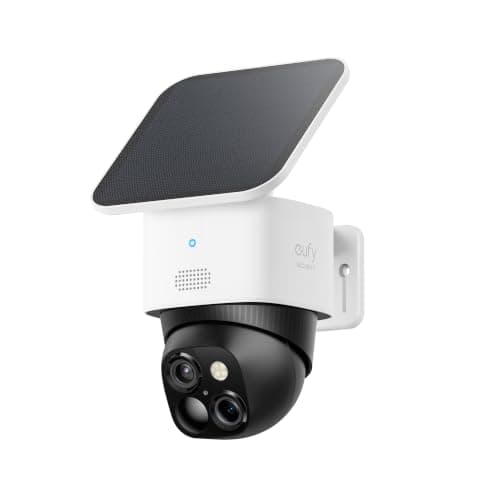
"Wireless" is one of the most abused words in the camera aisle, so let us pin it down before anything else. On this page it means wire-free power- a camera that runs on a battery or a solar panel, with no outlet behind it and no cable to route through a wall. That is a genuinely different purchase from "connects over Wi-Fi," because almost every camera does that. The filter here is power, and power alone: these four are the cameras you can screw to a fence post, a soffit or a tree and walk away, because nothing has to reach an electrical box.
That focus is deliberately narrow, and it is worth saying what this page is not, because we publish two neighboring lists that overlap with it. Our best outdoor security cameras roundup is filtered on weatherproofing - which bodies survive rain, sun and a freeze - and it includes wired cameras that happen to live outside. Our best no-subscription cameras page is filtered on fees- which cameras never bill you - regardless of how they are powered. This page ignores both of those questions at the door and asks only one: can you mount it where there is no power? If your real problem is a soaked, exposed wall, start with the outdoor list. If it is a monthly bill you resent, start with the no-fee list. If it is simply "there is no outlet out there," you are in the right place.
The honest caveat we put on every page applies here too: we do not run a camera lab. We compiled each camera's published specifications, confirmed its power method and storage from the manufacturer's own documentation, and recorded only what each listing actually claims. Battery life figures in particular are the maker's claim under their chosen settings, not a number we measured - so we treat them as a starting point, not a promise. This is a researched roundup, and where a listing goes quiet, so do we.
Battery or solar: how each one stays alive
Cutting the power cord does not cut the need for power - it just changes how the camera gets it, and that is the first real decision on this list. Two of these charge from the sun. The eufy SoloCam S340 and the Reolink Argus PT Ultra both pair a battery with an included solar panel, so a mount that catches a few hours of daylight tops itself up and you may never bring the camera down again. That is the closest thing to a permanent install you can get without a cable, and it is why both sit at the top of this page.
The other two lean on the battery itself. The Blink Outdoor 4 makes a two-year battery claim per camera on its included cells, betting that motion-only recording sips power slowly enough that you swap batteries about as often as a smoke detector. The Ring Stick Up Cam takes the most flexible line of all: it runs on a removable battery where there is no outlet, or you can plug it in where there is, so the same camera covers both situations. If you want the full picture of what a camera actually needs to function - power, Wi-Fi, or both - our guide to whether security cameras need Wi-Fi walks through the distinction that trips most buyers up.
Solar is set-and-forget - if the sun cooperates
A solar camera is the dream of wire-free security: no outlet, no cable, and no recharging either. But that dream has one condition attached, and it is the thing the marketing photo never shows - the panel has to see real daylight. A north-facing wall in permanent shade, a spot under a deep eave, or a camera pointed into a courtyard that only gets an hour of weak winter sun will not keep up with a busy camera's draw, and a "solar" camera in the dark quietly becomes a battery camera you climb a ladder to recharge every few weeks.
So before you fall for the eufy or the Reolink, look at the actual mounting spot at noon and again in the afternoon. If it gets a few hours of direct or bright indirect light, solar genuinely is set-and-forget and you will love it. If it is shaded, you are better served by a straightforward battery camera you plan to recharge on a schedule - the Blink kit's low-draw, two-year approach or the Ring, which you can simply plug in at a shaded spot that happens to have an outlet. Matching the power method to the light at the mount is the single most important thing on this page.
Where the clips go still decides the running cost
Going wire-free changes nothing about the other recurring question in cameras: where a recorded clip is saved, and whether that costs you every month. Two of these save locally with no fee. The eufy writes to 8GB of built-in memory, and the Reolink to a microSD card or a Reolink Home Hub - in both cases you buy the camera once and never see a bill. The other two are cloudier. The Ring Stick Up Cam is cloud-only: it shows a live view for free, but it cannot keep a single recorded clip without a Ring Home plan. The Blink kit sits in between - it can store clips locally on a USB drive with a Sync Module 2, or fall back to a cheap cloud plan, but its included Sync Module Core does neither on its own.
Over three years that difference is real money, and it is the same argument our no-subscription roundup makes in full with the cost math done. If you want to understand the trade behind the fee rather than just the number, our explainer on local versus cloud camera storage lays out what each approach means for your footage, your privacy and your wallet. The short version: wire-free and no-fee are separate wins, and the eufy and Reolink here happen to deliver both.
What wire-free cameras give up
It would be dishonest to sell wire-free power as pure upside, because it costs you two things worth knowing about. The first is continuous recording. A camera with no cord cannot afford to record 24/7 - it would drain in days - so battery and solar cameras record in clips triggered by motion. That is fine for catching a person at the door or a car in the drive, but it means there is no unbroken timeline to scrub through, and a slow or distant event that never trips the sensor may never be recorded at all. If a continuous archive matters, a wired camera on our main camera roundup is the better tool.
The second cost is a beat of latency. A wire-free camera sleeps to save power and has to wake, catch Wi-Fi and start recording when motion trips it, so it can miss the first fraction of a second - a fast walker can be halfway across the frame before the clip starts. Mounting the camera to see an approach rather than a crossing path, and a little patience with the motion-zone settings, mostly solves it. Neither of these is a dealbreaker; they are simply the honest trade you make for never running a cable, and they are why the wire-free cameras here are best as a flexible supplement or a whole-property net rather than the single camera guarding one critical, high-traffic doorway.
Before you buy: settle the power question
Wire-free is one of four ways to power an outdoor camera, and it is not always the right one — a cable you can actually route often beats a battery you have to fetch a ladder for. How to power an outdoor security camera compares all four, including the PoE option that solves power and network with one cable. And if the reason you need wire-free is a lease rather than a lack of outlets, best security cameras for renters is the page that starts from what you are allowed to attach to the building.
Start at the mount, not the camera
Wire-free shopping goes wrong when you pick the camera first and hunt for a spot second. Do it the other way around. Stand where you want coverage and answer two questions: is there any power within reach, and how much sun does this exact spot get? If there is an outlet, you are not really limited to this list at all - a wired camera opens up continuous recording. If there is no power but good light, a solar camera (the eufy SoloCam S340 or Reolink Argus PT Ultra) is the closest thing to permanent. If there is no power and poor light, you want a low-draw battery camera you will recharge on a schedule, like the Blink kit.
Match power to how busy the spot is
The busier the view, the harder wire-free power has to work, because every triggered clip is a draw on the battery. A quiet side gate that sees a person twice a day is the perfect home for any solar or battery camera - it barely sips. A front drive on a busy street that trips motion every few minutes will flatten a battery far faster than a shaded panel can refill it, so put your busiest camera where the sun is strongest, or give it the Ring's option to simply plug in. Tightening the motion zones so passing cars and swaying branches do not wake the camera is the other half of making a wire-free camera last its claimed runtime.
Decide the storage and fee before you buy, not after
The cheapest camera on the shelf is not always the cheapest to own, and wire-free does not change that. The eufy (8GB built-in) and Reolink (microSD or Home Hub) record locally with no plan, so their running cost is zero. The Blink kit needs a Sync Module 2 and a USB drive to save clips locally, or a low-cost plan otherwise. The Ring Stick Up Cam is cloud-only and cannot save a clip without a Ring Home plan at all. Decide up front whether a monthly fee is acceptable, because it is much harder to change camp once the cameras are on the wall - and if a bill is a dealbreaker, our no-subscription roundup is the page to read next.
Coverage and resolution: one wide camera or several cheap ones
The last call is how much ground each camera holds and how sharp you need it. For a wide frontage or a driveway, one high-resolution camera that turns beats two cheap fixed ones: the eufy's 360-degree pan-tilt and the Reolink's 355-degree pan-tilt with auto-tracking each cover an area that would otherwise need a pair. The Reolink brings the pixels and the storage, the eufy brings a telephoto lens and 8GB built in; the Reolink Argus PT Ultra review goes deeper on the trade. For blanketing every side of a house on a budget, the three-camera Blink kit is the value play, as long as you accept 1080p and its Alexa-only ecosystem. Sharpness follows the sensor here - 4K on the Reolink, 3K on the eufy, 1080p on the Blink and Ring - so buy the resolution the view actually needs rather than the biggest number.
The season that tests a wireless camera
Every camera on this page depends on a battery, a panel or both, and winter works against all three at once: the cell delivers less of its capacity when cold, most lithium cells should not be charged below freezing at all, and a panel set for a summer sun collects badly in December. Which makers publish an operating temperature range — and what to do when yours does not — is in do security cameras work in cold weather.