The usual smart-lock advice optimises for the buyer. A lock bought for an older parent has to be optimised for someone else entirely — a person who may not want the app, may not carry the phone, and whose relationship with the front door has worked the same way since before any of this existed. Get that order of priorities right and a smart lock is one of the most useful things you can put in an older adult's home. Get it wrong and you have made the front door harder. Five things decide it.
One: it has to open without a phone, and it has to have a backup
This is the rule that eliminates most of the market. Any lock whose primary credential is an app on a smartphone is the wrong product here, however good the app is. The phone-free credentials that work are a keypad code and a fingerprint, and the honest answer about which is better is that it depends on the person: a code fails for someone who struggles to remember numbers, and a fingerprint fails more often on thin, dry or heavily lined skin, which becomes more common with age.
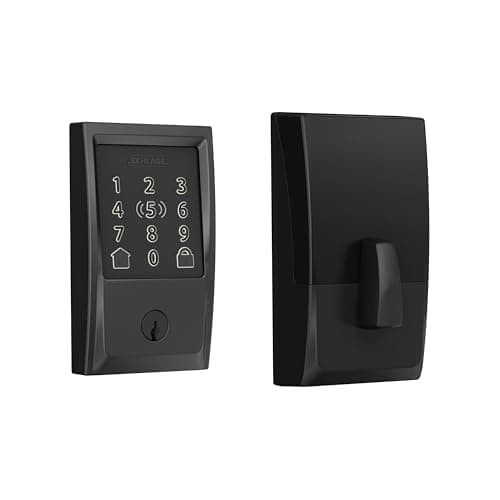
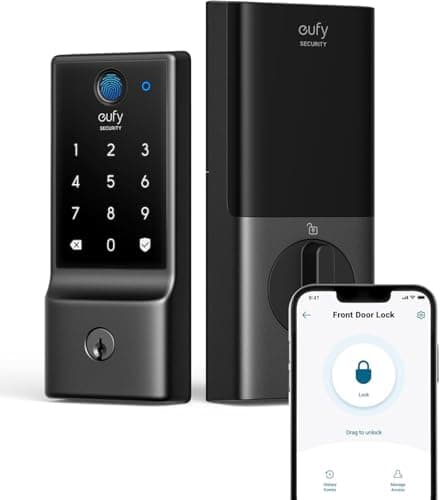
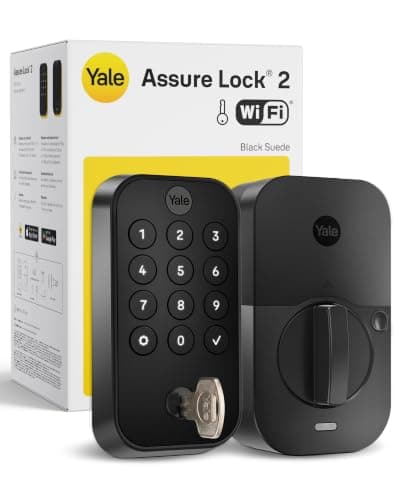
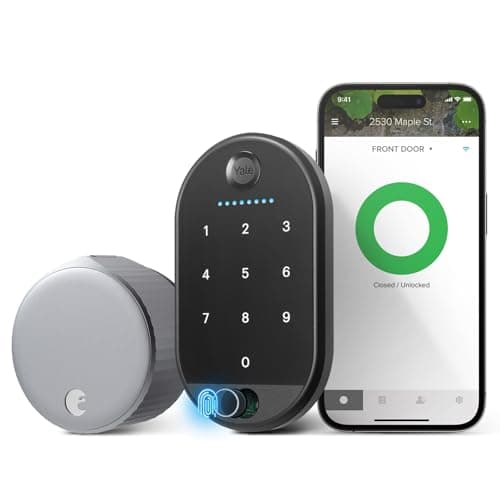
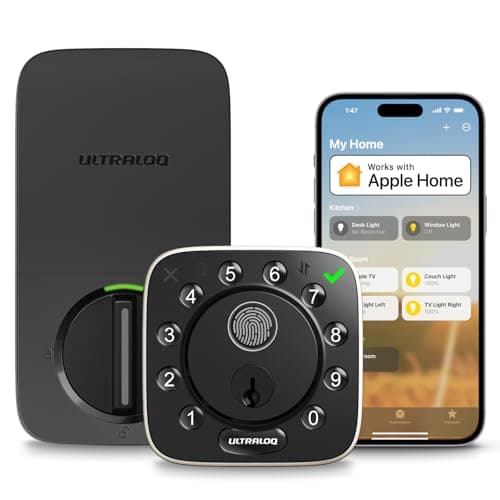
What matters more than choosing between them is having both, plus a physical key. The Ultraloq and the eufy give you fingerprint, code, key and app together; the Schlage and Yale are code-plus-key; the August keeps the original key and adds a keypad. If you take one thing from this page, make it this: never fit a lock with only one way in on a door that an older adult relies on. Our guide to keypad vs fingerprint smart locks goes deeper into how each credential actually fails.
Two: the remote half is for you, and it needs built-in Wi-Fi
Everything useful you get as an adult child depends on the lock being reachable from outside the house: unlocking the door for a carer who has arrived early, letting a neighbor in, checking at 11pm that the door is actually locked, and giving a paramedic access without anyone breaking a window. That requires built-in Wi-Fi— four of the five picks here have it, which is deliberate. Locks that reach the internet through a separately sold bridge add a second device to set up in someone else's house and a second thing to fail silently. Bluetooth-only locks cannot do any of this. The mechanics are in Bluetooth vs Wi-Fi smart locks, and do smart locks need a hub explains which designs need extra hardware.
Three: auto-lock is the feature that actually helps
If there is one setting to turn on, it is auto-lock. A door that locks itself after a set delay removes the single most common genuine security failure in an older adult's home — a door left unlocked after the trash, the mail or a visitor — and it removes it without anyone having to remember anything. Set the delay generously, at least a minute or two, so nobody gets shut out while carrying something in from the car. Pair it with a notification to your phone when the door has been unlocked for longer than normal, rather than to theirs; the point is that you do the monitoring, not them.
Four: batteries are the real failure mode, not security
Smart locks do not usually fail by being hacked. They fail by going dead. Every lock here warns you, but a warning on a keypad that someone dismisses is not a warning — so route the low-battery notification to a family member's phone during setup, and set a calendar reminder to change the cells on a schedule rather than when prompted. Keep the physical key somewhere reachable, and know in advance where the emergency contacts on the lock are: several designs offer a way to power the keypad from an external battery pack to get in once. Battery behavior by lock type is covered in smart lock battery life, and do smart locks work without power covers the dead-battery scenario properly.
Five: changing the lock changes everyone's keys
This is the practical consequence people forget. Four of these five picks replace the deadbolt entirely, which means every key currently in circulation — your parent's spare, the one at the neighbor's, the one a sibling keeps in a drawer — stops working on install day. Plan that before you fit it: decide who gets a new key, who gets a code, and write the codes down somewhere that is not taped to the door. The August is the exception and that is its whole argument: it keeps the existing lock, the existing keys and everyone's existing arrangements intact. For a parent who is content with their current door and simply needs you to be able to open it remotely, that is often the kindest choice rather than the most capable one.
What a smart lock does not solve
It is worth being clear about scope. A smart lock on the front door tells you the door is locked and lets you open it; it does not tell you whether anybody has moved around the house today, whether a back door is open, or whether something has gone wrong. If the underlying worry is wellbeing rather than entry, the lock is one piece of a wider setup — door and window sensors, a camera at the entrance, smoke and leak detection — and smart home devices for elderly parents covers that full picture. For which lock will physically fit the door you are dealing with, start with will a smart lock fit my door.
Setting it up so it actually helps
The lock is maybe half the job. Do these five things on install day and the purchase works; skip them and you have installed a gadget.
Enroll more fingers than you think you need. If you bought a fingerprint lock, enroll at least two fingers on each hand, and do it in the light at the door rather than on a kitchen table — the angle people actually present a finger at is different from the angle they do it at when being shown.
Give every regular visitor their own code.A separate code for a cleaner, a carer and each family member means you can see who came and remove one person's access without changing anyone else's. One shared code is the thing you will regret.
Point the notifications at yourself. Low battery, door-left-unlocked and unexpected-unlock alerts should go to the family member who will act on them. Your parent does not need an extra stream of phone alerts about their own front door.
Turn auto-lock on, with a generous delay. Then test it once by propping the door open with the groceries, so you know the delay is long enough in real life.
Write down the physical fallback. Where the key is, what the master code is, and how to power the lock externally if it dies — on paper, with whoever would need it at 2am, not in an app.