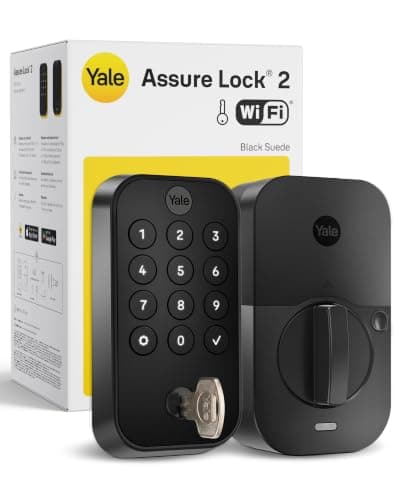
The phrase "smart lock" hides a split that matters more than any other spec on the box. A Bluetooth lock pairs directly with a phone that is physically near the door — roughly within a room or two — and that is the whole of its radio. A Wi-Filock joins your home network, which means it can be reached from anywhere in the world and can send you an alert the moment the bolt moves. Both unlock the door. Only one of them answers the phone when you are 40 miles away, and only one of them gets close to a year on a set of batteries. Everything else on a lock's spec sheet — fingerprint, keypad, Home Key, finishes — is available on both sides of that line.
What a Bluetooth lock actually does
A Bluetooth lock is a keyless lock, not a connected one. Standing at the door you can unlock from the app, and from inside the house you can usually still reach it. Walk to the end of the street and the lock is simply gone: no status, no history, no remote unlock. What it keeps doing is everything that lives on the lock itself, which is most of the useful part — codes typed on the keypad, fingerprints read on the sensor, an Apple Home Key tap, and the physical key. None of those need a network, which is why a Bluetooth lock is the one that still works during an outage. That independence is covered in more detail in do smart locks work without Wi-Fi.
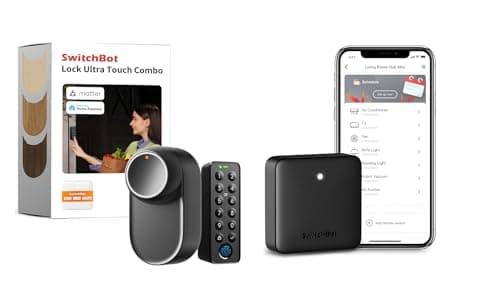
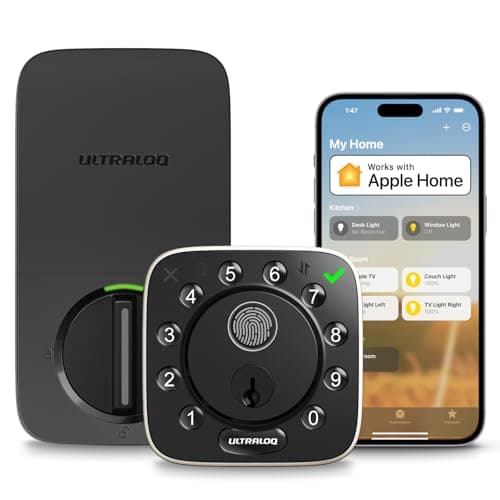
Two consequences follow. The first is battery life: a Bluetooth radio wakes briefly and sleeps, where a Wi-Fi radio has to maintain an association with your router, so the published figures diverge — the SwitchBot's up-to-12-month claim against the ULTRALOQ's up-to-10-month one, with a far wider real-world gap once you start checking the lock from the bus. The second is price: a Bluetooth lock has less silicon in it and no certification burden on your network, and it is usually the cheaper lock at the same level of hardware. Our smart lock battery life guide goes through what actually drains a lock, and the answer is almost always the radio and the motor, in that order.
What a Wi-Fi lock buys you, and what it costs
A Wi-Fi lock does exactly one extra thing, and it is the thing most people think they are buying a smart lock for: it works when you are not there. Unlock the door for a cleaner from your desk. Get a push the second a code is used. Hand a courier a one-time code while they are standing on the step. Check, at 11pm from a hotel, whether anyone locked up. None of that is possible on Bluetooth, no matter how good the lock is.
The costs are real and they are three. You lose battery life. You take on a dependency — a lock on the edge of your Wi-Fi coverage is a lock that intermittently does not answer, and 2.4GHz-only radios like the ULTRALOQ's are the norm here, so the front door is often the worst-served corner of the house. And you take on an account: remote access runs through the maker's servers, which is a privacy consideration we lay out in what data smart home devices collect. Nothing on this page charges a subscription for remote unlocking, which is not true of the wider market, so check that before you buy anything that is not on this list.
The third option nobody advertises: Bluetooth plus a hub
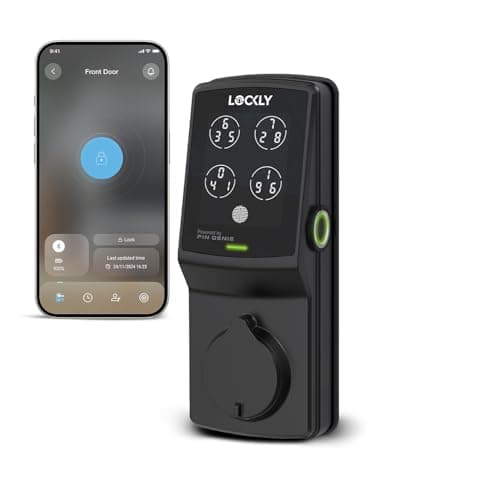
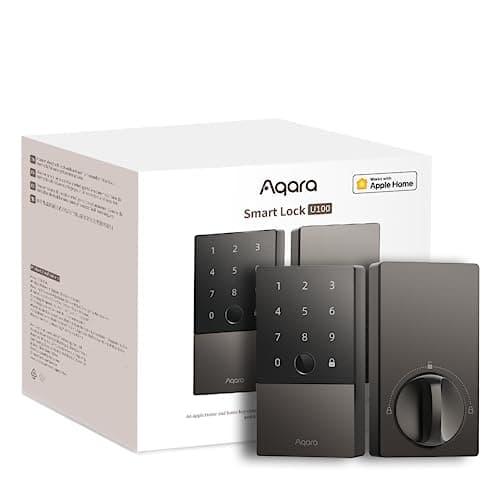
There is a configuration that gets you both, and it is how most of the serious locks are actually sold. The lock speaks Bluetooth, Thread or Zigbee to a small mains-powered hub somewhere in the house, and the hub does the internet part. You keep the long battery life, because the power-hungry radio is the one plugged into the wall, and you gain remote access, alerts and voice control. The Aqara U100 works this way with an Aqara hub; the Lockly Secure Plus works this way with Lockly's Secure Link; the SwitchBot Lock Ultra Touch Combo works this way with a Hub Mini that is already in the box.
The catch is a fourth point of failure and a hub you have to buy, site and power. Whether that is worth it depends mostly on whether you own a compatible hub already — if you have an Aqara hub or a Matter controller on the shelf, Bluetooth-plus-hub is the best of this page. If you do not, you are comparing a lock plus a hub against a lock with Wi-Fi inside it, and the second is usually cheaper and always simpler. We work through that decision properly in do smart locks need a hub, and the hub hardware itself is ranked in best smart home hubs.
Where Apple Home Key sits in all this
Apple Home Key deserves its own paragraph because it breaks the rule. On a Home Key lock — the Aqara U100 here — the credential lives in the Secure Element of your iPhone or Apple Watch and is handed to the lock over short-range NFC. There is no router in the path, no cloud, and no dependency on the phone having battery or signal. It is the fastest and most reliable unlock method on this page, and it is only available on the Bluetooth side of it. If your household is on iPhones, that single fact pushes the Bluetooth option much further up the list than price alone would. The field is ranked in best smart locks for Apple Home, and the wider platform question in smart lock ecosystem compatibility.
The honest answer for most households
Most people who think they need a Wi-Fi lock actually need a keypad. The problem being solved is usually "I want to stop hiding a key under the mat" or "the kids keep losing theirs" or "the dog walker needs in on Tuesdays" — and a code on a Bluetooth lock solves every one of those, permanently, for less money and with better battery life. The genuine Wi-Fi cases are narrower than the marketing suggests: you travel and need to let someone in unplanned, you run a short-term rental, you want the alert rather than the unlock, or an older relative's door needs checking from another address. Those are real, and when they apply, nothing else will do. If your case is on that list, buy Wi-Fi. If it is not, a Bluetooth lock with a keypad is the better purchase, and best keypad smart locks is the page to read next. For the full field with no connectivity filter at all, see best smart locks, and if remote access is already settled in your mind, best Wi-Fi smart locks covers that half on its own terms.
Answer one question first: who needs in when you are not home?
Write the list down. A cleaner every other Thursday, a dog walker, in-laws at Christmas, a contractor once a year, nobody. If the honest answer is "nobody, I just want to stop carrying a key," you want a Bluetooth lock with a keypad and you can stop reading the Wi-Fi half of this page. If the list has recurring names on it, ask the follow-up: can you give those people a permanent code? A code works on both kinds of lock and needs no network, so a recurring visitor is not a Wi-Fi case. The Wi-Fi case is the unplanned visitor — the delivery that needs the garage opened now, the neighbor who has to get in while the pipe is leaking — plus every scenario where you want an alert rather than an action.
Check your Wi-Fi at the door before you buy a Wi-Fi lock
This is the step everyone skips and the one that causes the complaints. Stand at your front door, inside, where the lock will be, and look at the signal on your phone with 5GHz turned off if you can — smart locks are overwhelmingly 2.4GHz-only, including the ULTRALOQ on this page, and 2.4GHz travels further but is far more congested. If the signal is poor there, a Wi-Fi lock will be unreliable in exactly the moments you need it, and no firmware update fixes a weak signal. The fix is either a mesh node near the entrance or a Bluetooth lock with its hub sited where coverage is good. Our guide to smart home Wi-Fi congestion covers why the 2.4GHz band gets crowded and what to do about it.
Count the hub, and count it honestly
A Bluetooth lock plus a hub is not cheaper than a Wi-Fi lock just because the lock is. Price the pair. Then ask whether the hub earns its keep elsewhere — an Aqara or Matter hub that also runs your sensors and lights is a genuinely good purchase, and in that case the Bluetooth lock is the smart buy. A hub bought solely to put one lock online is usually a worse deal than the equivalent Wi-Fi lock, with one more thing to fail. The exception on this page is the SwitchBot combo, where the hub is bundled and the arithmetic is already done for you.
Do not let connectivity decide the lock's hardware
Radio is one spec. Grade, weather rating, backups and fit matter at least as much, and they are independent of it. An ANSI/BHMA Grade 1 body resists forcing better than a Grade 3 one. An IP65 lock survives a door with no porch; an IP53 one wants cover. A keyed backup is the thing you will be grateful for exactly once. And none of it matters if the lock does not fit your door — backset, door thickness and bore size rule out more locks than connectivity ever will, which is why will a smart lock fit my door is worth ten minutes before you spend anything. If you want the full decision in order, work through how to choose a smart lock.
Where security actually differs between the two
Less than the internet suggests, and not in the direction people assume. A Bluetooth lock has a smaller attack surface simply because it is not reachable from the internet, and locks that keep biometrics on the device — the Lockly here — hold less of your data anywhere else. But the realistic threat to a residential door is not a remote exploit; it is a crowbar, a bumped cylinder, or a code someone read over your shoulder. That is why the physical grade and the anti-peep keypad on this page are more consequential than the radio, and why we go through the real risk model in are smart locks safe rather than rehearsing scare stories.