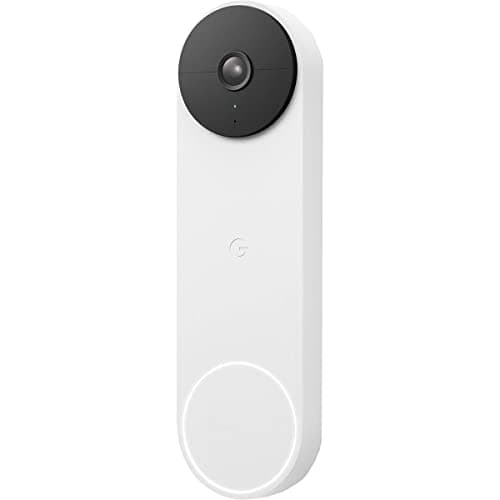
The Nest Doorbell (Battery) is the doorbell Google built for its own house. If your home already answers to a Nest speaker or a Google Home routine, it is close to a default choice: the alerts land where you expect, the live view opens on a Nest Hub by voice, and the whole thing feels like one product rather than a bolt-on. What makes it genuinely interesting, though, is that it does something most battery doorbells charge for — it runs its smart detection on the device itself, for free. This review is about that standout, the honest catch that sits right next to it, and exactly who should buy it.
Free on-device AI is the real reason to buy it
Most doorbells send you a "motion detected" buzz and leave you to work out whether it was a person, a passing car, next door's cat, or a parcel hitting the mat. The Nest does the thinking on the device: its on-device AI separates a person, a package, an animal and a vehicle, and it does this without a subscription. That is the feature to focus on, because it changes how the doorbell feels day to day. A "package detected" alert is worth stopping for; a "vehicle" alert on a busy street is one you can safely ignore. Rivals in this class typically gate that intelligence behind a paid plan, so getting it free is a real, checkable advantage rather than marketing gloss.
Because the processing happens on the doorbell, those distinctions keep working even before you decide anything about a plan. You will still get a useful, categorized alert the moment someone walks up — which, for a lot of people, is the single job a doorbell has to do well. It is the part of this product we would happily recommend on its own.
The tall image shows the whole doorstep
The Nest uses a tall 3:4 head-to-toe view, and shape matters more than resolution at a front door. A wide, letterbox image is built for a landscape scene; a doorway is a vertical space. The 3:4 frame shows a visitor from face to feet and catches a package sitting on the step below them, where a short, wide image would crop the parcel out of shot. If you have ever squinted at a doorbell clip trying to work out whether the courier actually left the box, this is the shape you want. It is the same reasoning behind the head-to-toe framing we call out across the best video doorbells roundup, where the Nest sits as the pick for Google homes specifically.
The honest catch: the free tier only keeps about three hours
Here is the part Google's marketing soft-pedals, and the reason this review exists. The smart alerts are free, but history is not. On the free tier the Nest keeps only about three hours of event snapshots. That is enough to check who rang while you were in the next room, but it is not a security history. If a parcel went missing this morning and you go looking this evening, the clip may already have aged out. To hold a real, scrollable record of events you need Google Home Premium — and that is a running cost, not a one-off.
Worse for the value case, that plan is pricier per month than Ring's saved-clip plan. So the doorbell that gives you the best free alerts also asks the most to keep your footage around. That is not a reason to avoid it, but it is a reason to go in with eyes open: budget the plan from day one if event history matters to you, exactly as you would with any subscription doorbell. Our doorbell storage guide walks through what the monthly fee actually buys, so you can decide whether three free hours is plenty or a dealbreaker before you spend anything.
Battery or hardwired, your choice
Power is refreshingly flexible. The Nest runs on a rechargeable battery, so it installs at a door with no existing wiring — you pull the unit off its mount every so often and top it up. If you do have doorbell wiring, you can hardwire it instead and stop thinking about charging altogether. The camera, the AI and the features are identical either way; wiring simply keeps the battery permanently topped off. For a busy front door that triggers all day, hardwiring is the quieter life; for a quiet side entrance, battery is the easy win.
It is built around Google Home — and only Google Home
This is where doorbells are stricter than cameras, and where you have to be honest with yourself about your house. The Nest is designed to live inside Google Home. Pull the feed onto a Nest Hub, fold it into a Google routine, ask a Google speaker who is at the door — all of that is smooth. Ask it to behave nicely inside an Alexa home or an Apple Home and it simply won't. And because it supports neither Matter nor HomeKit, the Nest does not appear in Apple Home at all. If your home runs on Google, that single-ecosystem focus is a feature. If it runs on anything else, it is friction you will feel every day.
The clean way to think about it is by assistant. In an Alexa house, the tidier answer is a Ring; in a Google house, it is this. We put those two ecosystem doorbells side by side in Ring vs Nest if you are choosing between the two camps. And if you would rather sidestep both ecosystems and never pay a monthly fee, the fee-free route is laid out in eufy E340 vs Ring Battery Doorbell Plus, where the eufy records to built-in storage with no plan at all.
The verdict
The Nest Doorbell (Battery) is an easy recommendation for one specific buyer: someone whose home already runs on Google. For that person, the free on-device AI is a real standout, the tall image shows the whole doorstep, and the battery-or-wired flexibility means it fits almost any front door. The catch is equally clear — the free tier keeps only about three hours of history, and the plan that fixes that costs more per month than Ring's. Buy it for the Google fit and the free smart alerts, budget the plan if you need real history, and skip it entirely if your home speaks Alexa or Apple, because this doorbell only ever wanted to talk to Google. As with everything we publish, this is researched from the manufacturer's own listings and support docs, not hands-on tested in a lab — where a number came from someone else, we say so.