Skip to content
Latch & Hub

Ecosystem · Guides

The Best Smart Home Starter Kit Under $500

This is the kit that finishes the front door. On top of the camera and controller from the smaller kits, it adds a smart lock, a video doorbell and a hub with room for cheap sensors - a genuine security-and-control setup for around $500 all in, built in the order you should buy it.

By Stephen V.Updated How we choose
#ad

We earn a commission when you buy through our Amazon links, at no extra cost to you. It never changes our rankings — where the subscription-free or cheaper option is the better buy, we say so. How this works.

This is the kit that finishes the front door. Our smaller kits get you a control layer and a camera; this one takes that same core and adds the three pieces that make a home feel genuinely secured - a smart lock, a video doorbell, and a hub with room for cheap sensors - for around five hundred dollars all in. It is the top rung of our budget ladder, the step up from the around-$300 whole-home kit, and it is built so you can buy it in order, one piece at a time, without ever owning a gadget that does not pull its weight. Here are the five pieces, why each earns its place, and the sequence to add them.

How we chose - completing the ladder, in buy-this-first order

A good kit is not five things that happen to fit a budget; it is five roles that add up to a complete home. We built this one by starting from the roles the cheaper kits already fill - a control layer and a camera - and adding the layer they leave out: the front door. That means a lock so you control who comes in, a doorbell so you see who is there, and a hub so the home can grow cheap sensors and start to react on its own. Every pick had to keep the running cost near zero - four of the five carry no subscription at all, and the doorbell records free to a card - because a bundle with hidden monthly fees is not a five-hundred-dollar kit, it is a five-hundred-dollar kit plus rent. The order below is the order to buy in: each piece is useful the day it arrives, and each one makes the next more useful.

First, the control layer: the Echo Dot

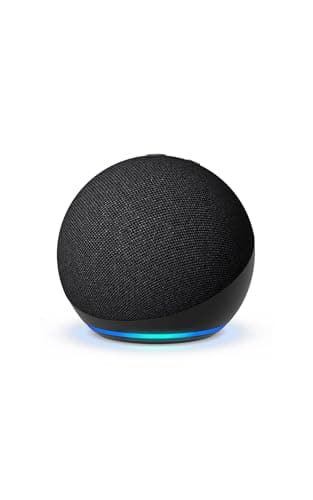
If you are starting from scratch, buy the speaker first, because it is the piece everything else plugs into. A compact Alexa speaker is your control layer - it takes voice commands, runs the routines that make several devices act together, and, crucially for a kit this size, acts as a Matter controllerthat can tie a lock, a camera, a doorbell and a hub into one home you talk to. It even carries a built-in temperature sensor for simple climate routines. On its own it is a cheap, capable little speaker; paired with the other four it is the brain of the setup. The one thing it settles is ecosystem: it commits you gently toward Alexa, so buy the rest with Alexa compatibility in mind. If your household is really an Apple or Google one, start with that platform's equivalent speaker instead - our best smart home ecosystem guide helps you match the control layer to your phones.

Then eyes: the Tapo C120 camera

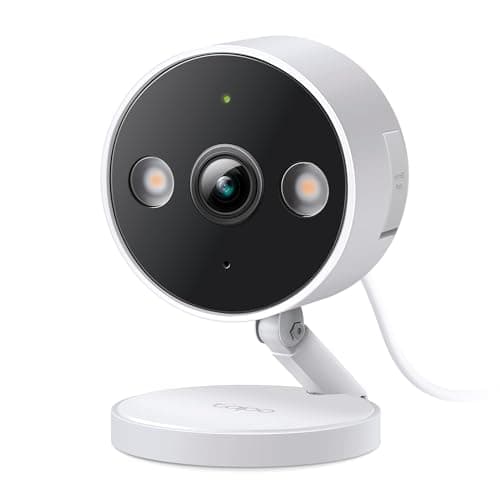
The second piece gives the home sight, and it is astonishing how little that now costs. A sharp 2K+ indoor/outdoor camera with person, pet and vehicle detection, recording to a local microSD card with no subscription, is the most security-per-dollar in the whole kit. Point it at a driveway, a back door or a room and you have real awareness - live view, motion alerts, and a recording you keep without ever paying a fee. Choosing a no-subscription camera here is the single best money decision in the bundle, because it means adding sight to your home does not add a bill; the principle behind our no-subscription cameras list. Its only real constraint is power - it is a wired camera, so it needs an outlet nearby - which for most first-camera spots is no obstacle at all.

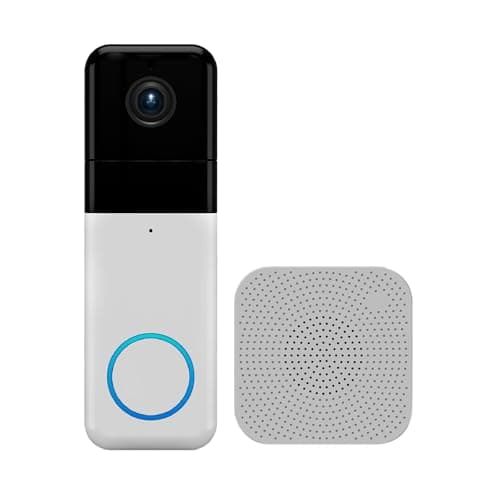
The front door, seen: the Wyze Video Doorbell Pro

Now the kit starts doing what the cheaper ones cannot: it watches the entrance people actually use. The video doorbell is a 1440 HD camera aimed at your doorstep, and its standout is a 1:1 head-to-toe view that shows the whole visitor and any package at their feet, rather than just a face. It records free to a microSD card, includes its own chime in the box, and has two-way audio so you can answer the door from your phone whether you are upstairs or across town. A cloud plan is optional for richer AI and longer history, but it is exactly that - optional. The doorbell lives mainly in the Wyze app, which keeps it simple; if you specifically want a doorbell woven into a Ring or Nest world, that is a different pick, but for a no-fee front-door view this is a lot of doorbell for the money. See how the fees compare in our video doorbell subscription costs guide.

The front door, controlled: the Kwikset Halo lock

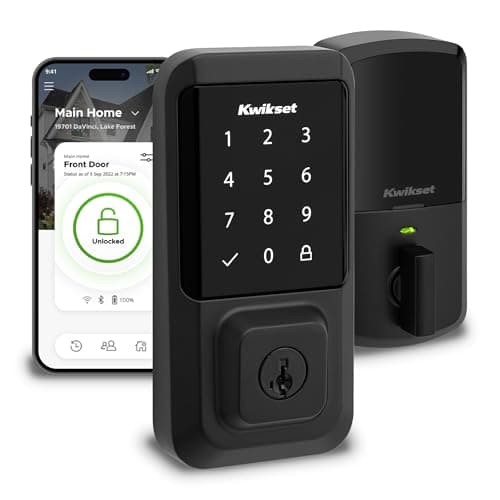
A doorbell lets you see the door; a smart lock lets you control it, and it is the upgrade most people rank as their favourite once they have lived with it. The Kwikset Halo is a touchscreen-keypad deadbolt with Wi-Fi built in - no hub or bridge required - so you can lock up, unlock and hand out keypad codes from anywhere. Give a code to a family member, a guest or a dog-walker and you never copy a physical key again; check from bed whether you actually locked the door and stop wondering. It works with Alexa and Google out of the box and installs on a standard door without drama. The honest limit is platform: there is no Apple HomeKit or Home Key here, so an Apple-Home household that wants tap-to-unlock should choose an Apple Home Key lock instead. For the wider field, our best smart locks roundup lines up the alternatives.

The hub, and room to grow: the Aqara Hub M3

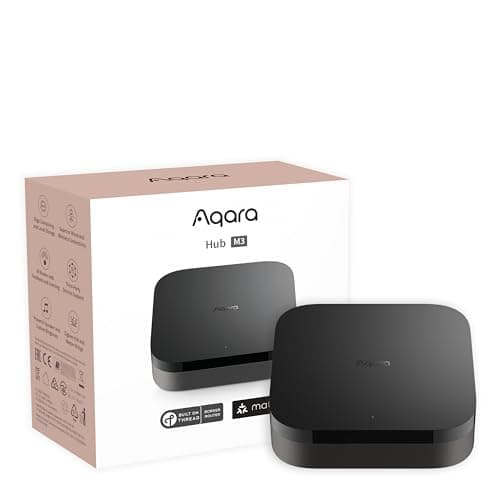
The fifth piece is the one that turns a pile of good gadgets into a home that can react. The Aqara Hub M3 is a Matter controller and Thread border router that also speaks Zigbee, which is the point: it lets you add the cheap door and motion sensors that a real, reactive smart home runs on, and bridge them across HomeKit, Alexa and SmartThings so they fit almost any phone in the house. It connects over Wi-Fi, PoE or infrared and costs nothing to run. Buy it last, because it is the piece you grow into - the base kit works without it - but buy it knowing it is what unlocks the next, cheapest phase of expansion. If you are unsure whether you need one yet, our do I need a smart home hub guide is the honest answer, and the best smart home hubs roundup covers the alternatives.

How the five work together

Individually these are five capable devices. Together they are a small but genuinely complete security- and-control system, and the value is in the combination. Say "good night" and the Echo can lock the Kwikset, arm your awareness, and settle the house. The doorbell sees a visitor and the speaker announces it while the camera watches the drive. Add a couple of Zigbee sensors through the Aqara hub and a door left open can trigger a light or a nudge to your phone. A single routine can tie all of it together - from around five hundred dollars of hardware with essentially no monthly fee. That is the payoff of choosing by role rather than grabbing five discounts: every piece reinforces the others.

Where this sits on the budget ladder

This kit is deliberately the top of a ladder, not a starting point. Below it, the sub-$100 kit gets you a speaker, a camera and a smart plug - control, sight and a bit of automation. The around-$300 kit adds a doorbell and a sensing hub to that core. This around-$500 bundle completes the picture by bringing the whole front door under control - the lock, the doorbell and a hub with real room to grow - which is why it is a step up in budget. Above it, a fuller multi-room setup adds more cameras, more sensors, smart lighting and climate, and the running total climbs accordingly; our how much does a smart home cost guide maps every tier so you can see where you want to stop. The beauty of building in order is that you can stop at any rung and still own a complete, working home.

As always, we did not run these devices through a lab. We chose them for their published specs and their fit as complementary pieces of a single kit, and every price you see is live from Amazon via our price pipeline, stamped with the date we checked it - never a remembered number. The full method is on the methodology page.

The short answer

Quick picks

Tap any row for the full write-up.

  • Amazon Echo Dot (5th Gen)
    01 Amazon Echo Dot (5th Gen)Top pick

    Start here. A compact Alexa speaker with a built-in temperature sensor is the control layer the rest of the kit hangs off - voice commands, routines, and a Matter controller that can tie a lock, a camera, a doorbell and a hub into one home you talk to. It is the cheapest way into an ecosystem and the single piece that makes four separate gadgets feel like one system.

    Best for: The control layer

    $49.99View on Amazon

    #ad · we may earn a commission from this link to Amazon Echo Dot (5th Gen)

  • TP-Link Tapo C120
    02 TP-Link Tapo C120

    The eyes of the kit, and remarkably cheap for what it is: a sharp 2K+ indoor/outdoor camera with person, pet and vehicle detection that records to a local microSD card with no subscription. It adds real awareness to the home without adding a monthly bill - the most security for the least money here.

    Best for: A no-fee first camera

    $35.99View on Amazon

    $39.9910% off

    #ad · we may earn a commission from this link to TP-Link Tapo C120

  • Wyze Video Doorbell Pro
    03 Wyze Video Doorbell Pro

    The front-door layer, and the piece that turns a starter kit into a real security setup. A 1440 HD doorbell with a 1:1 head-to-toe view shows you the whole visitor and the package at their feet, records free to a microSD card, and includes its own chime in the box.

    Best for: The front-door view

    $103.98View on Amazon

    #ad · we may earn a commission from this link to Wyze Video Doorbell Pro

  • Kwikset Halo Wi-Fi
    04 Kwikset Halo Wi-Fi

    The smart lock, and the upgrade people value most once they have it. A touchscreen-keypad deadbolt with Wi-Fi built in - no hub required - lets you lock, unlock and hand out keypad codes from anywhere, and it works with Alexa and Google straight out of the box.

    Best for: The smart lock

    $192.12View on Amazon

    #ad · we may earn a commission from this link to Kwikset Halo Wi-Fi

  • Aqara Hub M3
    05 Aqara Hub M3

    The hub, and the room to grow. A Matter controller and Thread border router that also speaks Zigbee, so you can add cheap door and motion sensors later and bridge them across HomeKit, Alexa and SmartThings. It is the piece that turns the kit from a set of gadgets into a home that can react to things.

    Best for: The hub, and room to grow

    $159.99View on Amazon

    #ad · we may earn a commission from this link to Aqara Hub M3

#ad · Live prices from the Amazon Product API, as of Aug 1, 2026. Where we have no verified live price we show none — we would rather leave a gap than print a number that has rotted.

The ~$500 kit - what each piece does
DeviceRoleEcosystemMonthly fee
Echo Dot (5th gen)Buy firstControl / voiceAlexa + MatterNone
Tapo C120The eyesSee / cameraAlexa & GoogleNone (local)
Wyze Doorbell ProThe entranceFront doorAlexa & GoogleNone (local)
Kwikset HaloThe entryLock / entryAlexa & GoogleNone
Aqara Hub M3Buy lastHub / sensorsHomeKit/Alexa/SmartThingsNone

In detail

The picks, in full

01

Amazon Echo Dot (5th Gen)

Top pick
Amazon Echo Dot (5th Gen)
$49.99View on Amazon

Price as of Aug 1, 2026. Amazon's price at checkout is the one that counts.

#ad · we may earn a commission from this link to Amazon Echo Dot (5th Gen)

Start here. A compact Alexa speaker with a built-in temperature sensor is the control layer the rest of the kit hangs off - voice commands, routines, and a Matter controller that can tie a lock, a camera, a doorbell and a hub into one home you talk to. It is the cheapest way into an ecosystem and the single piece that makes four separate gadgets feel like one system.

  • Alexa speaker + Matter controller
  • Voice control + routines
  • Built-in temperature sensor
  • Ties the whole kit together
  • Cheapest entry to an ecosystem
Fee: None - no subscriptionResearched, not hands-on tested

Good

  • The control layer for the whole kit: voice commands and routines that make the lock, camera, doorbell and sensors act together
  • Doubles as a Matter controller, the standard that lets devices from different brands behave as one home
  • The cheapest on-ramp to an ecosystem, and a capable little speaker with a built-in temperature sensor on top

Less good

  • It controls, it does not see or protect on its own - it is the brain of the kit, not the security
  • It commits you gently toward Alexa, so buy your other devices with Alexa compatibility in mind

Skip it if: your home is built around Apple Home or Google - then start with that platform's speaker instead, so your control layer matches your phones.

02

TP-Link Tapo C120

TP-Link Tapo C120
$35.99View on Amazon

$39.9910% off

Price as of Aug 1, 2026. Amazon's price at checkout is the one that counts.

#ad · we may earn a commission from this link to TP-Link Tapo C120

The eyes of the kit, and remarkably cheap for what it is: a sharp 2K+ indoor/outdoor camera with person, pet and vehicle detection that records to a local microSD card with no subscription. It adds real awareness to the home without adding a monthly bill - the most security for the least money here.

  • 2K+ (QHD) resolution
  • Indoor / outdoor (wired)
  • Person / pet / vehicle detection
  • Color night vision
  • Local storage - no subscription
Fee: None required - local microSDResearched, not hands-on tested

Good

  • Sharp 2K+ image with useful person, pet and vehicle detection at a genuinely low price
  • Records to a local microSD card with no required subscription, so the running cost stays at zero
  • Works indoors or out, covering a room, a driveway, a back door or a porch

Less good

  • It is a wired camera, so it needs power nearby - placement is decided by outlets
  • You supply the microSD card for local recording

Skip it if: you need a fully wire-free camera for a spot with no outlet - a battery or solar camera fits that better, though it usually costs more.

03

Wyze Video Doorbell Pro

Wyze Video Doorbell Pro
$103.98View on Amazon

Price as of Aug 1, 2026. Amazon's price at checkout is the one that counts.

#ad · we may earn a commission from this link to Wyze Video Doorbell Pro

The front-door layer, and the piece that turns a starter kit into a real security setup. A 1440 HD doorbell with a 1:1 head-to-toe view shows you the whole visitor and the package at their feet, records free to a microSD card, and includes its own chime in the box.

  • 1440 HD video
  • 1:1 head-to-toe view
  • Two-way audio
  • Night vision
  • Chime included
Fee: Free local (microSD); Cam Plus optionalResearched, not hands-on tested

Good

  • A tall 1:1 head-to-toe view shows the whole visitor and any package on the step, not just a face
  • Records locally to a microSD card for free, with two-way audio so you can answer the door from your phone
  • Comes with a chime in the box, so you hear the ring without buying extra hardware

Less good

  • Cam Plus is optional for richer AI and cloud history, so the free version leans on local storage
  • It lives mainly in the Wyze app rather than tying deeply into another brand's system

Skip it if: you want a doorbell that ties deeply into a Ring or Nest system instead - this one lives in the Wyze world.

04

Kwikset Halo Wi-Fi

Kwikset Halo Wi-Fi
$192.12View on Amazon

Price as of Aug 1, 2026. Amazon's price at checkout is the one that counts.

#ad · we may earn a commission from this link to Kwikset Halo Wi-Fi

The smart lock, and the upgrade people value most once they have it. A touchscreen-keypad deadbolt with Wi-Fi built in - no hub required - lets you lock, unlock and hand out keypad codes from anywhere, and it works with Alexa and Google straight out of the box.

  • Touchscreen-keypad deadbolt
  • Built-in Wi-Fi, no hub needed
  • Alexa + Google
  • Grade AAA / UL listed
  • Easy install
Fee: None - no subscriptionResearched, not hands-on tested

Good

  • Built-in Wi-Fi means it connects on its own - no separate hub or bridge to buy
  • Keypad codes let family, guests or a dog-walker in without a physical key you have to copy
  • A Grade AAA / UL-listed deadbolt with a straightforward install on a standard door

Less good

  • No Apple HomeKit or Home Key support
  • No Matter listed, so it joins via Alexa or Google rather than the Matter standard

Skip it if: you are an Apple Home household wanting Home Key - pick an Apple Home Key lock instead.

05

Aqara Hub M3

Aqara Hub M3
$159.99View on Amazon

Price as of Aug 1, 2026. Amazon's price at checkout is the one that counts.

#ad · we may earn a commission from this link to Aqara Hub M3

The hub, and the room to grow. A Matter controller and Thread border router that also speaks Zigbee, so you can add cheap door and motion sensors later and bridge them across HomeKit, Alexa and SmartThings. It is the piece that turns the kit from a set of gadgets into a home that can react to things.

  • Matter controller + Thread border router
  • Zigbee + Bluetooth
  • Add cheap Zigbee door/motion sensors
  • HomeKit, Alexa, SmartThings
  • Wi-Fi / PoE / IR
Fee: None - no subscriptionResearched, not hands-on tested

Good

  • A Matter controller and Thread border router that also bridges cheap Zigbee door and motion sensors
  • Exposes devices across HomeKit, Alexa and SmartThings, so it fits almost any phone in the house
  • Flexible connections - Wi-Fi, PoE or infrared - and no subscription to run it

Less good

  • No Z-Wave radio, so Z-Wave sensors are out
  • Headless with no screen, so it is set up and controlled entirely from the app

Skip it if: you only own Wi-Fi devices and never plan to add Thread or Zigbee sensors - you may not need a hub yet.

Build it in this order

The whole point of a kit like this is that you do not have to buy it all at once. Start with the Echo Dot, because it is the control layer the rest plugs into and it settles which ecosystem you are in. Add the Tapo C120 next for cheap, no-fee sight. Then bring the front door under control: the Wyze doorbell to see who is there and the Kwikset Halo to decide who gets in - buy them together if you can, since they are the pair that makes this a security kit rather than a convenience one. Add the Aqara hub last, once you know you want cheap sensors and automations, because it is the piece you grow into rather than the piece you start with. At every step you own something complete and useful, which is exactly how a smart home should be built.

Where it sits between the $300 kit and a fuller setup

Think of this as the middle of three sensible stopping points. The around-$300 kit gives you control, sight and a doorbell-plus-hub core - plenty for many homes. This around-$500 kit is the right choice when the front door is your priority: it adds the lock, upgrades the doorbell view, and includes a hub chosen for room to grow. Beyond it lies a fuller multi-room setup - several cameras, smart lighting, climate control, more sensors - which is a real jump in budget and complexity. If your front door and a single camera are what you care about most, this kit is very likely your ceiling, not a way-station, and there is no shame in stopping here.

What to add next

When you are ready to expand, the Aqara hub is your on-ramp and sensors are the cheapest next step: Zigbee door and motion contacts cost little and let the home start reacting - a light that comes on when a door opens, an alert when the back gate does. After that, most people add a second camera for another angle, then smart lighting or a smart plug or two to automate rooms. Keep each addition affordable with our best budget smart home devices, and reach for the standouts in best smart home devices when you want the best-in-class version of a category. Grow at your own pace - the kit is built to be extended, not replaced.
How we chose

We don't run a test lab

We don't wire every one of these into a test rig, and we won't write "in our testing" as if we do. What we did instead: pulled each product's published specifications, confirmed its Matter/Thread/HomeKit support from the manufacturer's own documentation, added up the real 3-year cost with any monthly fee included, and read the aggregated verified-buyer sentiment. Every pick is chosen against that published method. Where a number came from someone else, we name and link them in Sources.

Questions

Frequently asked

Can you build a complete smart home for around $500?
Yes - a genuinely complete first-home security and control setup. Five pieces do it: an Echo Dot controller, a no-fee Tapo camera, a Wyze video doorbell, a Kwikset smart lock and an Aqara hub with room for cheap sensors. Together they land around five hundred dollars all in, four of the five carry no subscription, and the doorbell records free to a card - so the ongoing cost stays near zero.
How is this different from the $300 kit?
The around-$300 kit gives you a control layer, a camera and a doorbell-plus-hub core. This around-$500 kit completes the front door: it adds a smart lock so you control who comes in, upgrades to a doorbell with a head-to-toe view, and includes a hub chosen specifically for room to grow cheap sensors. It is the next rung up - more coverage, the whole entrance, and space to expand.
Which piece should I buy first?
The Echo Dot. It is the control layer everything else plugs into - voice, routines and a Matter controller - and it settles which ecosystem you are in, so pick the one that matches your phones. Then add the camera, then the doorbell and lock together to secure the front door, and the hub last once you want cheap sensors. Our ecosystem guide helps you choose the platform.
Do any of these require a subscription?
Four of the five never do: the Echo Dot, Tapo camera, Kwikset lock and Aqara hub all run with no monthly fee. The Wyze doorbell records free to a microSD card, with an optional Cam Plus plan only if you want richer AI and cloud history. So the kit runs at essentially zero ongoing cost unless you choose to add the doorbell's optional plan - see our smart home subscription costs guide for the wider picture.

Keep reading

Receipts

Sources

  • Amazon product listings for each device (specs + ecosystem claims)(read 2026-08-01)

We do not run a test lab, and we do not pretend to. Compatibility and subscription-cost claims come from the manufacturer's own documentation and the live retailer listing, read on the dates shown. Read our full method.