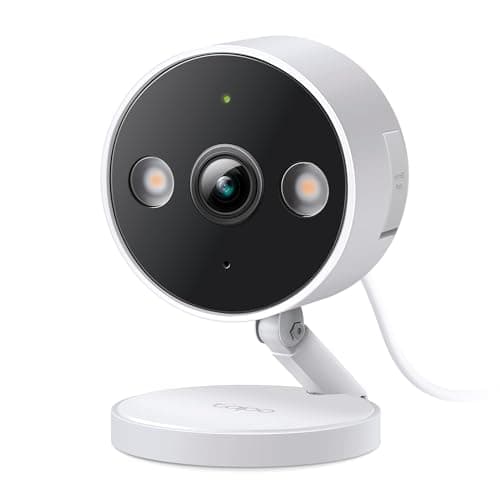
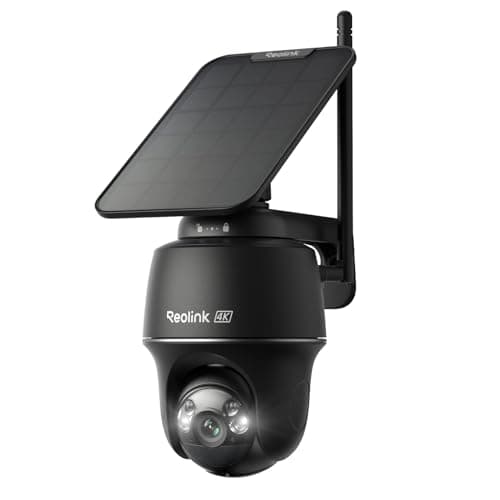
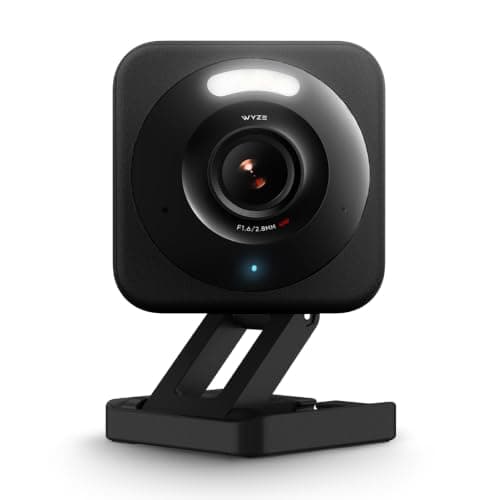
"Best security camera for Google Home" is a harder question than the Alexa version, and not because Google cameras are bad. It is because the third-party camera field barely names Google at all. Walk the listings for the cameras people actually shortlist and you will find Alexa printed on most of them, Google on a minority, and Apple Home on almost none. We read the current manufacturer pages for this roundup on 17 October 2026 and kept only the cameras whose makers publish Google support in their own words.
What "works with Google" actually buys you on a camera
It buys you the feed on a screen, by voice. Say "Hey Google, show me the front door" and a supported camera streams to a Nest Hub or a Chromecast-enabled TV. That is a genuinely useful thing — it is the fastest way to check a doorbell ring from the sofa — but it is worth being precise about what it is not.
It is not a Google Home automation. A third-party camera's motion event generally does not arrive in Google Home as a trigger you can act on, so "turn the hall light on when the camera sees someone" is not a routine you can build with these cameras. It is not a replacement for the maker's app either: setup, recording settings, motion zones and notifications all stay in the Wyze, Tapo or Reolink app, and Google adds a viewing layer on top. And it is not Matter. Matter added cameras in version 1.5 in November 2025 and almost nothing supports it yet, which is exactly why every camera stays in its own app — security camera ecosystem compatibility has the longer version.
The cameras that do not list Google — and what to do about it
Three popular cameras that come up constantly in this search deserve a straight answer. Ring and Blink are Amazon-owned and list Alexa; neither lists Google, and no firmware update is going to change the commercial reason for that. The eufy SoloCam S340 does not list Google on the pages we read for it either. If you have already bought one of those, you have not wasted your money — you have a camera that lives in its own app, which is where you will do the real work anyway. You just will not be casting it to a Nest Hub by voice.
The practical consequence for a Google household: pick on the camera first — power, placement, storage, detection — and treat the Google cast as a tiebreaker rather than the deciding feature. The alternative is buying a worse camera for a convenience you use twice a week. How to choose a security camera runs the decision in that order.
Storage is the bigger money question
All three picks here record locally with no mandatory subscription — a microSD card in the Wyze, the Tapo and the Reolink. That is deliberate. Cameras are where smart-home money quietly goes recurring: a plan per camera, every month, forever, to keep the clips you already recorded. Our camera subscription costs page does the three-year arithmetic, and local vs cloud storage covers what you give up by keeping footage in the house. If a Google-compatible camera with free local recording is what you want, this roundup is also the no-subscription shortlist.
How to shortlist a camera for a Google house
Check the maker's page, not the retail listing.Retail copy ages badly and third-party sellers repeat whatever the first listing said. Every Google claim on this page came off the manufacturer's current product page, and we noted where the wording is "Google Assistant" rather than "Google Home" — because that distinction tells you it is a voice integration, not a platform one.
Decide power before features. A wired camera is the better camera for the money every time, right up until there is no outlet where the coverage gap is. Then a battery-and-solar camera wins by default, because a brilliant wired camera you cannot mount records nothing. Our guide on powering an outdoor camera covers the options in between.
Prefer detection on the camera. On-device person, pet and vehicle detection is the feature that decides whether you still have notifications turned on in three months. Where it is cloud-only, it usually comes with a monthly fee attached.
Assume two apps if you buy two brands. With no working camera standard, every brand you add is another app and another account. Casting several brands to one Nest Hub does not merge them — it just puts their feeds on the same screen.