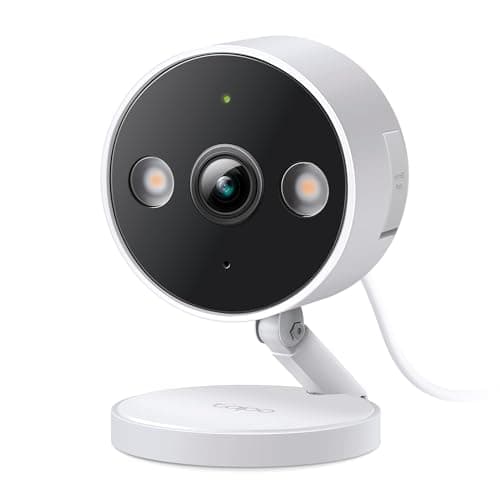
Almost every security camera recommendation assumes you own the building. Drill into the soffit, run cable to a junction box, mount the floodlight on the gable — advice that is perfectly good for a homeowner and completely useless if you rent. Renting changes the problem in four specific ways, and once you account for them most of the market disqualifies itself.
One: the mount is the constraint, not the camera
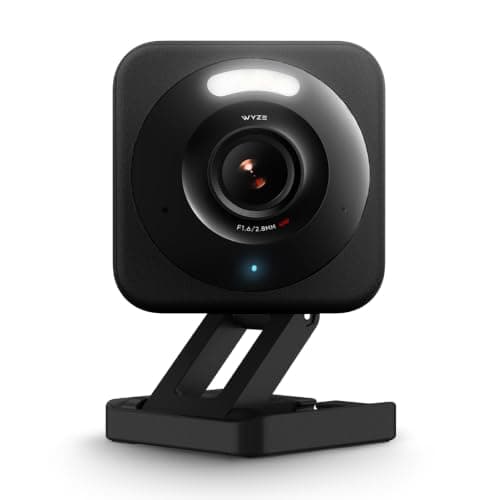
The single thing that rules cameras out of a rental is not price or resolution. It is whether installing it damages something you will be asked to pay for. That pushes you toward three kinds of install: a camera that stands up on its own on a shelf or a windowsill (the Tapo and the Wyze are small enough), a camera on a freestanding or clamped mount rather than a screwed bracket, or a camera fixed to something you are allowed to attach to — a wooden fence post, your own furniture, a balcony rail if your tenancy permits it. Adhesive mounts are the usual suggestion and they are a mixed blessing: strong enough to hold a battery camera, strong enough to pull paint off drywall when you remove it. If you use adhesive, use it on glass, tile or gloss-painted wood, never on matte emulsion. Our guide to where to place security cameras covers the angles worth covering; in a rental you are solving for those angles using whatever surfaces you are allowed to touch.
Two: a camera pointed out of a window is a legitimate install
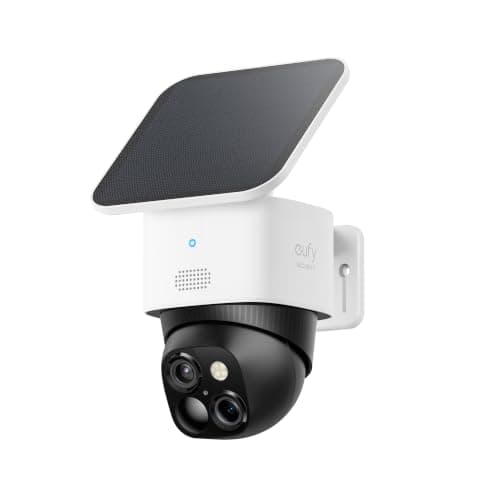
It is also the single most underrated option for renters. An IP66 or IP65 camera placed indoors on a windowsill, pointed outward, needs no mount, no weatherproofing and no permission. The two things that go wrong are both fixable: infrared night vision bounces off the glass and blinds the camera, and reflections wash out the daytime picture. The fix for both is the same — push the lens right up against the glass so no light gets between camera and window, and turn the camera's infrared LEDs off, relying on a nearby porch or street light instead. If the view is dark and unlit, a camera at the window will not work and you need something outside, which is where the eufy's solar power earns its place.
Three: no monthly fee matters more when you move
A subscription is annoying for a homeowner and genuinely bad value for a renter, because the thing you are paying for is a cloud history tied to an address you will leave. Three of the five picks here record for free to local storage: the Tapo and the Wyze to microSD cards, the eufy to 8GB of internal memory. That means when the lease ends, your footage is a card in a drawer rather than a clip library you lose access to the month you stop paying. The cost difference compounds fast — camera subscription costs lays out the arithmetic over several years, and the best no-subscription security cameras is the wider field if avoiding a bill is your main criterion rather than renting.
Four: know what you are allowed to record
Renting usually means shared space, and shared space is where camera law gets real. The general US position is that recording video in areas with no reasonable expectation of privacy is lawful, and that bathrooms, bedrooms and other people's private areas are not such areas. In a rental the practical issues are specific: a camera in a shared hallway, stairwell or laundry room is recording your neighbors rather than your own property, audio recording is governed by separate and stricter consent rules in many states, and an indoor camera in a house-share needs to be agreed with your housemates before it goes up rather than discovered by them afterwards. Point cameras at your own door and your own property, angle them to exclude a neighbor's window where you can, and switch audio off if you are not certain of your state's rules. Are home security cameras legal goes through this properly, and it is worth ten minutes before you mount anything in a communal area.
What a renter should buy first
One camera covering your own front door, and nothing else, is a better starting point than three cameras covering a perimeter you do not control. The front door is where parcels disappear and where anyone who comes in has to pass, and it is the one spot a renter almost always has a legitimate claim to. If the entrance is a shared one and a camera is awkward, a video doorbell for an apartment is often the easier install, because several of them clip over an existing fitting or stick to a door frame. If what you actually want is an alarm rather than a record of events, home security systems for apartments covers the kits that work without touching the structure. And if you are furnishing a whole first place, the best smart home devices for renters has the rest of the list.
The renter's shortlist in order
Work through it in this order and you will not waste money. First, decide whether the spot you care about has power: if yes, a wired camera is cheaper, records continuously and never needs charging, so buy the Tapo or the Wyze. If no, you are choosing between battery and solar, and solar wins on anything you cannot easily reach — a carport, a high bracket, the far end of a yard — because recharging a camera you need a ladder to reach is a job you will start skipping.
Second, decide where footage lives. Local storage is almost always the right answer for a renter: it costs nothing per month, it leaves with you, and it keeps working if you stop paying. Cloud storage is the right answer only if the camera itself might be stolen, since a card in a stolen camera leaves with the camera.
Third, check the audio rules before you buy, not after. Two-way talk is the feature most likely to put you on the wrong side of a state consent law in a shared building, and it is the one feature you can simply switch off.