This question gets asked two different ways and the answers are completely different. If you mean "how much of my monthly internet allowance will this eat", the answer depends almost entirely on whether the footage is uploaded to a cloud. If you mean "how much storage do I need", the answer depends on bitrate and retention. Both come from the same piece of arithmetic, so start there.
The only formula you need
Video is measured in megabits per second (Mbps) and storage and data caps are measured in megabytes and gigabytes. There are eight bits in a byte, so:
Mbps ÷ 8 = MB per second. Multiply by 60 for a minute, by 3,600 for an hour, by 86,400 for a day. So a stream at 8 Mbps is 1 MB per second, 3.6GB per hour, and about 86GB per day. A stream at 2 Mbps is a quarter of that, about 21GB per day. Those two figures are the realistic bracket for a single consumer camera running continuously, and everything else on this page is a variation on them.
Note that this is arithmetic, not a measurement: we are not claiming your camera runs at any particular bitrate. Every camera app publishes its own bitrate or quality setting, and the honest way to use this page is to read yours and do the multiplication. Anyone quoting you a single authoritative "GB per month" figure for a camera class is guessing.
What actually changes the bitrate
Four things, in order of how much they matter.
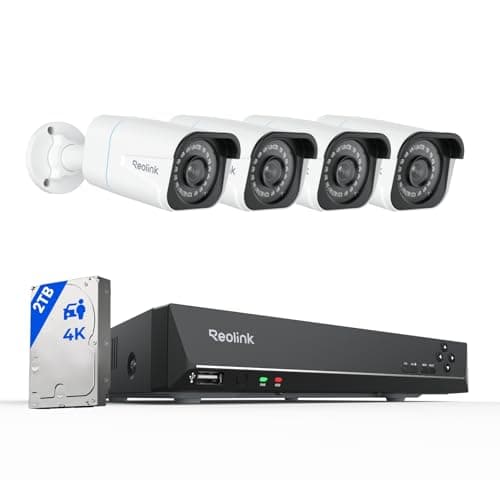
Resolution. More pixels per frame means more data. A 4K / 8MP camera carries roughly four times the pixel count of a 1080p one, and while compression blunts that it does not erase it. This is the main reason a 4K PoE kit needs a 2TB drive where a 1080p system would manage on far less, and it is worth reading 2K vs 4K security cameras alongside this page if you are still choosing.
Codec. H.265 (also called HEVC) encodes the same image in substantially less data than the older H.264, and the Reolink RLK8-800B4 publishes H.265 for exactly that reason. If your camera or recorder offers both, H.265 is the setting that buys you days of extra retention for free — the only cost is that older devices and some browsers struggle to play it back.
Scene motion. Modern codecs only transmit what changed between frames, so a still hallway compresses to almost nothing while a windy garden full of moving leaves, a busy street or a swaying tree keeps the whole frame changing and pushes the bitrate to its ceiling. Two identical cameras in the same house can differ several-fold for this reason alone, which is why no published figure can be accurate for your specific view.
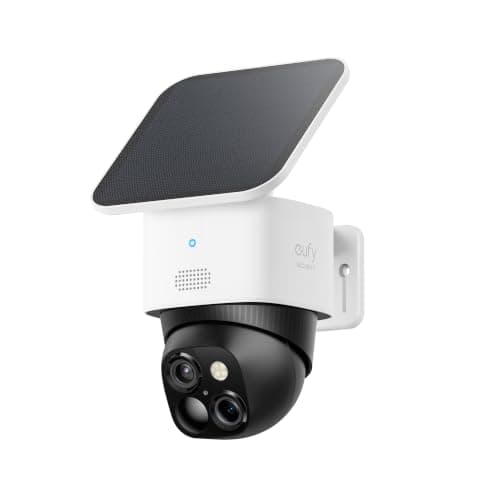
Night mode. Infrared night footage is noisy, and noise is random, and random data compresses badly. Many cameras use noticeably more bandwidth at night than during the day — the opposite of what people expect. Color night vision with a spotlight, which the eufy SoloCam S340 publishes, often behaves better than pure infrared for this reason as well as looking better.
Continuous versus event recording is the big fork
A camera recording 24/7 moves the full daily figure from the formula above. A camera recording only motion events moves a tiny fraction of it — if your camera triggers thirty times a day for twenty seconds each, that is ten minutes of video, which at 4 Mbps is around 0.3GB rather than 43GB. That is a factor of over a hundred, and it dwarfs every other consideration on this page.
Which one you have is a property of the camera class rather than a setting you can always change: battery cameras must record events only, because continuous recording would flatten them in hours, while PoE systems record continuously because they can. The implications are laid out in do security cameras record all the time.
Where the internet bill actually comes from
Here is the part most guides get backwards. A camera that records to a microSD card or a local NVR uses almost no internet data for recording. The video is written to storage in your house; nothing is uploaded. What those cameras do use the internet for is: a trickle of status and notification traffic, which is negligible, and whatever you watch live from outside the house, which is a download for you and an upload for your connection.
A camera that records to a cloud service uploads every clip it keeps. On a home connection the constraint is almost never the monthly cap — it is the uploadspeed, which on most cable and DSL plans is a small fraction of the download figure. Four cloud cameras all uploading motion clips at once is a genuinely common cause of a household's video calls stuttering, and adding more cameras makes it worse rather than better. The storage model is the root of the difference, and we compare the two in local vs cloud camera storage.
If you are on a metered, cellular or satellite connection
This is where the arithmetic stops being academic. On a capped plan, continuous cloud recording is not viable at any resolution — one camera at 2 Mbps would move roughly 630GB a month. The workable setups are, in order: a PoE system, which uses effectively zero internet data because the video never leaves the building; a Wi-Fi camera recording locally to a card with cloud features turned off; or an event-only camera with a tight motion zone and live viewing used sparingly. All three are on this page, and none of them requires you to give up the camera.
How to work out your own number in five minutes
Open your camera's app and find the video quality or bitrate setting — most publish a figure or a selectable stream. Take that number, divide by 8, and multiply by the seconds you expect to record: 86,400 for continuous, or your realistic event count times clip length. Then ask one more question: does that video go to a card in the camera, or to a cloud? If it is a card, your internet barely notices and the number you just calculated is a storage figure instead. That is the whole exercise, and it beats any table of estimates — including ours.
The cameras below are the low-data answers
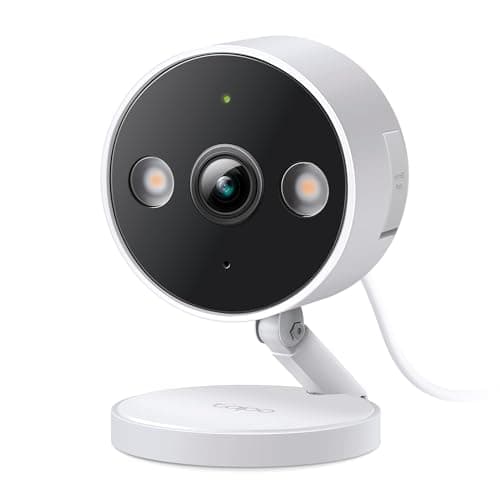
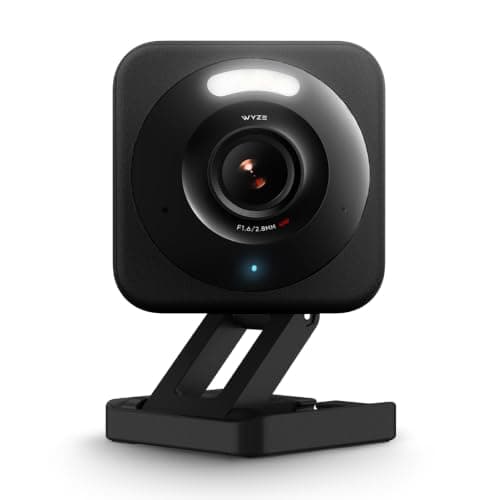
Three Wi-Fi cameras that record free to local storage, and one PoE system that uses no internet data at all. They are not ranked on image quality here — the full rankings are in best no-subscription security cameras and best home security cameras — they are ranked on how little traffic they generate and how much local storage each one can address.
Turn down the stream you are not watching
Most cameras publish two streams: a high-quality one for recording and a lower-quality "sub-stream" for the live app view. If your app is set to pull the main stream every time you glance at it, you are moving several times more data than you need to for a five-second check. Set the live view to the sub-stream and leave the recording stream alone — it is the single highest-value setting change on this page and it costs you nothing in evidence quality.
Switch to H.265 if the camera offers it
H.265 encodes the same picture in meaningfully less data than H.264, which means more days on the same drive or less traffic on the same connection. The Reolink system above publishes it. The one thing to check before you flip it is playback: older phones, older browsers and some third-party software handle H.265 poorly, so test that you can actually watch the footage back before you rely on it.
Tighten the motion zone before you blame the camera
On an event-recording camera, data use is directly proportional to how often it triggers, and the default motion zone on most cameras includes the sidewalk, the street and a tree. Drawing the zone tightly around your own property typically cuts the trigger count dramatically, which cuts both the data and the notification fatigue. The same applies to sensitivity: a camera set to notice a cat will notice a cat forty times a day.
If the network is the real problem, not the data cap
Several cameras on one Wi-Fi band is a bandwidth and airtime problem before it is a data problem, and the symptoms — cameras dropping offline, laggy live view, video calls stuttering — look like camera faults and are not. Moving cameras to the 5GHz band where supported, or moving the recording cameras to PoE entirely, fixes it in a way that upgrading your internet plan usually does not. We cover the diagnosis in smart home Wi-Fi congestion and why is my security camera offline, and the structural fix in what is a PoE security camera.