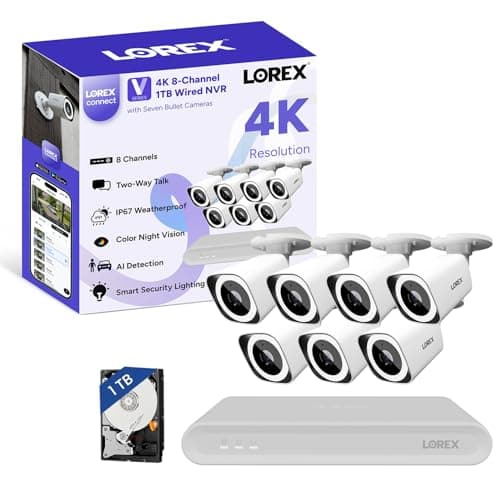
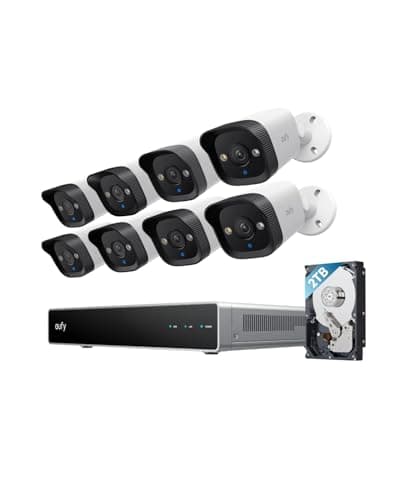
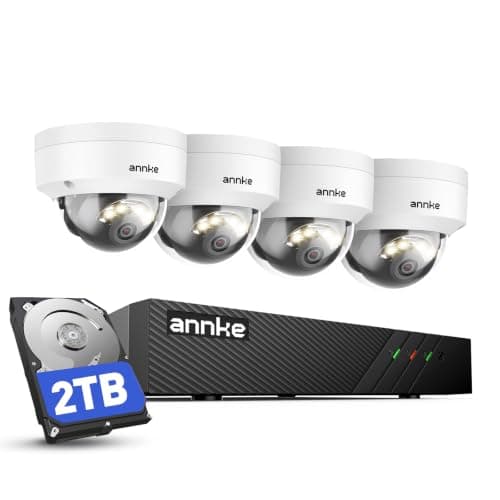
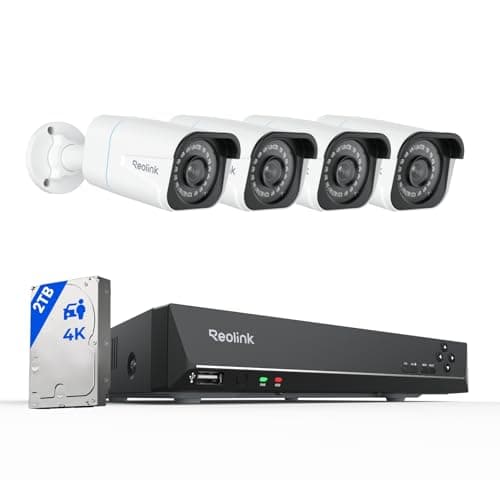
Almost every camera sold to homeowners today is wireless, and almost every complaint people have about those cameras comes from the same two places: the battery and the Wi-Fi. PoE removes both. The idea is older than the smart home, it comes from commercial networking, and once you understand it the rest of the category makes sense.
What PoE actually means
PoE stands for Power over Ethernet. An Ethernet cable — the ordinary eight-wire network cable running to a desktop computer or a games console — has more conductors than a data link needs. PoE puts low-voltage DC power onto that spare capacity, so one cable arriving at a camera delivers both the video connection and the electricity to run it. The behavior is defined by the IEEE 802.3 family of standards: 802.3af is the original PoE, 802.3at (often marketed as PoE+) carries more power for devices that need it, and 802.3bt goes further again. Every camera in this guide works within those standards, which is why a camera from one brand will generally power from a switch made by another.
The practical consequence is that a PoE camera has no battery, no solar panel, no power brick at the mount point, and no Wi-Fi radio in the critical path. One cable, one connection, and the camera stays up for years. That is a boring sentence and it is the entire appeal.
Why PoE cameras record 24/7 and wireless ones mostly do not
This is the difference that matters most, and it is a consequence of power rather than a marketing decision. A battery camera must sleep. It wakes when a sensor trips, exposes, records a clip, uploads it and goes back to sleep — because if it recorded continuously the battery would last hours, not months. A PoE camera has unlimited power, so it never sleeps, and the recorder writes every frame to a drive.
What that buys you is the footage either side of the event. The useful recording is almost never the ten-second clip a motion sensor produced; it is the two minutes before, when the car pulled up, and the two minutes after, when it left. Continuous recording has that. Event recording does not, and no amount of AI closes the gap. We go through this properly in do security cameras record all the time.
What you need for a PoE setup
Four things, and in a kit three of them come in the box.
The cameras. PoE cameras are usually bullets (the cylindrical ones, easy to aim, obvious from the street) or domes (the hemispherical ones, harder to re-aim once set, harder to vandalize). Resolution is published per camera, and all four kits below are 4K / 8MP.
The cable. Cat5e or Cat6 Ethernet, one run per camera, from the recorder to the mount point. This is the whole cost of PoE in effort terms. Runs through a loft, a basement or a soffit are straightforward; runs through finished walls or across a yard to a detached garage are not.
The recorder, or NVR.A Network Video Recorder is a box with a hard drive and a set of PoE ports. It powers the cameras, records them, and runs the search. "8-channel" means eight cameras maximum, which is why every kit below ships with four to seven and leaves room. This is also the difference between NVR and the older DVR: an NVR takes network cameras over Ethernet, where a DVR took analog cameras over coaxial cable.
The drive. All four kits here include one — 1TB to 2TB — and that capacity divided by your bitrate is how many days of history you keep. Continuous 4K recording is demanding, which is why the capacity matters and why how much data security cameras use is worth reading before you choose.
What PoE gives you that Wi-Fi cannot
Five things, in rough order of how much people end up caring.
It does not drop.A camera on the far corner of a house is the device most likely to sit at the edge of Wi-Fi coverage, and "camera offline" is the single most common complaint in the whole category. A cable does not have a signal strength. If this is your current problem, why is my security camera offline is the diagnosis page, and PoE is frequently the cure.
It does not need charging. No panel to angle, no cells to swap, no winter where the battery falls behind the solar.
It does not cost a monthly fee. Recording goes to the drive in your house, so there is no cloud plan to buy and nothing to cancel. The three-year arithmetic against a subscription camera is in security camera subscription costs.
It keeps your footage local. Nothing leaves the building unless you ask it to, which is a materially different privacy position from a cloud camera. We compare the two models in local vs cloud camera storage.
It scales cleanly. Adding a fifth camera to an eight-channel NVR is a cable and a camera. Adding a fifth Wi-Fi camera is more contention on the same radio spectrum — a real problem we cover in smart home Wi-Fi congestion.
What PoE costs you
Three real downsides, and anyone who tells you otherwise is selling a kit.
The install. Running four Ethernet cables through a house is a weekend for a competent DIYer with loft access and a long afternoon of swearing for everyone else. In a rental it is simply not an option, and in a finished basement or a brick-built house with no cavity it can mean an electrician or an installer.
The box. An NVR is a physical appliance that needs somewhere dry and ventilated to live, with a spinning drive in it. It is one more thing in the house that can fail, and a surveillance drive under continuous 4K load is a wear item.
The ecosystem. None of these systems supports Matter, HomeKit or any smart home platform in a meaningful way. They are surveillance systems with their own apps. If what you want is a camera that appears next to your lights and locks in one app, PoE is the wrong answer — which is the honest trade summarized in security camera ecosystem compatibility.
Who should actually buy PoE
Buy PoE if you own the property, can get a cable to each camera position, and want the footage to exist whether or not anything triggered a sensor. That last clause is the real test: a keyed car, a boundary dispute, a repeated delivery problem or a detached garage all want continuous recording, and all of them are poorly served by event clips. Buy wireless if you rent, if the view you need has no cable route, or if your use case is genuinely "tell me when someone is at the door" — in which case the wireless roundup is the right page and wired vs wireless security cameras is the decision in full.
The four PoE kits on this site
These are the complete systems in our registry — cameras, NVR and a drive in one box, so you are buying a cable run rather than a parts list. They are ranked below on cameras in the box, drive capacity, camera style and what the system publishes about search and expansion. The field is ranked in more depth in best wired security camera systems, and the two most-compared kits go head to head in eufy PoE NVR E40 vs Reolink RLK8-800B4 and Reolink RLK8-800B4 vs ANNKE 8CH 4K PoE.
Plan the cable runs before you choose a kit
This is the step people skip and then regret. Walk the house with the camera positions in mind and work out, for each one, where the cable physically goes: through a loft and down a cavity, along a soffit, out through a drilled wall plate, or not at all. Count the runs that are easy and the runs that are not, and let that number decide how many cameras you buy. Four straightforward runs plus one impossible one is a four-camera kit and a battery camera for the awkward corner, not a seven-camera kit and a problem.
Buy more drive than the kit includes
Every kit here includes a drive, and in every case the included drive is sized to be a selling point rather than to hold months of 4K. Continuous recording at 8MP across four or seven cameras consumes capacity quickly, and the single cheapest upgrade to any of these systems is a larger surveillance-rated drive at purchase. The Lorex publishes expansion to 10TB, which is the highest ceiling in this group. Work out the retention you actually want — a week, a month, ninety days — before you buy, because that is what the drive size is really buying.
Use a surveillance-rated drive, and expect to replace it
An NVR writes continuously, forever. That is a different workload from a desktop drive, which is why surveillance-rated drives exist and why they are specified for sustained write loads rather than burst performance. Plan on replacing the drive during the life of the system rather than being surprised by it, and check the NVR's own health reporting occasionally — the failure mode of a dying surveillance drive is that you discover the footage you needed was never written.
Keep the recorder off the open internet
The security advantage of a local system evaporates if you expose the NVR directly to the internet with port forwarding and a default password. Use the manufacturer's own app and relay service for remote viewing, change every default credential, keep the recorder's firmware current, and do not forward ports unless you genuinely know what you are doing. The broader version of this argument is in how to secure your smart home and can smart home devices be hacked.