Most "best hub" lists rank boxes by brand or looks. This one asks a narrower, more useful question: which hub actually turns your house into a working Matter and Thread home? That is a different bar. A Matter home needs a specific job done - it needs a Matter controller, and for the newest accessories it needs a Thread border router - and a surprising number of popular hubs only do half of that. We picked four that cover the Matter and Thread angle honestly, ranked them on what each product listing really claims, and put the whole thing in a compatibility matrix you can read at a glance. If you want the broader, all-radios ranking instead, that lives in our best smart home hubs roundup; this page is deliberately about Matter and Thread.
The one job a Matter home needs a hub to do
Matter is the cross-brand standard that lets a plug, a bulb or a sensor work across Alexa, Apple Home, Google Home and SmartThings without a separate app for each. It is the promise that a device with the Matter logo will not lock you into one company. But a standard on a box does nothing on its own - something in your home has to run it. That something is the hub. For a Matter home, the hub's job is to be the controller that adds and commands your Matter devices, and, ideally, the border router that reaches the Thread-based ones. Get that piece right and the rest of the smart home slots in around it. Get it wrong and you end up with Matter gear you cannot fully connect. If the terms are still fuzzy, start with our Matter vs Thread vs Zigbee explainer, which lays out the standard and the radios in plain English.
Controller vs border router vs bridge - the three words that decide this
Three terms get thrown around as if they mean the same thing, and they do not. Getting them straight is most of the decision. A Matter controller is the brain: it adds Matter accessories and controls them, and it is what an app like Alexa or Apple Home uses to run your Matter devices. A Thread border router is the bridge for the newest gear: many current Matter accessories talk over Thread, a low-power mesh radio, and a Thread device needs a border router somewhere in the house to reach your network. A plain bridgeis narrower still - it exposes one brand's own accessories to Matter, but it is not a general controller or a border router for everyone else's devices.
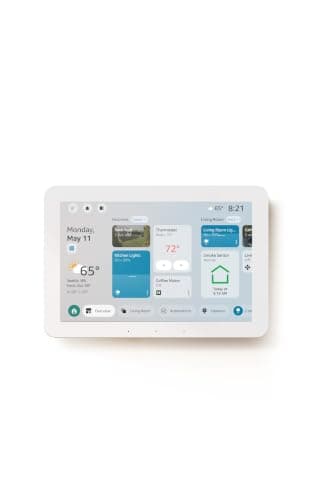
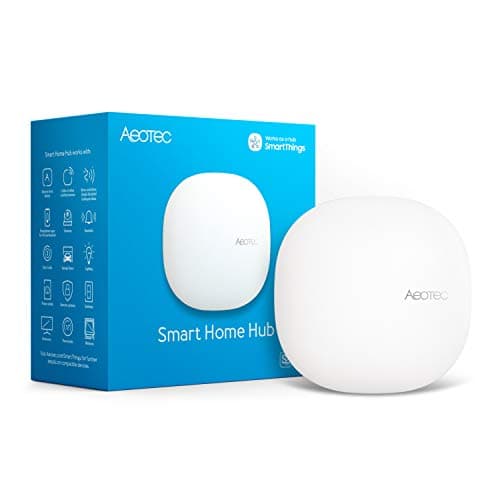
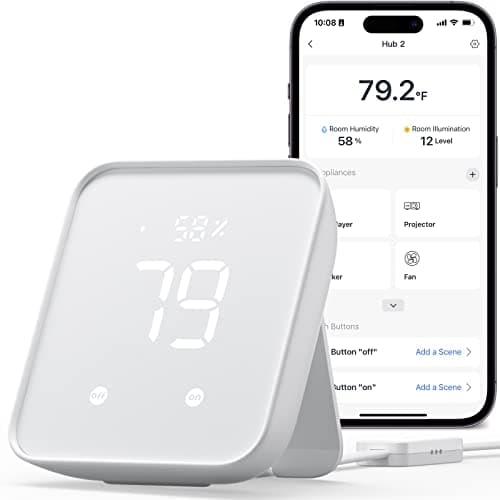
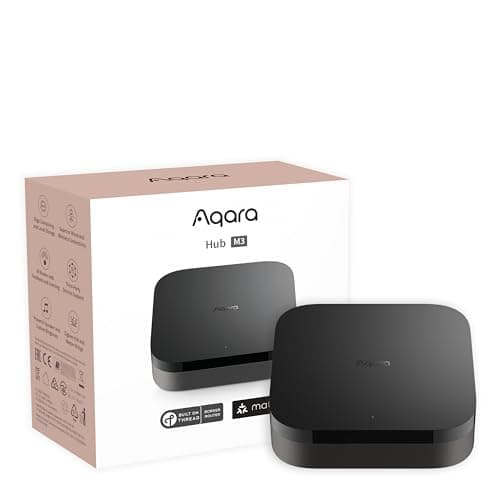
That distinction is exactly why the matrix below matters. The Aqara Hub M3 and the Amazon Echo Hub are both a controller and a border router, so they handle Matter-over-Wi-Fi and Matter-over-Thread gear directly. The Aeotec hub is a Matter gateway into SmartThings but does not list Thread border routing, so the newest Thread accessories may need another router. The SwitchBot Hub 2 is a bridge - superb at what it does, but it only pulls SwitchBot's own devices into Matter, not third-party sensors. Same word "Matter" on four boxes, three different jobs.
The Thread border router is the piece most homes are quietly missing
Here is the gap we see over and over. People buy Matter devices, connect the Wi-Fi ones fine, then hit a wall with a Thread-based sensor or lock that simply will not join - because nothing in the house is a Thread border router. Thread is a mesh: the more mains-powered Thread devices you have, the stronger it gets, but you need at least one border router to bridge that mesh to your regular network. It is the least understood and most commonly absent piece of a Matter home. Two of our four picks, the Aqara M3 and the Echo Hub, are border routers out of the box, which is a big part of why they rank where they do. If you are not sure whether you even need this yet, our do-I-need-a-hub guide is the honest gut-check before you spend.
How we picked - listings, not a lab
We do not run a hub lab and we do not hand out numeric scores. Everything in the matrix and the spec lists comes from each product's own listing and the manufacturer's documentation, read on the date in our methodology. Where a maker does not claim support for a protocol, we mark it "No" or "Not listed" rather than guess - so a "Not listed" is not a failed test, it just means the seller did not publish that claim. The picks are ordered for a Matter and Thread home specifically: the two full controller-plus-border-router boxes first, then the SmartThings gateway for legacy-radio homes, then the SwitchBot bridge for renters and single-brand setups. Two of these come up so often against each other that they have their own head-to-heads: the Echo Hub vs Aqara M3 comparison, and the Aqara M3 vs Aeotec matchup.
Matter is a floor, not a ceiling
It helps to set expectations about what Matter actually delivers, because the marketing can make it sound like a magic universal remote. Matter guarantees a baseline: a Matter light can turn on and off, a Matter plug can switch, a Matter sensor can report, across whichever ecosystems the device supports. What Matter does not promise is that every clever, brand-specific feature travels with it - a manufacturer's app may still offer color scenes, energy graphs or firmware options that Matter itself does not carry between platforms. That is not a flaw in these hubs, it is how the standard works today, and our what is Matter guidespells out where the line sits. The practical takeaway for buying a hub is simple: pick a hub that gives you a solid Matter and Thread foundation, and expect to use each brand's own app for the extras. All four picks here clear that foundation bar; they differ in how much they add on top and which ecosystems they reach.
If Alexa is the ecosystem, not just Matter
Matter is only one of four radios that decide what you can buy, and in an Echo household the other three matter just as much. Best smart home hubs for Alexa lays out which Echo devices are Thread border routers and Zigbee hubs, which are only Matter controllers, and why Z-Wave always needs a third-party hub.
Start with the ecosystem you open every day
The fastest way to narrow these four is to name the app you actually use. If it is Apple Home, only the Aqara M3 here exposes to HomeKit - the Echo Hub and the Aeotec hub do not, so an Apple household lands on the M3 almost by default. If it is Alexa, the Echo Hub is purpose-built to be your wall panel, and the M3 works with Alexa too. If you already live in SmartThings, the Aeotec hub is simply that platform in a better-radio box. Buying against your ecosystem is the most common regret in this whole category, because a Matter device shared across ecosystems still gets set up and automated inside one primary app - and switching that app later means re-adding devices. Ten minutes with our ecosystem comparison saves that pain.
Make sure you are getting a border router, not just a controller
This is the trap this page exists to prevent. It is easy to read "works with Matter" and assume a box will connect any Matter device you buy. It will not, if that device uses Thread and the box is only a controller. For a future-proof Matter home you want a Thread border router in the house, and among these picks the Aqara M3 and the Amazon Echo Hub are the two that list it. The Aeotec hub is a capable Matter gateway but does not list Thread border routing, so pair it with a separate Thread border router if your accessories need one. The SwitchBot Hub 2 is not a border router at all. If you own or plan to buy Thread-based sensors, locks or bulbs, treat "Thread border router" as a hard requirement and let it steer you to the M3 or the Echo Hub.
Match the legacy radios to what you already own
Matter and Thread cover the future, but a lot of homes have a present full of Zigbee and Z-Wave gear that predates Matter. This is where the Aeotec hub earns its spot: it is one of the few current hubs carrying both a Zigbee and a Z-Wave radio, so a house already running Z-Wave contact sensors or Zigbee bulbs keeps them working while adding Matter on top through SmartThings. The Aqara M3 and the Echo Hub both include a Zigbee radio too, which covers cheap Zigbee bulbs and buttons, but neither speaks Z-Wave - so if your existing sensors are Z-Wave, the Aeotec hub is the one box here that will not strand them. The SwitchBot Hub 2 has none of these radios; it bridges SwitchBot's own accessories and nothing else. Read the matrix row by row against the devices already on your walls before you decide.
Bridges are not hubs - what SwitchBot's Matter really covers
The SwitchBot Hub 2 is on this list because it is a genuinely smart buy for the right person, but it is important to be precise about what its Matter support means. It is a Matter bridge for SwitchBot's own devices - curtains, blinds, meters, plugs - which it exposes to Alexa, Google Home and Apple Home. It is not a Matter controller for third-party gear, and it is not a Thread or Zigbee or Z-Wave hub. So think of it as the answer for a renter who wants their SwitchBot kit in Apple or Alexa, plus a built-in temperature, humidity and light sensor and an IR blaster to automate an old air conditioner - not as the backbone of a big multi-brand Matter home. For that backbone you want one of the controller-plus-border-router boxes above, and the full field is ranked in the general best smart home hubs roundup.
Do you need more than one hub?
For most homes the answer is no - one Matter controller is enough to run the show, and you do not buy a hub per room. There is one nuance worth knowing as you scale, though. Thread is a mesh, and while you only strictly need a single Thread border router to bridge it to your network, adding more mains-powered Thread devices and border routers over time strengthens and extends that mesh across a larger house. So a small apartment is well served by one of these boxes alone, while a bigger home spread over several floors may benefit from a second border router as the Thread network grows - something the Aqara M3 and the Echo Hub can both provide. You do not need to plan that on day one. Start with one capable hub, connect your devices, and add a second border router only if a far-flung Thread accessory struggles to stay reliable. Buying a pile of hubs up front is the kind of over-purchase our do-I-need-a-hub guide exists to talk you out of.