The cheapest way into a smart home is not always a hub - and the box that costs the least is often not a hub at all. That is the honest tension this page is built around. We lined up three low-cost picks, put them in price order, and answered the one question a bargain product page buries: which radios and ecosystems does each one actually speak, and what can you realistically connect to it? The compatibility matrix below does most of the arguing.
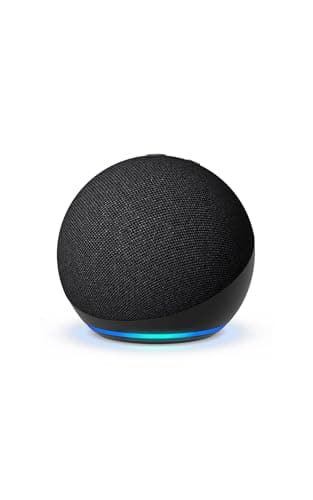
Start with the plain truth about the cheapest entry. An Echo Dot is a fantastic low-cost start, but it is a Matter controllerand an Alexa speaker, not a full Zigbee or Thread radio hub. A controller can tell Matter devices what to do; it cannot host the low-power mesh sensors and bulbs that make a smart home cheap to expand, because it has neither a Zigbee radio nor a Thread border router inside it. Most sites blur that line to sell you a "hub." We will not: if the Dot is where you start, know that you are buying a controller and a speaker, and that a real radio hub is a separate step up.
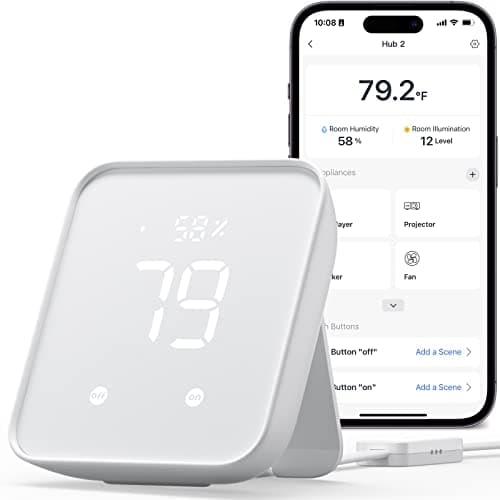
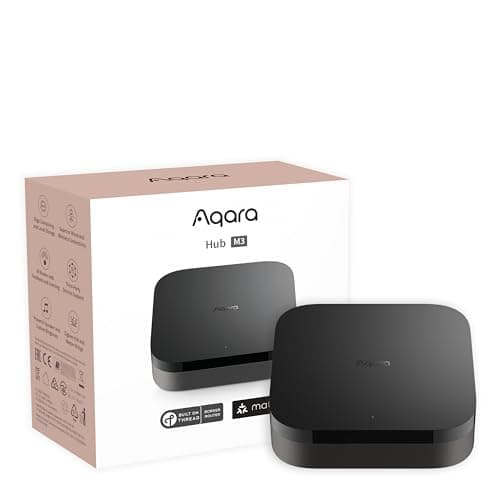
That step up is smaller than you think. For a little more than a bargain speaker, the Aqara Hub M3 gives you a true multi-radio box: Matter, Thread and Zigbee in one puck, exposed to Apple Home, Alexa and SmartThings. In between sits the SwitchBot Hub 2, a cheap bridge that throws in a temperature, humidity and light sensor plus an IR blaster, but only bridges SwitchBot's own gear to Matter - not third-party Zigbee or Z-Wave sensors. Three very different bargains, which is exactly why the specs matter more than the price.
Before you spend anything, ask whether you need a hub at all. If every device you own connects over Wi-Fi - most cameras, video doorbells, many plugs and bulbs - you may already be done, because those talk to your router directly and a controller like the Dot can steer the Matter ones. Hubs earn their keep the moment you want the cheaper, more reliable mesh devices (Thread and Zigbee sensors and bulbs) or a single dashboard across brands. Our do-I-need-a-hub guidesays "no" more often than a hub-seller would like, and if the protocol names are a blur, the Matter vs Thread vs Zigbee explainer untangles them in plain English.
One caveat we repeat everywhere: we don't run a hub lab, and we don't hand out numeric scores. Everything in the matrix and the spec lists comes from each product's own listing and the manufacturer's documentation, read on the date shown. Where a maker doesn't claim support for a protocol, we mark it "No" or "Not listed" rather than guess. That is the whole method, and it is the same one on every page here.
Controller versus a real radio hub - the distinction that saves your money
The cheapest "hub" on most shelves is a Matter controller, and it is worth knowing exactly what that buys you. A controller like the Echo Dot can commission and command Matter devices - typically Matter-over-Wi-Fi gear - and voice-control them through Alexa. What it cannot do is host a low-power mesh: it has no Zigbee radio and no Thread border router, so the inexpensive Zigbee and Thread sensors that make a smart home cheap to grow simply have nothing to connect to. A real radio hub, like the Aqara M3, carries those radios on board. If your plan is a few Matter-over-Wi-Fi plugs and a voice assistant, a controller is enough; the moment you want mesh sensors, you have outgrown it. Buying the controller and expecting the radio hub is the most common budget mistake in this category.
Match the radios to the devices you actually own
Price picks the tier; radios pick the box. Name the devices you already have or intend to buy, then read the matrix above from left to right. If your future is cheap Zigbee bulbs and sensors, only the Aqara M3 here speaks Zigbee - the Echo Dot and the SwitchBot Hub 2 do not. If you want the newest, fastest Matter accessories, you want a Thread border router, and the M3 is the only one of these three that is one. If you are all-in on SwitchBot's own gear, the Hub 2 bridges it to Alexa, Google Home and Apple Home and adds handy sensors. And if you own Z-Wave sensors, none of these budget picks speak Z-Wave - that is a different, pricier hub, and our Zigbee vs Z-Wave guide explains why the two rarely live in one cheap box.
When all-Wi-Fi means you need no hub at all
We will say it plainly because most sites won't: plenty of people buy a hub they never needed. If your smart home is a few Wi-Fi plugs, a Wi-Fi camera and a video doorbell, those talk straight to your router, and even the Matter ones can be steered by a cheap controller you may already have in an Echo. A hub pays off when you commit to mesh devices or want cross-brand automations under one roof - not before. If that is not you yet, the cheapest smart home is the one where you keep the money, and our starter kit under 100 shows how far a little can go without a dedicated hub.