Almost every smart home device on sale says "works with Alexa," and on a hub that phrase hides the only question worth asking. An Echo is already a hub for some kinds of device and completely blind to others, and which is which depends on the exact model sitting on your shelf rather than on anything Amazon prints on the box. So this page does not rank hubs on polish or app design. It ranks them on radios, because a radio you do not have is a device you cannot buy. Five things decide it.
One: "works with Alexa" and "is the Alexa hub" are different claims
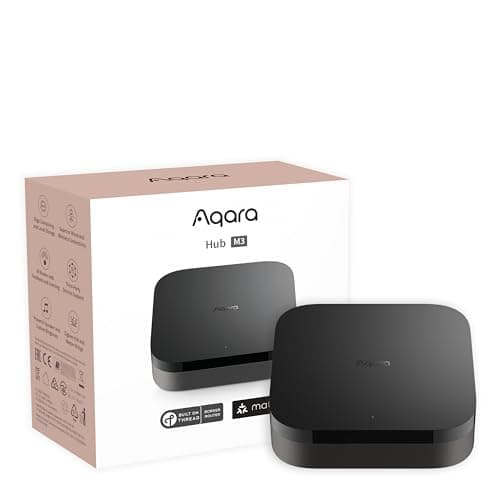
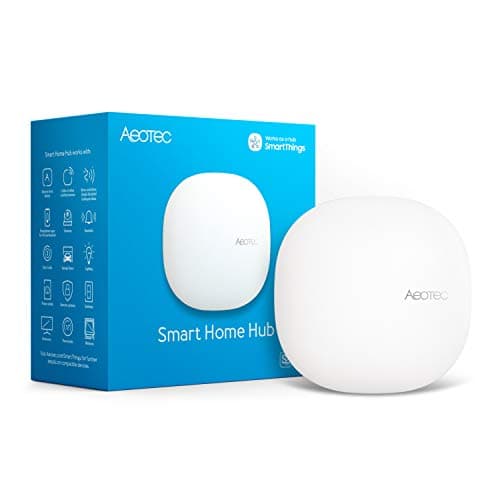
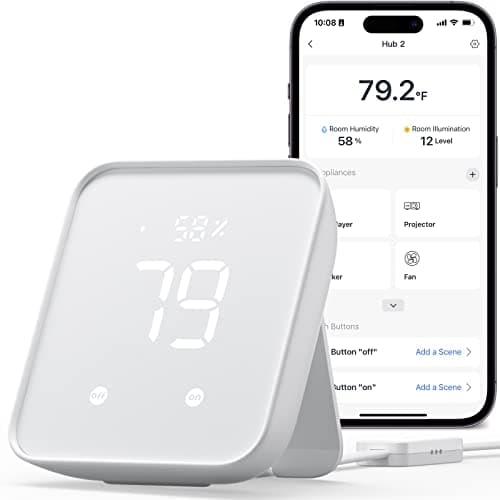
There are two completely different products wearing the same badge. The first is a hub that reports intoAlexa: it runs its own platform, pairs your devices itself, and then exposes them so you can say "Alexa, lock the front door." The Aqara M3, the Aeotec hub and the SwitchBot Hub 2 all work this way. You end up with two apps — theirs for setup and automation, Alexa for voice — and the devices appear in Alexa as a kind of guest.
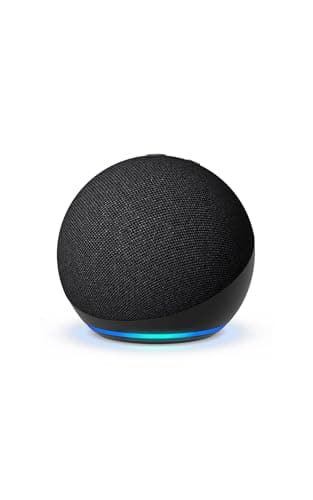
The second is a hub that is the Alexa home: an Echo device whose radios do the pairing, so a Zigbee bulb or a Thread sensor joins Alexa directly and lives in the Alexa app with nothing else involved. The Echo Hub and the Echo Dot work this way, to very different extents. Neither approach is wrong, but they fail differently — a reporting hub keeps working if Alexa changes, while a native Echo hub is simpler today and strands you if you ever leave. If you are still deciding whether you need a hub at all, start with do I need a smart home hub, and if the device you already own is an Echo speaker rather than a hub, smart home hub vs smart speaker explains exactly which half of the job it is doing.
Two: the four radios, and which Echo devices have them
This is the section that saves money. Four radios matter in this category and they are not interchangeable.
Matter is not really a radio but a device standard, and almost every current Echo can act as a Matter controller over Wi-Fi — including the cheap Dot. That is why a Matter-over-Wi-Fi plug or lock pairs with an Alexa house trivially. It is also why people assume their Echo is a full hub, and then hit the next three rows.
Thread is a low-power mesh that needs a border router on your network before any Thread device will work. The Echo Hub has one. The Echo Dot (5th Gen) does not. This is the single most common surprise in an Alexa home: a Matter-over-Thread sensor arrives, the Dot cannot see it, and nothing about the packaging explained why. What is a Thread border router covers the mechanism, and what is Thread the standard behind it.
Zigbee is the older low-power mesh that an enormous number of affordable sensors and bulbs still use. The Echo Hub carries a Zigbee hub; the Dot does not. The Aqara M3 and the Aeotec hub both do.
Z-Wave is the one Amazon simply does not sell. No Echo device has a Z-Wave radio, so in an Alexa house Z-Wave gear requires a third-party hub — on this page, the Aeotec — or it does not work at all. If you are weighing the two older meshes against each other, Zigbee vs Z-Wave explains why so many professionally installed systems chose Z-Wave and why most new consumer gear did not.
Three: what breaks when the internet does
Alexa is a cloud assistant, and most Alexa routines are evaluated in Amazon's cloud rather than on the device in your hallway. The practical consequence is that a broadband outage can take your automations with it even though every device involved is sitting in the same room. Some local execution exists on hub-capable Echo devices for simple device-to-device rules, but you should plan for a loss of function rather than assume resilience.
That is a real argument for the reporting hubs. An Aqara or SmartThings automation that lives on the hub keeps firing when the line drops, and Alexa voice control is the part you lose rather than the whole house. If uninterrupted behavior matters — a lock that must auto-lock, a sensor that must sound a siren — put that rule on the hub, not in an Alexa routine. Do smart home devices work without internet goes through which categories degrade gracefully and which stop dead.
Four: a screen changes how much of the house actually gets used
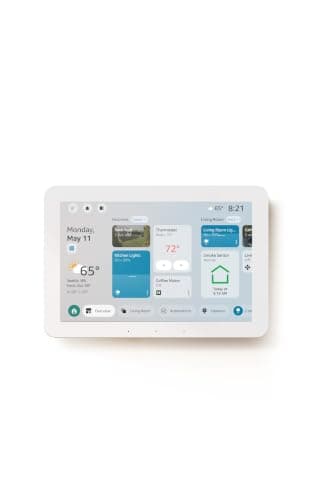
This is the least technical point on the page and probably the most useful. Voice is a great interface until it is not: a sleeping baby, a guest who does not know the device names, a noisy kitchen, a command you have forgotten the exact phrasing of. Households with a mounted panel use far more of what they have installed, because tapping a tile requires no recall at all.
That is the Echo Hub's real argument over a cheaper Echo plus a separate bridge. It is also why the pairing most Alexa homes end up happy with is one panel plus speakers: the panel as the control surface and the radio hub, the speakers as voice endpoints in other rooms. The ranked field without the Alexa filter is in best smart home hubs, and the Echo-to-Echo decision specifically in Echo Dot 5 vs Echo Hub.
Five: when an Alexa house still needs a second hub
Three situations, and they are common enough to plan for. You need a second hub if you own Z-Wave devices, because no Echo will ever see them. You need one if you want third-party Zigbee devices and your Echo is a Dot or another model without the radio. And you need one if you want infrared control of old appliances, which no Echo does at all and which the SwitchBot Hub 2 does cheaply.
What you do not need is a second hub to make Matter work — a current Echo handles that — and you do not need one per room. Hubs are whole-home devices; the mesh radios reach further than people expect and the right number is usually one, or two in a long house where a second Thread border router genuinely strengthens the mesh. For the Matter-specific shortlist see best Matter smart home hubs, and for the cheapest viable setup best budget smart home hubs.
How we ranked these
In order: the radios the device actually carries (because that sets the ceiling on what you can buy next), whether it is Alexa-native or a reporting hub, whether it survives a change of ecosystem, whether it gives you a control surface as well as plumbing, and what it costs to run — which for all five is nothing, since no hub here charges a subscription for hub functions. We did not rank on app polish, because every one of these apps is adequate and none of them is the reason a setup fails. A missing radio is.
What an Alexa hub does not solve
Two honest limits. A hub does not make cameras interoperable: camera support under Matter has barely started, so each camera brand still brings its own app and its own cloud regardless of how good your hub is — which is why cameras that work with Alexa is a separate decision made on different grounds. And a hub does not fix a congested network: if your 2.4 GHz band is already carrying a dozen Wi-Fi devices, adding a hub does not relieve it, though moving sensors onto Zigbee or Thread genuinely does. Smart home Wi-Fi congestion covers that properly, and how to choose a smart home hub is the general version of this page for a household that has not settled on Alexa.
Which one to buy, in one pass
Start by naming what you already own. If there are Z-Wave devices in the house, the Aeotec is not optional — nothing else on this page can see them. If there are Zigbee sensors, you need the Echo Hub, the Aqara or the Aeotec; a Dot will not do. If everything is Matter over Wi-Fi, you may already be finished with the Echo you own.
Then decide whether you want a screen. This is the difference between a setup that gets used and one that gets described to visitors. If yes, the Echo Hub is the answer and it also happens to carry every Amazon radio.
Then decide how committed to Alexa you are.If the answer is "completely," Amazon's own hardware is simpler and better integrated. If there is any chance of a future move to Apple Home or SmartThings, the Aqara M3 does nearly the same radio job while staying visible to all of them — and that optionality costs nothing extra today.
Finally, handle the odd jobs cheaply. Old infrared appliances are the classic one, and the SwitchBot Hub 2 solves them for far less than any other approach. It is an accessory purchase, not a hub purchase, and treating it as the latter is the one mistake to avoid on this page.