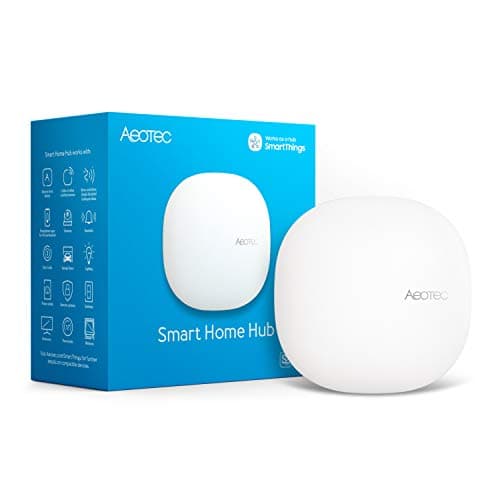
The honest answer to this question is "one, and here are the four reasons you might end up with two." The reason people drift to four is that each purchase looks reasonable at the time — a lock with its own bridge, a sensor kit on a different radio, a bargain starter set from a brand you did not already own. A year later there are four small boxes behind the router, three apps, and automations that cannot see each other. Avoiding that is mostly about understanding what a hub does and does not add.
What forces a second hub: radios, not brands
A hub is a radio set plus a brain. The brain is software and can usually be worked around; the radio is physical and cannot. There are four radios that matter in a 2026 home, and no single consumer hub carries all four:
Zigbee is behind most affordable battery sensors. Thread is the newer low-power mesh that Matter increasingly arrives on, and it needs a border router on the network. Z-Wave is the radio used by professionally installed systems and older DIY kits, and almost nothing new in the consumer aisle carries it. Wi-Fi needs no hub at all but costs you battery life and airtime.
So the real question is not "how many hubs" but "which radios do my devices speak." If everything you want is Zigbee and Thread, one hub with both covers it. If one inherited lock is Z-Wave, you either add a Z-Wave hub or replace the lock — and replacing a single lock is often cheaper than a second hub, which is exactly the kind of arithmetic worth doing before you buy. Matter vs Thread vs Zigbee and Zigbee vs Z-Wave cover the radios properly.
The three other reasons people end up with two
Brand bridges. Some manufacturers ship a small bridge for their own devices — a lock, a blind, a camera base station — and will not let a third-party hub pair them directly. That bridge is a hub whether or not it is sold as one. You can minimise these by buying devices that are Matter-certified or that list your hub by name, but a brand that insists is a brand that insists.
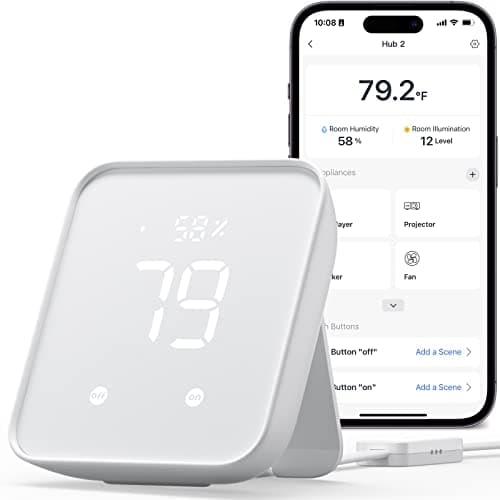
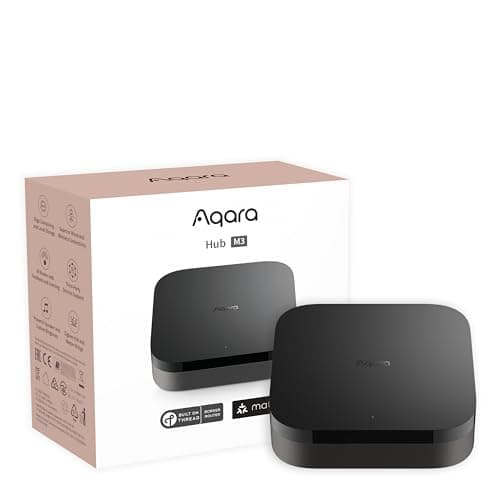
Infrared. A pre-smart television, air conditioner or fan responds to an IR remote and nothing else. The only way into those devices is an IR blaster, which is a different kind of hub — the SwitchBot Hub 2 is the cheap, specific answer, and the Aqara M3 includes one as a bonus rather than its purpose.
Range, in a big or awkward building. Zigbee and Thread are meshes, so mains-powered devices extend them and a house with plenty of plugs rarely has a coverage problem. But a long building, a detached garage or thick stone walls can defeat a mesh. The first fix is a mains-powered repeater device, not a second hub. Where that fails — a detached outbuilding, say — a long-range radio like the LoRa sensors in our door and window sensors roundup is usually cheaper and better than a second hub out there.
Reasons that are not reasons
"I want to use both Alexa and Apple Home."That is not a hub problem. Several hubs report into multiple ecosystems at once — Aqara lists Apple Home, Alexa, SmartThings and Home Assistant for the M3 — so one hub can expose the same devices to two households' worth of preferences. See best smart home ecosystem.
"I have devices from three brands." Brand count does not matter; radio and certification do. Three brands of Zigbee sensor generally pair to one Zigbee hub.
"I have several Echo speakers." Speakers are not hubs in the sense that matters here, and owning more of them does not add radios. One Echo Hub adds Zigbee and Thread; four Echo Dots add none. That distinction is the whole of smart home hub vs smart speaker.
The real cost of running two
Two hubs is not twice the money; it is twice the maintenance and a permanent seam through your automations. Devices on hub A often cannot trigger devices on hub B without a cloud integration in between, which adds latency and a dependency that breaks when either vendor changes something. You get two apps, two update cycles, two sets of credentials, and a troubleshooting question — "which hub owns this device?" — every time something stops working.
That is the case for spending more on one capable hub than on two cheap ones. It is also why we would re-pair a handful of devices onto a single hub rather than keep a second one running for three sensors, even though re-pairing is dull work: Zigbee and Thread devices are bound to a coordinator, so moving them is a manual job, one device at a time.
A five-minute method for getting to the right number
One: list what you own and what you want, by radio.Not by brand — by radio. Check each device's specification for the words Zigbee, Thread, Z-Wave, Matter or Wi-Fi. Anything inherited from a previous owner is the row most likely to surprise you.
Two: find the smallest set of hubs that covers those radios. For most lists that is one. If Z-Wave appears exactly once, price a replacement for that device against a second hub before deciding.
Three: check the ecosystems, not just the radios.A hub that lists every assistant in your household saves a second hub bought for a family member's preference.
Four: solve range with mains-powered devices first.A plug or a bulb midway extends a Zigbee or Thread mesh; a second hub does not extend the first one's mesh at all. For a genuinely detached building, a long-range radio beats both.
Five: if you already have two, consolidate deliberately. Pick the hub with the better radio set, re-pair devices one evening, and keep the second hub only if it owns a radio or an IR job the first cannot do. Then how to choose a smart home hub is the page for picking the survivor.