Skip to content
Latch & Hub

Hubs · Smart Home Hubs

Smart Home Hub vs Smart Speaker: What Actually Differs

These two get recommended interchangeably and they are not the same product. A speaker is how you talk to your home; a hub is what the home is actually built on. The confusing part is that some speakers are now partly hubs — and only partly, in a way nobody prints on the box.

By Stephen V.Updated How we choose
#ad

We earn a commission when you buy through our Amazon links, at no extra cost to you. It never changes our rankings — where the subscription-free or cheaper option is the better buy, we say so. How this works.

Verdict

The bottom line

A smart speaker is an interface: a microphone, a voice assistant and a speaker, so you can talk to a home that already exists. A smart home hub is infrastructure: a set of low-power radios and a brain that devices connect to. The confusion is real, because most current speakers now double as Matter controllers, which means they genuinely can pair and control some devices on their own. The test that settles it is radios. If the thing you want to buy is Matter over Wi-Fi, the Amazon Echo Dot (5th Gen) — a speaker — is enough. If it is Zigbee, Thread or Z-Wave, a speaker will not see it and you need a real hub: the Amazon Echo Hub if you want the radios and a wall panel in one Alexa-native device, the Aqara Hub M3 if you want Matter, Thread and Zigbee that work in more than one ecosystem, and the SwitchBot Hub 2 if the real job is pulling old infrared appliances into a smart home rather than adding a mesh at all. Most households end up owning both kinds of device, which is the correct answer — just not the correct first purchase in every house.

Ask for a smart home starting point and you will be told to buy a smart speaker. Ask what a smart home hub is and you will be told it is the thing that connects everything. Both answers are fine, and together they leave people buying a speaker, discovering their new sensors do not pair with it, and concluding that smart home gear is broken. It is not — they bought an interface when they needed infrastructure. Here is the actual difference, in the order that matters.

One: what each device is for

A smart speakeris an input and output device. Its hardware is a microphone array, a speaker and a Wi-Fi radio; its job is to take your voice, send it to a cloud assistant, and act on the answer. Everything it controls, it controls by asking something else — a cloud service, a manufacturer's app integration, or a hub. That is why a speaker can turn off a lamp on the other side of the world and still be unable to see a battery sensor eight feet away.

A smart home hub is a network device. Its hardware is one or more low-power radios — Zigbee, Thread, Z-Wave, Bluetooth — plus a processor that holds the device list and, on better hubs, runs the automations itself. Devices join the hub, the hub holds the state, and the hub is what makes a $15 battery sensor possible at all: those sensors are cheap and last years precisely because they do not carry Wi-Fi.

Put plainly: a speaker is how you talk to your home. A hub is what your home is actually made of. If you want the longer version of the second half, do I need a smart home hub is the page for it.

Two: why the line blurred — Matter made speakers half-hubs

If this were still 2019 the distinction would be clean. It is not, and the reason is Matter. Matter is a device standard rather than a radio, and most current smart speakers can act as a Matter controller: they can commission a Matter device over your ordinary Wi-Fi and control it directly, with no hub involved. The Echo Dot (5th Gen) does exactly this.

So a speaker today genuinely is a partial hub, and if everything you buy is Matter over Wi-Fi — plugs, some locks, some bulbs — you may never need anything else. The trap is that Matter also runs over Thread, a low-power mesh, and a Matter-over-Thread device needs a Thread border routeron the network before it will join anything. Some speakers have one. Many do not. Both are sold as "works with Matter," and the box does not tell you which half of Matter you are getting. What is Matter and what is a Thread border router cover the two halves.

Three: the radio test, which settles it in one question

Forget the marketing and ask what the device you want to buy speaks. There are four answers and they behave completely differently.

Matter over Wi-Fi. A speaker is enough. No hub needed, no mesh, no bridge — it joins your Wi-Fi and your assistant commissions it.

Matter over Thread. You need a Thread border router. Some speakers and panels have one built in; most cheap speakers do not. Without it the device is inert — not slow, not flaky, simply unable to join.

Zigbee. You need a Zigbee hub. A huge share of affordable sensors, buttons and bulbs are Zigbee, and no ordinary smart speaker has the radio. Some panels and most dedicated hubs do.

Z-Wave. You need a Z-Wave hub, and the field is narrow — most consumer speakers and panels have never carried this radio at all. Professionally installed systems and older DIY kits lean on it heavily, so this is the radio that surprises people who move into a house with existing gear. Zigbee vs Z-Wave explains the split, and Matter vs Thread vs Zigbee puts all three in one picture.

Four: who evaluates the automation — and what breaks offline

This is the difference people feel rather than read about. When a speaker runs a routine, the logic usually lives in the assistant's cloud: the trigger goes up, the decision is made on a server, the command comes back down. When a proper hub runs an automation, the logic can live on the hub itself, in your house.

The consequence is what happens on a bad day. A broadband outage can stop cloud-evaluated routines even though every device involved is in the same room — the motion sensor works, the lamp works, and nothing connects them. A hub-local automation keeps running; what you lose is voice control, not the house. Latency follows the same pattern: local rules fire in a blink, cloud rules take a beat you can notice when you walk through a doorway expecting a light.

Practical rule: put anything that must not fail — a lock auto-locking, a leak sensor sounding a siren, a security light coming on — on a hub rather than in a voice-assistant routine. Keep the speaker for the things where a second of delay and an internet dependency cost you nothing. Do smart home devices work without internet goes category by category.

Five: what a speaker does that no hub will

It is worth being fair to the speaker, because this page is not an argument for skipping one. A speaker gives you hands-free voice control, which is the single feature that makes a smart home feel smart rather than like an app collection. It gives you announcements and intercom, which households with children use more than any automation. It plays music, radio and timers, so unlike a hub it earns its shelf space even if you never automate anything. And several speakers now include a temperature sensor, which is a free automation input.

No dedicated hub does any of that. A headless hub is plumbing: you set it up once, hide it near the router, and ideally never think about it again.

Six: what a hub does that no speaker will

The reverse list is shorter but heavier. A hub carries the low-power mesh radios that make cheap, long-life battery sensors possible — the single biggest unlock in a real smart home, because sensors are what turn remote controls into automation. It can run automations locally, so they survive an outage and fire instantly. Some hubs add an infrared blaster, which brings pre-smart TVs, fans and air conditioners into the system with no rewiring. And a hub is ecosystem-portable in a way a speaker is not: a third-party hub can expose the same devices to Alexa, Apple Home and SmartThings at once, where a speaker commits you to its own assistant.

Seven: the middle ground nobody explains — the control panel

There is a third category that resolves most of this argument, and it is newer than the advice people repeat. A smart display or control panel can be all three things at once: a voice endpoint, a hub with real radios, and a touchscreen. The Echo Hub is the example on this page — it is a Matter controller, a Thread border router and a Zigbee hub, and it is an 8-inch panel you mount on a wall.

That matters for a reason that has nothing to do with specs. Households with a mounted panel use far more of what they install, because tapping a tile requires no memory of device names and works when voice is inconvenient — a sleeping baby, a guest, a noisy kitchen. If you are choosing one device to start with and your budget allows it, a panel-plus-hub is the version of this decision that does not require you to choose. The Alexa-specific ranking is in best smart home hubs for Alexa.

Eight: which to buy first

Three straightforward cases. If you own nothing yet and want to try the idea, buy a speaker and a Matter-over-Wi-Fi smart plug. It is cheap, it works, and it tells you whether you care — and nothing is wasted if you go further, because the speaker stays useful as a voice endpoint forever.

If you already know you want sensors — door and window contacts, motion, leak, temperature — buy the hub first. Those are the devices that make a home automatic rather than remote-controlled, the good ones are Zigbee or Thread, and a speaker cannot see them. Buying three sensors before the hub is the most common ordering mistake in this category.

If you inherited a house with existing gear, identify the radio before you buy anything at all. Z-Wave in particular narrows your hub options sharply, and no amount of speaker buying will help. How to choose a smart home hub is the next step once you know, and smart home for beginners is the gentler route if this is all new.

The honest summary

Most finished smart homes contain both, and the sequence matters more than the choice: a speaker makes a small setup pleasant, a hub makes a large setup possible. The one genuinely wrong move is assuming your speaker is a hub because the box says Matter — it is a Matter controller, which is a real and useful thing, and it is not a Zigbee radio, a Thread border router or a Z-Wave controller unless the specification says so in those words.
The short answer

Quick picks

Tap any row for the full write-up.

  • Amazon Echo Dot (5th Gen)
    01 Amazon Echo Dot (5th Gen)Top pick

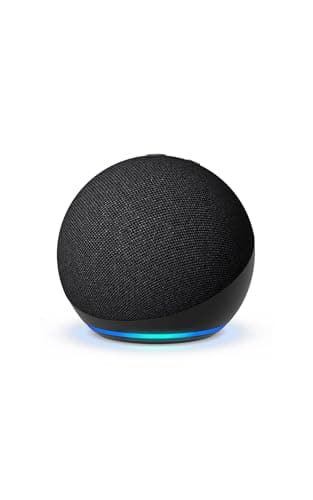
    The speaker side of this comparison, and the cheapest honest way to find out whether you want a smart home at all. It is a Matter controller over Wi-Fi, so a Matter plug or lock pairs with nothing else bought — and it is emphatically not a Zigbee or Thread hub, which is the whole point of this page.

    Best for: Trying the idea, and voice in every room afterwards · Matter controller (via Alexa)

    $79.99View on Amazon

    #ad · we may earn a commission from this link to Amazon Echo Dot (5th Gen)

  • Amazon Echo Hub
    02 Amazon Echo Hub

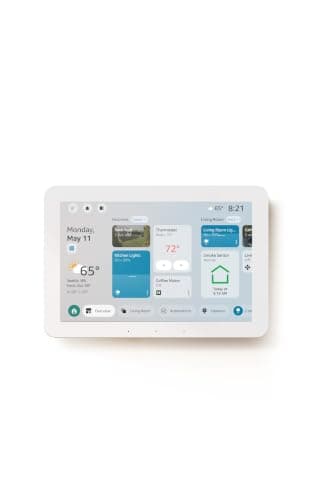
    The device that collapses this whole comparison: a Matter controller, a Thread border router and a Zigbee hub in one Alexa-native box, with an 8-inch touchscreen on the front. It is a speaker-class interface and a real hub at the same time, which is why it is the answer for anyone who does not want to choose.

    Best for: Not choosing — a real hub with a control surface · Matter controller + Thread border router (via Alexa)

    $179.99View on Amazon

    #ad · we may earn a commission from this link to Amazon Echo Hub

  • Aqara Hub M3
    03 Aqara Hub M3

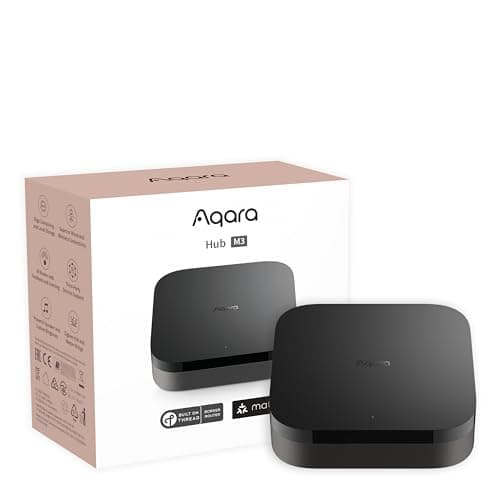
    The hub side of this comparison in its purest form: no screen, no speaker, no voice — just Matter, Thread, Zigbee, Bluetooth, a wired PoE option and an infrared blaster. It is the device that makes a large sensor-driven home possible, and it reports into Alexa, Apple Home and SmartThings at once rather than committing you to one.

    Best for: A sensor-driven home, and keeping your ecosystem options open · Matter controller + Thread border router

    $139.99View on Amazon

    $159.9913% off

    #ad · we may earn a commission from this link to Aqara Hub M3

  • SwitchBot Hub 2
    04 SwitchBot Hub 2

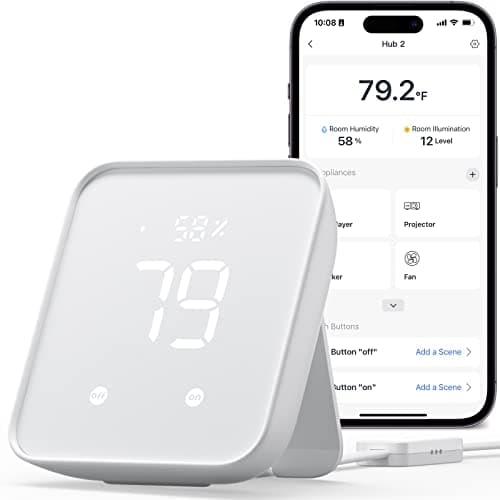
    Proof that 'hub' covers more than one job. This is not a Zigbee, Thread or Z-Wave hub and does not claim to be: it is an infrared blaster that brings an old TV, fan or air conditioner into a smart home, plus a temperature, humidity and light sensor. In a house full of pre-smart appliances that beats another mesh radio.

    Best for: Old infrared appliances, renters, and SwitchBot owners · Matter bridge (some SwitchBot devices)

    $59.99View on Amazon

    $69.9914% off

    #ad · we may earn a commission from this link to SwitchBot Hub 2

#ad · Live prices from the Amazon Product API, as of October 13, 2026. Where we have no verified live price we show none — we would rather leave a gap than print a number that has rotted.

Hub vs speaker vs panel — what each one can and cannot do
DeviceVoice controlMatter over Wi-FiThread / Zigbee devicesLocal automationCheap battery sensorsWorks offline
Smart speaker (Echo Dot 5th Gen)Yes — its main jobYes, as a Matter controllerNo — neither radioLimited, mostly cloudNoLargely no
Control panel with radios (Echo Hub)YesYesYes — Thread router + Zigbee hubSome device-to-device rulesYesPartly
Dedicated hub (Aqara Hub M3)NoYesYes — Thread router + ZigbeeYes, on the hubYesLargely yes
Bridge-type hub (SwitchBot Hub 2)NoBridges select SwitchBot devicesNoLimitedSwitchBot's own onlyPartly
What no hub doesMusic, timers, intercom, announcements—————

In detail

The picks, in full

01

Amazon Echo Dot (5th Gen)

Top pick
Amazon Echo Dot (5th Gen)
$79.99View on Amazon

Price as of October 13, 2026. Amazon's price at checkout is the one that counts.

#ad · we may earn a commission from this link to Amazon Echo Dot (5th Gen)

The speaker side of this comparison, and the cheapest honest way to find out whether you want a smart home at all. It is a Matter controller over Wi-Fi, so a Matter plug or lock pairs with nothing else bought — and it is emphatically not a Zigbee or Thread hub, which is the whole point of this page.

  • Alexa smart speaker
  • Matter controller
  • Built-in temperature sensor
  • Wi-Fi + Bluetooth
  • No Zigbee or Thread radio
Matter: Matter controller (via Alexa)Fee: None — no subscriptionResearched, not hands-on tested

Good

  • The least expensive entry point here, and it does genuinely work as a Matter controller — so one plug and one speaker is a complete, working smart home for very little money
  • It earns its space even if you never automate anything: music, radio, timers, announcements and intercom are things no dedicated hub does at all
  • The built-in temperature sensor is a free automation input, which is unusual at this price and useful for a bedroom or a cold back room

Less good

  • No Zigbee radio and no Thread radio, so the cheap long-life battery sensors that make a home automatic will not pair with it — this is the single most common disappointment in the category
  • Alexa-only, so no Apple Home and no Google Home, and routines are largely cloud-evaluated rather than local
  • A broadband outage takes most of its automation with it, even for devices sitting in the same room

Skip it if: you need to connect Zigbee or Thread devices — the Dot has neither radio, so step up to the Echo Hub or a dedicated hub.

02

Amazon Echo Hub

Amazon Echo Hub
$179.99View on Amazon

Price as of October 13, 2026. Amazon's price at checkout is the one that counts.

#ad · we may earn a commission from this link to Amazon Echo Hub

The device that collapses this whole comparison: a Matter controller, a Thread border router and a Zigbee hub in one Alexa-native box, with an 8-inch touchscreen on the front. It is a speaker-class interface and a real hub at the same time, which is why it is the answer for anyone who does not want to choose.

  • 8-inch control panel
  • Matter controller + Thread border router
  • Built-in Zigbee hub
  • Designed for Alexa+
  • Wall or stand mount
Matter: Matter controller + Thread border router (via Alexa)Fee: None — no subscriptionResearched, not hands-on tested

Good

  • It carries Matter, Thread and Zigbee, so unlike a speaker it can pair the cheap battery sensors that make a home automatic rather than remote-controlled
  • A mounted touchscreen is the interface households actually use. Voice is excellent until the house is quiet or the guest does not know your device names, and a tile requires no recall at all
  • Mains-powered and permanently mounted means it is always awake and always on the network, which is what you want from the device holding your device list

Less good

  • Alexa-only — no Apple Home, no Google Home. A third-party hub keeps those doors open and this does not
  • No Z-Wave radio, so a house with inherited Z-Wave gear still needs a second hub
  • It is a wall panel, which means deciding where it goes and dealing with the cable. A headless hub hides behind the router and asks nothing of you

Skip it if: you are not an Alexa household — the entire reason it exists is to be the Alexa control panel on your wall.

03

Aqara Hub M3

Aqara Hub M3
$139.99View on Amazon

$159.9913% off

Price as of October 13, 2026. Amazon's price at checkout is the one that counts.

#ad · we may earn a commission from this link to Aqara Hub M3

The hub side of this comparison in its purest form: no screen, no speaker, no voice — just Matter, Thread, Zigbee, Bluetooth, a wired PoE option and an infrared blaster. It is the device that makes a large sensor-driven home possible, and it reports into Alexa, Apple Home and SmartThings at once rather than committing you to one.

  • Matter controller
  • Thread border router
  • Zigbee + Bluetooth
  • Wi-Fi, PoE and IR
  • HomeKit, Alexa, SmartThings, Home Assistant
Matter: Matter controller + Thread border routerFee: None — no subscriptionResearched, not hands-on tested

Good

  • Matter, Thread and Zigbee in one box is the full low-power radio set that no smart speaker carries, and it is what lets a household buy sensors on price rather than on compatibility
  • Because it is visible to Apple Home, Alexa, SmartThings and Home Assistant simultaneously, the devices you pair to it are not hostage to one assistant's future
  • A wired PoE option keeps it off the crowded 2.4 GHz band entirely, and the IR blaster brings pre-smart TVs, fans and air conditioners into automations

Less good

  • No Z-Wave radio, so an older professionally installed system still needs a different hub
  • Headless: no voice, no screen, no music. It makes your home more capable and does nothing to make it more pleasant to use day to day
  • Setup lives in the Aqara app before anything reaches your assistant, so you manage two apps — the price of the multi-platform flexibility

Skip it if: you want one device that both talks and connects — this is pure infrastructure, and a panel or speaker is still needed on top.

04

SwitchBot Hub 2

SwitchBot Hub 2
$59.99View on Amazon

$69.9914% off

Price as of October 13, 2026. Amazon's price at checkout is the one that counts.

#ad · we may earn a commission from this link to SwitchBot Hub 2

Proof that 'hub' covers more than one job. This is not a Zigbee, Thread or Z-Wave hub and does not claim to be: it is an infrared blaster that brings an old TV, fan or air conditioner into a smart home, plus a temperature, humidity and light sensor. In a house full of pre-smart appliances that beats another mesh radio.

  • Temperature + humidity sensor
  • IR blaster (remote control)
  • Matter bridge for SwitchBot devices
  • Alexa, Google Home, Apple Home
  • Built-in light sensor
Matter: Matter bridge (some SwitchBot devices)Fee: None — no subscriptionResearched, not hands-on tested

Good

  • The IR blaster solves a problem neither a speaker nor a mesh hub touches: a ten-year-old air conditioner that only ever had a remote becomes something a routine can switch on
  • Three automation inputs in one cheap device — temperature, humidity and light — which is genuinely useful in a rental where you are not installing sensors
  • It works with Alexa, Google Home and Apple Home, making it the least ecosystem-locked device on this page

Less good

  • It is not a Zigbee, Thread or Z-Wave hub, and its Matter bridging covers select SwitchBot devices rather than anything else you own
  • Infrared control is one-way: the hub sends the command and can never read the appliance's state, so the assistant will not know whether the fan is actually running
  • Treating it as the home's hub is a category error — it extends reach, it does not hold the home together

Skip it if: you want to run third-party Zigbee or Z-Wave sensors — the Hub 2 only bridges SwitchBot's own accessories, so it will not see them.

The one-question version

What does the next device you want to buy speak? If the answer is Matter over Wi-Fi, a speaker is enough and you are done. If it is Zigbee, Thread or Z-Wave, you need a hub and no amount of speaker buying substitutes. Check that one specification on the product page before anything else — it is printed on every honest listing, and it decides the purchase completely.

And in what order? Speaker first if you are experimenting, because it is cheap and stays useful forever. Hub first if you already know you want sensors, because sensors are the whole point of a hub and buying three before the hub is the classic ordering mistake. Panel if the budget allows and you want to stop thinking about this — it is both devices in one box, and the touchscreen is what makes a household actually use what it installed.

How we chose

We don't run a test lab

We don't wire every one of these into a test rig, and we won't write "in our testing" as if we do. What we did instead: pulled each product's published specifications, confirmed its Matter/Thread/HomeKit support from the manufacturer's own documentation, added up the real 3-year cost with any monthly fee included, and read the aggregated verified-buyer sentiment. Every pick is chosen against that published method. Where a number came from someone else, we name and link them in Sources.

Questions

Frequently asked

Is a smart speaker a smart home hub?
Partly, and that partial answer is the source of most confusion. Most current smart speakers act as a Matter controller, so they can commission and control Matter-over-Wi-Fi devices with no hub involved — that is real hub behavior. What they usually lack is the low-power radios: no Zigbee, often no Thread border router, and essentially never Z-Wave. So a speaker is a hub for one class of device and blind to three others.
Do I need a hub if I already have an Echo or Google Nest speaker?
Only if you want devices your speaker's radios cannot reach. For Matter-over-Wi-Fi plugs, bulbs and some locks, your speaker is enough. For Zigbee sensors, Matter-over-Thread devices or anything Z-Wave, you need a hub — and which hub depends on which of those radios. Check the device you want to buy, not the speaker you already own.
What can a hub do that a smart speaker cannot?
Four things. It carries low-power mesh radios, which is what makes cheap battery sensors with multi-year life possible at all. It can run automations locally, so they fire instantly and survive an internet outage. Some hubs add infrared control for pre-smart TVs, fans and air conditioners. And a third-party hub can expose the same devices to several ecosystems at once, where a speaker ties them to its own assistant.
What can a smart speaker do that a hub cannot?
Everything you interact with directly: hands-free voice control, announcements and intercom, music and radio, timers and questions. A dedicated hub is headless plumbing — you set it up once and ideally never touch it again. That is why most finished smart homes contain both rather than one or the other.
Will my automations still work if the internet goes down?
It depends on where the logic lives. Voice-assistant routines are largely evaluated in the cloud, so an outage can stop them even when the sensor and the light are in the same room. Automations that run on a hub generally keep working, and what you lose is voice control rather than the house. Put anything that must not fail — a lock auto-locking, a leak sensor sounding — on the hub rather than in a routine. More in do smart home devices work without internet.
Is a smart display the same as a hub?
Sometimes, and you have to read the specification. Some displays are speakers with a screen attached and carry no low-power radios at all; others — like the Echo Hub here — are a Matter controller, a Thread border router and a Zigbee hub as well as a touchscreen. The word "display" tells you about the interface and nothing about the radios, so check for Thread and Zigbee by name before you assume.
Which should I buy first for a new smart home?
A speaker and one Matter-over-Wi-Fi plug if you are testing the idea — cheap, immediately useful, and nothing is wasted if you expand. A hub first if you already know you want sensors, because those are the devices that turn a remote-controlled house into an automatic one and a speaker cannot pair them. If you inherited existing gear, identify its radio before buying anything, since Z-Wave in particular narrows your options sharply.

Keep reading

Receipts

Sources

We do not run a test lab, and we do not pretend to. Compatibility and subscription-cost claims come from the manufacturer's own documentation and the live retailer listing, read on the dates shown. Read our full method.