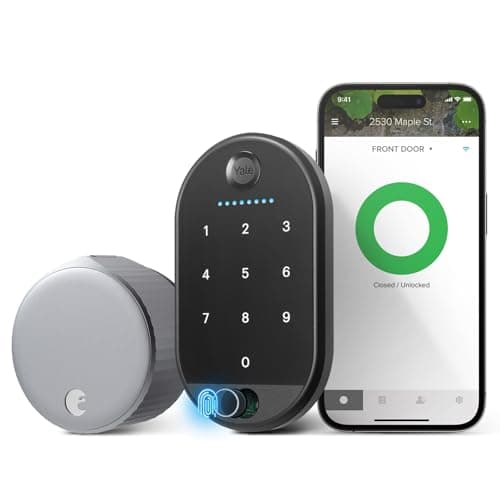
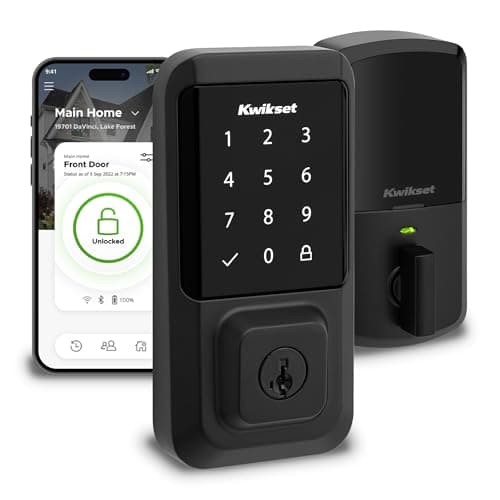
The Kwikset Halo and the August Wi-Fi Smart Lock get shortlisted together because they share the same smart brains - built-in Wi-Fi, no hub, Alexa and Google, no subscription - but they are not the same kind of product, and that is the key to choosing. The Kwikset Halo is a full-replacement deadbolt: it swaps your entire lock for a new, security-graded one with a touchscreen keypad. The August is a retrofit: it keeps your existing deadbolt and keys and motorizes them from the inside. So "which is better" is really "which approach is right for your door" - and once you frame it that way, the answer is usually obvious.
The verdict up front
For an owner who wants a genuinely new lock, the Kwikset Halo is our pick here. You get a purpose-built, Grade AAA, UL-listed deadbolt with its own touchscreen keypad, built-in Wi-Fi and voice control through Alexa and Google - a complete, self-contained lock rather than an add-on riding on old hardware. If you own your home and want to hand out door codes without cutting keys, the Halo is the more capable buy, and it is our top pick for that reason. It is also one of the value-friendly graded deadbolts in our best smart locks roundup.
The August wins one situation and wins it cleanly: you rent, or you want to keep your existing keys and leave the outside of the door untouched. Because it installs only on the inside, a landlord never has to know, your keys keep working for anyone who needs the old-fashioned way in, and it comes off in minutes when you move. For a renter, or an Alexa/Google/SmartThings household that wants remote control without changing the door, the August is not a compromise - it is the right tool.
The core difference: graded full replacement vs keep-your-keys retrofit
The Kwikset Halo replaces the whole deadbolt. You remove your existing lock and fit the Halo in its place, exterior keypad and all, and what you get in exchange is a brand-new, security-graded deadbolt - Grade AAA, UL listed - built by a lock maker rather than an accessory bolted onto whatever you had. The trade is that it is a full swap, so you are changing the hardware on the door, which is the wrong move on a rental but exactly right on a home you own and want to upgrade.
The August takes the opposite path. It mounts on the interior side of your existing deadbolt and turns the thumbturn you already have, so the exterior of the door does not change at all - same hardware, same keyway, same physical keys in your pocket. You are adding brains to the lock you own rather than swapping the lock, which is why the install is quick and fully reversible. The trade is the mirror image of the Halo's: you inherit whatever exterior deadbolt you already have, warts and all, and the August does not upgrade or replace that outside hardware. Neither approach is "better" in the abstract - a full-replacement graded deadbolt is the better tool when you own the door and want a fresh lock, and a retrofit is the better tool when you cannot or do not want to touch the outside of the door.
Ecosystem: identical on voice, both skip Apple
This is the part where the two locks are unusually close. Both list Alexa and Google, both have Wi-Fi built into the lock so remote control needs no separate bridge, and neither names Apple HomeKit or Apple Home Key - so on either lock there is no iPhone or Apple Watch tap-to-unlock. Neither claims Matter, either. If your home runs on Alexa or Google, both of these fit equally well, and the ecosystem question that usually decides a smart-lock comparison simply drops out here. That is worth saying plainly, because it moves the entire decision onto the hardware: replace or retrofit, keypad or no. The matrix below shows exactly how little daylight there is on platform support, and if you want the deeper explainer on what each platform actually does for a lock, our smart lock ecosystem compatibility guide is the piece behind the table.
The one small edge is the August's SmartThings support, which the Kwikset listing does not name. If your home is built around a SmartThings hub, that tips the platform column toward the August - but for the far more common Alexa or Google household, treat the two as a tie on ecosystem and decide on the body instead.
Install and door impact: the renter question
The install effort tracks the design exactly, and for renters it is decisive. The August is the lighter lift by far: you keep the exterior deadbolt in place and attach the August body to the inside, so there is no drilling, no new bore, and no change to the outside of the door. It is a screwdriver job most people finish well under an hour, and it is fully reversible - unscrew it when you move and the original deadbolt is exactly as you found it. Most leases forbid changing the exterior lock, and the August sidesteps that entirely, which is why it is the renter's lock and not a close call.
The Kwikset Halo asks for a full deadbolt swap. It is a DIY-friendly job rather than a locksmith call - its listing calls out easy install and no hub - but you are removing your old deadbolt and fitting a new lock, keypad included, in its place, and you should not do that to a door you do not own. In exchange you get a purpose-built graded lock rather than an add-on clamped onto old hardware. If you want the step-by-step for either route before you buy, our how to install a smart lock guide walks through both the retrofit and the full-replacement path, and our plain-English how do smart locks work explainer covers what is happening inside either lock.
Keypad, keys and backups
The two locks answer "how does someone without an app get in?" a little differently. The Kwikset Halo has its own illuminated touchscreen keypad built into the new exterior, so guests, cleaners and kids punch a code and walk in - the classic use case for a keypad deadbolt, and the reason it earns a place in our best keypad smart locks list. The August keeps your existing keys as the physical fallback and adds an exterior Keypad Touch, so it also does codes - just on an accessory pad rather than a built-in one. Both give you a phone-free way in; the Kwikset bakes it into a new graded lock, the August bolts it onto the door you already have.
On connectivity and power the two are close. Both have Wi-Fi built in, so remote lock, unlock and activity history work without a hub, and both run on batteries with low-battery warnings. What still works when the internet drops is the same story for both - the lock keeps working locally and by its physical fallback - and our guide on whether smart locks work without Wi-Fi walks through exactly which features depend on the network. Because the August keeps your original keyway, its mechanical backup is the key you already carry; the Halo keeps a keyed cylinder of its own.
Who should buy which
Buy the Kwikset Halo if you own your home and want a brand-new, security-graded keypad deadbolt that does everything itself - codes on the door, remote control, Alexa and Google voice, no hub and no subscription. Go in knowing the trade: it is a full deadbolt replacement, so it is the wrong project for a rental, and it does not do Apple Home Key. For the majority of owners on Alexa or Google who want guest codes and a fresh lock, it is the more complete buy - which is why it is our winner here.
Buy the August Wi-Fi Smart Lock if you rent, or if you simply want to keep your existing keys and exterior hardware. It mounts inside your current deadbolt, changes nothing outside, keeps your keys working, and comes off clean when you move - all while adding Wi-Fi, the Keypad Touch, and Alexa, Google and SmartThings support. For a renter it is close to the only sensible choice, and for plenty of owners the keep-everything convenience is worth it too. The one-line rule: own the door and want a fresh graded keypad deadbolt, buy the Kwikset; borrow the door or want to keep your keys, buy the August. Each has a dedicated review if you want the closer look first (Kwikset / August).
The usual honest caveat applies, the same one on every page here: we did not install and stress-test these two locks in a lab. We read each lock's own Amazon listing and manufacturer documentation for its specs and the ecosystems it actually names, and compared them straight, crediting nothing a listing does not claim. Where a judgment would need hands-on time, we say so; our full method is on the methodology page.