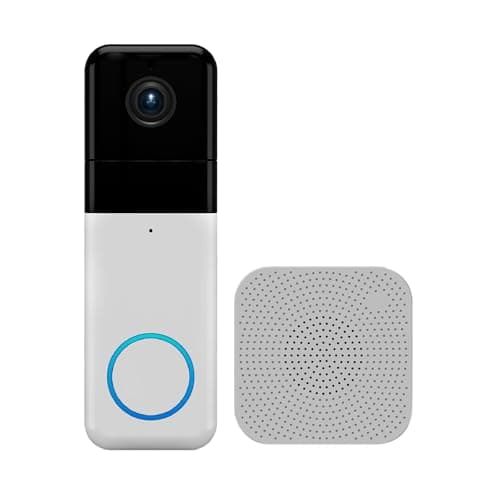
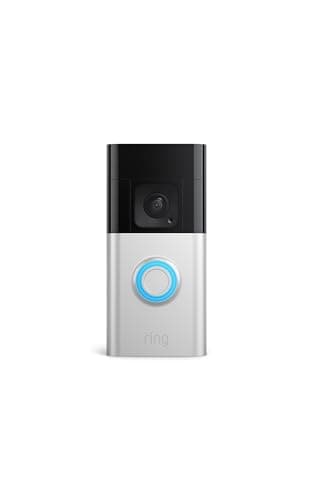
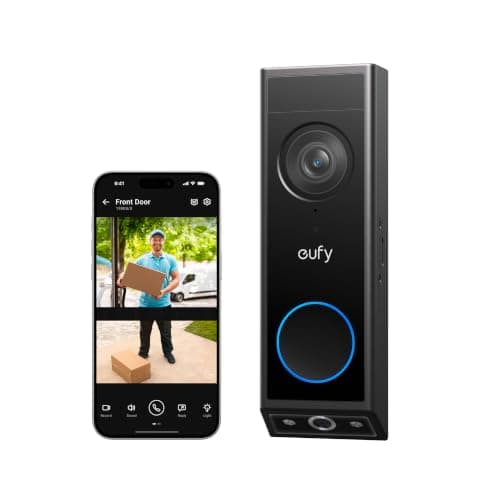
This question usually arrives attached to a disappointment: someone checked the app for something that happened at 2pm and found nothing, because nothing triggered the doorbell at 2pm. A doorbell is not a dashcam for your porch. Here is what it is actually doing all day.
What a doorbell does when nothing is happening
It watches with a motion sensor, not with the camera. A battery doorbell keeps its camera and radio asleep and relies on a low-power passive infrared sensor — essentially a heat-and-movement detector — to decide when to wake up. When the sensor trips, the camera powers on, the clip starts and the notification goes out.
That sequence explains almost every complaint people have about doorbells. The half-second of wake-up is why a fast-moving delivery driver is sometimes mid-frame when the clip opens. The PIR sensor is why a warm car pulling away triggers a recording and a dark-clothed person standing still sometimes does not. And it is why a doorbell has no footage of the quiet minutes either side of an event unless the model explicitly captures them.
Pre-roll, snapshots and "continuous" — the three things makers mean
Pre-roll (sometimes "pre-buffer") is a few seconds of video from before the trigger, stitched to the front of the clip. It is the single most useful feature in this category because it shows the approach rather than the arrival, and it generally needs mains power — buffering constantly costs more energy than a battery can spare.
Snapshot capture is a still image taken every few minutes between events on some models. It gives you a rough timeline — a parcel that was there at 1pm and gone at 2pm — without the power cost of video, and it is usually a subscription feature.
Continuous recording is what people actually mean when they ask this question, and essentially no consumer doorbell offers it. The closest thing is a wired camera at the door recording to an NVR, which is a different product class — see best wired security camera systems if that is the real requirement, and do security cameras record all the time for how cameras differ from doorbells here.
Live view is not recording
Worth separating, because the apps blur it. Every doorbell here lets you open a live view on demand, free, at any time — you can look at your porch right now. That stream is not being saved anywhere unless you are recording it deliberately or an event is in progress. People routinely assume that because they can watch any time, the footage must exist afterwards. It does not.
This is also where subscriptions sit. Ring is explicit that saving and reviewing recorded video requires a plan: the doorbell rings, you see it live for nothing, and keeping the clip is the paid part. eufy and Wyze take the other route and keep clips locally — 8GB built in on the E340, a microSD card in the Wyze — which is why both appear in our no-subscription doorbells roundup.
Why battery life forces all of this
A battery doorbell's months-long life is an arithmetic result, not a claim about build quality: so many wake-ups per day, so many seconds of video and radio each time. Every setting that increases recording cuts the number. Longer clips, higher sensitivity, a busy pavement in view, cold weather, and the battery figure the box quotes stops applying.
Which is the honest reason to hardwire if you can. A hardwired doorbell can afford longer clips, pre-roll where the maker offers it, and sensitivity settings tuned for coverage rather than for battery. Our wired vs battery doorbells page covers the trade, and how long doorbell batteries last has the arithmetic.
Which doorbell to buy for which answer
If the goal is "keep every clip without paying monthly," buy local storage. If the goal is "have the footage even if the doorbell is stolen," a cloud plan is doing a job local storage cannot. And if the goal is genuinely a continuous record of the front of the house, buy a camera and a recorder and let the doorbell be a doorbell. The three picks below are the registry doorbells that make each of those answers concrete.
Getting the most recording out of an event-based doorbell
Hardwire it if there is any way to. Mains power removes the battery budget that forces short clips and conservative sensitivity, and it is what makes pre-roll possible on models that offer it. Existing doorbell wiring usually suffices; how to install a video doorbell covers the job.
Set the motion zone to the path, not the street. A doorbell that records every passing car is a doorbell whose battery dies and whose notifications get muted. Zones are the difference between useful recordings and a full card of traffic.
Turn on person and package detection if you have it. Filtering at the device means the clips you keep are the ones you would want to watch.
Export the clip that matters the same day. Local storage overwrites and plan windows expire. Nothing in this category is an archive.
Check the audio rules where you live before recording continuously. Video of your own doorstep is generally uncontroversial; audio recording of conversations is treated quite differently in some places, and a doorbell captures both. Our guide to whether home security cameras are legal covers the shape of the question.