Skip to content
Latch & Hub

Doorbells · Video Doorbells

How Long Do Video Doorbell Batteries Last?

Anywhere from three weeks to six months on the same doorbell, which is why the published figures feel like fiction. The number is set by how many times a day the doorbell wakes up, not by the size of the cell — and that is something you control. Here is what actually drains it.

By Stephen V.Updated How we choose
#ad

We earn a commission when you buy through our Amazon links, at no extra cost to you. It never changes our rankings — where the subscription-free or cheaper option is the better buy, we say so. How this works.

Verdict

The bottom line

A video doorbell battery lasts as long as the number of times a day it wakes up allows — which is why the same model can run six months on a quiet rear door and three weeks on a street-facing porch. Published figures are all "up to" numbers measured under conditions the maker does not state, so treat them as a ceiling rather than an expectation. The seven real drains, in order, are: motion event count, live-view sessions, cold weather, resolution and bitrate, Wi-Fi signal strength, cloud uploading, and night-vision illumination. The honest fix is hardwiring: the eufy Video Doorbell E340 and the Google Nest Doorbell (Battery) both publish wired or battery operation, and the eufy also stores clips locally so it spends less radio time uploading. If wiring is impossible, the Ring Battery Doorbell Plus and Wyze Video Doorbell Pro are battery-first designs — plan on tightening motion zones rather than on the figure on the box.

We are not going to give you a months-per-charge table for each doorbell, and you should be suspicious of anyone who does. Every published battery figure in this category is an "up to" number produced under conditions the manufacturer does not publish — a certain number of events per day, a certain resolution, a certain signal strength, a certain temperature. Change any one of those and the answer moves by a factor of five. What is genuinely useful is knowing which variables move it, and in what direction.

Why the published figure is almost never your figure

A battery doorbell spends nearly all of its life asleep, drawing almost nothing. The battery is consumed in bursts: a sensor trips, the radio wakes, the camera exposes, video is encoded, a clip is transmitted, a notification goes out, and the whole thing settles back down. That cycle is where effectively all the power goes.

So the battery life equation is not "capacity divided by idle draw". It is roughly "capacity divided by (events per day × energy per event)". A manufacturer testing at a handful of events a day gets a figure in months. A doorbell on a street-facing porch with a wide default motion zone can see fifty or a hundred events a day and land in weeks. Same hardware, same firmware, twentyfold difference — and nobody is lying.

The seven things that drain it, in order

1. Motion event count. The dominant factor by a wide margin, and the one you control most. The default motion zone on most doorbells includes the sidewalk and the street. Every passing car, pedestrian and swaying branch is a wake-up. Narrowing the zone to your own approach path typically cuts the event count dramatically, and the battery figure moves with it almost one-for-one.

2. Live view. Opening the app to look at the door is one of the most expensive things you can ask a battery doorbell to do: full-resolution encoding and continuous radio transmission for as long as you watch. Checking the camera ten times a day out of curiosity costs real battery. This is also why a doorbell feels like it drains fastest in its first week, when you are playing with it.

3. Cold.A lithium cell's internal resistance rises as temperature falls, so it delivers less usable energy — and below freezing most lithium cells should not be charged at all. A doorbell that managed four months in September can want charging in six weeks in January. We go through the chemistry and what to do about it in do security cameras work in cold weather.

4. Resolution and bitrate. More pixels and a higher bitrate mean more encoding work and more radio time per event. A 2K doorbell at maximum quality spends more per wake-up than the same doorbell turned down, which is why most apps offer a quality setting and why turning it down genuinely extends runtime. The arithmetic behind the data side of this is in how much data do security cameras use.

5. Wi-Fi signal strength. Underrated and often the real culprit. A radio at the edge of coverage transmits at higher power, retries failed packets and holds the connection open longer to send the same clip. A doorbell at the far end of a house from the router can use several times the energy per event of the identical doorbell near a good access point — which is why moving the router or adding a mesh node sometimes doubles battery life with no other change.

6. Cloud uploading. A clip written to local storage is encoded and saved. A clip uploaded to a cloud is encoded, saved and transmitted — more radio time per event. This is a genuine, if secondary, advantage of the local-storage doorbells, and the storage models are compared in video doorbell storage explained.

7. Night-vision illumination. Infrared LEDs and spotlights both draw real current while recording. A doorbell on a dark porch triggering twenty times a night is lighting the scene each time. Noisy infrared footage also compresses worse, so the clip takes longer to send.

The arithmetic, if you want to estimate yours

You cannot calculate this precisely without the manufacturer's per-event energy figure, which nobody publishes. But you can scale: if a maker's published figure assumes a low event count and your porch sees ten times that, expect roughly a tenth of the published runtime, then adjust down again for winter and for signal strength if either is poor. That is a crude model and it is far closer to reality than reading the number on the box and planning around it.

The more useful version of the exercise is to watch your own app for two weeks. Most doorbell apps show both an event history and a battery percentage; the slope of that percentage against the event count tells you your own per-event cost, and from there your own charging interval. Two weeks of real data beats every published figure on the internet, including the ones we would have put in a table.

The real answer: hardwire it if you possibly can

If your home has an existing wired doorbell, you already have a transformer and two wires at the door, and most battery doorbells will run from them — at which point the battery becomes a buffer rather than a fuel tank and the question on this page stops applying. Both the eufy E340 and the Nest Doorbell (Battery) publish wired or battery operation, which is the configuration we would choose on any house that has the wiring.

Two caveats worth knowing. A doorbell wired to an old transformer may not get enough current for full performance, which is why some kits include a power kit or a chime bypass. And a hardwired doorbell still has a battery in most designs, so it rides out brief power interruptions. The full comparison is in wired vs battery video doorbells, and if the existing chime stops working after you fit it, video doorbell chime not working covers why.

What to do if wiring is not an option

In order of how much each one buys you.

Narrow the motion zone to your path and doorstep, and exclude the sidewalk and street. This is worth more than every other item on this list combined.

Turn sensitivity down until small animals and shadows stop triggering it. A doorbell that notices a cat will notice a cat several times a night.

Shorten clip length if the app allows it. Ten seconds tells you who it was; thirty seconds costs three times as much to capture and send.

Improve the Wi-Fi at the door — a mesh node or access point near the front of the house, ideally on 2.4GHz for range. See smart home Wi-Fi congestion.

Stop opening the app to look unless something has happened. Push notifications exist for this.

Buy a second battery pack if the model has a removable one, so a swap is a thirty-second job rather than several hours with the doorbell off the wall.

The four doorbells below

Ranked for this question specifically — whether they can be hardwired, and how much work they do per wake-up — rather than on image quality or features. The full rankings are in best video doorbells and the battery-first field in best battery video doorbells.

The short answer

Quick picks

Tap any row for the full write-up.

  • eufy Video Doorbell E340
    01 eufy Video Doorbell E340Top pick

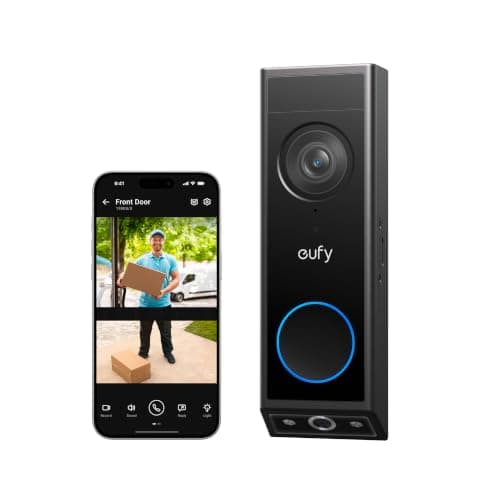
    The best answer to a battery-life question, because it is the doorbell least dependent on its battery: it publishes wired or battery operation, and it stores clips on 8GB inside the unit rather than uploading each one — which is less radio time per wake-up.

    Best for: Anyone who can hardwire, or wants the least work done per event · No Matter

    $119.99View on Amazon

    $149.9920% off

    #ad · we may earn a commission from this link to eufy Video Doorbell E340

  • Google Nest Doorbell (Battery)
    02 Google Nest Doorbell (Battery)

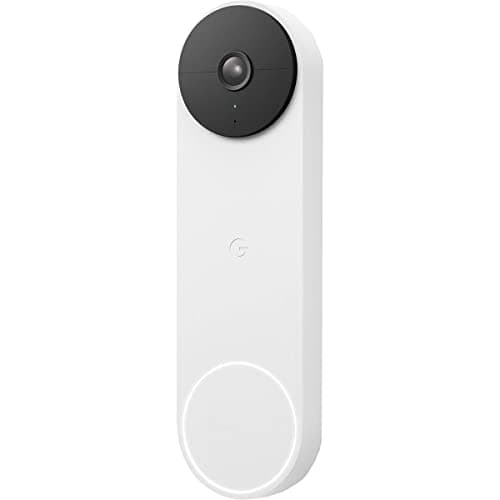
    The other doorbell here that publishes wired or battery operation, and the one whose free on-device AI means the person-or-package decision happens in the doorbell rather than in a cloud round trip per event.

    Best for: A Google Home household with existing doorbell wiring · No Matter - Google Home

    $179.99View on Amazon

    $199.9910% off

    #ad · we may earn a commission from this link to Google Nest Doorbell (Battery)

  • Ring Battery Doorbell Plus
    03 Ring Battery Doorbell Plus

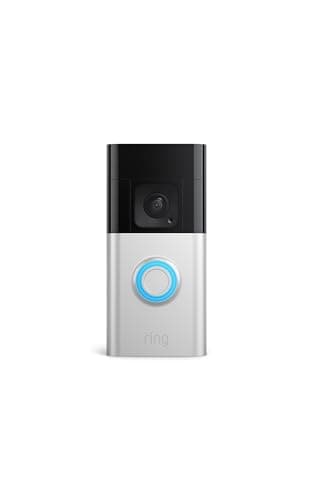
    A battery-first design and the smoothest Alexa integration, with the most mature app for actually managing the thing that determines battery life: motion zones, sensitivity and alert scheduling.

    Best for: An Alexa household with no doorbell wiring at the door · No Matter - Alexa

    $108.37View on Amazon

    #ad · we may earn a commission from this link to Ring Battery Doorbell Plus

  • Wyze Video Doorbell Pro
    04 Wyze Video Doorbell Pro

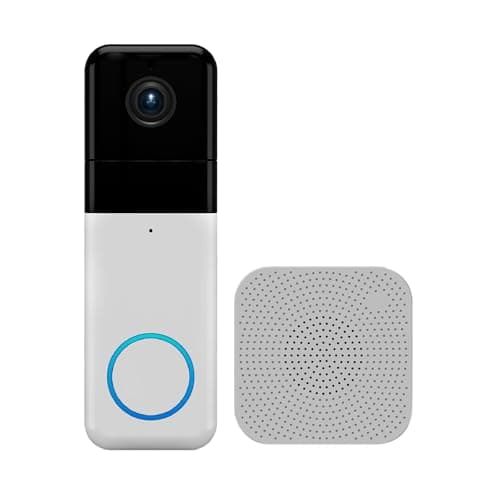
    The cheapest wireless doorbell here, with free microSD recording and a chime in the box. Local recording is the right instinct for battery life; the 1:1 full-height frame works against it.

    Best for: The tightest budget, with no wiring and no subscription · No Matter - Alexa & Google

    $105.98View on Amazon

    #ad · we may earn a commission from this link to Wyze Video Doorbell Pro

#ad · Live prices from the Amazon Product API, as of October 5, 2026. Where we have no verified live price we show none — we would rather leave a gap than print a number that has rotted.

What each doorbell asks of its battery per wake-up — published power options and where clips go
DevicePower options publishedWhere clips goWhere detection runsFrame
eufy Video Doorbell E340Wired or battery8GB inside the doorbellOn the device (AI motion + package)2K head-to-toe + downward lens
Google Nest Doorbell (Battery)Battery or wiredGoogle cloudOn the device (person + package)Tall single lens
Ring Battery Doorbell PlusBattery (no wired mode published)Ring cloud (plan required to save)Ring app / cloudHead-to-Toe HD+
Wyze Video Doorbell ProWireless (no wired mode published)microSD cardWyze app1:1 square, 1440

No months-per-charge column, deliberately: every published figure in this category is an "up to" number measured under conditions the maker does not state, and we will not present one as if it predicts your porch.

In detail

The picks, in full

01

eufy Video Doorbell E340

Top pick
eufy Video Doorbell E340
$119.99View on Amazon

$149.9920% off

Price as of October 5, 2026. Amazon's price at checkout is the one that counts.

#ad · we may earn a commission from this link to eufy Video Doorbell E340

The best answer to a battery-life question, because it is the doorbell least dependent on its battery: it publishes wired or battery operation, and it stores clips on 8GB inside the unit rather than uploading each one — which is less radio time per wake-up.

  • Wired or battery power
  • Built-in 8GB local storage
  • Dual cameras - door view plus a downward package view
  • 2K FHD, head-to-toe view
  • Color night vision, two-way talk
  • AI motion & package detection
Matter: No MatterFee: None - built-in 8GB local storageResearched, not hands-on tested

Good

  • Published dual power means that on a house with an existing doorbell transformer the battery question simply goes away — the cell becomes a buffer rather than the fuel supply
  • Local storage means a clip is encoded and written rather than encoded, written and uploaded, which is measurably less radio time for the same event
  • AI detection runs on the device, so the decision that something is a person or a package does not require a cloud round trip per event
  • Color night vision rather than pure infrared, and infrared footage is both noisier and worse to compress

Less good

  • Two cameras means two sensors to expose and encode per event, which works against the savings above when it is running on battery
  • 8GB is a fixed ceiling with no card slot, so on a high-event porch you are cycling storage quickly as well as battery
  • No Matter and no Apple HomeKit

Skip it if: you need weeks of history on a busy porch — the storage is the limiting factor there, not the battery.

02

Google Nest Doorbell (Battery)

Google Nest Doorbell (Battery)
$179.99View on Amazon

$199.9910% off

Price as of October 5, 2026. Amazon's price at checkout is the one that counts.

#ad · we may earn a commission from this link to Google Nest Doorbell (Battery)

The other doorbell here that publishes wired or battery operation, and the one whose free on-device AI means the person-or-package decision happens in the doorbell rather than in a cloud round trip per event.

  • Battery or wired power
  • Free on-device AI (person / package)
  • Works with Google Home / Google Assistant
  • Casts to Nest Hub and Google displays
  • About 3 hours of free event history
Matter: No Matter - Google HomeFee: Free 3-hour event history; longer history needs Google Home Premium (confirm current pricing)Researched, not hands-on tested

Good

  • Dual power published, so an existing transformer takes the battery out of the equation entirely
  • On-device AI means fewer pointless wake-and-upload cycles for things that turn out not to be a person
  • Casting to a Nest Hub means you can check the door on a screen that is already powered, rather than pulling a live view through the doorbell's radio

Less good

  • Clips go to Google's cloud, so each retained event costs upload radio time in a way the eufy's local storage does not
  • About three hours of free event history, so a long charging interval and a short retention window combine awkwardly if you do not check it often
  • Firmly a Google Home device — in an Alexa or Apple house it is the wrong doorbell regardless of battery behavior

Skip it if: you are not in the Google ecosystem — the battery story is good but it is not a reason to adopt a different assistant.

03

Ring Battery Doorbell Plus

Ring Battery Doorbell Plus
$108.37View on Amazon

Price as of October 5, 2026. Amazon's price at checkout is the one that counts.

#ad · we may earn a commission from this link to Ring Battery Doorbell Plus

A battery-first design and the smoothest Alexa integration, with the most mature app for actually managing the thing that determines battery life: motion zones, sensitivity and alert scheduling.

  • Battery power, no wiring needed
  • Head-to-Toe HD+ video
  • Motion detection and alerts
  • Two-way talk
  • Works with Amazon Alexa (Echo / Echo Show)
Matter: No Matter - AlexaFee: Free live view; saved clips need Ring HomeResearched, not hands-on tested

Good

  • Ring's motion-zone and sensitivity controls are the most granular here, and since event count is the dominant battery variable, that is a genuine battery advantage rather than a feature-list one
  • No wiring needed at all, so it goes on any door frame including a rental's
  • An Echo Show announcing the door means fewer app live-view sessions, which are among the most expensive things you can do to the battery

Less good

  • Battery-only in this configuration — there is no published wired mode to fall back on, so the charging interval is permanent rather than optional
  • Clips are cloud-stored and require a Ring Home plan to save, so every retained event costs upload radio time
  • Head-to-Toe HD+ is a taller frame, which means more pixels per event than a standard widescreen doorbell

Skip it if: you have existing doorbell wiring — use it, and buy one of the dual-power picks above instead.

04

Wyze Video Doorbell Pro

Wyze Video Doorbell Pro
$105.98View on Amazon

Price as of October 5, 2026. Amazon's price at checkout is the one that counts.

#ad · we may earn a commission from this link to Wyze Video Doorbell Pro

The cheapest wireless doorbell here, with free microSD recording and a chime in the box. Local recording is the right instinct for battery life; the 1:1 full-height frame works against it.

  • Wireless, chime included in the box
  • 1440 HD video
  • 1:1 head-to-toe aspect ratio
  • Free microSD local recording, no subscription
  • Works with Alexa and Google for viewing
Matter: No Matter - Alexa & GoogleFee: None - no subscriptionResearched, not hands-on tested

Good

  • Free microSD local recording means clips are written rather than uploaded, which is less radio time per event than any cloud-only doorbell here
  • The included chime means you hear the door without pulling a live view, and live views are expensive
  • Cheap enough that a spare unit, rather than a spare battery, is a realistic contingency

Less good

  • A 1:1 square frame at 1440 is a lot of pixels per event, and every one of them has to be encoded on battery power
  • Wireless with no published wired mode, so like the Ring the charging interval is a permanent feature
  • No published battery figure we could verify for this model, so plan from your own app's event count rather than from a number

Skip it if: your porch is busy — at this price the right move on a high-event door is a dual-power doorbell you can wire, not a cheaper battery one.

Count your events before you judge the battery

Fit the doorbell, leave the default settings for three days, then look at the event list. If it is under ten a day you are on the manufacturer's happy path and the published figure is roughly achievable. If it is forty or sixty, your motion zone is watching the street and your battery life will be a fraction of the number on the box — and that is a settings problem, not a hardware one. Fix the zone and count again.

Use the wiring if you have it

An existing wired doorbell means a transformer and two wires at the door, which is the single best outcome available: continuous power, no charging interval, and the internal battery left as a buffer for outages. Check the transformer's rating against the doorbell's published requirement before you assume, because an old or undersized transformer can leave the doorbell underpowered in a way that looks like a faulty unit. If your existing mechanical chime stops working after install, that is normal and fixable — see video doorbell chime not working.

Fix the Wi-Fi at the front of the house

This is the hidden one. A doorbell is usually the device furthest from the router in the direction nobody thought about, and a weak signal costs energy on every single event — higher transmit power, retried packets, a longer connection held open. A mesh node or access point near the front door is frequently the cheapest battery upgrade available, and it also fixes the intermittent "doorbell offline" notifications people usually blame on the doorbell.

Plan the charge, do not be surprised by it

Whatever interval you land on, make it a routine rather than an emergency. If the model has a removable pack, buy a second one — the doorbell is then never off the wall for more than a minute. If it does not, note the date you charged it and set a calendar reminder for two-thirds of that interval. And expect the interval to shorten in winter: the same doorbell on the same porch will want charging noticeably sooner in January, for reasons covered in do security cameras work in cold weather.
How we chose

We don't run a test lab

We don't wire every one of these into a test rig, and we won't write "in our testing" as if we do. What we did instead: pulled each product's published specifications, confirmed its Matter/Thread/HomeKit support from the manufacturer's own documentation, added up the real 3-year cost with any monthly fee included, and read the aggregated verified-buyer sentiment. Every pick is chosen against that published method. Where a number came from someone else, we name and link them in Sources.

Questions

Frequently asked

How often will I have to charge my video doorbell?
That depends almost entirely on how many motion events your door sees, and the realistic range across the category is from a few weeks to several months on the same hardware. Published figures are "up to" numbers measured at an unstated event count, so treat them as a ceiling. The reliable way to find your own interval is to watch the battery percentage against the event list in your app for two weeks — that gives you a real answer where no published figure can.
Why is my video doorbell battery draining so fast?
In order of likelihood: the motion zone includes the sidewalk or the street, so the doorbell is waking dozens of times a day for traffic; you are opening the app for live view often, which is one of the most expensive things it does; it is cold; or the Wi-Fi signal at the door is weak, which makes every single event cost more energy to transmit. All four are fixable without replacing anything. Narrowing the motion zone is worth more than the other three combined.
Does cold weather drain a video doorbell battery?
Yes, significantly. A lithium cell's internal resistance rises as it gets colder, so it delivers less of its capacity, and below freezing most lithium cells should not be charged at all. A doorbell that ran for months in autumn can want charging in weeks in midwinter. Bringing the pack indoors to warm up before charging is the standard fix, and the chemistry is covered in do security cameras work in cold weather.
Can I hardwire a battery video doorbell?
Often yes, and it is the best thing you can do. Both the eufy Video Doorbell E340 and the Google Nest Doorbell (Battery) publish wired or battery operation, so on a house with an existing doorbell transformer they run continuously and the battery becomes a backup. Check the transformer rating against the doorbell's published requirement first — an old, undersized transformer can leave the unit underpowered. Not every battery doorbell has a published wired mode, so confirm before you buy if this matters to you.
Does a doorbell with local storage last longer on battery?
All else equal, it should — a clip written to a card or to internal memory is encoded and saved, where a cloud clip is encoded, saved and transmitted, and radio time is one of the larger per-event costs. It is a real but secondary effect: event count still dominates. The local-storage doorbells here are the eufy E340 and the Wyze Video Doorbell Pro, and the storage models are compared in video doorbell storage explained.
Is a wired video doorbell always better?
For reliability and for not thinking about charging, yes. For installation, placement and rentals, no — a battery doorbell goes on any door frame with no transformer, no wiring and no landlord conversation, and that is why the category exists. The honest position is that if you have existing doorbell wiring you should use it, and if you do not, a battery doorbell with a well-drawn motion zone is a perfectly good product. The full comparison is in wired vs battery video doorbells.

Keep reading

Receipts

Sources

We do not run a test lab, and we do not pretend to. Compatibility and subscription-cost claims come from the manufacturer's own documentation and the live retailer listing, read on the dates shown. Read our full method.