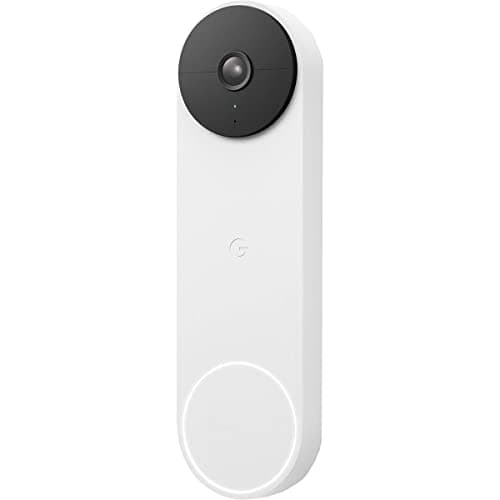
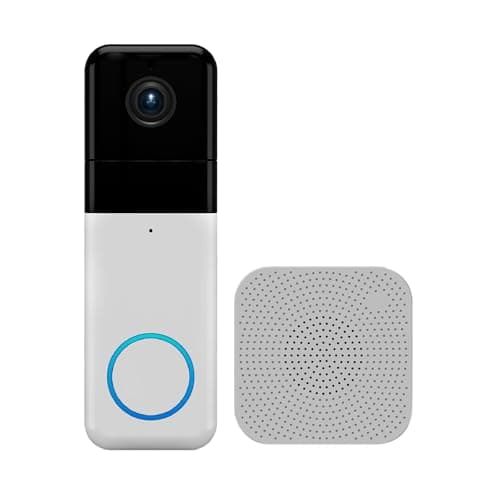
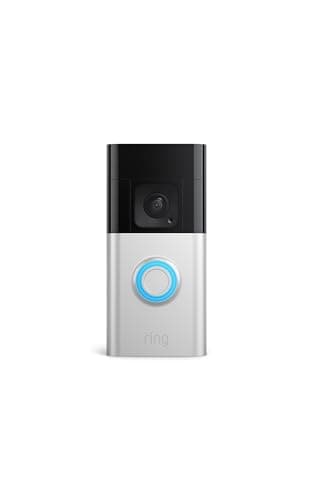
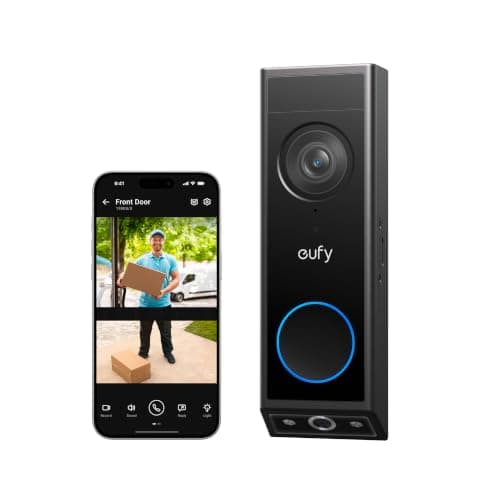
"Package detection" is three different things sold under one phrase, and the difference decides whether you will be happy. It can mean a doorbell that recognizes a box-shaped object and sends you a distinct alert. It can mean a doorbell whose camera can physically see the ground at your door, which not all of them can. Or it can mean a subscription tier that adds smart-alert categories on top of plain motion. Before you compare models, work out which of the three you are actually buying.
First: can the camera see the doormat at all?
Most doorbells are mounted at roughly chest height on a frame, with a wide lens aimed slightly outward. That frames a visitor beautifully and puts your doormat at the very bottom edge of the image, where lens distortion is worst, or off the frame entirely. No software can detect a package that is not in shot. Three design answers exist, and all three are on this page: a taller aspect ratio (Ring's Head-to-Toe), a square 1:1 frame (Wyze), or a second camera pointed down at the floor (eufy's E340). The second camera is the only one that gives the package a whole frame to itself, which is why it leads here. If you are weighing the frame shape more generally, how to choose a video doorbell covers field of view alongside the other decisions.
Second: is the detection on the device or in a plan?
This is where most of the money hides. On-device AI means the doorbell itself decides that the thing in frame is a package and tells your phone; the feature is part of the hardware and keeps working with no account in good standing. Cloud AI means the clip goes up, a model categorizes it, and the categorization is a feature of a paid tier. Of the four here, Google publishes free on-device person and package AI, and eufy publishes AI package detection with free local storage. Wyze publishes motion alerts rather than a package category, and Ring does not list package detection among this model's published features while also requiring a plan to save any clip. We lay the full fee picture out in video doorbell subscription costs, and the no-fee field is ranked in best no-subscription video doorbells.
Third: where does the clip live afterward?
A package alert is only half the job. The other half is being able to look at what happened two days later when the carrier says it was delivered and you cannot find it — which is the single most common real-world use of a doorbell camera. That is a storage question, not a detection question. The eufy keeps clips on 8GB inside the doorbell, Wyze keeps them on a microSD card you supply, Nest gives you roughly three hours of free history, and Ring needs a plan to keep anything at all. If the reason you are buying is delivery disputes, buy local storage; if you just want to know a box arrived while you are at work, the free tiers are fine. Our doorbell storage guide explains the formats and how long each really holds.
What package detection will not do
It will not tell you a package has been taken. All four of these doorbells notify on arrival, not on removal, and the common disappointment is discovering that the clip of someone walking off with the box exists only if motion happened to trigger a recording and your storage window had not already rolled over. Nor will it identify the carrier, read a label, or distinguish your parcel from a neighbor's misdelivery. And it will not stop the theft — a doorbell is a record, not a deterrent, and anyone who tells you otherwise is selling. If the problem you are actually solving is repeated porch theft, a doorbell plus a lockable parcel box plus a visible second camera on the approach does considerably more than any detection algorithm. Our are video doorbells worth it guide is the honest version of that argument, and security cameras vs video doorbells covers when the second camera is the better spend.
Which of these is right for your ecosystem
None of the four supports Matter, so this is still a "pick your app" decision. In a Google Home household the Nest is the obvious answer and the free on-device package AI makes it an easy one. In an Alexa household the Ring is the smoothest, with the caveats above; the rankings for that case are in best video doorbells for Alexa, and the Google equivalents in best video doorbells for Google Home. If you are ecosystem-agnostic and care about this feature specifically, the eufy is the right buy and the head-to-heads worth reading are Nest Doorbell vs eufy E340 and eufy E340 vs Wyze Video Doorbell Pro.
Mount height decides more than the spec sheet
The published guidance for a doorbell is around 48 inches, and that height is chosen to frame a face. If package detection is why you are buying, mount lower rather than higher, and use any included wedge to angle the lens down. On a Ring or a Nest, five or ten degrees of downward tilt is the difference between the doormat being in frame and being a sliver at the bottom. On the eufy it matters less, because the second lens is already pointed where you need it. Our install guide covers heights, wedges and the existing-transformer question.
Check what your free tier keeps, not just what it detects
Write down two numbers before you buy: what the free plan detects, and how long it keeps what it detected. Those are separate limits and the marketing blurs them. Nest's detection is free and its free retention is roughly three hours. Ring's live view is free and its retention is zero without a plan. eufy and Wyze both retain locally for as long as their storage holds. For a delivery dispute, retention is the number that matters; for knowing a box arrived, detection is.
Wired power is worth more here than elsewhere
Package detection means more events, and more events mean more wake-ups, more recording and more radio time — which is exactly what flattens a doorbell battery. On a busy porch, a doorbell that is also running package AI will go through charge cycles noticeably faster than the same unit on a quiet one. Three of these four can be hardwired to an existing doorbell transformer, and if you have one, use it. The full comparison is in wired vs battery video doorbells, and how long video doorbell batteries last covers what each maker actually publishes.
Then narrow the motion zone to the porch
The fastest way to ruin package detection is to leave the motion zone at its default, which on most doorbells includes the sidewalk and the street. Every passing car becomes an event, the detection model has more frames to be wrong about, and the genuinely useful alert gets lost in forty others. Draw the zone tightly around the approach path and the doormat, turn off alerts for the outer zone, and you will get fewer notifications that mean more. If your doorbell starts missing events after that, check the chime and power side first — video doorbell chime not working covers the usual culprits.