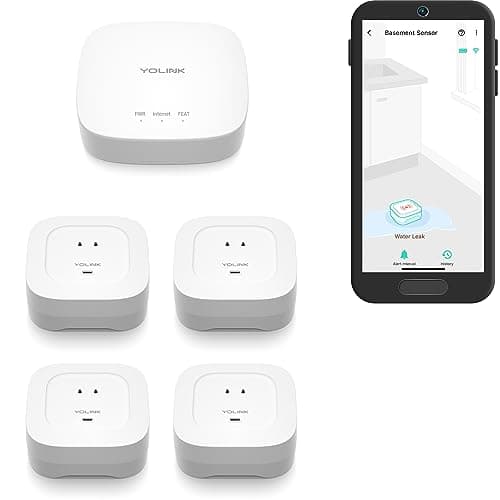
Nobody buys a water leak detector. People buy one after — after the supply line behind the washing machine let go while they were at work, after the water heater rusted through on a Sunday, after a pipe in an unheated garage split in February and nobody found out until the ceiling below it came down. It is the least exciting purchase in a smart home and the one most likely to pay for itself in a single night.
The hardware is trivially simple. Two metal contacts, a battery, a radio. When water bridges the contacts, something happens. Every one of these products detects water perfectly well, which is precisely why "detection accuracy" is a useless way to rank them. What separates them is what happens next — how loud it gets, how far the signal travels, whether anything acts on it, and whether the water keeps running while you drive home.
The usual caveat, and it is on every page here: we do not run a test lab. We flooded nothing. What we did was pull each product's published specifications from the manufacturer's own documentation and its live retail listing, read the compatibility claims those makers publish, and say plainly where a figure is missing instead of inventing one. There are four such gaps on this page and you will see every one of them called out in the picks — that absence is information too. Our methodology explains the whole process.
Five questions decide this purchase, and none of them is "accuracy"
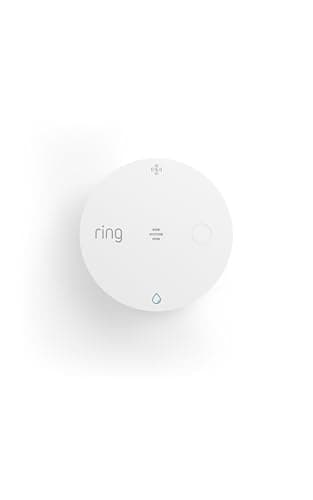
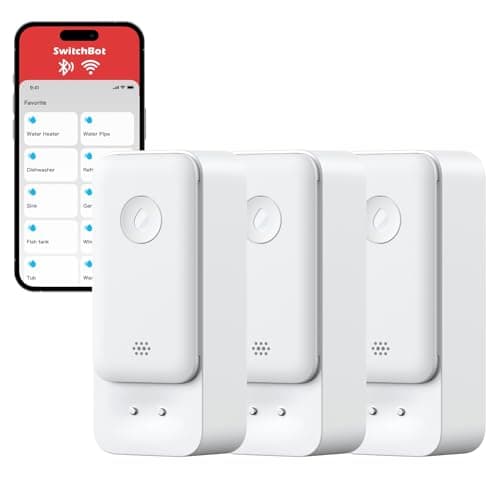
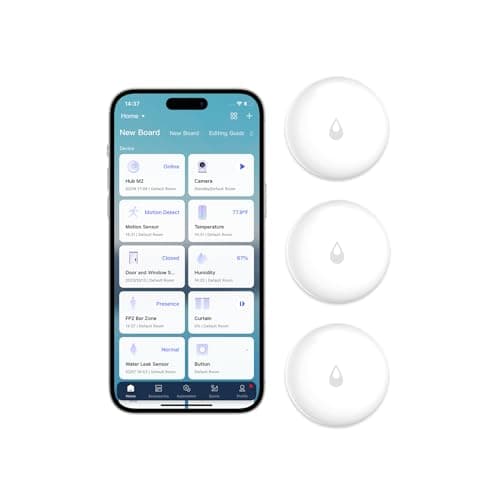
1. Does it make noise where the leak is?This is the first question and most buying guides never ask it. A leak alert that exists only as a push notification is worthless at 2am with your phone face-down in another room, and worse than worthless if the leak starts on the first day of a two-week trip. A local siren wakes the house, and it also alerts a neighbor, a tenant or a house-sitter who is not on your account. YoLink publishes 105 dB on every sensor in its kit. SwitchBot publishes 100 dB and, unusually, makes it adjustable. Aqara says there is a buzzer but publishes no number. Ring's Sidewalk sensor is built around the app rather than a sounder.
2. Will the radio reach where leaks start? Leaks start in crawlspaces, basements, garages, well houses and the cupboard behind the water heater — which is a list of the exact places your Wi-Fi is weakest. This is the biggest reason a leak sensor fails in practice, and it is decided entirely by the radio. Wi-Fi reaches about as far as your phone does. Zigbee reaches as far as its hub and mesh do. LoRa, which is what YoLink uses, publishes up to a quarter mile in open air. Amazon Sidewalk, which is what the new Ring sensors use, reaches as far as your neighborhood does — which is either brilliant or useless depending on where you live.
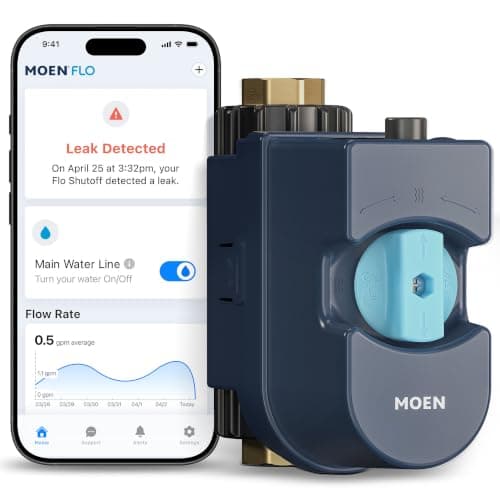
3. Slow drip or standing puddle?A disc sensor sitting on the floor catches water that pools where you put the disc. It does not catch a pinhole misting the back of a joint two feet up, and it does not catch a slow weep that evaporates as fast as it arrives. SwitchBot explicitly lists dripping, immersion and water-level detection. Moen's inline monitor runs a daily test it says finds leaks as small as one drop per minute — a fundamentally different detection method, because it watches the pipe rather than the floor.
4. Does it also watch for freezing? A great deal of cold-climate water damage does not start as a leak at all; it starts as a pipe that froze in an unheated space and split when it thawed. A sensor that reports temperature becomes an early warning days before there is any water to detect. YoLink publishes an adjustable low-temperature alert from 23°F to 59°F. Ring sells the newest model explicitly as a Flood and Freeze sensor, although it does not publish the trigger point. SwitchBot and Aqara publish no temperature alerting on these models at all.
5. Does it only tell you, or can it act? This is the honest ceiling of the whole category. Four of the five picks here are reporters: they inform you, and then you drive home. Only the Moen has a valve. In between sits automation — an Aqara sensor on a hub can trigger a motorized valve, cut power to an appliance with a smart plug, or turn on every light in the house, and YoLink's device-to-device pairing does something similar without the internet. Which route you take is a budget decision, not a technology one.
The radio is the whole decision, again
If that framing sounds familiar, it is the same conclusion we reached in the door and window sensor roundup, and for the same reason: the sensing element in a cheap sensor and an expensive one is functionally identical, so the radio is the product. Here it splits four ways.
Wi-Fi— SwitchBot's route — needs no hub at all, which makes it the lowest-friction start and the cheapest total cost when you only need one or two spots. The price is range and router load: 2.4 GHz only, one client per sensor, and nothing beyond the edge of your coverage. Zigbee— Aqara's route — needs a hub but turns the sensor into an automation trigger the rest of your smart home can see, and it does not consume a Wi-Fi slot. Our Zigbee vs Z-Wave guide covers why the mesh radios still dominate sensors.
LoRais YoLink's bet, and it is why the kit wins here: it trades bandwidth, which a leak sensor does not need, for range, which a leak sensor desperately does. And Amazon Sidewalkis the new one. Ring's latest sensors join a shared low-bandwidth neighborhood network rather than your own, which is why the Flood & Freeze Sensor can work with no base station and no Wi-Fi credentials — and also why its usefulness depends on coverage Ring itself puts somewhere between 90% and roughly 95% of the US population. If you want the plain-English version of the whole protocol landscape, Matter vs Thread vs Zigbee is the place to start, and do I need a smart home hub answers the question that follows it.
Matter has skipped this category, and you should know before you shop
This site exists to answer ecosystem-compatibility questions, so here is the uncomfortable finding: not one of these five is a Matter-native device. Contact sensors got Matter over Thread. Plugs got it. Locks got it. Leak sensors, for now, did not — the category is still divided between one company's app, one company's hub and one company's cloud. The nearest thing to a universal route on this page is the Aqara sensor bridged into Apple Home through an Aqara hub, and a bridge is not a standard.
The practical consequence is that you should buy leak sensors for the house you have rather than the house you might have, and you should expect to replace them if you switch ecosystems — a much easier thing to accept for four discs on a utility-room floor than for eight window sensors you glued to the frames. Our what works with Matter guide tracks where support genuinely exists today, and is Matter worth it is the honest answer on whether to wait for it. In this category, do not wait.
What happens when the power or the internet goes out
Storms cause power cuts and storms cause water in basements, so this is not a hypothetical. Every sensor here is battery-powered and keeps sensing. What varies is what it can still tell anyone. A Wi-Fi sensor with a dead router still sounds its local alarm but sends nothing. A hub-based sensor keeps talking to its hub as long as the hub has power, but loses remote notifications. YoLink's Control-D2D pairing is designed specifically for this case — a sensor can drive a paired device with no internet at all. And a Sidewalk sensor depends on someone else's bridge staying powered, which in a neighborhood-wide outage it will not.
The blunt takeaway: the sensor that screams locally is the one that still works in the worst case, which is a large part of why the YoLink kit sits at the top of this page. There is more on this failure mode in do home security systems work without Wi-Fi and smart home during a power outage.
Put them where water arrives, not where water ends up
The instinct is to put a sensor in the middle of the basement floor. That is the last place water reaches, and by the time it gets there the drywall is already gone. Put sensors directly under the failure points instead: the braided supply line behind the washing machine, the pan under the water heater, the shutoff valves under every sink, the dishwasher plinth, the sump pit, the base of the toilet, and wherever the HVAC condensate line drains. Those are the joints that fail, and a sensor an inch from a fitting buys you hours over a sensor twenty feet away.
Count the spots before you count the dollars
Walk the house and count the failure points, the way you would count openings before buying door and window sensors. Most homes land between four and eight, which is why every product here is sold in multipacks and why per-sensor cost drives this decision far more than any feature does. At one or two spots — a single apartment kitchen, a single laundry closet — the no-hub Wi-Fi three-pack is the whole answer and you are done. At six or eight spread across a basement, a garage and two bathrooms, the kit with its own long-range hub stops being the expensive option and starts being the only one that reaches everywhere you need it.
Check the alarm before you check anything else
Buy the decibel figure. A published, loud, local siren is what converts a leak detector from a diary entry into a rescue, and it is the one spec that keeps working when the router is dead, the phone is on silent, or the person in the house is not you. If a listing does not publish a decibel number, assume the sounder is a courtesy rather than an alarm and plan accordingly. Where you genuinely need quiet — a nursery, a home office closet — SwitchBot's adjustable level is the reason to prefer it over a fixed 105 dB sounder you cannot turn down.
Decide now whether you want a shutoff
This is the fork that decides your budget. Detection alone means the damage is bounded by how fast you can get home and find the valve — which, for a leak that starts on the first morning of a trip, is not bounded at all. A whole-home shutoff bounds it at a few gallons regardless of where you are. It is a large purchase and Moen recommends a licensed plumber install it, so it is not a casual decision. But if you have a finished basement, a second home, a rental you do not live in, or a winter where the house sits empty, the arithmetic is not close. Our smart home vacation checklist is the page to read before you leave, either way.
Pair the alert with something that acts
A middle path exists and almost nobody uses it. If your sensor is an automation trigger rather than a notification source, a leak can do work: cut power to the appliance that is leaking with a smart plug, close a motorized valve, turn on every light in the house so a sleeping household wakes up, or push an announcement through every speaker you own. That is the argument for the Zigbee sensor on a hub over the Wi-Fi sensor on its own, and smart home automation ideas has the worked examples. If you are choosing a hub at the same time, our Matter hub roundup is the right companion page — just do not expect the leak sensor itself to speak Matter.
If you already own an alarm, check what it supports first
Flood and freeze sensors are a standard accessory on most DIY security systems, so if you own one you may be a single add-on away from covering this — worth checking before you buy a parallel set of sensors that live in a second app. Our how to choose a home security system guide covers where life-safety sensors fit alongside the intrusion ones, the Ring Alarm review covers the system that takes both generations of Ring flood sensor, and the DIY systems roundup ranks the kits themselves.