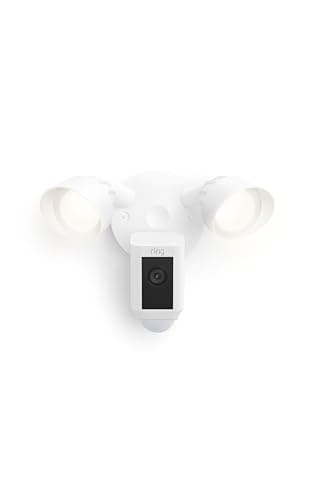
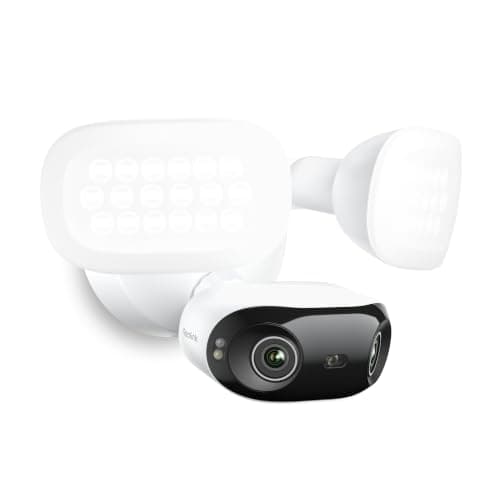
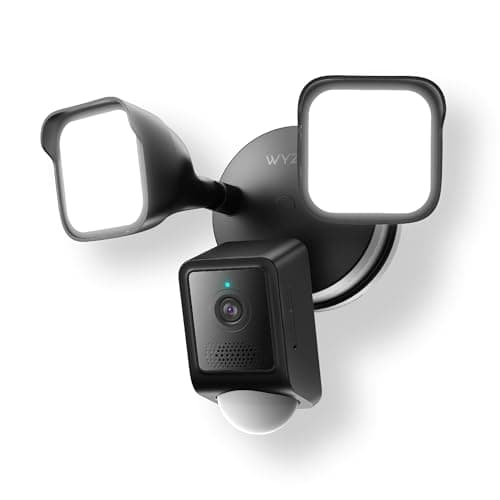
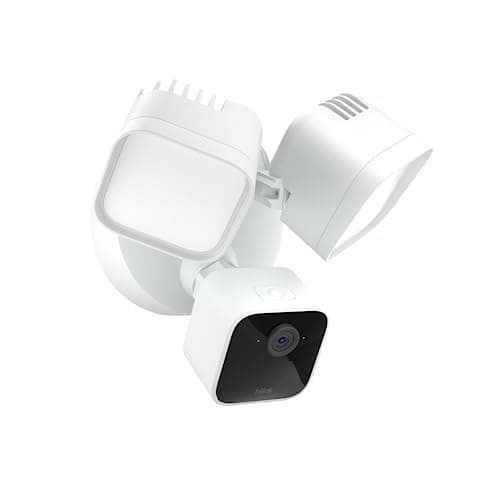
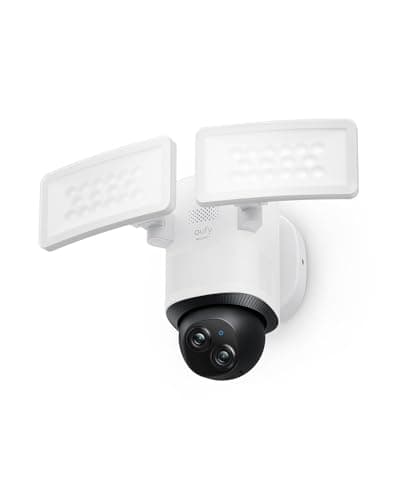
A floodlight camera is the one outdoor camera that does not ask you to think about batteries, solar panels or charging cables, because it is wired into the fixture it replaced. That is its whole appeal: permanent power, a bright light that was already part of the plan, and a camera that records the moment the light comes on. It is also why it is the outdoor camera most likely to defeat you before you have compared a single spec — every model on this page is hardwired, and the wiring is the first question, not the last. If you are still deciding between camera types at all, how to choose a security camera is the wider version of this decision.
We ranked these five on four things, in this order: whether the wiring you already have will take one, where the footage ends up and what that costs every month, how much control you have over the light, and how much of your property one fixture can actually cover. Resolution matters, but it comes fourth — a 4K camera aimed at the wrong forty degrees is worse than a 2K camera that turns.
The standing caveat, which is on every page here: we do not run a test lab. Every specification below was read off the manufacturer's own documentation or the live retail listing on the date in this page's sources, and where a maker does not publish something we say so rather than filling the gap. Our methodology explains the whole process, and you will see it in the picks — eufy publishes no decibel figure for its alarm and Blink publishes no weather rating, so neither gets one here.
Question one: do you have a junction box, and is it on a switch?
Every camera on this page is hardwired. There is no battery option, no solar option and no plug-in variant in this selection — they replace an existing exterior light fixture and draw mains power from the box behind it. If you already have a floodlight over the garage or a porch light on the wall you want covered, you are most of the way there. If you do not, the real cost of this purchase includes an electrician running a circuit and fitting a box, which is very often more than the camera.
The detail that catches people out is the switch. A security light is usually wired to a wall switch inside the house, and a floodlight camera on that circuit is dead any time somebody flips the switch off — no recording, no notifications, no live view, no siren. The fix is either to leave the switch permanently on and control the light in the app (which every pick here supports, with dusk-to-dawn schedules), or to have the fixture wired to a constant feed. Decide which before you install, not after the first time someone in the house helpfully turns the light off at the wall.
Two more wiring specifics worth checking against your box. All of these need a neutral wire. And the voltage ranges differ: the eufy, Ring and Reolink all accept AC 100-240 V, while Wyze specifies 110-120 V and Blink 100-240 V at 45 W. Ring is also the only maker here that publishes a mount spec — a 4-inch round weatherproof electrical box — and an operating temperature range, -5 F to 118 F. If your existing box is unusual, that is the pick with the most published information to check it against.
Question two: where does the footage go, and what does that cost forever?
This is the question that decides the total cost of a floodlight camera, and it is not close. The purchase price spread across these five picks is real but finite; the difference between a camera that records to a card in its own body and one that requires a plan to review what it saw compounds every month for as long as you own it. Our camera subscription cost breakdown does that arithmetic properly.
Four of the five here can record without a subscription. The eufy takes a microSD card up to 128 GB or pairs to a HomeBase S380 with a drive behind it. Reolink takes a card up to 512 GB and will also push to an NVR, an FTP server or a NAS, and states plainly that there are no monthly fees. Wyze records 24/7 to a card up to 256 GB, and keeps Cam Plus for AI alerts and cloud backup rather than for basic recording. Blink is the halfway case: cloud clips need a Blink plan, or you add a Sync Module, sold separately, for local storage.
Ring is the outlier and it should be judged honestly rather than harshly. Without a subscription you still get live view and motion notifications; what you lose is the ability to save and review video after the fact, which for most buyers is the entire point of installing a camera. That is a legitimate product design with a genuine benefit — recordings held off-site survive someone stealing the camera, which a microSD card does not — but it is a recurring bill, and you should price three years of it into the comparison rather than the sticker. Local vs cloud camera storage goes through the trade in both directions, and our no-subscription roundup covers the battery and plug-in cameras that take the same approach.
Question three: how much light, and can you turn it down?
Lumens are the number every listing shouts and the one most likely to mislead. These five run from 2,000 lumens on the eufy and the Ring, through 2,600 on the Blink and 2,800 on the Wyze, to 3,000 on the Reolink. That range is narrower than it sounds in practice, and more light is not straightforwardly better: a floodlight firing at full output a few feet from its own lens blows out the near field and leaves everything past it darker by comparison, which is exactly the frame where you wanted a face.
What matters more is control. The eufy's light is dimmable and rated at 4,000 K. The Reolink is adjustable not just in brightness but across 3000 K to 6500 K, so the same fixture can be a warm porch light or a cold security light depending on the wall it is on. Wyze publishes dusk-to-dawn automation and an ambient light mode, which is the setting that lets a camera be ordinary lighting most of the evening and a deterrent only when something moves. Blink's LEDs are a fixed 5000 K — bright and clinical, with no warm option.
Do not skip the neighbors. A 3,000-lumen fixture aimed slightly wrong lights someone else's bedroom every time a cat crosses your drive, and in most places you are expected to keep your light on your own property. Where to place security cameras covers aiming and mounting height, and the legal side of pointing a camera outdoors covers what you are and are not allowed to record.
Question four: one fixed cone, or a camera that turns?
A fixed floodlight camera sees the wedge you aimed it at on install day. That is fine when the job is a single door or a single gate, and it is why the horizontal field of view is the spec to compare: Reolink covers 180 degrees, Wyze 160 diagonal, Blink 143 diagonal, Ring 140 horizontal by 80 vertical. Wide numbers are attractive, but every one of them is a fixed cone, and a wide lens spreads its pixels thinner across the scene.
The eufy is the structural exception: a motorized head that pans a full 360 degrees and tilts, with up to four preset positions and motion-triggered tracking that follows what it sees. For a drive where someone can approach from either side, or a back garden with more than one way in, that is a different category of coverage from anything a fixed bracket does — and it is the main reason it is our top pick. The trade is a moving part living outside for years, and a heavier fixture to mount.
If one fixture cannot cover your property, the honest answer is that it cannot, and the money is better spent on two modest cameras than one exceptional one. How many security cameras do I need works through the count, and our outdoor camera roundup covers the battery and solar options for the walls with no wiring at all.
Night vision: the thing the floodlight changes
A floodlight camera has an advantage no battery camera can match — it can simply switch on a very bright light, so its night footage is color rather than infrared monochrome. All five here publish color night vision when the light is on. Reolink is the only one that also publishes its infrared fallback in detail: nine 850 nm LEDs reaching up to 30 m (100 ft), for the case where you want to watch without announcing it.
That distinction is worth understanding before you buy, because the two modes serve different purposes. Color at full brightness identifies people and vehicles; infrared at zero brightness observes without lighting the garden up at 3am. A camera that only does the first is a deterrent that wakes the house. How security camera night vision actually works explains the mechanism, and 2K vs 4K covers whether the extra resolution on the Reolink earns its price at night as well as in daylight.
The two cheapest fixtures, head to head
If your shortlist has come down to the budget end of this page, the two are compared directly in Wyze Floodlight v2 vs Blink Wired Floodlight, including the motion-coverage spec and the weather rating that separate them — and the one case where buying three of the cheaper fixture beats buying one of the better one.
Check the box before you check the specs
Go and look at the fixture you intend to replace. Is there a junction box behind it, does it have a neutral wire, and is the circuit switched at the wall? Those three answers rule more purchases in or out than any feature comparison will. If there is no box, get a quote for fitting one before you choose a camera — that number frequently changes which camera makes sense, and occasionally makes a battery camera from the outdoor roundup the better answer entirely. The wider trade-off is in wired vs wireless security cameras.
Price three years, not one purchase
Take the camera you are drawn to, add three years of whatever plan it needs to do the job you bought it for, and compare that number instead. A subscription camera and a microSD camera that look close on the shelf are usually not close at all over the life of the fixture. The counter-argument is real and worth weighing: cloud footage survives the camera being stolen or smashed, and a card in the camera does not. Decide which failure you actually care about, then buy accordingly.
Aim for identification, not coverage
The instinct is to buy the widest field of view and cover everything. The better instinct is to work out the one or two spots where you genuinely need to identify a person — the front door, the gate, the driveway — and put the resolution there. A 180-degree panorama across the whole frontage is superb for context and mediocre for faces at distance; a narrower, better-lit view of the approach to your door is what gets used when something actually happens. If you need both, that is two cameras, and it is a legitimate answer.
Match the radio to the mounting point
The camera is going on an outside wall, often the far side of the house from the router, behind masonry. Two of these picks — the Wyze and the Blink — are 2.4 GHz only, which penetrates walls better but sits on the most congested band in the house. The eufy, Ring and Reolink offer 5 GHz as well, which is faster and cleaner but shorter-ranged. Walk to the mounting point with your phone and check what signal is actually there before you commit, especially for the 8 MP Reolink, which has the most data to move. If your network is already struggling, smart home Wi-Fi congestion is the thing to fix first.
Decide the ecosystem question honestly
None of these five is a Matter device, so unlike locks and plugs there is no neutral standard to fall back on — you are buying into an app. Ring and Blink are Alexa-first and both are Amazon's. eufy gives you Alexa and Google but explicitly not HomeKit. Wyze gives you Alexa and Google. Reolink publishes Google in its spec table and claims Alexa in its product copy, so treat Alexa there as unconfirmed. If the rest of your house is already committed, that narrows this page to one or two picks very quickly, and our camera compatibility guide maps the whole category. Once it is installed, security automations covers what to do with a light that knows when someone is there.
The two picks most people end up choosing between
The eufy E340 and the Ring Floodlight Cam Wired Plus publish exactly the same 2,000 lumens, which is why the light is never what separates them — the resolution gap and the recording cost are. We put them side by side, spec for spec, in eufy Floodlight E340 vs Ring Floodlight Cam Wired Plus.
More on the top pick
The eufy E340 is the only fixture here on a motorized head, and that one difference changes enough about the install, the storage ceiling and what the camera can realistically cover that it is worth reading on its own. Our full eufy Floodlight Cam E340 review goes through the hardwiring requirement, the 128 GB card limit, the three specifications eufy declines to publish, and why an Apple Home household should buy something else.