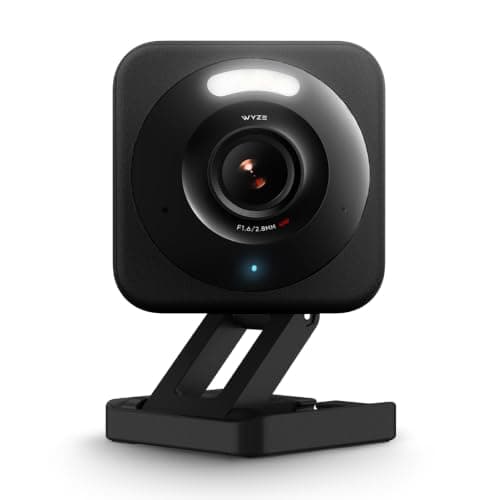
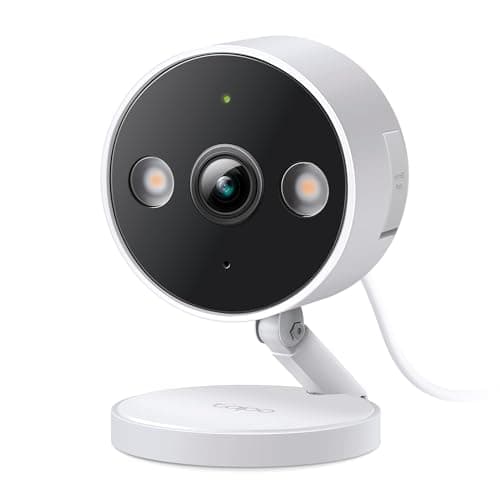
The Wyze Cam v4 and the TP-Link Tapo C120 are the two cameras a budget shopper almost always ends up cross-shopping. Both sit right at the bottom of the market - check the live prices in the table above. Both are wired, indoor-or-outdoor cameras with color night vision. Both put the same 2560x1440 sensor behind the lens, whatever each brand calls it on the box. Both let you skip the cloud entirely and record to a microSD card with no monthly fee - the whole reason a cost-conscious buyer looks here in the first place. On paper they look interchangeable. They aren't, and the gap that separates them is exactly the one that matters most on a site that hates a recurring bill.
The one difference that decides it
It's the smart alerts. Both cameras will ping your phone when something moves, but a bare motion alert is nearly useless - it fires for headlights, shadows and a cat on the fence just as readily as for a person at your door. What you actually want is a camera that can tell a person from a pet from a vehicle and only bother you for the ones that matter. Here the two cameras take opposite approaches.
The Tapo C120 does that detection on the camera itself, for free. Person, pet and vehicle recognition is built in with no plan to buy and no monthly fee - it is on the moment you set the camera up. The Wyze Cam v4 puts the same class of alerts (person, package, vehicle, pet) behind its Cam Plus subscription. Without a plan, Wyze gives you basic motion only, and its free cloud clips are capped at 12 seconds with a five-minute cooldown before the next one records. Cam Plus (around $2.99/mo per camera, or roughly $9.99/mo for unlimited cameras at the time of writing) removes the cooldown, lengthens the clips and adds the AI. That is a perfectly fair business model - but on a cost-first site like this one, a camera that hands you useful alerts for nothing is the more honest budget buy, and that is why the Tapo takes the win for most people.
The resolution tie nobody mentions
This is worth being blunt about, because the marketing obscures it. Wyze publishes the v4 as "2.5K QHD (2560x1440)". TP-Link publishes the C120 as "2K+ (2560x1440)". Those are the same number of pixels. "2.5K" and "2K+" are two brands rounding one 1440p sensor in opposite directions, and anyone choosing between these two on the strength of 2.5K-versus-2K is choosing on a name. What the spec sheets do differ on: the Tapo runs at 20fps, so fast movement is slightly less fluid, while the Wyze adds wide dynamic range, which is the thing that stops a bright sky blowing out a shaded porch. Both claim a 115.8-degree diagonal field of view. If pixel count is what you came for, see 2K vs 4K security cameras for what resolution does and doesn't buy you.
Where Wyze earns its keep
This isn't a shutout. Wyze records locally to a microSD card with no fee, so the "save clips without a subscription" box is ticked here too - the plan only buys you the smarter alerts and longer cloud history, not the ability to keep footage at all. Wide dynamic range is a real, if unglamorous, advantage on a camera pointed at a doorway where half the frame is sunlit. And Wyze is a genuine ecosystem: if you think you'll add a doorbell, a pan-tilt cam or plugs later, the accessories are cheap and plentiful, and they all live in one app. If you already own Wyze gear, or you want WDR, the v4 is the right call - our full Wyze Cam v4 review goes deeper on where it shines and where the plan starts to nag.
Storage, honestly
Neither camera forces you into the cloud, which is the point. Both record to a microSD card you buy once and never pay for again. The practical difference is capacity: the Tapo C120 supports cards up to 512GB - roughly 28 days of 2K footage - while the Wyze Cam v4 tops out around 256GB. Either is far more than a typical rolling week of history needs, so this rarely decides a purchase, but it does mean the Tapo can hold a longer buffer before it starts writing over the oldest clips. Both brands also sell an optional cloud plan (Wyze's Cam Plus, TP-Link's Tapo Care) if you later decide you want off-site backup and longer online history - but you can run either camera for years without ever touching one. If the local-versus-cloud trade-off is new to you, our guide on local vs cloud camera storage lays out what each approach protects against.
Ecosystem and the Apple question
Both cameras work with Amazon Alexa and Google Assistant, so you can pull up a live feed on an Echo Show or a Nest Hub either way; TP-Link also lists Samsung SmartThings for the Tapo, and Wyze lists IFTTT for the v4. Neither supports Apple HomeKit, and neither speaks Matter, so if your home runs on Apple Home, both of these are the wrong list - you'd be stuck viewing each one through its own app rather than in Apple Home. That's not a knock on either camera at this price; it's just the reality of the budget tier. If cross-ecosystem tidiness is a priority, start with the full camera roundup instead, which flags what each option does and doesn't plug into.
The call
Buy the Tapo C120 if you want the most genuinely free camera of the two: person, pet and vehicle alerts at no charge, footage kept on a card you own up to 512GB, and a solid IP66 weather rating for an outdoor spot. It is the better default for a budget buyer who resents a monthly bill, and our full Tapo C120 review covers the setup and the app in detail. Buy the Wyze Cam v4 if you specifically want its wide dynamic range, or you're already invested in Wyze and want everything in one app - just go in knowing the smart alerts you'll actually rely on cost a few dollars a month. If dodging every recurring fee is the whole point of your search, both belong on the same shortlist as the rest of our no-subscription camera picks.
The usual honest caveat applies, the same one on every page here: we did not wire these two into a test rig. We read each camera's published specifications and the manufacturers' own documentation on storage, detection and plan terms, and compared them straight. Where a figure would have to come from hands-on testing, we say so rather than inventing it.
One thing both of these cameras share, unusually: each maker publishes Google Assistant support as well as Alexa, which puts them at the top of best security cameras for Google Home — a much shorter list than the Alexa one.
How to actually choose
Start with one question: do you want smart alerts without paying for them? If yes - and for most budget buyers the answer is yes - the Tapo C120 settles it, because its person, pet and vehicle detection is free and on-device. Motion-only alerts age badly fast; within a week you'll be muting a camera that cries wolf at every passing car. Free AI detection is the single upgrade that makes a cheap camera livable, and only the Tapo includes it at no cost.
Then weigh image quality and storage
Resolution won't help you here - both publish 2560x1440 and a 115.8-degree diagonal view, so a house number or a face at the edge of the frame lands the same either way. The real image difference is wide dynamic range, which Wyze publishes and TP-Link does not: that is what keeps a sunlit doorway from blowing out while the porch stays visible. On storage, both keep footage on a microSD card with no fee; the Tapo simply accepts a larger card (512GB vs 256GB) for a longer local history. If you're the type who wants weeks of continuous footage on hand, the Tapo holds more of it. For the bigger picture on what a camera plan really costs once you add it up, see our guide to what security-camera subscriptions actually cost.
Then match it to your smart home
Both cameras are Alexa-and-Google devices with no Apple Home support, so your voice assistant won't break the tie - either will show up on an Echo or a Nest display. Where it does matter is expansion: if you expect to build out a larger kit over time, Wyze's broader, cheaper accessory range keeps everything in one app, while the Tapo slots neatly alongside other TP-Link Tapo and Kasa gear. Pick the ecosystem you're more likely to grow into, then let the free-alerts question above make the final call.