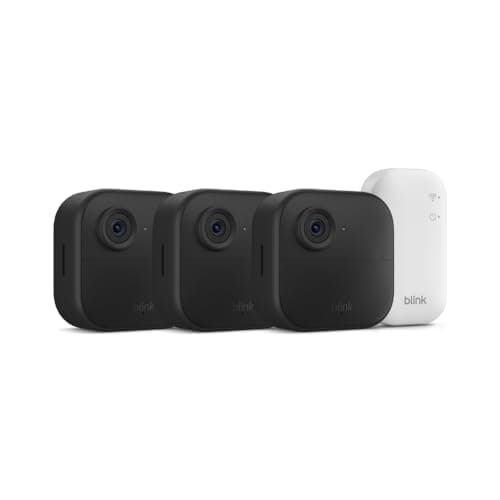
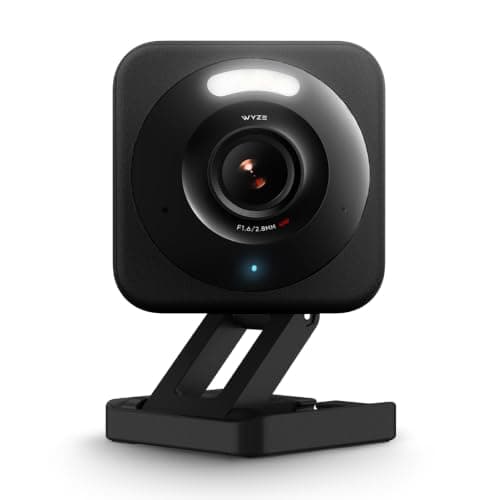
The Wyze Cam v4 and the Blink Outdoor 4 are the two names a budget shopper keeps circling, and it is easy to line them up as rivals for the same dollar. They are not, quite. They are two answers to two different questions, and the whole comparison collapses into one thing you can settle by walking outside and looking at the wall: is there power where you want the camera? The Wyze is a wired camera that rewards you with a sharper picture and free local recording. The Blink is a wire-free kit that rewards you with the freedom to mount three cameras anywhere at all. Answer the power question and the choice mostly makes itself.
The one difference that decides it: power and placement
The Wyze Cam v4 is a wired camera. It needs an outlet or a routed cable at the mount, and in exchange it never runs out of charge and can record continuously rather than only in motion clips. That single trait - a permanent power source - is the reason it can be sharper and cheaper to run than the Blink, because it is not budgeting every watt to preserve a battery. Where there is an outlet, that is a real advantage.
The Blink Outdoor 4takes the opposite bet. Each camera runs on batteries with a two-year claim, so there is no cord and no outlet required - you screw it to a fence, a soffit or a tree and walk away. That freedom is the entire point of the kit, and it is why the Blink can cover the corner of a yard the Wyze simply cannot reach without an electrician. The cost of that freedom is that a battery camera cannot record 24/7 and has to sip power, which shapes everything else about it. If "there is no power out there" describes your problem, the Blink is built for you, and our best wireless security cameras roundup puts it against the other wire-free options.
So the decision is not really "which camera is better" - it is "which problem do you have." A spot with an outlet is Wyze territory, where you get more image for less money. A spot with no power is Blink territory, where nothing else on a budget will even function. Most homes have both kinds of spot, which is why plenty of people end up owning some of each. Where you can choose, though, the tie-breakers below are what tip it.
Resolution and recording: where the Wyze pulls ahead
With power on tap, the Wyze Cam v4 spends its budget on the picture. Its 2.5K sensor is a visible step up from the Blink's 1080p - the extra resolution is the difference between knowing someone was at the door and being able to describe them, and it matters most at exactly the moments a camera earns its keep, like reading a face at the gate or a plate in the drive. Add color night vision and the Wyze holds detail after dark better than a budget camera has any right to.
Being wired also unlocks a capability the Blink cannot match at any setting: continuous recording. A battery camera records in motion-triggered clips to preserve its charge, so there are gaps between events; a wired Wyze with a microSD card can keep an unbroken timeline you can scrub through, which is genuinely useful when you are trying to reconstruct exactly when something happened rather than just catch that it did. If a continuous archive matters to you, the wired camera is the only one of these two that offers it.
Coverage and count: where the Blink pulls ahead
The Blink's answer to a sharper single camera is simple: bring three. The Outdoor 4 ships as a three-camera kit, so out of one box you can put eyes on the front, the back and a side of a house at once - and because none of them need power, you are not limited to the three walls that happen to have outlets. For blanketing a whole property with a basic net of cameras, that combination of low per-camera cost and go-anywhere mounting is hard to beat, and it is why the Blink kit is a perennial value pick.
The Wyze can do whole-house coverage too, but you buy the cameras one at a time and each one still needs its own outlet or cable. Three wired Wyze cameras will very likely out-resolve three Blinks and cost less to run, but only if you have three powered, sensible mounting spots - and many houses do not, especially at the far corners of a yard where you most want a camera and least want to run a cable. Deciding where cameras actually belong is its own project; our guide on where to place security cameras walks through the entry points worth covering before you count outlets.
Storage and the running cost
Both of these can be run for very little, but they get there differently, and the details matter. The Wyze Cam v4 records locally to a microSD card with no subscription - buy the card once and saving clips is free forever, with the optional Cam Plus plan adding smarter AI events on top rather than gating basic recording. That makes the Wyze one of the genuinely cheapest cameras to own, not just to buy.
The Blink is a little more conditional. Its included Sync Module Core does not store clips on its own, so to save footage you either add a Sync Module 2 with a USB drive for local storage, or take the low-cost Blink plan. Neither is expensive, but it is an extra decision and, in the plan's case, a recurring one - so the Blink's true running cost depends on which route you pick. If avoiding a monthly bill entirely is the priority, both can do it, and our no-subscription roundup and our explainer on local versus cloud storage lay out what each path really costs.
Ecosystem, install and living with each
On ecosystems there is a clean gap: the Wyze Cam v4 works with both Alexa and Google, while the Blink is Alexa-only - unsurprising for an Amazon-owned brand. Neither supports Apple HomeKit or Matter, which is normal for cameras, so if you run a Google household the Wyze is the safer tie-in and the Blink will leave you in its own app for voice. The Blink's Amazon roots also make it a natural fit beside an Echo, and if you are weighing Amazon's two camera brands specifically, our Ring vs Blink comparison is the next stop.
Installation follows straight from the power question. Mounting the Blink is the easy part - it is just a bracket and a couple of screws wherever you like, with no wiring at all, and the two-year battery claim means you rarely revisit it. The Wyze is as easy to physically mount, but the real job is getting power to it: an outdoor-safe outlet, a routed cable, or a nearby window pass-through. Weigh that honestly, because a wired camera you cannot power cleanly is worse than a battery camera you can put anywhere. For the broader question of what a camera needs to function at all, our guide on whether security cameras need Wi-Fi is worth a read.
Who should buy which
Buy the Wyze Cam v4 when the spot has power. You get a sharper 2.5K image, color night vision, free microSD recording, the option of continuous capture, and support for both Alexa and Google - more camera for less money, provided you can plug it in. It is our top pick here because for a powered location it simply gives you more, and it is the one we would default to for a front porch or garage wall with an outlet nearby.
Buy the Blink Outdoor 4when the spots don't. Its whole reason to exist is that it goes where a cable can't - the far corner of a yard, a detached shed, a rented home where you can't run wires - and it brings three cameras to do it cheaply. Go in knowing the trade: 1080p rather than 2.5K, motion clips rather than a continuous timeline, Alexa-only, and a Sync Module 2 or a plan to keep your footage. For wire-free freedom on a budget, none of that is a dealbreaker.
If you want a one-line rule: the outlet decides it. Where there is power, the Wyze is the sharper, cheaper-to-run camera and the better buy. Where there is not, the Blink is the only one of the two that works at all, and it happens to be a very good wire-free kit. Everything else - the resolution gap, the ecosystem, the storage - is a tie-breaker that only comes into play once the power question is settled, and for many homes the honest answer is a couple of wired Wyzes at the powered spots and a Blink or two for the corners a cable will never reach. Both also sit on our main camera roundup, ranked against the wider field.
The usual honest caveat applies, the same one on every page here: we did not wire these two up and stress them in a lab. We read each camera's own Amazon listing and manufacturer documentation for its specs, power method, storage and the ecosystems it names, and compared them straight. Battery-life and image claims are the maker's, under their chosen settings, not figures we measured - where a number would have to come from hands-on testing, we say so rather than inventing it.