Skip to content
Latch & Hub

Locks · Smart Locks

The Best Budget Smart Locks for 2026

Budget here means best value, not cheapest junk. Good smart locks run into the $300s, so we picked three that land in the sub-$200 sweet spot and still get the connectivity, keypad or fingerprint that matters.

By Stephen V.Updated How we choose
#ad

We earn a commission when you buy through our Amazon links, at no extra cost to you. It never changes our rankings — where the subscription-free or cheaper option is the better buy, we say so. How this works.

"Budget" is a loaded word for smart locks, so let us define it honestly up front. The best full-replacement locks with Apple Home Key and every ecosystem run well into the $300s, and the truly cheap no-name locks on a marketplace are a false economy - the mechanism is what stands between your home and the street, and that is the last place to cut. What we mean by budget is best value: locks that land near or under about $200 and still get the connectivity, keypad or fingerprint that actually matters. These three do exactly that, in three very different ways.

Because they are so different, the price is almost the least interesting thing about them. The August Wi-Fi Smart Lock is a retrofit that keeps your existing deadbolt and your keys. The Aqara U100 is a full replacement that adds a fingerprint reader and Apple Home Key. The Kwikset Halo is a plain, dependable Wi-Fi deadbolt with a keypad and no hub. Choosing between them is not about which is cheapest by a few dollars - it is about which shape fits your door, your keys and your phone. The compatibility matrix below does most of that arguing in one glance.

Why the cheapest pick is a retrofit, not a bargain-bin deadbolt

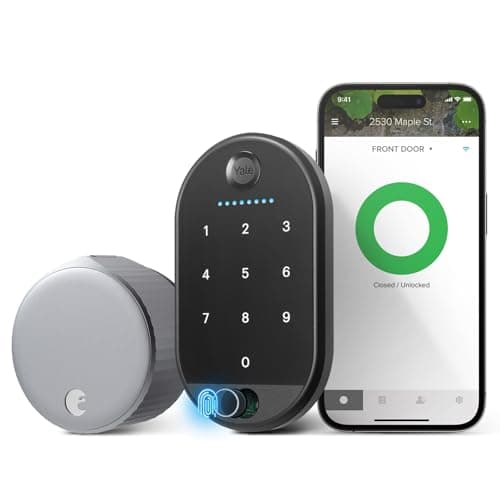
The lowest-risk way to spend the least is to keep the deadbolt you already trust and make it smart. That is the August's whole pitch: it clamps onto the inside of your current lock, so the exterior hardware and your physical keys do not change at all, and it adds built-in Wi-Fi plus a keypad for codes. You are not buying a new mechanism of unknown quality - you are adding remote control and guest codes to the one already on your door. For renters that is close to ideal, because a landlord never sees a difference from the street. It is also why we rank it first here: it is the cheapest entry that does not ask you to gamble on an unfamiliar lock body.

The trade is ecosystem. The August's listing names Alexa, Google and SmartThings, not Apple HomeKit or Apple Home Key. If your household lives in Apple Home and you want to tap an iPhone to unlock, the August is not your lock - but the Aqara U100 is, for not a lot more. If you just want remote lock and unlock on Alexa or Google while keeping your keys, the August is the value champion of this page.

Where a few more dollars buys fingerprint and Apple Home Key

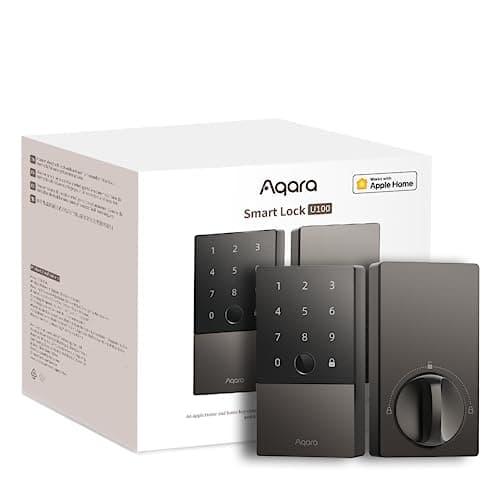
The Aqara U100 is the value pick that refuses to feel cheap. In one weatherproof body it packs a fingerprint reader, a touchscreen keypad and Apple Home Key, and its listing names Apple HomeKit, Alexa, Google and IFTTT - a spread you normally pay a lot more for. The catch is connectivity: on its own the U100 speaks Bluetooth, so remote access and voice control route through a separate Aqara hub. If you already own Aqara gear, that hub is probably in the house already and the U100 is a genuine bargain. If you do not, factor the hub into the price before you call it the cheapest option, because with the hub added it is no longer the cheapest - it is the most capable. Our keypad vs fingerprint guide explains when a fingerprint reader is worth it and when a keypad code is all you need.

What you give up by staying under about $200

Value is a set of honest trade-offs, not a free lunch, and it is worth naming what the sub-$200 bracket costs you. You will not get every ecosystem in one lock: the August skips Apple, the Kwikset skips Apple and Google on its listing, and the Aqara needs a hub to reach Alexa and Google. You will not get the premium hidden-in-the-door designs or the widest choice of finishes that the pricier locks offer. And with the two Wi-Fi picks here, a full-time radio in the lock is a real drain on batteries, so plan on changing them a little more often than a Bluetooth lock would need. None of that makes these bad locks - it makes them focused ones. The trick to a good value purchase is deciding which single thing you care about most, buying the pick that nails it, and letting the rest go.

The value full-replacement deadbolt, and its honest limit

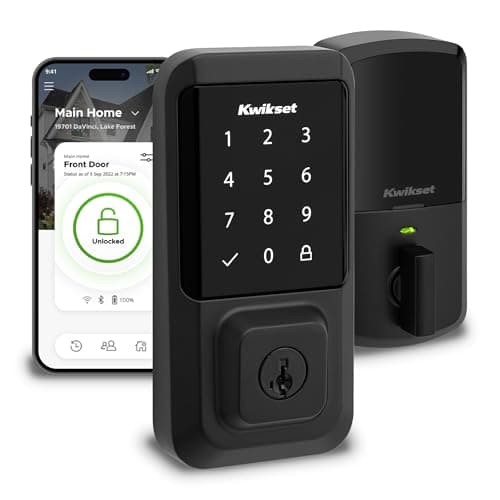
If you own your home and want a brand-new keyless deadbolt rather than a retrofit, the Kwikset Halo is the value answer. It is a full-size touchscreen deadbolt with built-in Wi-Fi and no hub, it is Grade AAA certified and UL listed, and it installs with a screwdriver. The honest limit is the one its own listing hands you: it names app and Wi-Fi control, but it does not name Apple HomeKit or Google Home. Treat it as an Alexa-and-app lock - a good one, at a good price - and do not buy it expecting to tap an iPhone or bark at Google. If those matter, step up to the Aqara U100 for Apple or read our full best smart locks roundupfor the pricier options that cover every assistant. As with every page here, everything in the specs and the matrix comes from each lock's own listing read on the date shown; where a maker does not name a platform, we mark it "Not listed" rather than guess, and the whole method is on our methodology page.

The short answer

Quick picks

Tap any row for the full write-up.

  • August Wi-Fi Smart Lock (4th Gen)
    01 August Wi-Fi Smart Lock (4th Gen)Top pick

    The cheapest honest way into a smart lock: it bolts onto the inside of your existing deadbolt, keeps your keys and your exterior hardware, and still adds built-in Wi-Fi and a keypad. For most people on a budget, this is where to start.

    Best for: The cheapest way in without losing your keys · No Matter (Alexa / Google)

    $129.00View on Amazon

    $249.9948% off

    #ad · we may earn a commission from this link to August Wi-Fi Smart Lock (4th Gen)

  • Aqara Smart Lock U100
    02 Aqara Smart Lock U100

    The value pick that still does the fancy stuff: a fingerprint reader, a keypad and Apple Home Key in one weatherproof body, plus HomeKit, Alexa and Google - as long as you are fine adding an Aqara hub for remote and voice control.

    Best for: Fingerprint and Apple Home Key on a value budget · No Matter (HomeKit + Apple Home Key)

    $149.99View on Amazon

    $189.9921% off

    #ad · we may earn a commission from this link to Aqara Smart Lock U100

  • Kwikset Halo Wi-Fi
    03 Kwikset Halo Wi-Fi

    The value full-replacement deadbolt: a fresh keyless lock with a touchscreen keypad and built-in Wi-Fi, no hub required. It is the honest pick if you want to swap the whole lock cheaply and you live on Alexa, not Apple.

    Best for: A value keyless deadbolt for a non-Apple home · No Matter (app + Wi-Fi)

    $192.12View on Amazon

    #ad · we may earn a commission from this link to Kwikset Halo Wi-Fi

#ad · Live prices from the Amazon Product API, as of Aug 1, 2026. Where we have no verified live price we show none — we would rather leave a gap than print a number that has rotted.

What each value lock actually claims - from the maker's own listing
DeviceHomeKitApple Home KeyAlexaGoogleMatterWi-Fi / Hub
August Wi-Fi Smart LockRetrofit, top pickNot listedNoYesYesNot listedBuilt-in
Aqara U100Bluetooth + hubYesYesVia hubVia hubNot listedVia hub
Kwikset HaloFull deadboltNoNoYesNot listedNoBuilt-in

In detail

The picks, in full

01

August Wi-Fi Smart Lock (4th Gen)

Top pick
August Wi-Fi Smart Lock (4th Gen)
$129.00View on Amazon

$249.9948% off

Price as of Aug 1, 2026. Amazon's price at checkout is the one that counts.

#ad · we may earn a commission from this link to August Wi-Fi Smart Lock (4th Gen)

The cheapest honest way into a smart lock: it bolts onto the inside of your existing deadbolt, keeps your keys and your exterior hardware, and still adds built-in Wi-Fi and a keypad. For most people on a budget, this is where to start.

  • Retrofit - fits your existing deadbolt
  • Keep using your existing keys
  • Built-in Wi-Fi, no separate hub
  • Keypad Touch included
  • Alexa, Google, SmartThings
Matter: No Matter (Alexa / Google)Fee: None - no subscriptionResearched, not hands-on tested

Good

  • Among the least expensive real smart locks, and it keeps your existing keys working
  • Installs on the inside only, so a renter changes nothing a landlord would notice
  • Built-in Wi-Fi means remote lock, unlock and alerts with no bridge to buy
  • The included Keypad Touch lets guests enter with a code, not just a phone

Less good

  • The listing names Alexa, Google and SmartThings, not Apple HomeKit or Apple Home Key
  • You are still relying on your old deadbolt's exterior build quality

Skip it if: you want a brand-new keyless deadbolt or Apple Home Key - this is a retrofit that reuses your existing lock, and the Aqara U100 does Apple Home Key for a little more.

02

Aqara Smart Lock U100

Aqara Smart Lock U100
$149.99View on Amazon

$189.9921% off

Price as of Aug 1, 2026. Amazon's price at checkout is the one that counts.

#ad · we may earn a commission from this link to Aqara Smart Lock U100

The value pick that still does the fancy stuff: a fingerprint reader, a keypad and Apple Home Key in one weatherproof body, plus HomeKit, Alexa and Google - as long as you are fine adding an Aqara hub for remote and voice control.

  • Fingerprint + touchscreen keypad
  • Apple Home Key + Apple HomeKit
  • Bluetooth deadbolt (Aqara hub for remote)
  • Alexa, Google, IFTTT
  • IP65 weatherproof
Matter: No Matter (HomeKit + Apple Home Key)Fee: None - no subscriptionResearched, not hands-on tested

Good

  • Fingerprint entry on top of a keypad and Apple Home Key, rare at this price
  • Names Apple HomeKit, Alexa, Google and IFTTT, so it fits almost any ecosystem
  • IP65 weather rating suits an exposed exterior door
  • The broadest feature set of the three value picks here

Less good

  • Alexa, Google and remote access run through a separate Aqara hub, not built-in Wi-Fi
  • It lives deepest in a brand app, so it is happiest if you already own Aqara gear

Skip it if: you refuse to add any hub - the U100 is Bluetooth on its own, so remote and voice control need an Aqara hub. The August or Kwikset have Wi-Fi built in instead.

03

Kwikset Halo Wi-Fi

Kwikset Halo Wi-Fi
$192.12View on Amazon

Price as of Aug 1, 2026. Amazon's price at checkout is the one that counts.

#ad · we may earn a commission from this link to Kwikset Halo Wi-Fi

The value full-replacement deadbolt: a fresh keyless lock with a touchscreen keypad and built-in Wi-Fi, no hub required. It is the honest pick if you want to swap the whole lock cheaply and you live on Alexa, not Apple.

  • Full-replacement touchscreen deadbolt
  • Built-in Wi-Fi, no hub needed
  • Grade AAA certified, UL listed
  • App control
  • Matte black finish
Matter: No Matter (app + Wi-Fi)Fee: None - no subscriptionResearched, not hands-on tested

Good

  • A brand-new keyless deadbolt at a value price, not a retrofit over old hardware
  • Built-in Wi-Fi with no bridge or hub to buy or hide
  • Grade AAA and UL listed for physical security you can point to

Less good

  • The listing does not name Apple HomeKit or Google Home - it is app and Wi-Fi control
  • No fingerprint or Apple Home Key, so entry is code, app or key

Skip it if: you live in Apple Home and want Home Key - this listing names neither HomeKit nor Home Key, so the Aqara U100 or a Schlage fits an Apple house better.

How to spend the least without buying junk

The way to save money on a smart lock is not to chase the lowest sticker - it is to buy the least lock that covers what you actually need, from a brand that stands behind the mechanism. Start with the deadbolt itself, because it is the part doing the security work. All three picks here are real locks from real brands: the August reuses a deadbolt you already trust, and the Aqara and Kwikset are purpose-built with weather ratings and safety listings you can look up. The trap at this price is the anonymous marketplace lock with a stock photo and no certification - a saving that disappears the first time the motor jams in January. If you are weighing whether a smart lock is even worth it over a plain one, our smart lock vs traditional deadbolt guide is the honest gut-check.

Match the shape to your door before you compare prices

Price picks the tier; the shape of the lock picks the model. Ask three quick questions. Do you rent, or want to keep your existing keys? Then the retrofit August is almost certainly your answer, and the other two are the wrong tool no matter what they cost. Do you want fingerprint entry or Apple Home Key? Only the Aqara U100 here offers them, so read it first even though it needs a hub. Do you own your home, want a fresh keyless deadbolt, and live on Alexa rather than Apple? The Kwikset Halo is the value full-replacement pick. Buying a lock whose shape does not fit your door is the most expensive mistake in this category, precisely because it looks like a bargain until it arrives.

Budget locks and the parts you should never cut

Two things are worth paying for even on a budget, and neither costs much. First, a real physical or code backup so a flat battery never locks you out - all three here keep a fallback, and our guide on smart lock battery life covers the low-battery warnings and jump options in plain terms. Second, connectivity you understand: the August and Kwikset have Wi-Fi built in, while the Aqara needs a hub, and knowing which you are buying prevents a nasty surprise on setup day. What keeps working when your internet drops is covered in our do smart locks work without Wi-Fi guide, and if the ecosystem names still blur together, the ecosystem compatibility guide untangles HomeKit, Home Key and hubs before you spend anything.
How we chose

We don't run a test lab

We don't wire every one of these into a test rig, and we won't write "in our testing" as if we do. What we did instead: pulled each product's published specifications, confirmed its Matter/Thread/HomeKit support from the manufacturer's own documentation, added up the real 3-year cost with any monthly fee included, and read the aggregated verified-buyer sentiment. Every pick is chosen against that published method. Where a number came from someone else, we name and link them in Sources.

Questions

Frequently asked

What is the best budget smart lock in 2026?
For most people, the August Wi-Fi Smart Lock. It is among the least expensive real smart locks, it keeps your existing deadbolt and keys, and it adds built-in Wi-Fi and a keypad with no hub. If you want fingerprint entry or Apple Home Key for a little more, the Aqara U100 is the value step up; if you want a brand-new keyless deadbolt on Alexa, the Kwikset Halo is the pick.
How much should I spend on a smart lock?
The value sweet spot sits near or under about $200 - which is where all three picks here land. The most feature-complete locks with Apple Home Key and every assistant run into the $300s, and the very cheapest no-name locks are a false economy because the mechanism is the part protecting your home. Spend enough for a certified lock from a brand you can look up, and no more.
Which of these budget locks works with Apple Home Key?
Only the Aqara U100. Its listing names Apple HomeKit and Apple Home Key, so you can tap an iPhone or Apple Watch to unlock. The August names Alexa, Google and SmartThings but not Apple Home Key, and the Kwikset Halo listing names neither HomeKit nor Google - it is app and Wi-Fi control.
Do any budget smart locks avoid a monthly subscription?
Yes - all three here have no subscription at all. Remote lock, unlock, guest codes and activity history are included with the lock, with no monthly fee. That is normal for smart locks generally; the ongoing subscriptions in a smart home tend to be on cameras and doorbells, not locks.

Keep reading

Receipts

Sources

We do not run a test lab, and we do not pretend to. Compatibility and subscription-cost claims come from the manufacturer's own documentation and the live retailer listing, read on the dates shown. Read our full method.