Auto-unlock is the feature that sells smart locks and the feature that gets switched off. When it works it is the best thing about owning one: you walk up with grocery bags in both hands and the door is already open. When it does not, it either fails to fire — so you stand there waiting, then fumble for a code — or it fires at a moment you did not intend, which raises a fair question about whether you want it at all. Both outcomes trace back to how the feature actually works, so that is where this page starts.
How auto-unlock actually works, and why that explains every failure
Auto-unlock is not one mechanism, it is two working in sequence. First a geofence: your phone notices you have left a radius around home, which arms the feature. Then a Bluetooth handshake: when you come back and your phone is within a few feet of the lock, the lock recognizes it and retracts the bolt. The two-stage design is deliberate — without the geofence arming step, the lock would open every time you walked past the inside of your own front door.
Everything that goes wrong follows from that. If your phone's background location permission is set to anything less than always, the geofence never notices you left, so the lock never arms and auto-unlock silently does nothing. If battery saver throttles background activity, same result. If the geofence radius is small and you work from home, you may never leave it, so the feature stays disarmed for days. And because the final step is Bluetooth through a door — a material that attenuates 2.4 GHz radio more than people expect — a thick or metal-clad door can mean the handshake only lands when you are already touching the handle.
That is why auto-unlock reliability is mostly a setup problem rather than a product problem, and why the single most useful thing you can do after installing any of these locks is set location permission to always, exempt the lock app from battery optimization, and widen the geofence until it reliably arms on an ordinary errand.
The safety question, answered honestly
A door that unlocks itself is a door that can be unlocked when you did not mean it to be. The realistic scenario is not a stranger exploiting it — the Bluetooth handshake requires your phone within a few feet — it is you: standing in the backyard, sitting in a car on the drive, carrying the phone past the door on the way to the mailbox. The bolt retracts, and if nothing closes the loop the door stays unlocked.
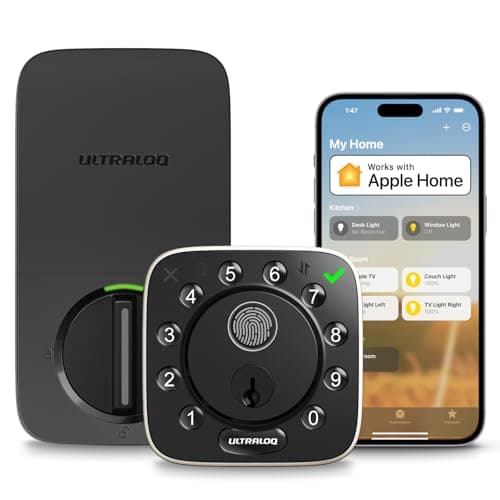
Three settings close that loop and all three are worth using together. Auto-lock re-secures the door after a set delay, so an unintended unlock has a time limit. A door sensorlets the lock distinguish "bolt retracted" from "door actually opened," which means auto-lock can wait until the door really is shut instead of firing into an open frame — the ULTRALOQ on this page includes one. And a tighter geofence plus a sensible arming radius reduces how often the feature is live when you are already home.
If that still sounds like more risk than you want, the honest answer is that auto-unlock is optional on every lock here and the alternatives are good. Apple Home Key, a fingerprint reader or a keypad code all give you near-instant entry with a deliberate action, and are smart locks safe covers the wider security picture rather than this one feature.
The door sensor is the spec that separates these three
This is the least-marketed and most useful distinction on the page. Most smart locks know only one thing: whether the bolt is thrown. They do not know whether the door is open. That sounds pedantic until you consider what it means in practice — a lock with no door sensor will happily report "locked" while throwing its bolt into thin air because the door is standing open, and an away-from-home check that says "locked" is then not telling you what you think it is.
A door sensor fixes that, and it is what makes auto-lock behave sensibly on a door people prop open. The ULTRALOQ publishes one in the box. If you buy either of the other two, the equivalent is adding a separate contact sensor to the door frame, which is cheap and gets you the same information even though it will not be wired into the lock's own auto-lock logic.
Auto-unlock, Home Key and fingerprint are three different answers
It is worth naming the alternatives, because for a lot of households one of them is simply better than auto-unlock and nobody says so.
Auto-unlockis zero-effort when it works and unpredictable when it does not, because it depends on your phone's background behavior — something you do not fully control and which changes with OS updates.
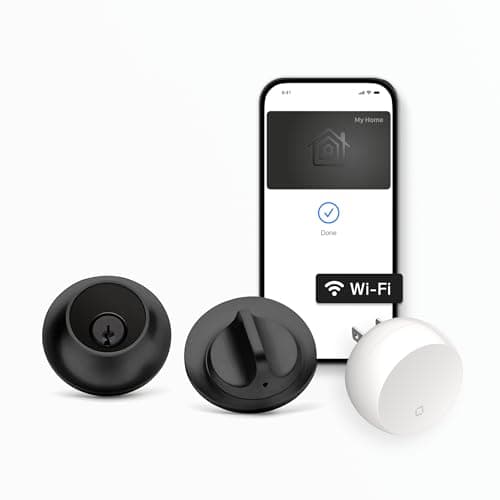
Apple Home Key is a deliberate tap of an iPhone or Apple Watch on the lock. It takes about a second, it works with a nearly dead phone for a while thanks to power reserve, and it never fires by accident. On this page only the Level offers it; the field is in best smart locks for Apple Home.
Fingerprint needs no phone at all, which is the one credential that cannot be forgotten, lost or left in a coat. It is the most robust of the three and the only one that works for a household member without a smartphone — best fingerprint smart locks ranks that field, and keypad vs fingerprint covers how each one fails.
The sensible position is to buy a lock that offers auto-unlock plus at least one deliberate method, and to treat auto-unlock as a convenience that sometimes takes the day off. All three picks here meet that bar; the August and ULTRALOQ meet it best, because both include a phone-free credential.
Retrofit or replacement: it changes more than the install
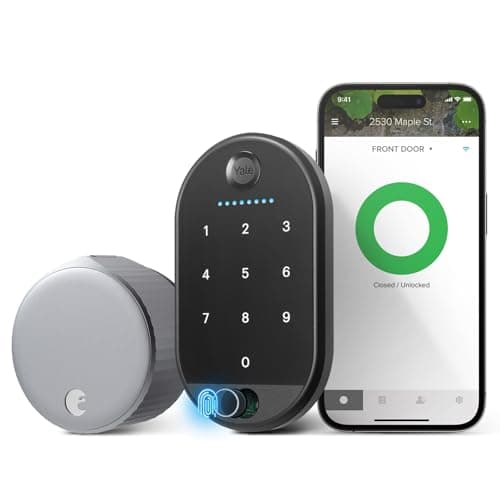
The August is a retrofit — it mounts over the inside of your existing deadbolt and turns your existing thumbturn. The Level and the ULTRALOQ are replacements. For an auto-unlock buyer the difference matters in three ways.
A retrofit means existing keys keep working, which is the right answer when a neighbor, a sibling or a landlord holds one. It also means the lock inherits your bolt's mechanical quality — and a stiff, misaligned bolt is the most common cause of a motorized lock failing to complete an auto-unlock cycle, because the motor stalls rather than retracting cleanly. Fix the strike plate before you fit anything. A replacement gives you a published security grade and weather rating you can actually hold the maker to, at the cost of cutting new keys for everyone.
Interior clearance is the other practical check: a retrofit body is bulky and needs room around the thumbturn, while a replacement needs standard deadbolt prep. Will a smart lock fit my door has the five measurements, and how to install a smart lock covers the strike-plate fix that auto-unlock depends on more than any other feature.
What auto-unlock does to battery life
More than you would guess, and it is the running cost of the feature. Auto-unlock plus auto-lock means the motor runs on every single arrival and every single departure, rather than only when someone deliberately operates the lock — so the same hardware that lasts a year on manual use may want fresh cells in well under that. ULTRALOQ publishes up to 10 months for the Bolt, which is a long interval for a lock doing this work, and the figure assumes a usage pattern the maker does not fully state.
Two things genuinely extend it: a well-aligned bolt that slides rather than fights, and a geofence that is not re-arming constantly. Route the low-battery alert to a phone that will act on it, and keep the physical fallback accessible. Smart lock battery life goes through what each design actually draws, and do smart locks work without power covers the dead-battery scenario.
Why only three picks
Because only three locks we cover have makers that publish auto-unlock, and we are not going to pad the list by implying the others do. Plenty of excellent locks — the Schlage Encode Plus, the Kwikset Halo, the Yale Assure Lock 2, the Aqara U100 — offer a keypad, Home Key or a fingerprint reader and are better buys for someone who wants a deliberate entry method. They are ranked in best smart locks, and if auto-unlock turns out not to be the feature you actually want, how to choose a smart lock is the page that starts from the decision rather than from one feature.
How we ranked these
In order: whether the maker publishes auto-unlock at all (that is the entry requirement), what happens when it fails — the quality and number of deliberate fallbacks — whether a door sensor is included so auto-lock can behave safely, whether remote status works without a separately sold bridge, and what the purchase costs you in keys, clearance and inherited bolt quality. We do not score these locks and we do not claim to have timed anyone's auto-unlock, because we do not run a lock lab; every figure here is the maker's own published claim, cited below.
Setting auto-unlock up so it actually works
Set location permission to always.Not "while using the app." The geofence that arms auto-unlock runs in the background, and on both iOS and Android the reduced permission silently disables the whole feature. This is the number one cause of "auto-unlock never worked."
Exempt the lock app from battery optimization. Aggressive power saving suspends background location, producing exactly the same symptom intermittently — which is worse, because it feels like a faulty lock.
Widen the geofence until it arms on a normal errand. A radius that only triggers when you drive across town means the feature is disarmed most of the time. If you work from home, this matters more than any other setting.
Fix the strike plate first. A bolt that fights its keeper makes the motor stall mid-cycle, and a stalled cycle reads as an auto-unlock failure. This is a five-minute job with a screwdriver and it is the single biggest reliability improvement available.
Turn auto-lock on, with a generous delay, and add a door sensor if the lock has none. Together they put a time limit on an unintended unlock and stop the bolt throwing into an open frame.
Keep one deliberate method set up and tested. A code enrolled, a fingerprint registered or a key accessible — because the day auto-unlock does not fire is the day you are holding something heavy.