Here is the honest starting point most Alexa buyers never get told: nearly every Wi-Fi smart lock on the market names Amazon Alexa. It is the broadest, easiest integration in the category, so a page called "best smart locks for Alexa" that just lists the locks that work with Alexa would be listing almost all of them. That is not useful. The real questions for an Alexa household are narrower and more practical: does the lock reach Alexa on its own built-in Wi-Fi, or does it need a separate hub first? And once Alexa is a given, what shape - keypad, hidden, retrofit - and what price actually make sense? This page answers those, and it ranks five locks that name Alexa and reach it directly.
"Works with Alexa" is the low bar, not the finish line
On our other ecosystem pages, the ecosystem itself does the filtering. Only three locks we cover name Apple Home Key, so our best smart locks for Apple Home page is short by nature. Google is a little broader, but still narrow enough that our best smart locks for Google Homepage leaves off a popular lock for not naming Google. Alexa is the opposite case. Amazon's smart-home platform is so widely supported that "works with Alexa" tells you almost nothing about which lock to buy - it is a checkbox nearly every maker ticks. So on this page, Alexa is the price of entry, not the ranking. Every lock here names Alexa on its own listing; the order is decided by everything that comes after that.
There is one thing worth knowing about how Alexa itself handles a lock, because it is the same for all of these. Alexa will lock any of these picks with a simple voice command. It will only unlock them by voice if you set a spoken unlock PIN in the Alexa app first - a deliberate safety default so nobody can shout your door open through a window. That is an Alexa behavior, not a lock-by-lock difference, so it is not a reason to choose one of these over another. It is just a setting worth turning on the day you install whichever you pick.
The one filter that actually matters: direct Wi-Fi, not a hub
If "works with Alexa" does not separate these locks, what does? The cleanest dividing line is how the lock reaches Alexa in the first place. A lock with built-in Wi-Fi talks to your network - and therefore to Alexa and to you when you are away - all on its own. A lock that is Bluetooth-onlyhas to route through a separate bridge or the maker's hub before Alexa ever sees it. Both can honestly say "works with Alexa" on the box. Only one does it without an extra box on your shelf. For an Alexa household that just wants to say "Alexa, lock the front door" and check the lock from work, built-in Wi-Fi is the feature that makes Alexa feel instant instead of dependent. Every one of the five picks here reaches Alexa directly - four over Wi-Fi built into the lock, and the Yale over an included Wi-Fi module that needs no separate hub.
Why the Aqara U100 is not on this page
This is the most important exclusion on the page, so we will be explicit about it. The Aqara U100is a genuinely good lock - a fingerprint reader, a keypad and Apple Home Key in one weatherproof body - and its listing does name Amazon Alexa. So why is it not ranked here as an Alexa lock? Because it names Alexa the indirect way. The U100 is Bluetooth at the door and needs an Aqara hub before it reaches your network, which means its Alexa control and remote access run through that hub rather than through the lock itself. On a page whose entire premise is "the lock reaches Alexa on its own," a lock that reaches Alexa only through a separate hub is a different promise, and we do not rank it alongside the ones that need no extra hardware. If you already own Aqara gear, that hub may be on your shelf and the U100 is a lot of lock for the money - but that is a caveat, not a clean Alexa integration, and the difference shows up the day your setup changes. It is the same discipline that keeps the Schlage Encode Plus off our Google page for not naming Google: this page is filtered honestly, not padded to look complete.
Why the best overall lock is not the best Alexa buy
There is a deliberate flip on this page worth calling out. On our best smart locks overalllist, the Schlage Encode Plus is the number-one pick, because across all households Apple Home Key is a real, tap-your-phone perk that earns its price. Here, the Schlage drops to second and the Kwikset Halo takes the top spot - not because the Halo is a better lock in the abstract, but because this page is ranked for a specific buyer. In an Alexa-only home, the Schlage's Apple HomeKit and Home Key features are money spent on things you will never open the app for. The Halo gives you the same Alexa control, the same built-in Wi-Fi and the same keypad for a good deal less, because it does not carry the Apple hardware you are not using. That is our buyer-first rule doing exactly what it should: when a cheaper lock is the better buy for who you actually are, we say so, even though the pricier one would pay us more. The head-to-head is spelled out in our Kwikset Halo vs Schlage Encode Plus comparison if you want to see the trade in detail.
The five that qualify, and how they differ
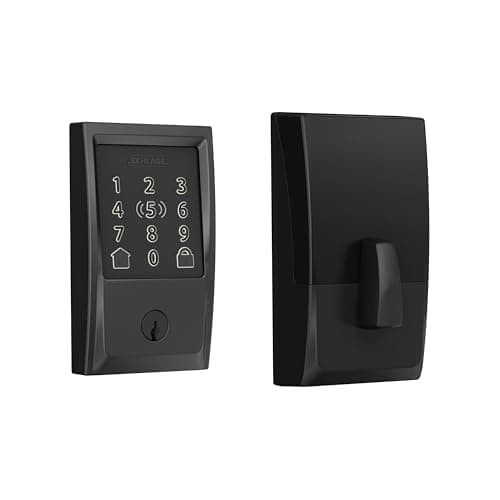
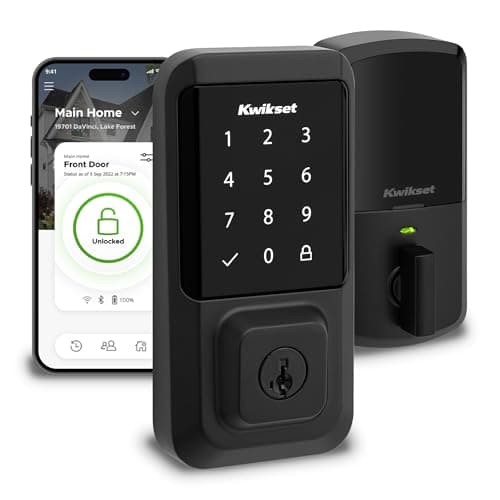
The Kwikset Halo is the top pick, and the value one. It is a touchscreen-keypad deadbolt with Wi-Fi built into the lock, so Alexa voice, remote control and code management all work with no hub and no plan. It is Grade AAA and UL listed - the physical-security credentials you actually want on a front door - and it installs easily. It names Alexa and Google, with no Apple and no Matter, which is a non-issue for an Alexa-first home and a hard stop only for an Apple one. If you want the least fuss and the best price for an Alexa house, this is the one; our full Kwikset Halo review has the complete picture.
The Schlage Encode Plus is the premium all-rounder. Its listing names Amazon Alexa and Apple HomeKit, which makes it the pick for a household split between an Echo and an iPhone: the same lock answers to Alexa and shows up in Apple Home, with Apple Home Key thrown in for anyone who carries an iPhone. It is a full-replacement touchscreen deadbolt with built-in Wi-Fi, so there is no hub to buy. The one thing to be honest about is price - you are paying for the Apple side, which is exactly why it is second here rather than first for an Alexa-only buyer. Our Schlage Encode Plus review goes deeper on where that premium is worth it.
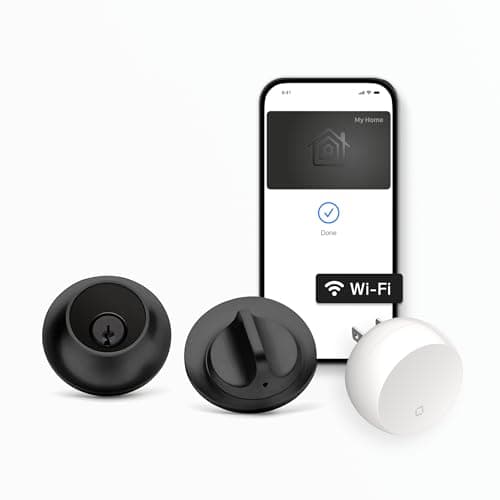
The Level Lock+ is the hidden one.Almost all of its hardware lives inside the door, so from either side it looks like an ordinary deadbolt - no keypad, no obvious "smart lock" bulk. It still does Alexa, built-in Wi-Fi and, as it happens, the broadest platform list of any lock here: Apple, Alexa and Google. The trade is the flip side of the disappearing act - there is no exterior keypad by default, so guests get in by tapping a phone, using a key card or a physical key, not by punching a code. For an Alexa user who values looks above a keypad, it is the standout, and the Level Lock+ review covers the design in full.
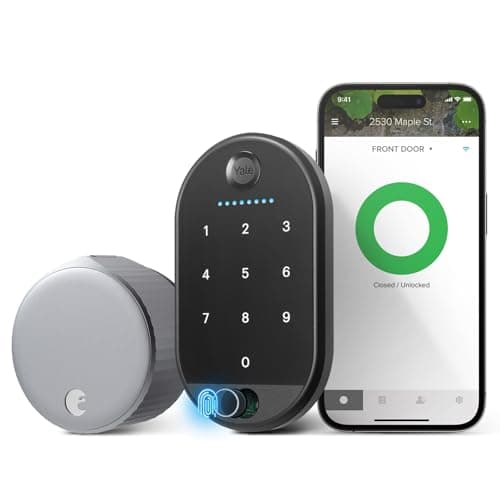
The August is the renter's answer. Unlike the others, it does not replace your deadbolt - it retrofits onto the inside of your existing one, so the exterior face and your current keys stay exactly as they are. That makes it the pick for anyone who cannot change the door: a renter, or a homeowner who does not want to swap hardware. It has built-in Wi-Fi, names Alexa, Google and SmartThings, and the included Keypad Touch gives guests a code. Our August Wi-Fi Smart Lock review covers the retrofit approach in detail.
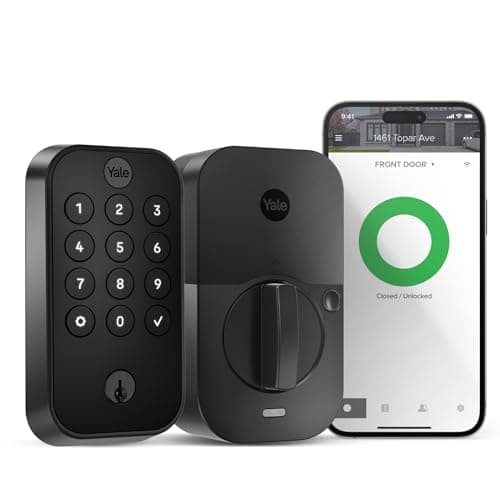
The Yale Assure Lock 2 is the flexible one. It is a clean full touchscreen deadbolt built on a swappable-module system, and this Wi-Fi configuration adds Alexa, Google and remote access through the included module - no separate hub required. The appeal is that you can change how the lock connects later without buying a new lock, and it offers an optional keyed backup for anyone who wants a physical key as a fallback. The catch is that what you get depends on which module is fitted, so read the exact variant before ordering - our Yale Assure Lock 2 review walks through the module system.
A word on Matter, and on subscriptions
Two quick reassurances before the caveat. First, none of these five charges a subscription - Alexa voice, remote control, the keypad and code management are all part of the lock, not a monthly plan. That is the norm for smart locks and a genuine relief compared with the camera world, where the useful features often live behind a fee. For an Alexa home you can buy any of these and never see a recurring charge for the lock itself.
Second, a note on Matter for anyone future-proofing. None of these five listings claims Matter as of our review date - the Kwikset Halo reads a plain "No," and the others read "Not listed" - so we do not credit any of them with it. That does not affect Alexa today: all five work through the Alexa app and Echo devices right now. But if a cross-ecosystem Matter lock is on your must-have list, none of these is the one that promises it, so confirm the exact model and firmware before you buy rather than assuming a future upgrade will appear. For the wider view of how Alexa, Google, Apple Home and Matter fit together, our best smart home ecosystem guide weighs the platforms against each other first.
The honest caveat
The same caveat sits on every page here: we do not run a lock lab. We built this list from each lock's own Amazon listing and manufacturer documentation, recorded only the platforms and features each one actually names, and marked anything a listing left unsaid as "Not listed" rather than assuming it. That discipline is exactly why the Aqara U100 is off this page as an Alexa pick - it reaches Alexa through its own hub, so we do not rank it beside locks that reach Alexa on their own. This is a researched roundup, not a hands-on test, and where a listing goes quiet, so do we.
Start with the door you are allowed to change
Before Alexa, before features, answer one question: can you replace the exterior hardware? If you own the door, yes - and a full-replacement lock (the keypad Kwikset, Schlage or Yale, or the hidden Level) gives you fresh hardware and, on the keypad picks, a code pad built into the outside face. If you rent the unit or a landlord says no, the retrofit Augustis the only pick here that works without touching the exterior, since it mounts on the inside and adds Alexa control and a guest keypad without replacing the landlord's lock. This single question removes most of the field before you even think about voice assistants.
Then let your budget and your other devices decide
Because all five reach Alexa directly, the choice for an owner comes down to money and the rest of your house. If your home is Alexa-only, the Kwikset Halo is the rational buy: it does everything an Alexa home needs - voice, remote access, keypad codes, no hub - without the price of Apple features you will never open. If your home is mixed Apple and Alexa, the Schlage Encode Plus is worth the step up, because it is the one lock here that names both Alexa and Apple HomeKit and adds Home Key for the iPhones in the house. And if breadth or a possible future switch matters, the Level Lock+ names Apple, Alexa and Google at once, so no change of heart later strands you.
Then choose keypad, hidden, or retrofit - and a backup
Now the shape of the lock. If you want a code pad so guests and helpers can enter without your phone, the Kwikset Halo, Schlage Encode Plus and Yale Assure Lock 2 are your keypad picks, and the Yale adds an optional keyed backup if you like a physical key as a fallback. If you would rather the lock vanish into the door and you do not need a keypad, the Level Lock+ is the reason this list has a hidden option - just remember entry is then by phone, key card or key. And if you cannot alter the door at all, the August retrofit is the answer, keypad included. Because an internet blip should never leave you locked out, read our do smart locks work without Wi-Fi guide so you know what each of these still opens on the keypad when the connection drops. And if you are still weighing Alexa against the other platforms, our best smart locks for Google Home page is the Android counterpart to this one, and the deeper map lives in our smart lock ecosystem compatibility guide.