Almost nobody searching for a Ring doorbell alternative dislikes the doorbell. They dislike one specific thing about owning it - usually the plan you need before you can open a recorded clip, sometimes the fact that the whole product assumes an Alexa household, sometimes the simple preference that footage of their front door should not live only in a company's cloud. Those are three different complaints with three different answers, which is why this page is organized by the reason you are looking rather than by brand ranking.
First, what Ring is genuinely good at
It is worth being straight about this, because a page that pretends the market leader is bad is not much use to anyone deciding. Ring is the default video doorbell for reasons that survive scrutiny.
It has the widest product estate, and that is the real feature: one app and one notification style covering the doorbell, the cameras, the floodlights and the alarm, so a motion event at the side gate and a ring at the front door arrive in the same place looking the same. Nothing on this page matches that, and for a household that already owns three Ring devices it is worth more than a spec upgrade. It has the best-documented installof any doorbell brand - chime compatibility, transformer requirements, angled wedges, the whole awkward reality of other people's doorframes. Its Alexa integration is the tightest in the category: the caller appears on an Echo Show without configuration. And its motion detection, including package alerts on the plan tiers, is mature in a way that newer brands are still catching up to.
So the honest frame for this page is not "Ring is bad." It is: Ring sells the hardware cheaply and recovers it on the plan, and whether that is a good deal depends entirely on whether you want the plan. If you already pay for Ring Protect across several devices, adding a doorbell to it is close to free and switching brands will cost you convenience you may not want to spend. If this would be your first Ring device and the plan would be a new line on your card, read on. Our Ring Battery Doorbell Plus review is the staying-put version of this page.
Reason one: the plan, and what it really costs over three years
This is the reason people search most, and the arithmetic is worth doing once rather than arguing about. A Ring doorbell with no plan is a live intercom: you get a notification, you can look, you can talk. What you cannot do is open a recording afterwards, and "look at it afterwards" is the entire reason a doorbell camera exists. Ring Solo starts at $4.99 a month per device at the time of writing, with Standard at $9.99 a month covering a whole home - confirm current pricing with Ring, because tiers change.
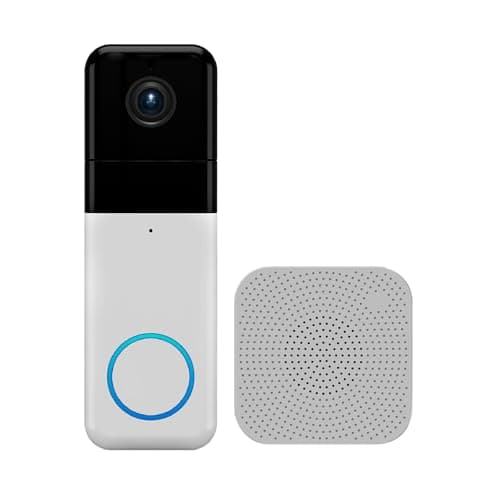
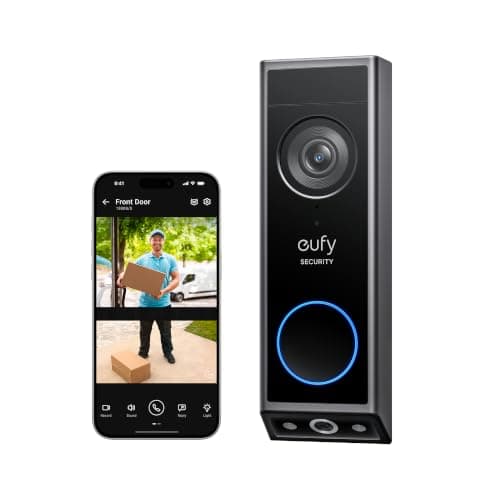
Over three years that recurring line is larger than the hardware it is attached to. The eufy E340 and the Wyze Pro both answer it by putting the storage in the device - 8GB built into the eufy, a microSD card you supply in the Wyze - so the three-year cost of ownership is the purchase price and nothing else. The Nest Doorbell is the interesting middle case: its smart AI classification is free, which Ring's is not, but history beyond about three hours needs Google Home Premium, which costs more per month than Ring's entry tier. Switching to Nest to save money and then subscribing is the one path on this page that ends up worse than where you started.
The table below runs that out. Hardware figures are listing context read on 2026-11-10 rather than the live price - the live number is on every buy button - video doorbell subscription costs has every plan tier in full, and best no-subscription video doorbells ranks the field on this axis alone.
Reason two: the ecosystem, which is not a preference you can argue with
The second reason is structural. Ring is an Amazon company and the experience is built Alexa-first. If your house runs on Google speakers and displays, a Ring doorbell works perfectly well in its own app and then stops at the edge of it: the chime does not appear on your Nest Hub, the live view does not come up on a Google display with a voice command, and the routines you have built do not see it.
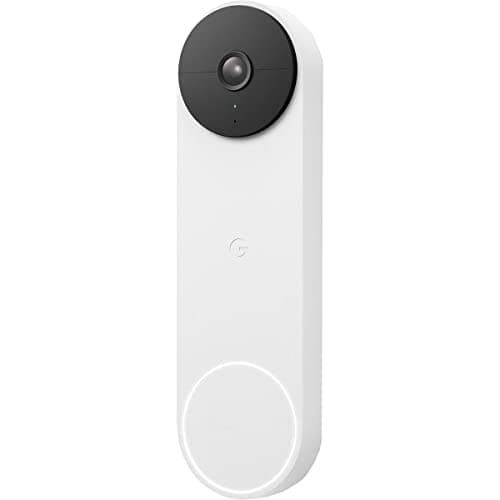
That is what the Nest Doorbell (Battery) fixes, and it is the only reason to choose it over the two cheaper picks here. In a Google house it behaves the way a Ring behaves in an Alexa house - which is to say, invisibly and correctly.
If your household is split, or if you would rather not bet on either platform, the eufy E340 is the pragmatic answer: it works with both Alexa and Google voice assistants while keeping its own storage, so you are not choosing a side. None of the three alternatives here supports Matter, so none of them is the native-Apple answer - what devices work with Matter explains why that keeps being true, and best video doorbells for Google Home and best video doorbells for Alexa are the per-platform rankings.
Reason three: where the footage actually lives
The third reason is the one people find hardest to articulate and is perfectly reasonable: some buyers simply do not want continuous video of their front step to exist only on someone else's servers. This is not a claim that any brand here is careless - it is a preference about architecture, and the architectures genuinely differ.
Ring doorbells are cloud-only: there is no microSD slot and no local fallback, so a saved clip means a clip in Ring's cloud. The eufy E340 keeps recordings in 8GB inside the doorbell. The Wyze Pro records to a microSD card you own. The Nest Doorbell does its AI classification on the devicebut stores event history in Google's cloud, so it answers the processing question rather than the storage one.
Local storage is a real trade rather than a free win, and the honest version has three parts. Capacity is finite, so history rolls off. A stolen doorbell takes its recordings with it - cloud storage is immune to that and local storage is not, which is the strongest argument for a plan that nobody selling local storage likes to mention. And remote viewing still goes through the maker's servers either way, because that is how a phone on cellular reaches your porch. Video doorbell storage explained goes through all of it, and what data do smart home devices collect is the wider version of the question.
What switching actually costs you
Four things, and they are the reason we would not tell a happy Ring owner to move.
The single-app estate. If you keep Ring cameras or a Ring alarm, a non-Ring doorbell means two apps, two notification styles and two places to look after an event. That friction is small on day one and annoying by month three.
The accessory range. Ring sells wedges, corner kits, solar chargers, transformers and chimes for its doorbells, and the alternatives here have thinner catalogs. If your door needs an awkward angle, check that a wedge exists before you buy.
Mature package alerts.Ring's package detection on the paid tiers is well established. The eufy's second camera is arguably a better answer to the same problem and the Nest's free package classification is genuinely impressive, but the Wyze's equivalent is the weakest of the four. Best video doorbells with package detection compares them properly.
Install documentation.Ring's is the clearest in the category. All three alternatives can run on battery or wire to existing doorbell terminals, so the physical swap is usually simple, but if you are hardwiring, read your new brand's transformer and chime requirements rather than assuming the Ring wiring transfers unchanged - how to install a video doorbell covers that, and video doorbell chime not working is the page you will want if the indoor chime goes quiet after the swap.
How we picked these three
Three requirements, applied in order. The doorbell had to be currently purchasable - in stock with a live offer on 2026-11-10, verified before it went on the page. It had to beat Ring at one of the three reasons people actually leave, clearly and on the maker's own published specifications, rather than being merely different. And each pick had to answer a different reason, because a page offering you three versions of the same swap is not helping you choose.
That left exactly three, and they are the three non-Ring doorbells we cover: the eufy E340 for the plan, the Wyze Pro for the price, the Nest Battery for the ecosystem. We do not score them and we have not hung all three on a test door, because we do not run a doorbell lab - every specification here is the manufacturer's or seller's own published claim, read on the date in the sources, and every price is pulled live from the listing rather than typed in by us. If you want the full field with Ring included rather than excluded, best video doorbells is that page, and Ring vs Nest doorbell is the head-to-head if those two are your shortlist.
Switching without regretting it: five checks
Name the reason you are leaving, in one sentence.If it is the plan, buy the eufy or the Wyze. If it is the ecosystem, buy the Nest. If it is "I want footage I control," buy the eufy or the Wyze and accept that history is finite. If you cannot finish the sentence, you probably want to keep the Ring and skip a tier of plan instead.
Count the Ring devices you are keeping. One doorbell swap in a house with three Ring cameras buys you a second app and a second notification style. That is a real cost, and it is the most common reason people switch back.
Check the chime before you buy, not after. Only the Wyze includes one. If you currently hear your Ring through an Echo, confirm your new doorbell can reach a speaker you own - otherwise a parcel arrives in silence and nobody answers the door.
If you are hardwiring, re-read the requirements for the new brand. Existing doorbell wiring usually transfers, but transformer voltage and mechanical-chime behavior differ between makers. All three picks also run on battery, which sidesteps the question entirely.
Export anything you want to keep before you cancel.Saved Ring clips live in Ring's cloud and go with the subscription. Download the handful that matter while the plan is still active - this is the one step people discover too late.